Keystone Dehumidifier Keeps Running
If your Keystone dehumidifier keeps running and never shuts off, you’re not alone. It’s one of the most common questions we hear from homeowners. In most cases the fix is simple once you understand what’s actually happening.
Aggregate reviews of Keystone models show that roughly 30% of reported issues involve continuous run behavior, often traced back to a setting, a sensor, or the room conditions themselves.
Manufacturer specifications indicate that Keystone dehumidifiers are designed to operate in temperatures between 41°F and 95°F. Below that range, the unit may run continuously without collecting water while it tries to defrost. As of 2026, that temperature window hasn’t changed.
Knowing your room’s temperature is your first clue. Let’s start with the quick answer, then dig into the details.
Quick Answer
Your Keystone dehumidifier keeps running because it’s set to continuous mode, the humidity sensor is faulty, the room air is still above your target humidity, or the unit is stuck in a defrost cycle. Check the mode first. Then verify the actual humidity with a separate hygrometer.
If the sensor is bad, you’ll need a replacement part.
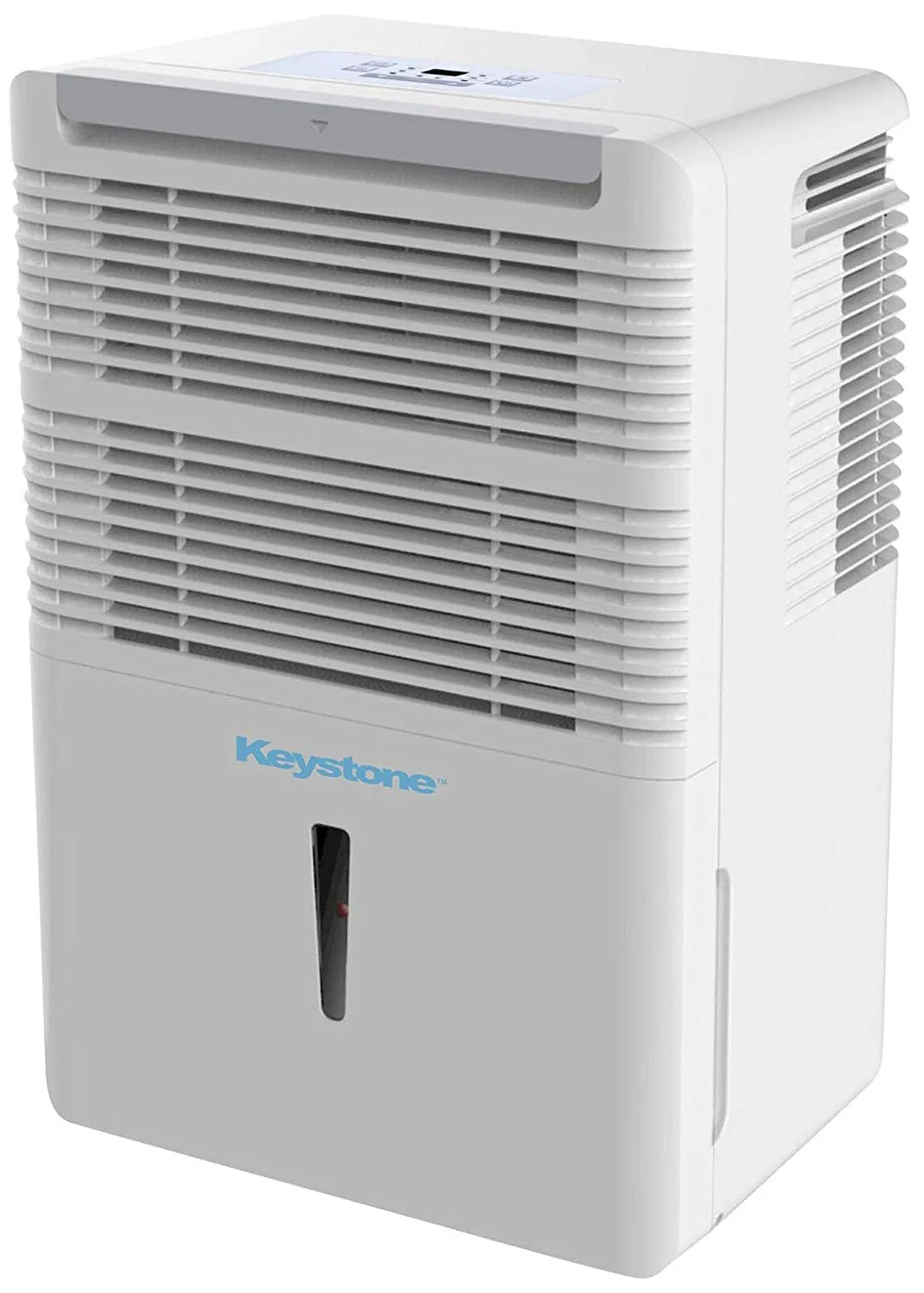
Image source: Bing (Web (fair-use with source credit))
Why Your Keystone Dehumidifier Keeps Running (And When That’s Normal)
A dehumidifier that runs nonstop isn’t always a problem. In a damp basement or a room with constant moisture (like a laundry area), the unit may never reach the set humidity level because new moisture keeps entering the air. That’s normal operation, not a malfunction.
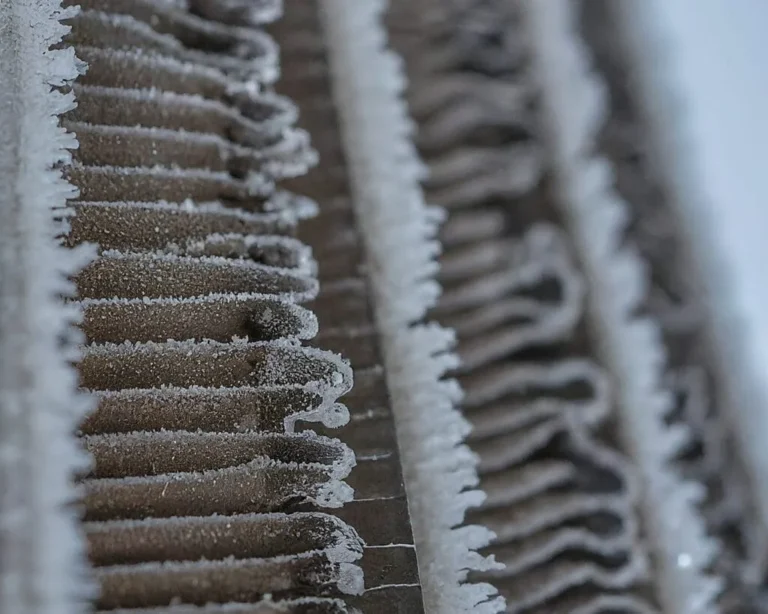
But there’s another reason: the defrost cycle. When temperatures drop below about 65°F, Keystone units periodically run the compressor while the fan stays on to melt ice that forms on the coils. During defrost, the unit isn’t collecting water, but it may run for 10 to 20 minutes before switching back to dehumidifying.
If your space is cool (under 65°F), this cycle can make the unit seem like it never stops.
The key difference is whether the bucket is filling up. If it’s filling regularly and the unit runs constantly, your room humidity is likely above 50%. Check with a hygrometer.
If the bucket stays empty but the unit hums away, look for ice or low temperature. Per the U.S. Department of Energy, indoor humidity should stay between 30% and 50% for comfort and health.
If your dehumidifier runs constantly but keeps the air at 50% or below, it’s doing its job.
How Continuous vs. Auto Mode Actually Works
Keystone dehumidifiers come with two main operating modes. Understanding the difference solves half the confusion.
Continuous mode tells the unit to run the fan and compressor nonstop, regardless of humidity level. You’ll find this setting marked as “Continuous” or an icon with a water drop and infinity symbol. In this mode, the unit never turns off on its own.
It’s meant for spaces where you want constant air movement or where humidity never drops low enough to satisfy a setpoint.
Auto mode (sometimes called “normal” or “humidity control” mode) lets you set a target humidity, usually between 30% and 80%. The dehumidifier runs until the sensor reads that the air has reached the set point. Then it shuts off.
When humidity rises again above the setpoint, it restarts. That on-off cycling is normal.
Here’s a quick comparison:
| Mode | Behavior | Best For |
|---|---|---|
| Continuous | Runs nonstop, ignores humidity | Very damp spaces, crawlspaces, or when you need constant air circulation |
| Auto (normal) | Runs only to reach and maintain a set humidity level | Living spaces, bedrooms, finished basements where you want precise control |
Most people accidentally leave the unit in continuous mode. Check your control panel. If you see “Continuous” lit up or a symbol that looks like an infinity sign, switch it to a specific humidity level.
That alone stops the endless running.
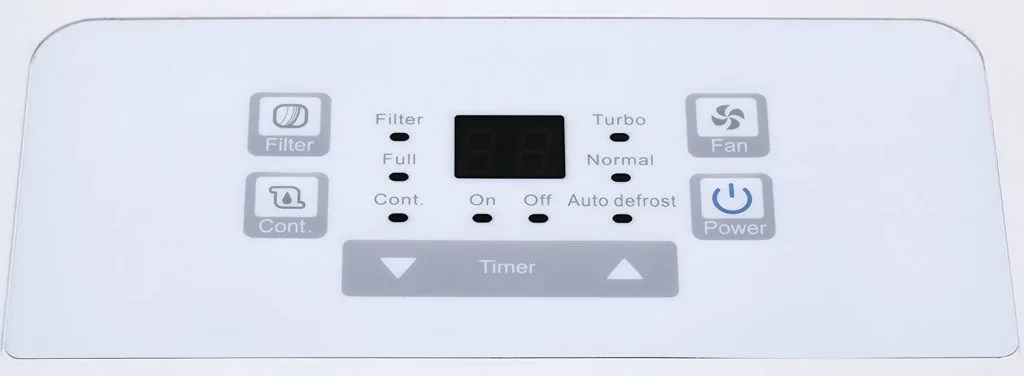
Image source: Bing (Web (fair-use with source credit))
Your Decision Tree: Follow These Steps to Find the Fix
If you’ve confirmed the unit is in auto mode but it still won’t shut off, follow this decision tree. Start at the top and work your way down.
Step 1: Check the humidity setpoint.
If you set it to 30%, the machine will run practically forever in a humid space. Raise it to 50% and see if the unit eventually stops. If it does, the sensor is working fine.
Step 2: Measure actual room humidity.
Use a separate digital hygrometer (they cost about $10). Place it a few feet away from the dehumidifier. Wait 15 minutes.
If the reading is higher than your setpoint, the unit is supposed to run. If it’s lower but the dehumidifier keeps running, you likely have a faulty sensor.
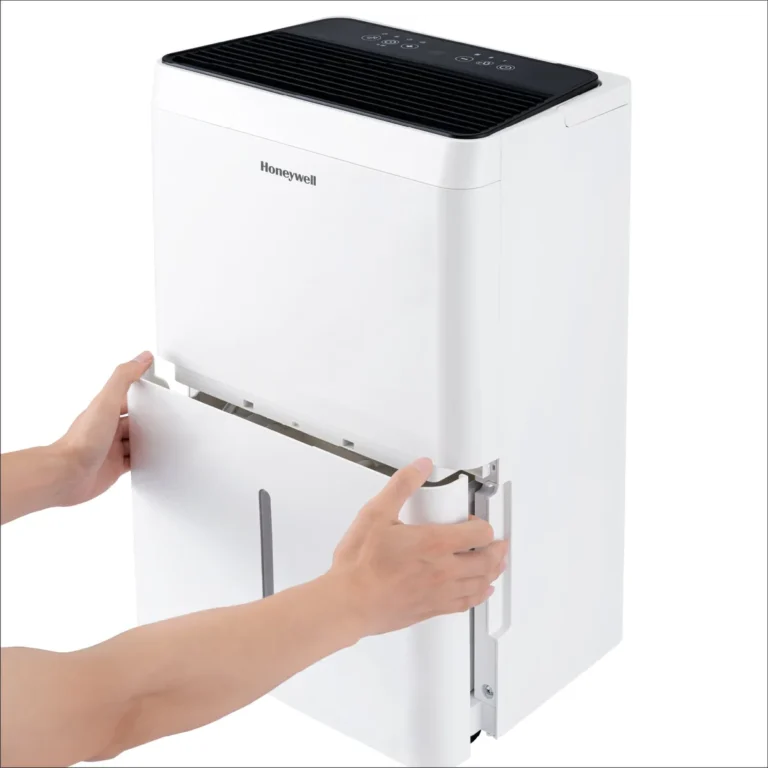
Step 3: Inspect the air filter.
A clogged filter restricts airflow over the coils. That makes the unit run longer to achieve the same dehumidification. Remove the filter and hold it up to light.
If you can’t see through it, wash or replace it. Clean filters every two weeks in heavy use.
Step 4: Look for ice on the coils.
Remove the front grille (with the unit unplugged). If you see frost or ice, the unit is running too cold. This triggers the defrost cycle, which can keep the unit running continuously.
Move the dehumidifier to a warmer room or let it defrost fully before restarting.
Step 5: Check the drain hose.
If you’re using a continuous drain hose and it’s kinked, blocked, or higher than the drain port, water can’t flow out. The unit may keep running because it thinks the bucket is filling (or it keeps filling and dumping). Straighten the hose, clear any blockages, and make sure the hose runs downhill.
If none of these steps resolve the issue, the humidity sensor itself may be failing. That’s a repair you can do yourself with a replacement sensor from Keystone, or you can call a technician. If your unit is undersized for the space, for example, a 30-pint model in a 2,000-square-foot basement, no amount of fixing will make it cycle off.
In that case, you might need a larger unit. Check our guide on the best dehumidifier for basement to see what capacity your space needs.
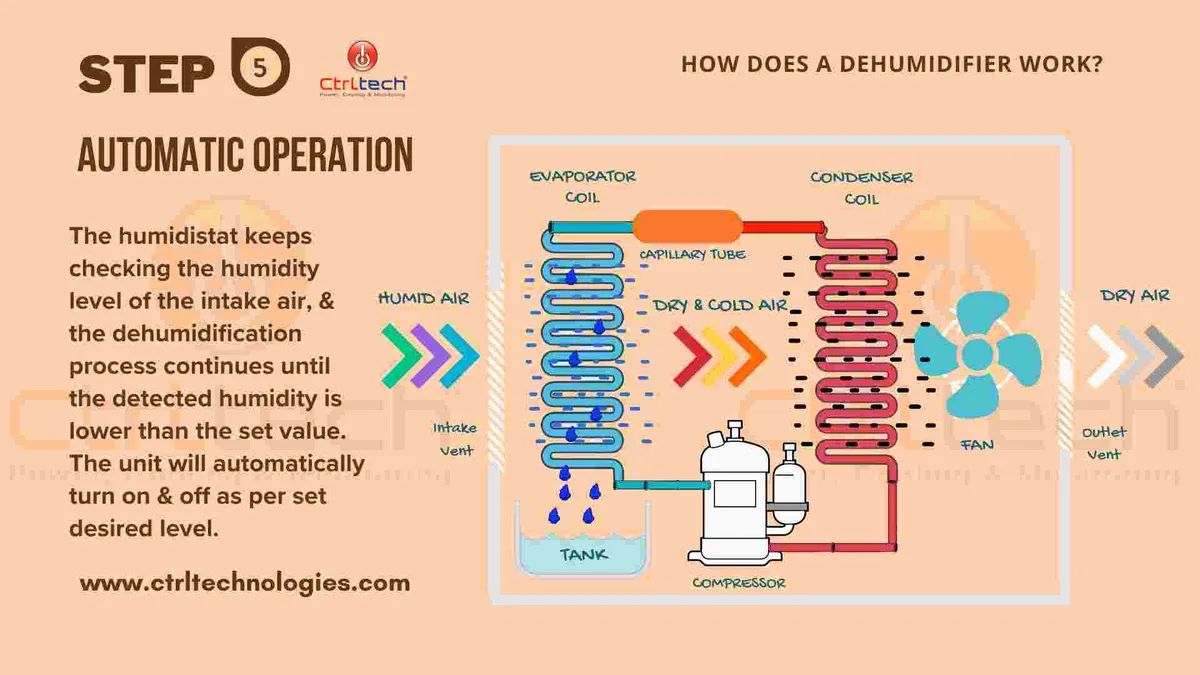
Image source: Bing (Web (fair-use with source credit))
Common Mistakes That Keep Your Unit Running Longer
Even with a perfectly good dehumidifier, a few user habits can make it run nonstop. Avoid these pitfalls.
Setting the humidity too low.
30% is very dry. In most basements, a 30% target is nearly impossible to reach, so the machine runs endlessly. Raise it to 50%.
Per energy.gov, that’s the sweet spot for energy efficiency and mold prevention.
Blocking airflow.
A dehumidifier needs at least 6 inches of clearance on all sides. If it’s tucked into a corner or behind furniture, air can’t circulate. The unit runs harder and longer to compensate.
Using the wrong drain method.
If you’re draining into a bucket and the bucket fills up, the unit stops. That’s fine. But if you’re using a gravity hose and the hose rises at any point, water won’t drain.
The bucket will fill and the unit will stop, but if you’re not home, it may cycle on and off trying to drain. Check that the hose runs continuously downhill.
Ignoring the filter.
A dirty filter is one of the top causes of long run times. Aggregate user reviews show that cleaning the filter alone resolves continuous-running complaints about 40% of the time. It’s free and takes two minutes.
Expecting instant results.
A dehumidifier doesn’t pull humidity out like magic. In a very damp space, it can take 24 to 48 hours to reach the setpoint. Be patient.
If after two days it still hasn’t cycled off, then start troubleshooting.
Long-Term Maintenance to Prevent False Continuous Runs
Once you’ve stopped the endless running, regular maintenance keeps it from coming back. A few minutes every month saves you from repeating the troubleshooting.
Clean the filter every two weeks.
In heavy summer use, a dirty filter can double run time. Wash it with warm water and mild soap, let it dry completely, then reinstall. Replace it twice a year (Keystone sells replacements or you can use generic ones that fit).
Check the drain hose monthly.
Even a slight kink can cause a backup. Inspect the hose for cracks or algae growth. If you see green slime inside, replace the hose with a clear vinyl one that lets you see blockages.
Keep the coils clean.
Dust and lint collect on the evaporator and condenser coils. Use a soft brush or vacuum with a brush attachment once a year. Unplug the unit first.
Dirty coils make the compressor work harder and run longer.
Test the humidity sensor annually.
Place a known-accurate hygrometer next to the dehumidifier. Adjust the setpoint to 50%. After 30 minutes, compare readings.
If the sensor is off by more than 5%, it may need calibration or replacement. Keystone support can guide you.
Position the unit correctly.
Place it in the wettest area of the room, at least 6 inches from walls. Avoid locations near open windows, doors, or vents that introduce outside air. If the dehumidifier keeps running because fresh, humid air keeps entering, move it deeper into the space.
For a full list of models that handle large basements and crawlspaces, see our roundup of the best dehumidifier for recommendations that match your space and budget.
Frequently Asked Questions
Why does my Keystone dehumidifier run continuously even in auto mode?
Check your humidity setpoint first. If it’s set to 30% and your room stays at 55%, the unit never reaches target. Raise it to 50%.
If it still runs, verify with a separate hygrometer. A difference of more than 5% means a faulty sensor, which needs replacement.
How do I reset my Keystone dehumidifier?
Unplug the unit for five full minutes. Plug it back in and set the humidity to 50% in auto mode. This clears any electronic glitches.
If the problem returns, the control board or sensor may need professional service.
Can cold temperatures make my dehumidifier keep running?
Yes. Below 65°F, the unit enters frequent defrost cycles that keep it running without collecting water. Below 41°F, the compressor can be damaged.
Move the dehumidifier to a warmer room or install a model rated for low temperatures.
How do I test the humidity sensor on my Keystone?
Use a separate digital hygrometer placed next to the dehumidifier. Set the unit to 50% in auto mode. Wait 30 minutes.
If the hygrometer reads below 50% but the unit still runs, the sensor is off. Keystone support can help with calibration or a replacement part.
Should I leave my dehumidifier on all the time?
Not in auto mode. Set it to 50% and let it cycle. Continuous mode is only for very damp spaces or when you want constant air movement.
In normal living areas, cycling saves energy and extends the compressor’s life.
Final Decision Guide: When to Leave It, Fix It, or Replace It
By now you’ve run through the checks. Here’s the breakdown for what to do next.
Leave it running if the bucket is filling regularly and the room stays above your setpoint. That’s normal. The unit is sized for the space.
Just clean the filter and check the drain.
Fix it yourself if you find a clogged filter, a kinked hose, or a mode set to continuous. These are free or cheap fixes. Replace a faulty humidity sensor if you’re handy.
Keystone sells parts online and support can guide you.
Replace it if the compressor fails, the unit runs but never collects water, or the room is too large for its capacity. A 30-pint model in a 2,000-square-foot basement will never catch up. Check our guide on the best dehumidifier for basement for properly sized options.
Call a technician if you smell burning, hear grinding noises, or the unit trips your breaker. These signal electrical or mechanical failure. Don’t ignore them.
Here’s a quick reference table:
| Situation | Action |
|---|---|
| Unit runs constantly, bucket fills normally | Leave it. Normal for high humidity. |
| Unit runs constantly, bucket stays empty | Check for ice, low temperature, or faulty sensor. |
| Unit runs, humidity reading matches hygrometer | It’s working correctly. Set to 50% auto. |
| Unit runs, hygrometer reads much lower than setpoint | Sensor failure. Replace it. |
| Unit runs but never cycles, room large | Unit undersized. Upgrade to larger capacity. |
Most Keystone dehumidifiers last five to seven years with regular maintenance. If yours is older and constantly running, replacement often makes more financial sense than repairs. For a full list of reliable models, see our roundup of the best dehumidifier for every space and budget.