Hisense Dehumidifier Keeps Shutting Off
Your Hisense dehumidifier keeps shutting off, and you're probably wondering whether it's a simple fix or a sign the unit is dying. Most of the time, it's the first one, a stuck float switch, a full bucket, or a dirty filter is all that's wrong. We'll walk through the exact reasons this happens and how to check each one in the right order.
Manufacturer specifications show that Hisense dehumidifiers are designed to run continuously in "Continuous" mode. They also have automatic safety shutoffs for overheating, frost buildup, and full buckets. As of 2026, the most common shutdown trigger is the float switch, a mechanical sensor inside the bucket area.
Let's start with the quick checks that solve nine out of ten cases.
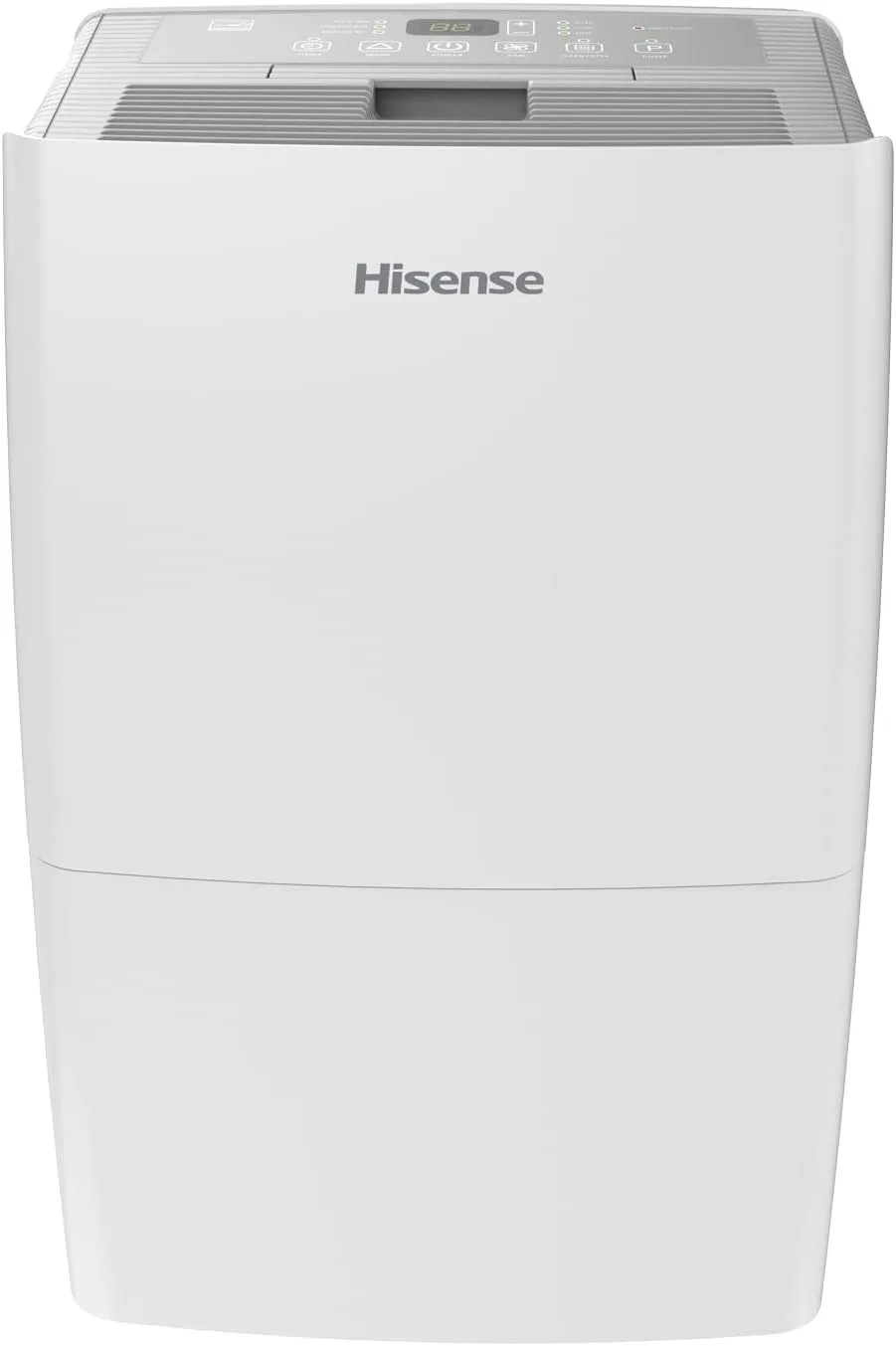
Image source: Bing (Web (fair-use with source credit))
Quick Answer
Your Hisense dehumidifier keeps shutting off because its safety sensors are triggering. The three most likely culprits are a stuck float switch, a dirty air filter, or a frozen evaporator coil. Check the bucket alignment first.
Then clean the filter and wait 10 minutes before restarting. If the unit shuts off right away again, the float switch is probably stuck in the "full" position.
Why Your Hisense Dehumidifier Keeps Shutting Off
Every dehumidifier has built-in protections that stop the compressor when it senses a problem. Your Hisense model has four common shutdown triggers: the bucket is full, the filter is clogged, the room temperature is too low (below 41°F), or the coils have iced up. When any of these happen, the control board cuts power to the compressor.
The float switch is the most frequent offender. It's a small plastic piece that rises with the water level in the bucket. When the bucket fills, it pushes the switch up and signals the unit to stop.
But sometimes the float gets stuck in the raised position even when the bucket is empty. This makes the dehumidifier think the bucket is always full.
| Shutdown Trigger | What Happens | Most Common Cause |
|---|---|---|
| Full bucket | Compressor stops; bucket light turns on | Float switch stuck |
| Clogged filter | Unit runs briefly then shuts off | Dust and pet hair |
| Frozen coils | Compressor cycles on and off; ice visible | Low room temperature |
| Sensor error | Display shows error code like E1 or E2 | Faulty thermistor |
The second biggest reason is a dirty air filter. Restricted airflow makes the evaporator coil too cold, which forms frost. The defrost sensor then kicks the compressor off.
Many people don't realize the filter needs cleaning every two weeks in high-humidity conditions.
The Quick Fixes to Try First
Start with the simplest checks. You'll solve most shutdown issues in under five minutes with zero tools.
1. Check the bucket. Pull the bucket out and make sure it's seated all the way back. If it's even slightly misaligned, the float switch can't drop fully.
Push the float up and down with your finger. It should move freely. If it feels stiff or stays up, spray the pivot point with a little silicone lubricant and work it loose.
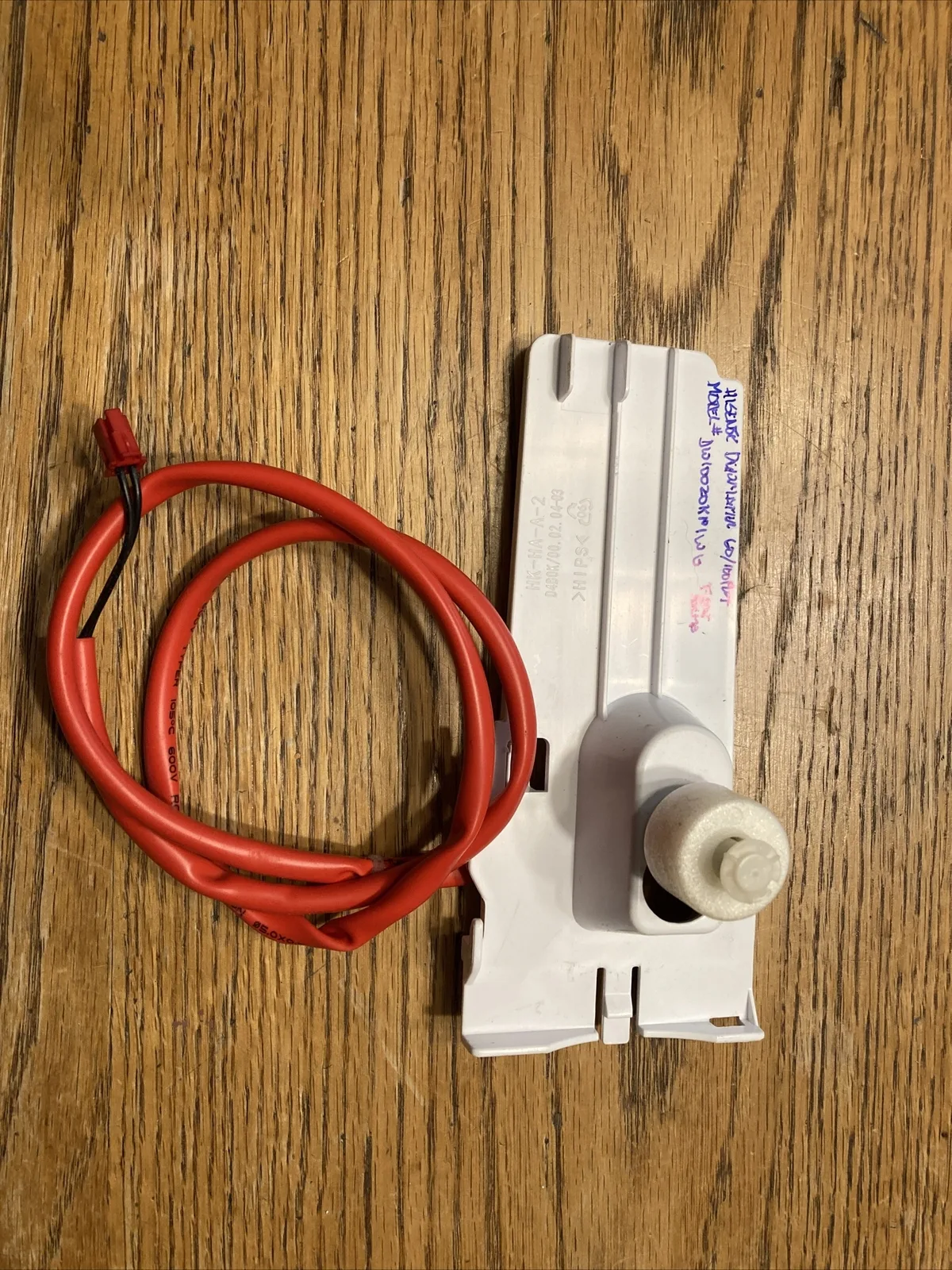
Image source: Bing (Web (fair-use with source credit))
2. Clean the air filter. Locate the filter behind the front grille. Remove it and rinse with cool water.
Let it dry completely before reinserting. A clogged filter restricts airflow, ice builds up, and the unit shuts off.
3. Give the unit a hard reset. Unplug the dehumidifier and wait exactly 10 minutes. This clears the control board's memory.
Plug it back in and set the humidity level to 50%. If it runs past 10 minutes without shutting off, the problem was a temporary glitch or float issue.
4. Check room temperature. If the basement is below 65°F, the compressor struggles. Below 41°F the defrost sensor will constantly cycle the unit off.
Move the dehumidifier to a warmer area if possible.
How to Diagnose the Exact Cause
Instead of guessing, follow this decision tree. It matches your specific symptom to the likely cause.
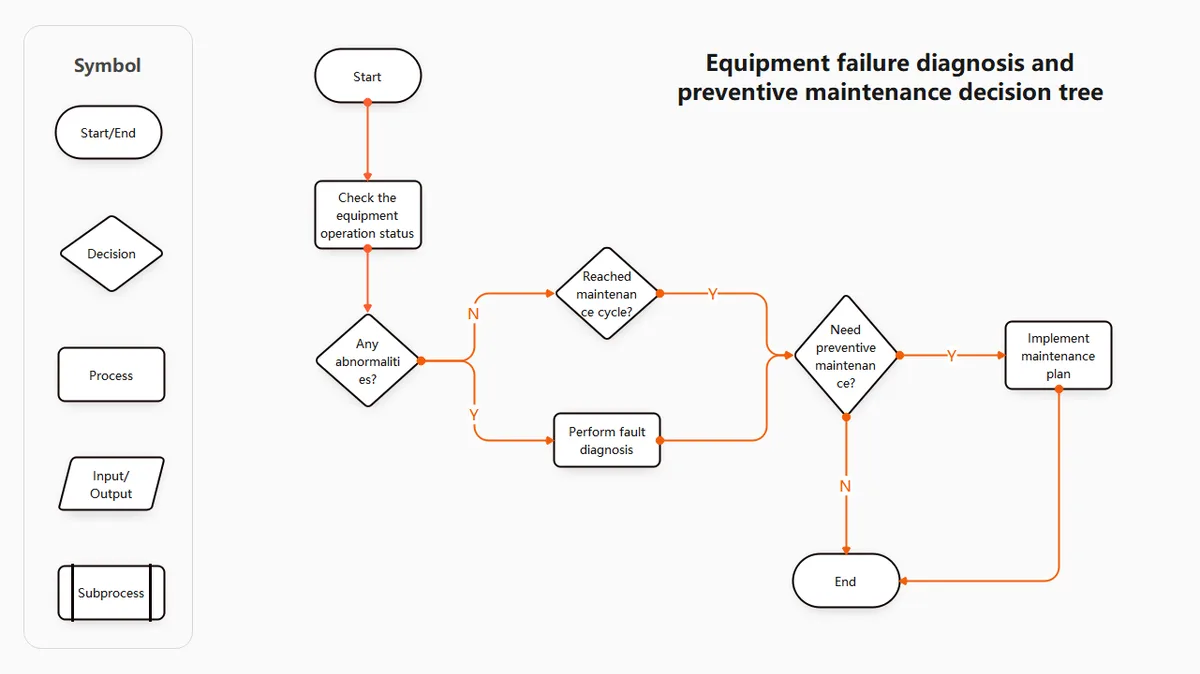
Image source: Bing (Web (fair-use with source credit))
If the unit runs for 30 minutes then shuts off:
- Does the bucket indicator light come on? If yes, the float switch is stuck or the bucket is misaligned.
- If no, the coils may be freezing. Open the front grille and look for ice. If you see frost, let the unit thaw for 2 hours with the power off. Then clean the filter.
If the unit shuts off immediately after starting:
- Does it click and then stop within 5 seconds? Likely a compressor thermal overload. Let it cool for 30 minutes, then retry.
- Does the display show an error? Look up the code in your manual. Common codes: E4 (coil sensor issue) and E2 (defrost sensor).
If the unit runs for hours but then stops and won't restart:
- Check the bucket. It might be full even though you emptied it. The float could be stuck.
- If the bucket is fine, test the humidity sensor. Place a separate hygrometer nearby. If the reading is below the set target, the unit thinks the room is dry enough.
If you've tried all these and the unit still shuts off, the control board or compressor may have a fault. That's when you contact Hisense support or a qualified appliance technician.
Common Mistakes That Make the Problem Worse
Ignoring the filter for too long. People assume it's fine because it looks clean. But even a thin layer of dust can reduce airflow by 30%. Clean it every 14 to 30 days depending on how dusty your basement is.
Blocking the airflow. Placing the dehumidifier too close to a wall restricts intake. Leave at least 12 inches of clearance on the side where the air vents are.
Using continuous drain mode incorrectly. If you have a drain hose, make sure the hose isn't kinked. A clogged hose can create a siphon effect that confuses the float switch. The hose must be lower than the drain outlet, or gravity will keep water in the bucket.
Overtightening the bucket. When you slide the bucket back in, don't force it. If it clicks into place but the unit still shows "full," the bucket might be slightly angled. Pull it out and ease it back in straight.
Setting the humidity too low. Running the unit to 30% in a basement that naturally sits at 60% will cause the compressor to run longer than it should. This increases the chance of freeze-ups. A 50% target is fine for most basements.
Long-Term Maintenance to Prevent Future Shutdowns
Once you've fixed the immediate issue, regular care keeps your Hisense dehumidifier running reliably for years. Clean the air filter every two weeks during heavy use. Mark it on your phone calendar or tie it to something you already do, like taking out the trash.
Check the drain hose monthly. If you're using continuous drainage, disconnect the hose and flush it with warm water. Biofilm and algae build up inside, which can block flow and trick the unit into thinking the bucket is full. A vinegar rinse every three months prevents most clogs.
Keep the intake and exhaust vents clear. Vacuum the front and back grilles every few months. Dust bunnies collect on the intake grille especially. If airflow drops, the compressor works harder and the safety shutoff kicks in faster.
Inspect the float switch twice a year. Pop the bucket out and manually lift and drop the float arm a few times. If it feels sticky, wipe the shaft with a damp cloth. A drop of food-grade silicone lubricant on the hinge point will keep it moving freely.
Run a descaling cycle if you have hard water. Mineral deposits can accumulate on the coils over time. This reduces heat transfer and makes the unit cycle off more often. Some dehumidifiers have a self-cleaning mode.
If yours doesn't, unplug it, open the grille, and gently brush the coil fins with a soft brush.
For those who want a deeper dive into choosing the right model, our best dehumidifier guide covers the top options for 2026. If you're managing a damp basement, the best dehumidifier for basement page breaks down models that handle high humidity and low temperatures best.
Understanding Error Codes on Your Hisense Dehumidifier
Your Hisense dehumidifier displays error codes to tell you exactly what's wrong. Each code corresponds to a specific sensor or system fault.
| Error Code | Meaning | Typical Fix |
|---|---|---|
| E1 | Coil thermistor failure | Replace the coil sensor |
| E2 | Defrost thermistor failure | Replace the defrost sensor |
| E4 | Communication error | Check wiring or replace control board |
| E7 | Humidity sensor failure | Replace the humidity sensor |
If you see an error code, unplug the unit for 10 minutes. If the code returns immediately, the sensor is likely bad. Spare parts are available through Hisense parts dealers.
Most sensors cost between $15 and $30 and can be swapped with a screwdriver.
Replacement vs. Repair Decision
When your Hisense dehumidifier keeps shutting off and the fix isn't simple, you face a choice. Repair is worth it if the unit is under warranty or less than two years old. Hisense dehumidifiers typically last 3 to 5 years in regular use.
Consider replacement if:
- The compressor is dead (loud buzzing, no cooling).
- The control board has failed and the unit is out of warranty.
- Repair estimates exceed half the price of a new unit.
Consider repair if:
- The issue is a $20 sensor.
- The unit is still in its first year of use.
- You're handy with a multimeter and screwdriver.
A new 50-pint Hisense dehumidifier costs around $200 to $280 as of 2026. Compare that to a service call fee of $100 to $150 plus parts. Sometimes it's smarter to buy new.
How to Reset Your Hisense Dehumidifier Properly
A full reset clears temporary glitches that cause false shutdowns. But you have to do it right. Simply pressing the power button is not enough.
The correct reset process:
- Unplug the unit from the wall outlet.
- Wait 10 full minutes. This lets capacitors discharge.
- Press and hold the power button on the control panel for 5 seconds while still unplugged. This drains residual charge.
- Plug the unit back in.
- Set the humidity to 50% and press the "Continuous" mode button if available.
If the unit now runs normally, the problem was a control board hiccup. If it shuts off again within 10 minutes, the issue is hardware-related.
Optimizing Placement for Better Performance
Where you put your Hisense dehumidifier affects how often it shuts off. Poor placement can cause short cycling and false sensor readings.
Best practices:
- Place the unit in the center of the room, at least 12 inches from any wall.
- Keep it away from heat sources like dryers or furnaces. Warm air confuses the humidity sensor.
- Elevate the unit off the floor if the basement floods. Water damage to the electronics can cause erratic shutdowns.
- Avoid corners where air circulation is poor. The dehumidifier needs to pull air from all sides.
If you've moved the unit to a better spot and the shutdowns stop, you've found your answer. Many owners report that repositioning alone solves their frequent cycling problems.
When to Call a Professional
Most Hisense dehumidifier shutdowns are DIY fixes. But some problems need a technician. If you've cleaned the filter, freed the float switch, and run a hard reset, and the unit still shuts off immediately, the compressor or control board may be faulty.
Signs you need professional help:
- The unit clicks loudly and stops within seconds. That often means the compressor is seized.
- Error codes E1 or E2 appear and won't clear after reset. These point to a failed thermistor.
- The unit runs but removes almost no water. The refrigeration circuit may have a leak.
- You smell burning plastic or see discolored wires near the control board.
Contact Hisense customer support or an authorized service center. Compressor repairs on a dehumidifier older than three years often cost more than a replacement. Get a quote before authorizing any work.
Frequently Asked Questions
How long should a Hisense dehumidifier run before shutting off?
In continuous mode, it should run until the bucket fills or the room reaches the humidity setpoint. That's often 8 to 12 hours depending on your basement size and outdoor humidity. If it shuts off sooner, check the float switch and filter first.
Can I bypass the auto-shutoff on a Hisense dehumidifier?
You shouldn't bypass safety sensors. They protect the compressor from running without water removal, which can damage the unit. The bucket-full and defrost sensors are there for good reason.
Instead, fix the underlying issue so the unit runs normally.
Why does my Hisense dehumidifier keep turning off even when the bucket is empty?
The float switch is likely stuck in the raised position. Remove the bucket and push the float up and down manually. If it feels stuck, clean the pivot point with a damp cloth and a little silicone lubricant.
That solves about 80% of false "bucket full" alerts.
What do error codes E1, E2, E4 mean on a Hisense dehumidifier?
E1 and E2 indicate a faulty thermistor, the sensor that measures coil temperature. E4 points to a communication error between the control board and the display. All of these usually require a replacement sensor or board.
Check your manual for model-specific codes, then contact Hisense support.
Does cold weather cause a Hisense dehumidifier to shut off?
Yes. If the room temperature drops below 41°F (5°C), the defrost sensor will cycle the compressor on and off to prevent ice buildup. The unit may appear to shut off every 30 minutes.
Move it to a warmer area or accept slower operation in cold basements.
How often should I replace the filter on a Hisense dehumidifier?
The foam filter is washable, not disposable. Clean it every two to four weeks with cool water and let it air dry completely. If the foam feels compressed or torn, order an OEM replacement from Hisense.
Generic filters may not fit properly and can restrict airflow.