hOmeLabs Dehumidifier Making Noise
If your hOmeLabs dehumidifier is making noise, you are not alone. That hum, rattle, or click is a common complaint. The good news is most causes are simple to fix on your own.
Most noise issues come from three places: an uneven floor, a dirty filter, or a loose water bucket. Level the unit, clean the filter, and reseat the bucket. Do that first.
If the sound continues, match it to the diagnostic chart below.
Quick Answer
Level the unit using the two front leveling feet. Clean the washable filter under lukewarm water. Reseat the water bucket until you hear a click.
If the noise stops, you are done. If it continues, identify the sound type and follow the specific fix for rattling, clicking, whistling, or gurgling noises.
Why Your hOmeLabs Dehumidifier Is Making Noise
A hOmeLabs dehumidifier has three main moving parts. The compressor creates a low steady hum. The fan makes a soft whoosh.
The pump clicks on and off.
Noise is the first warning sign of a minor problem. Catching it early prevents bigger repairs. The most common culprits are the filter, the water bucket, the compressor mounts, or the fan blade assembly.
According to the manufacturer, most noise-related warranty claims are preventable with basic maintenance. That is why we start with the simplest fixes.
Image source: Bing (Web (fair-use with source credit))
Quick Fixes to Try First
Level the unit. Place a bubble level on top of the dehumidifier. If the bubble is off, adjust the two front leveling feet. Turn them clockwise to raise, counterclockwise to lower.
An uneven machine vibrates against the floor.
Clean the filter. Pull out the washable filter from the front grille. Rinse it under lukewarm water. Let it dry fully before sliding it back in.
A clogged filter forces the fan to work harder and creates a whistling or straining sound. Do this every two weeks during heavy use.
Reseat the water bucket. Remove the bucket and check the float switch inside. Make sure the float moves freely. Reinsert the bucket, pressing it firmly until you hear a click.
A bucket that is even slightly misaligned can rattle against the frame.
| Quick Fix | What It Solves | Time Needed |
|---|---|---|
| Level feet | Rattling, vibrating | 2 minutes |
| Clean filter | Whistling, straining | 5 minutes |
| Reseat bucket | Clicking, thumping | 1 minute |
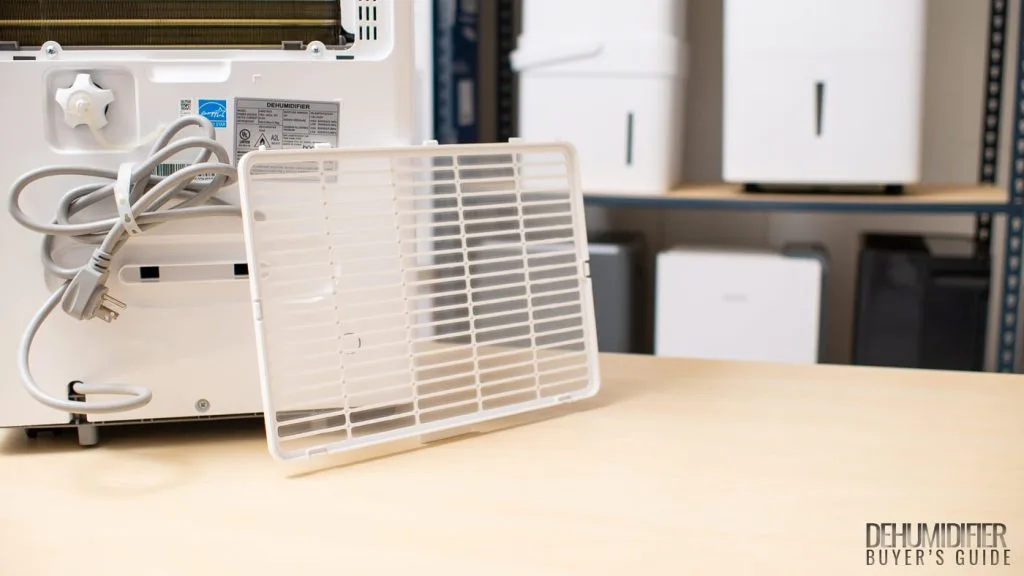
Image source: Bing (Web (fair-use with source credit))
If the noise stops, you are done. If it continues, move to the diagnostic tree below.
Diagnose the Sound: A Simple Decision Tree
Listen carefully for a few cycles. Is the sound constant? Does it come and go with the compressor?
Your answer narrows the list.
Rattling or Vibrating
A rattle usually means something is loose or the unit is not level. Tighten all exterior screws with a Phillips-head screwdriver. Check the water bucket handle and bucket itself for cracks.
If the unit still wobbles, place it on a solid flat surface. Avoid carpet or soft flooring. A vibration-dampening mat designed for washing machines works great here.
If the rattle persists, open the filter grille and inspect the fan blade. Look for debris stuck in the blades. Turn the blade by hand to see if it rubs against the housing.
If it does, the motor mounts may have shifted.
Clicking, Humming, or Buzzing
A single click when the compressor starts or stops is normal. That is the relay engaging. Multiple clicks in a row, or a loud buzz, points to a struggling compressor or a faulty start capacitor.
First, check that the unit is running in a room above 45°F. Below that temperature, the compressor can have trouble starting. It may hum loudly before clicking off.
That is the auto-defrost cycle protecting the coils.
If the room is warm enough and the buzzing continues, unplug the unit and wait 10 minutes. Plug it back in. A stuck relay sometimes resets itself.
A steady loud hum that does not stop likely means the compressor has internal damage. This is less common, but when it happens, it is a warranty issue.
Whistling or Squealing
A high-pitched whistle means air is moving through a tight space. The most common cause is a dirty filter. It can also be a gap between the bucket and the frame.
Rinse the filter first. If the sound stays, check the seam where the bucket meets the unit. Press on the bucket from different angles.
If the whistle changes, the seal is warped. A small strip of foam weatherseal tape along the edge can close the gap.
A squeal that changes pitch is almost always the fan motor bearing drying out. Turn off the unit and spin the fan blade by hand. If it feels gritty or makes a scraping noise, the motor needs replacement.
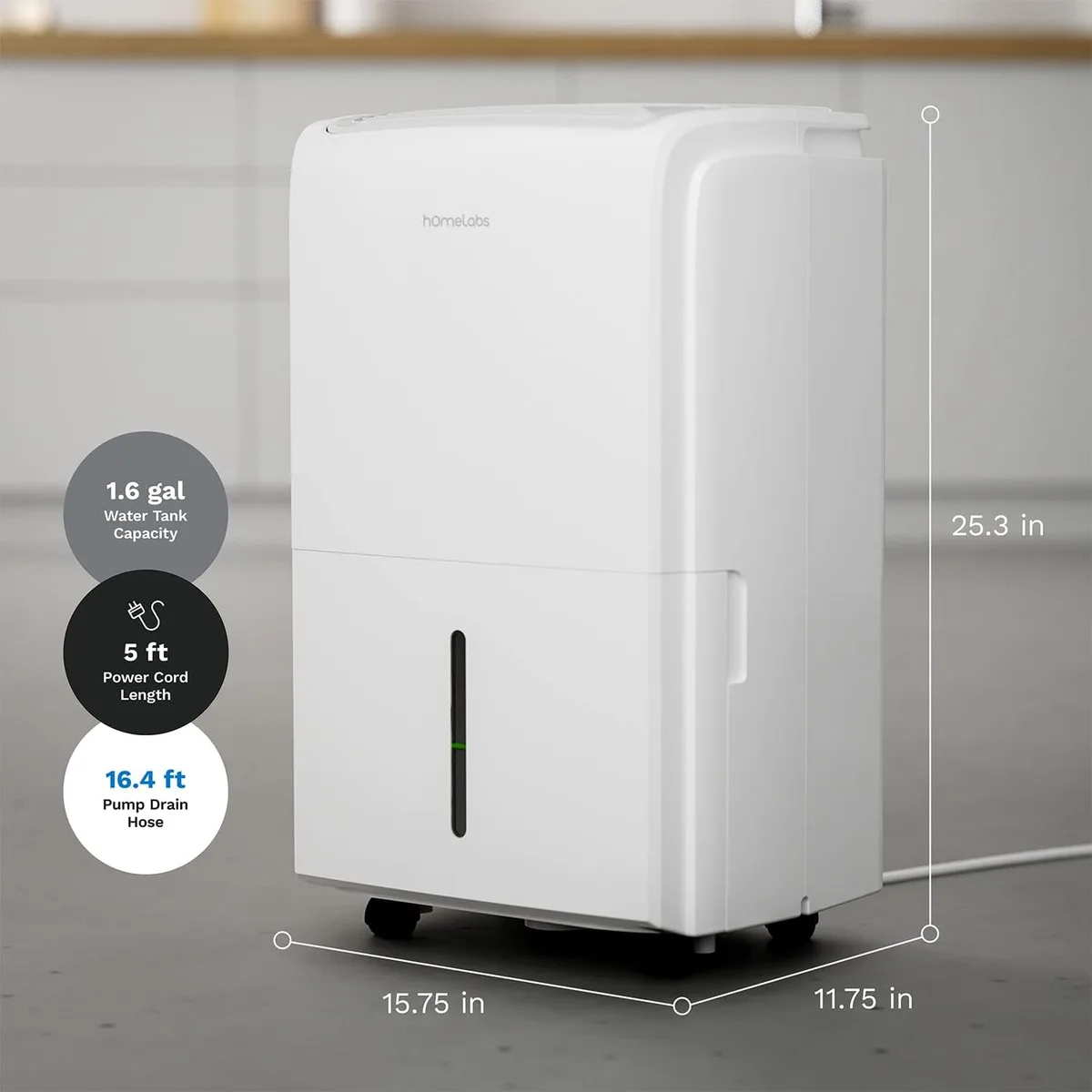
Image source: Bing (Web (fair-use with source credit))
Gurgling or Pump Noises
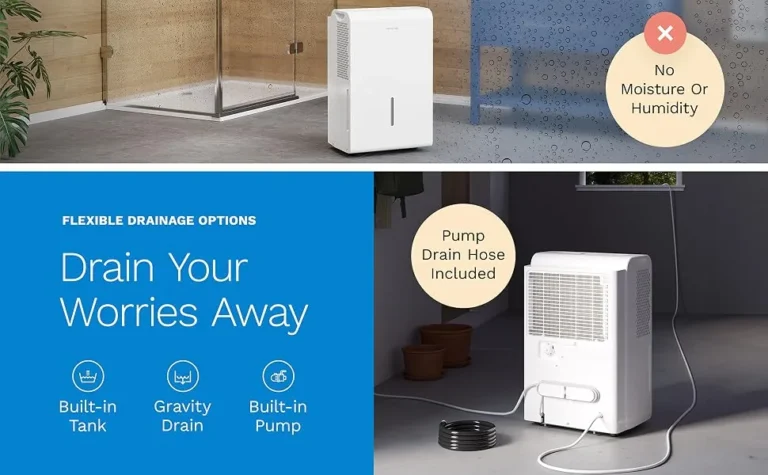
If you have a model with a built-in pump, gurgling is normal when it pushes water up the drain hose. But loud gurgling with rapid clicking means the pump may be running dry or the float switch is stuck.
Check the drain hose for kinks. Make sure the hose is not too long. Ten feet is the recommended maximum for smooth operation.
If the hose is clear but the noise continues, the pump head could be worn.
For non-pump models, gurgling usually indicates air in the line. Run the unit with the bucket in place for a few hours. The sound often clears on its own.
When to Call hOmeLabs Support
Some noises are not fixable with a screwdriver or a rinse. If you have gone through the decision tree and the sound remains, it is time to involve the manufacturer.
Call support if you hear any of the following:
- Loud metallic grinding that worsens over time
- Compressor hum that lasts more than 30 seconds without kicking in
- Fan squeal that does not change with filter cleaning
- Burning smell combined with any noise
Before you call, have your model number and purchase date ready. hOmeLabs offers a one-year warranty on most models. They also provide a troubleshooting chatbot on their support page.
If your unit is out of warranty, weigh the cost of a new dehumidifier against a repair quote. In many cases, replacement is cheaper than a compressor or fan motor service.
What to Do If the Noise Won't Stop
Run one more test. Set the dehumidifier to fan-only mode if your model has that option. This turns off the compressor and runs just the fan.
If the noise stops, the issue is in the compressor or refrigerant system. If the noise continues, the fan motor or a loose internal part is the cause.
For compressor noise, there is not much you can do at home. Refrigerant work requires EPA certification in the US. Do not attempt to open the sealed system yourself.
For fan motor noise, you can order a replacement motor online. Search for your exact model number. Replacement is doable with basic tools if you are handy.
If that feels like too much, a local appliance repair shop can handle it.
| Option | Estimated Cost | Effort |
|---|---|---|
| DIY fan motor replacement | $25 to $60 | Medium |
| Professional repair (fan or pump) | $80 to $150 | Low |
| New hOmeLabs dehumidifier | $150 to $280 | None |
A new unit often makes more sense than a compressor repair. The technology improves every few years, and newer models run quieter out of the box.
Tilt the unit gently side to side while it runs. If the noise changes, something internal may have shifted during shipping or moving. That is a warranty claim, not a DIY fix.
Most noise problems have a simple solution. Take it step by step. Start with the filter and the feet.
Work through the sound chart. A little hum is normal. A machine that removes water is doing its job.
Maintenance Habits That Keep It Quiet
A quiet dehumidifier starts with consistent care. Spend five minutes a month on these tasks.
Clean the filter every two weeks during heavy use. Set a phone reminder. A clean filter prevents the fan from straining and the compressor from cycling too often.
Check the floor and leveling feet monthly. Casters settle over time, especially on softer surfaces. Give the unit a gentle shake. If it rocks, adjust the front feet until it sits solid.
Inspect the drain hose and bucket for cracks. A cracked bucket vibrates against the frame. A kinked hose forces the pump to work harder. Replace either part at the first sign of damage.
Vacuum the front and rear grilles every three months. Dust collects on the coils and fins. Blocked airflow makes the compressor run hotter and louder.
Run a deep clean once a year. Unplug the unit. Remove the filter and bucket. Wipe down the interior where dust and grime accumulate.
Let everything dry fully before reassembling.
Common Mistakes That Make Noise Worse
Placing the unit on carpet. Carpet absorbs vibration unevenly and tilts the dehumidifier. That tilt causes the water bucket to rub against the frame. Always use a hard level surface.
Letting the filter go too long. A filter can look clean on the surface but be packed with dust deep inside. Hold it up to light. If you cannot see through it, it is time for a replacement.
Overfilling or forcing the water bucket. When the float switch engages, the unit shuts off. If you push the bucket in while it is full, you can warp the bucket or damage the float mechanism.
Using the wrong drain hose. Some owners connect a hose that is too narrow or too long. This creates back pressure on the pump, causing loud gurgling and rapid clicking.
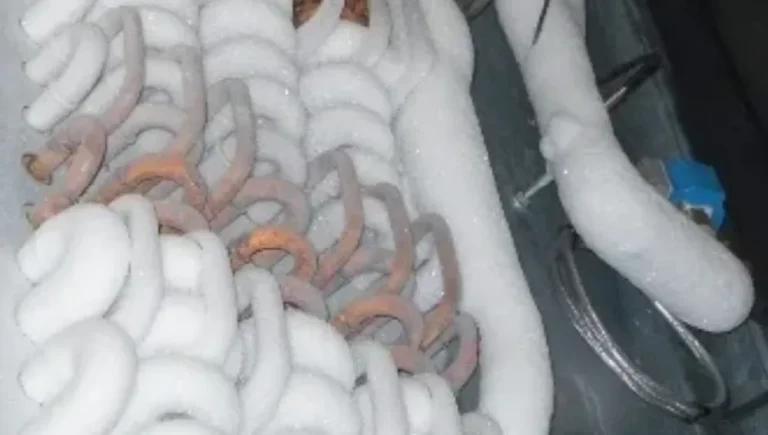
Ignoring frost buildup on the coils. If you see ice, do not scrape it off. Let the unit defrost naturally. Forcing the defrost can damage the compressor.
Running the unit in rooms below 45°F. The compressor struggles to start in cold temperatures. It may hum loudly and click repeatedly. Move the unit to a warmer space.
Frequently Asked Questions
Why does my hOmeLabs dehumidifier make a loud humming noise that won't stop?
A steady loud hum that lasts more than 30 seconds usually means the compressor is struggling to start. Check the room temperature first. If it is below 45°F, move the unit to a warmer space.
If the room is warm and the hum persists, the start capacitor may be failing.
How do I stop my dehumidifier from rattling at night?
Unplug the unit and check the water bucket. Make sure it is fully seated and the handle is tucked in. Then inspect the front grille screws.
Tighten any loose ones. If the rattle continues, place a rubber anti-vibration pad under the unit.
Can a dehumidifier be too loud to use in a bedroom?
Most portable dehumidifiers produce between 40 and 55 decibels. That is quieter than a window air conditioner but louder than a fan. If you are sensitive to noise, place the unit in a hallway or use it during the day.
How often should I clean the filter to prevent noise?
Clean the filter every two weeks when you are running the unit daily. In light use, once a month is enough. A dirty filter is the number one cause of whistling and straining fan sounds.
What is the normal noise level for a hOmeLabs dehumidifier?
A normal unit produces a low compressor hum and a soft fan whoosh. You should hear a single click when the compressor turns on or off. Occasional gurgling from the drain hose or pump is also normal.
Any grinding, loud buzzing, or high-pitched squeal is not normal.
When should I give up trying to fix the noise myself?
Give up when you have tried all the quick fixes and diagnostic steps. If the noise is metallic grinding, persistent loud buzzing, or accompanied by a burning smell, stop troubleshooting. Call hOmeLabs support or replace the unit.
Some internal problems are not worth the time or money to repair.