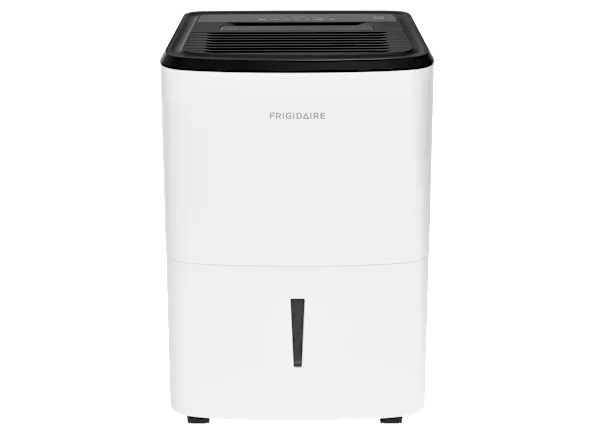
TCL Dehumidifier Making Noise
Your TCL dehumidifier making noise can be frustrating, especially when you're trying to sleep or work in the same room. The good news is most sounds have a simple fix you can handle yourself.
Per AHAM testing standards, most TCL models operate between 42 and 52 decibels. Any sound significantly louder or different than that, rattling, clicking, gurgling, usually means something needs attention. Let's walk through the most likely culprits so you can silence it fast.
Quick Answer
A TCL dehumidifier making noise usually points to one of five issues. Check the bucket and filter first. Listen for the type of sound.
This guide helps you diagnose and fix each one. Rattling means loose parts. Humming could be the compressor or fan.
Clicking often comes from defrost cycles. Gurgling points to the drain system.
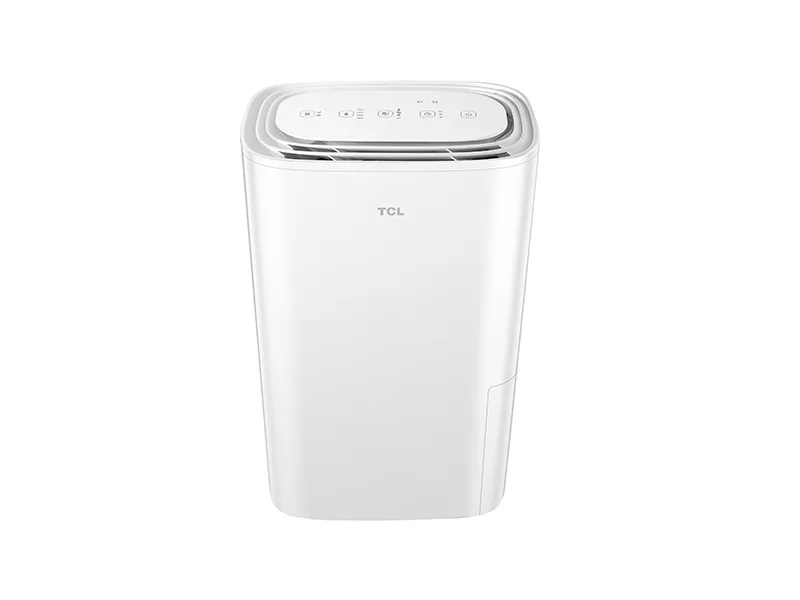
Image source: Bing (Web (fair-use with source credit))
Start Here: What Sound Are You Hearing?
Before you grab a screwdriver, stop and listen. The specific noise tells you exactly where to look. Each sound type has its own likely cause and fix path.
| Sound | Likely Cause | Next Step |
|---|---|---|
| Rattling or vibration | Loose bucket, filter, fan blade, or uneven floor | Jump to Section 2 |
| Humming or buzzing | Compressor operation, fan motor strain, or vibration | Jump to Section 3 |
| Clicking or popping | Normal defrost cycle, ice buildup, or relay issue | Jump to Section 4 |
| Gurgling or water running | Bucket seal, drain hose, or built-in pump | Jump to Section 5 |
If you hear a grinding or scraping sound, turn the unit off immediately. That usually means the fan blade is hitting ice or debris. Unplug the unit, check the filter, and let it thaw for a few hours before restarting.
If the sound is a loud hum that changes with fan speed, you are likely dealing with a motor or compressor issue. If it is a rattle that moves when you tilt the unit, loose parts are the culprit.
One quick test. Press down on the top of the dehumidifier while it is running. If the noise stops or changes, the unit is not level or is vibrating against the floor.
Rattling or Vibration: The Loose Parts Checklist
Rattling is the most common noise complaint with TCL dehumidifiers, and it is almost always fixable in under 10 minutes. Start with the easiest check and work your way down.
1. Check the bucket. Pull out the water tank and inspect the mounting slot. If the bucket is not seated all the way, it will vibrate against the frame.
Wipe down the edges and push it in until you hear a click. On some TCL models, a loose bucket handle can rattle too. Tuck it in or tape it down.
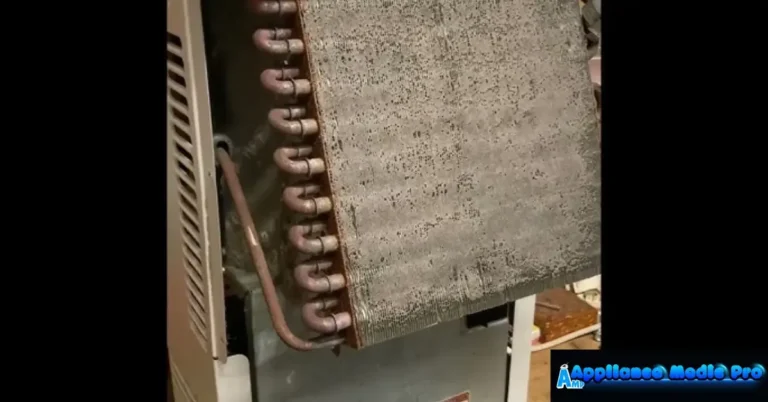
2. Inspect the air filter. A dirty filter restricts airflow and forces the fan to work harder, which creates vibration and rattling. Slide out the filter.
It is usually behind a front grille. Hold it up to the light. If you cannot see through it, wash it with warm water and let it dry completely before reinstalling.
3. Check the fan blade. Turn off and unplug the unit. Remove the filter and look through the opening at the fan blades.
Debris like dust bunnies, pet hair, or even a stray twist-tie can hit the blade and cause a rhythmic rattle. Use a soft brush or compressed air to clear the area. Do not stick anything metal inside.
4. Level the unit. Place a carpenter's level on top of the dehumidifier. If the bubble is not centered, adjust the four screw feet at the bottom.
Even a slight tilt can make the compressor vibrate and rattle against the housing. For extra stability, place a rubber anti-vibration pad under the unit.
5. Tighten external screws. Check the screws around the side panels and back of the unit. Over time, shipping vibration can loosen them.
Use a Phillips-head screwdriver to snug them up. Do not overtighten. Just until they are firm.
If you have done all five checks and the rattle persists, the issue may be inside the sealed system. That means compressor mounts or refrigerant lines. That is a warranty call.
Humming or Buzzing: Is It the Compressor or the Fan?
A low hum is perfectly normal while the compressor is running. But if the hum becomes loud, buzzing, or changes pitch, you need to isolate the source.
Find the fan. Switch the fan speed from low to high while the unit is running. Does the humming noise change with the fan speed? If yes, the problem is likely the fan motor or a blade obstruction.
If the hum stays the same regardless of fan speed, it is probably the compressor.
Check for vibration transfer. Place your hand on top of the unit. If you feel strong vibration through the plastic housing, the compressor mounts may be loose or the unit needs leveling. Try the rubber pad trick from the previous section.
Listen for a strained hum. If the hum sounds forced or like the motor is struggling, the air filter is likely clogged. Restricted airflow makes the compressor work harder, which increases noise and reduces efficiency. Cleaning the filter often drops the noise level back to normal immediately.
When to worry. A sudden loud hum accompanied by a burning smell or frequent cycling, turning on and off every few minutes, could mean a failing capacitor or refrigerant leak. The compressor may be overheating. Unplug the unit and contact TCL support if you smell anything electrical or if the noise appears after the unit has been running for less than 10 minutes.
One more test. Turn off the dehumidifier and let it sit for 10 minutes. Restart it. If the hum is normal for the first minute but then gets louder, the compressor is struggling to start.
That points to a potential relay or capacitor issue best handled by a repair technician.
Clicking, Popping, or Hissing: Normal Cycles vs. Trouble
A single click when the compressor turns on or off is normal. So is a soft hissing sound during the defrost cycle. But repetitive clicking or loud pops usually mean something is wrong.
Normal defrost cycle. TCL dehumidifiers have an auto-defrost function that runs every 30 minutes or so when coil temperatures drop below freezing. During defrost, you will hear a click as the relay engages, a hiss as refrigerant reverses flow, and a gurgle as condensation drips. This entire cycle lasts about 10 to 15 minutes and is nothing to worry about.
The unit will return to normal operation after that.
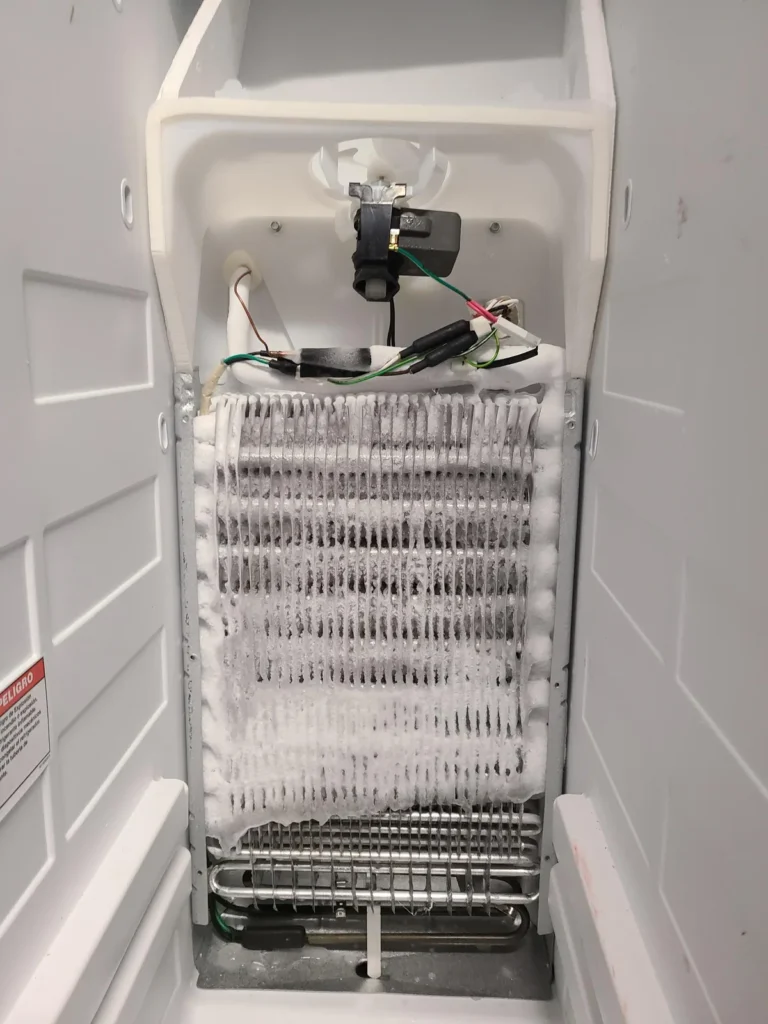
Ice buildup warning sign. If you hear a scraping, ticking, or popping sound that repeats every few seconds, ice may be forming on the evaporator coils. The fan blade can hit the ice, creating a rhythmic noise. Check the coils by removing the filter and looking through the grille.
If you see frost or ice, turn the unit off and let it thaw for 4 to 6 hours.
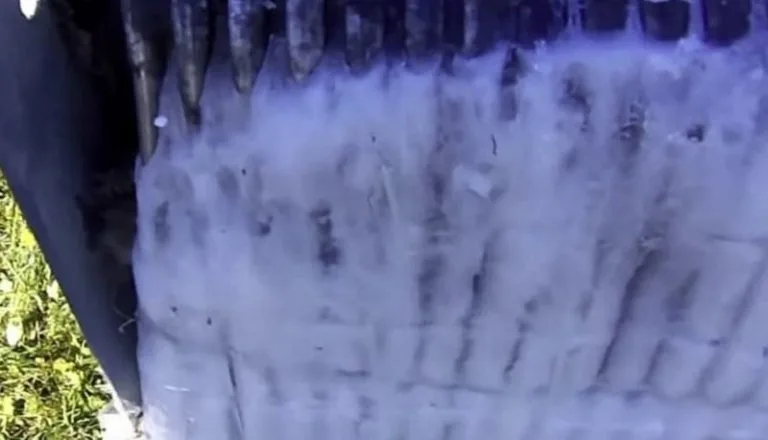
Image source: Bing (Web (fair-use with source credit))
Repetitive clicking that will not stop. If your unit clicks rapidly every 5 to 10 seconds and never hums into full operation, the compressor relay may be failing. This is a common issue on some TCL models after extended use. The relay tries to start the compressor but cannot.
Unplug the unit, wait 30 minutes, and plug it back in. If the clicking returns, you will need a new relay board.
Popping sounds when the unit is off. A few pops after you turn the unit off are normal as the refrigerant settles and the coils contract. But if popping continues for more than two minutes, or happens while the unit is running, check for ice or a blocked drain.
Gurgling or Running Water Sounds: Drain System Checks
Gurgling sounds like water sloshing or trickling inside the dehumidifier. This is usually nothing serious, but it can be annoying and sometimes points to a small problem that is easy to fix.
Bucket not fully seated. If the bucket is not pushed in all the way, water can drip past the seal and pool inside the unit. That pool of water sloshes when the compressor vibrates. Pull the bucket, check for cracks in the plastic, wipe the seal area clean, and reinstall firmly.
Continuous drain hose issues. If you are using a continuous drain, a garden hose connected to the back of the unit, check for three things. Kinks or bends that trap air in the line. The hose is not higher than the drain outlet, because water cannot flow uphill.
The end of the hose is above the bucket level, which creates an air lock.
Air in the drain line causes a gurgling sound as water pushes through. Straighten the hose and make sure it slopes downward. A short burst of water when the pump activates, if your model has one, is normal.
Built-in pump models. Some TCL dehumidifiers include a condensate pump that moves water up to a sink or outside. You will hear a slight hum from the pump, followed by a gurgling rush as water exits. That is normal.
But if the pump runs continuously without water, or you hear a dry rattling, the pump may be airlocked or failed. Check the pump inlet for debris.
Sloshing in the bucket. If the bucket fills unevenly, higher on one side, water can shift and slosh as the unit runs. This usually happens when the unit is not level. Refer back to the leveling steps in Section 2.
One easy test. Remove the bucket while the unit is running on models that allow it. Does the gurgling stop? If yes, the noise is from water in the bucket.
Consider adding a sound-dampening pad under the bucket or inside the bucket cavity. Some people place a small piece of foam rubber at the bottom of the bucket to absorb sloshing noise.
Quick Fixes to Try Before Calling Support
Before you pick up the phone, try these five things. Each takes less than 5 minutes.
1. Level the unit. This is the number one cause of noise. Adjust the feet or place a rubber mat underneath.
2. Clean the filter. A dirty filter makes every sound louder. Wash it and let it dry.
3. Empty the bucket. A full bucket can cause sloshing and vibration. Empty it and reinstall firmly.
4. Check the drain hose. Straighten any kinks and make sure water flows downhill.
5. Move the unit to a different surface. Hard floors amplify vibration. A rug or rubber mat helps.
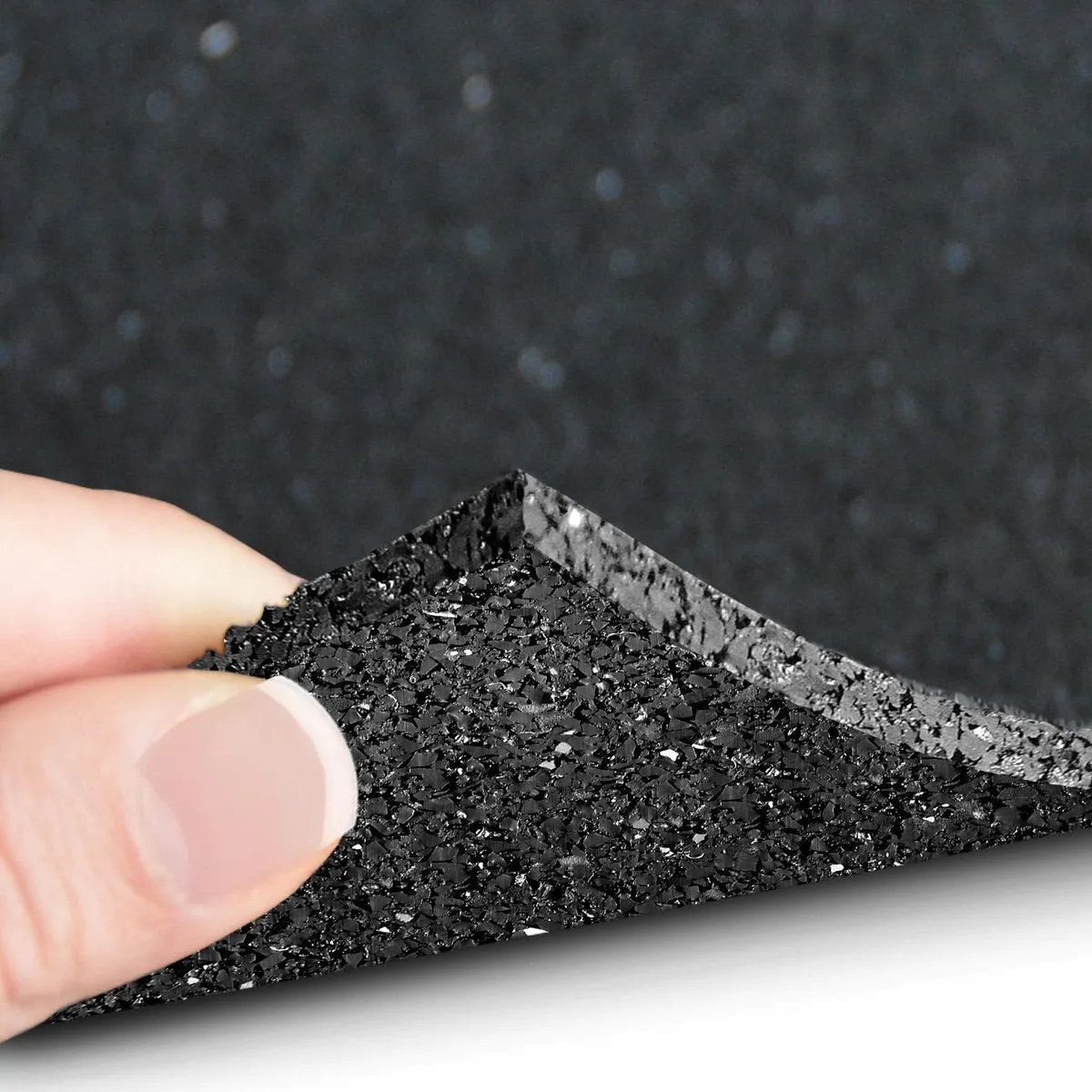
Image source: Bing (Web (fair-use with source credit))
If none of these solve the noise, the issue is likely internal. That is when you call TCL support.
When to Call TCL Support
Some noises mean you need a professional. Here is when to stop DIY and make the call.
Burning smell. Any electrical burning smell means you unplug the unit immediately. Do not restart it. Call support.
Loud grinding or metal-on-metal sound. This usually means a failing fan motor or compressor. Internal parts are not user-serviceable.
Rapid clicking that does not stop. A failing relay board needs replacement. This is covered under warranty.
Ice buildup that keeps coming back. If ice forms every few hours despite a clean filter and warm room temperature, the defrost sensor or refrigerant charge may be failing.
The unit is under warranty. TCL offers a standard 1-year warranty on parts and labor. Do not open sealed components. You will void the warranty.
Call them first.
Frequently Asked Questions
Is it normal for my TCL dehumidifier to make noise?
Yes, some noise is normal. Expect a low hum between 42 and 52 decibels during operation. You will also hear occasional clicks from the compressor and gurgling from water draining.
Loud or unusual sounds need attention.
Why is my new TCL dehumidifier so loud?
New units sometimes make more noise during the first few days. The compressor needs a break-in period. Check that the bucket is seated fully and the filter is clean.
Place the unit on a level, solid surface.
How do I stop my TCL dehumidifier from vibrating?
Level the unit using the adjustable feet. Place a rubber anti-vibration pad underneath. Make sure the bucket is pushed in all the way.
Check that the filter is clean and not causing the fan to strain.
What does clicking mean on a TCL dehumidifier?
A single click when the compressor starts or stops is normal. Rapid clicking every 5 to 10 seconds means the relay may be failing. Clicking followed by a hiss during defrost is also normal.
Can I fix a noisy TCL dehumidifier myself?
Yes, for most common noises. You can clean the filter, level the unit, empty and reseat the bucket, and check the drain hose. Do not open sealed refrigeration components.
Those require a technician.
How long should a TCL dehumidifier last?
Most TCL dehumidifiers last 3 to 5 years with regular maintenance. Clean the filter every month. Keep the bucket and drain system clear.
Proper care extends the life significantly.