TCL Dehumidifier Keeps Shutting Off
If your TCL dehumidifier keeps shutting off after only a few minutes, you’re not alone. This is one of the most common complaints about these units. The good news is it’s usually a simple fix you can handle yourself.
Manufacturer specifications indicate that TCL dehumidifiers operate best in temperatures between 41°F and 95°F. They also include built-in safety features that can trigger a shutdown. Understanding these features is the first step to diagnosing the problem.
Let’s walk through the most likely causes in order.
Quick Answer
The most common cause is a stuck float switch. Check the bucket first. Make sure it’s seated correctly.
Also verify the room temperature is above 41°F. A dirty filter can trigger an overheating shutdown. Start with these three checks before anything else.
Start Here: Check the Bucket and Float Switch
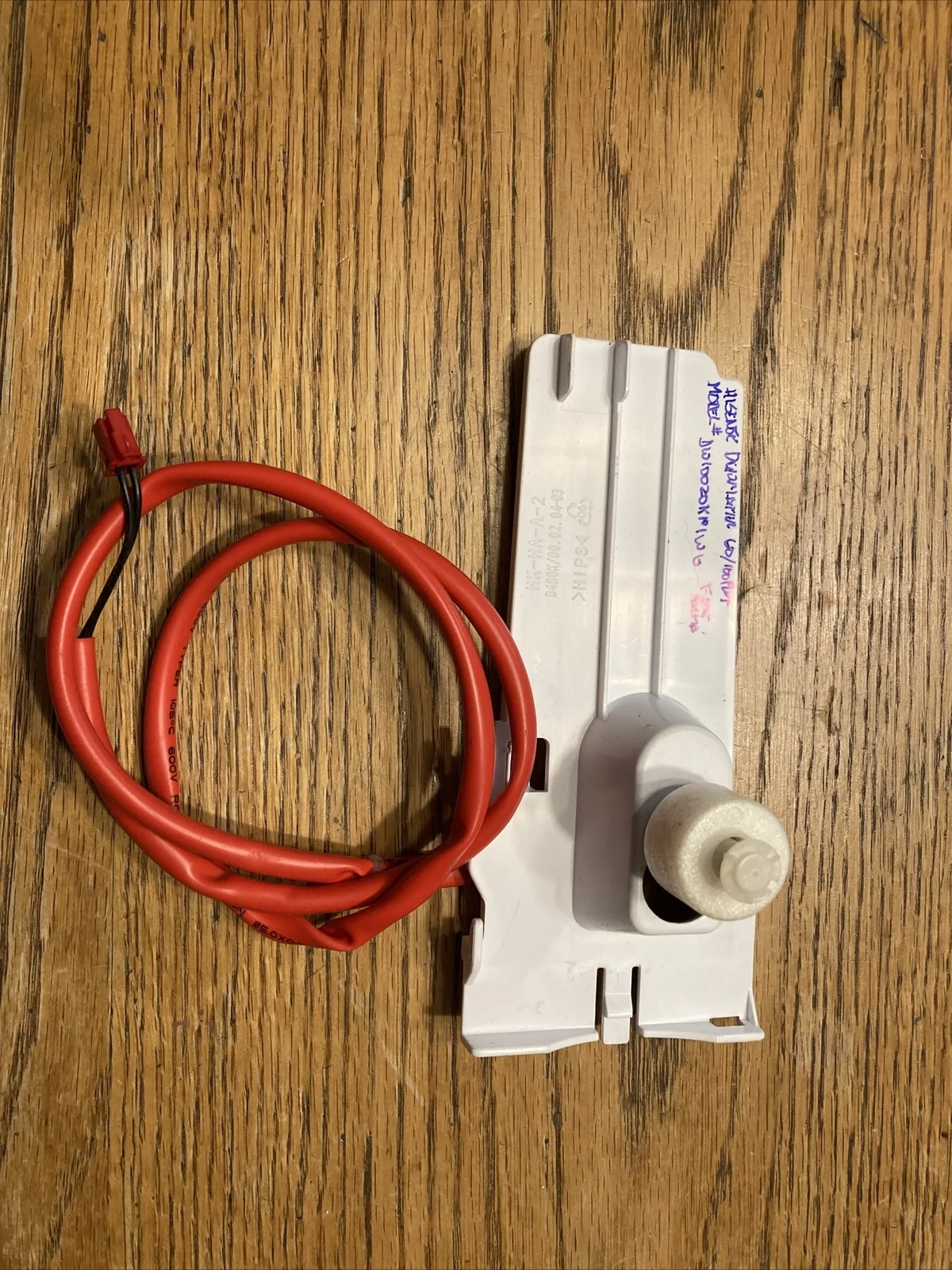
The float switch is the most common culprit. This small plastic piece sits inside the bucket compartment. It rises with the water level and triggers the auto-shutoff when the bucket is full.
But it can get stuck in the raised position even when the bucket is empty.
Here’s what to check:
- Pull the bucket out completely. Look for any debris, dust, or grime around the float switch.
- Gently press the float down. It should move freely. If it feels sticky, clean the area with a damp cloth.
- Reinsert the bucket firmly. Make sure it clicks into place. A misaligned bucket can keep the switch pressed.
If the bucket full indicator light is on but the bucket is clearly empty, the float is stuck. That’s your problem. Unplug the unit for five minutes to reset the control board.
Then try again. Most of the time, this simple fix resolves the issue.
| Symptom | Likely Cause |
|---|---|
| Unit shuts off, bucket empty | Float switch stuck |
| Bucket full light on, bucket empty | Float switch stuck |
| Unit runs for a few minutes then stops | Float switch or bucket alignment |
If the unit still shuts off after this, move to the next step.
Next: Room Temperature and Humidity Setpoint
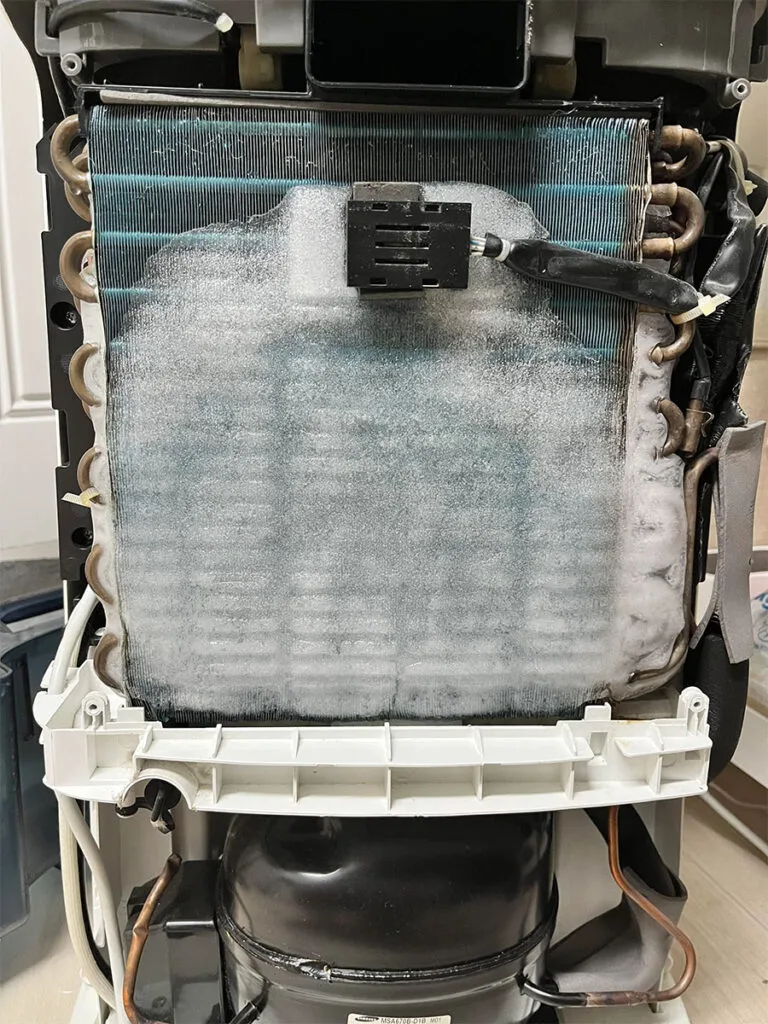
Room temperature has a big effect on your dehumidifier. TCL units are designed to work in environments from 41°F to 95°F. But when the temperature drops below 65°F, the coils can start to ice up.
This triggers a defrost cycle that shuts the compressor off temporarily.
If you’re running the unit in a cold basement during winter, this is likely the cause. The unit isn’t broken. It’s just protecting itself.
| Room Temperature | Expected Behavior |
|---|---|
| Above 65°F | Normal operation |
| 41°F to 65°F | May cycle on and off for defrost |
| Below 41°F | Unit will not run at all |
Also check the humidity setpoint. If you set it to 50% and the room is already at 45%, the unit will shut off immediately. The humidistat has done its job.
Lower the setpoint to force the unit to run longer. Use a separate hygrometer to verify the actual room humidity. The built-in sensor can drift over time.
If you’re looking for a unit that handles cold basements more effectively, our guide to the best dehumidifiers for basements covers several options that perform well in lower temperatures. For now, try moving the TCL unit to a warmer area of the room.
Then: Inspect the Continuous Drain Setup
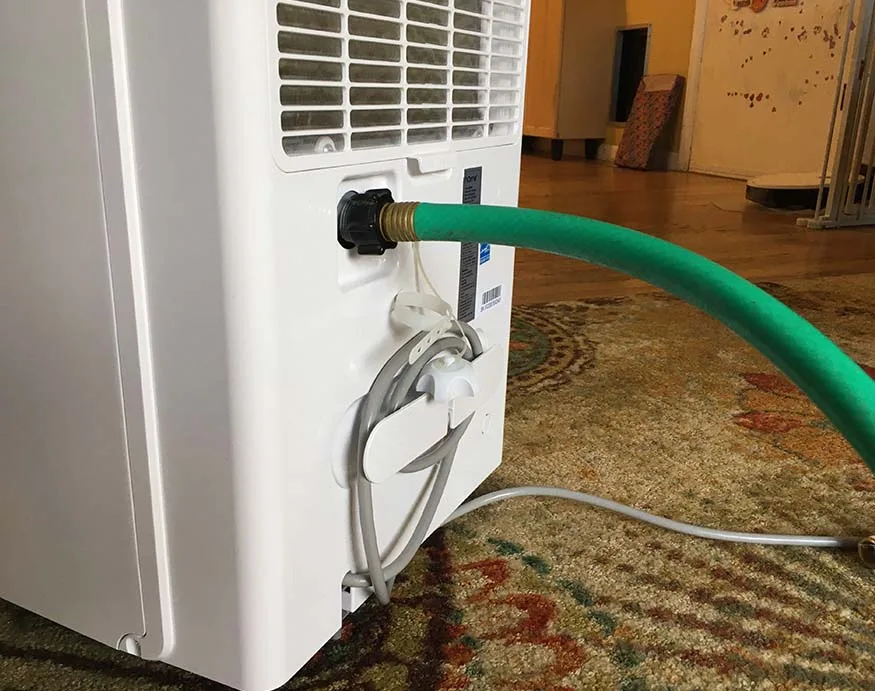
If you’re using the continuous drain option, the hose can cause false shutdowns. The unit has a sensor that detects water backup. If the hose is kinked, clogged, or running uphill, the sensor triggers a shutoff.
Check these things:
- Examine the hose for kinks or sharp bends. Straighten them out.
- Make sure the hose slopes downhill from the unit to the drain. No low spots.
- Verify the hose diameter matches the unit’s outlet. TCL uses a 3/8 inch or 5/16 inch connection.
- Blow through the hose to check for clogs. If it’s blocked, clear it with a pipe cleaner or replace it.
Also, don’t let the hose end sit in standing water. This can create a siphon or cause backup. Keep the end elevated slightly above the drain opening.
A small air gap prevents water from flowing back into the unit.
If the hose is clear and the unit still shuts off, try running it in bucket mode for a few hours. If it works fine without the hose, the drain setup is the problem. Reroute the hose with a constant downward slope.
Also: Clean the Air Filter and Check for Ice
A dirty air filter is a common cause of shutdowns. When airflow is restricted, the coils can freeze over. The unit senses this and shuts the compressor off.
It’s a safety feature.
Here’s what to do:
- Remove the filter from the back of the unit.
- Wash it with warm water and mild soap. Do not use a dishwasher.
- Let it dry completely before reinstalling. A wet filter can grow mold.
- Check the filter monthly during heavy use. TCL recommends cleaning every two weeks in high-humidity conditions.
Also, look at the coils. If you see ice buildup, the unit is in defrost mode. This is normal at low temperatures, but if it happens frequently, check the room temperature and filter.
If the ice doesn’t melt after a few hours, unplug the unit and let it thaw completely. Then restart.
For more detailed troubleshooting, TCL’s official support page has model-specific manuals and error code guides. Check it at TCL support.
Finally: Look for Error Codes and Reset the Unit
Modern TCL dehumidifiers display error codes when something goes wrong. These codes tell you exactly what the system sees. Check the display or the indicator lights on your unit.
Common error codes include:
- E1: Humidity sensor failure. The unit can’t read the room accurately. Try resetting the unit. If it persists, the sensor needs replacement.
- E2: Coil temperature sensor failure. Usually related to ice buildup. Let the unit thaw and restart.
- E3: Refrigerant leak or compressor issue. This requires professional service. Contact TCL support.
- F1 / F2: Control board error. Unplug the unit for 10 minutes to reset. If it returns, the board may need replacement.
If you don’t see an error code but the unit still shuts off, perform a hard reset. Unplug the dehumidifier from the wall outlet. Wait at least five full minutes.
Plug it back in and power it on. This clears any temporary glitches in the control board.
Also check your power outlet. A GFCI outlet can trip if the unit draws too much startup current. Plug the unit into a non-GFCI circuit if possible.
Avoid using extension cords entirely. TCL recommends a dedicated grounded outlet.
If none of these steps work, the issue may be a failed component. The float switch can break internally. The humidistat can drift out of calibration.
In these cases, contact TCL customer support or refer to your model’s manual for warranty service.
Frequently Asked Questions
Why does my TCL dehumidifier run for a few minutes then stop?
This usually means the bucket is misaligned, the float switch is stuck, or the room temperature is too low. Check the bucket first, then clean the float switch. If the room is below 65°F, the unit may be cycling for defrost.
Can I bypass the auto-shutoff feature?
No, bypassing safety features is not recommended. The auto-shutoff prevents overflow and damage. Fix the underlying issue instead.
A stuck float switch or full bucket is easy to resolve.
How do I reset my TCL dehumidifier?
Unplug the unit from the power outlet. Wait at least five minutes. Plug it back in and turn it on.
This resets the control board and clears temporary error codes.
Why does my dehumidifier keep shutting off with the continuous drain hose?
The hose is likely kinked, clogged, or running uphill. Check for sharp bends and ensure a constant downward slope. Also make sure the hose end is not submerged in water.
How often should I clean the filter on my TCL dehumidifier?
Clean the filter every two weeks during heavy use. Monthly cleaning is fine for normal use. A dirty filter restricts airflow and can cause the unit to overheat and shut down.
What does error code E1 mean on my TCL dehumidifier?
E1 indicates a humidity sensor failure. Try resetting the unit. If the code returns, the sensor needs replacement.
Contact TCL support for warranty service.
Your Troubleshooting Decision Guide
Here’s a quick decision tree to follow when your TCL dehumidifier keeps shutting off:
- Unit shuts off immediately → Check bucket and float switch first. Clean and press float down.
- Unit runs for a few minutes then stops → Check room temperature. Below 65°F? That’s defrost mode. Warm the room or move the unit.
- Unit runs with drain hose but stops → Inspect the hose for kinks, clogs, or poor slope. Try bucket mode to confirm.
- Unit shows error code → Refer to the code list above. Perform a hard reset. If code returns, contact support.
- Unit still shuts off after all checks → Unplug for 5 minutes. Check outlet. If problem persists, it may be a hardware failure.
If you’ve gone through every step and the dehumidifier still won’t stay on, it’s time to contact TCL customer support. Your unit may still be under warranty. You can also check guidance on choosing a replacement unit by visiting our guide to the best dehumidifier for your space.
Remember, most shutdowns are simple to fix. Start with the float switch. That solves more than half of these issues.
Then move to room temperature and drain hose checks. If you stay patient and work through each step, you’ll likely have your TCL dehumidifier back to normal within 15 minutes.