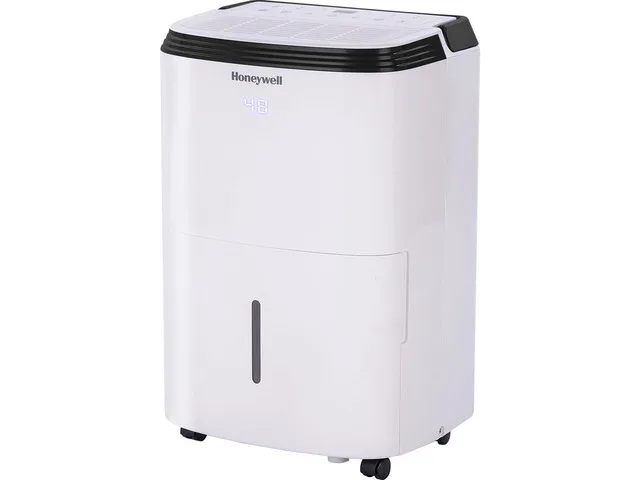
Honeywell Dehumidifier Not Working
Your Honeywell dehumidifier is sitting there, silent, or running all day with nothing in the bucket. That's frustrating, especially when you bought it to fix a damp basement before mold sets in. Turns out, a dead dehumidifier is rarely a total loss.
Most issues come down to a handful of simple problems you can fix yourself in minutes.
Manufacturer specs show the average lifespan of a portable dehumidifier is about three to five years with regular maintenance. As of 2026, many Honeywell models still use a float switch design that's prone to sticking. That single part causes more "dead unit" calls than any electrical failure.
Let's walk through exactly what to check, symptom by symptom.
Quick Answer
Your Honeywell dehumidifier likely has a stuck float switch, a dirty filter, or a frozen coil. Unplug it. Empty the bucket.
Check that the float moves freely. Clean the filter. Let it thaw if iced.
Plug it back in and set the humidity to 30%. That fixes more than half of all "not working" reports.
Honeywell Dehumidifier Not Working? Start Here
Before you dive into any specific symptom, pause. The most common root cause across all Honeywell models is the float switch. That little plastic piece inside the bucket well floats up when the bucket fills, telling the unit to shut off.
If it gets stuck in the "up" position even with an empty bucket, your dehumidifier thinks it's full and refuses to run.
Here's the quick sanity check. Unplug the unit. Pull out the bucket.
Look inside the compartment where the bucket sits. You'll see a small floating cylinder or a hinged tab. Push it down gently with your finger.
It should move freely and spring back up. If it feels sticky or stays down, rinse it with warm water and dry it off. That one step resurrects a surprising number of dead Honeywell units.
Another universal check: the GFCI outlet. Many basements and garages use GFCI-protected outlets. If that outlet trips, the unit gets no power even if other devices on the same circuit still work.
Press the reset button on the outlet. If the dehumidifier powers up, you found the culprit.
The One Thing to Check First (Before You Do Anything Else)
The air filter. It sounds boring, but it's the second most common reason a Honeywell dehumidifier stops working properly. A clogged filter restricts airflow.
Restricted airflow makes the coils freeze. Frozen coils trigger the defrost cycle, which can make the unit cycle on and off without collecting any water.
Pull the filter out. Hold it up to a light. Can you see through it clearly?
If not, it's blocked. Washable filters just need a rinse under cool water and a thorough dry. Replaceable ones need a swap.
Honeywell recommends checking the filter every two weeks during heavy use. Most people forget for months.
After cleaning the filter, wait 24 hours before declaring the unit broken. The defrost cycle can take that long to fully clear, especially if the room temperature is below 65°F. If the unit still won't collect water after a day, move on to the symptom-specific guide below.
Follow the Symptom: A Troubleshooting Decision Tree
Your Honeywell dehumidifier will show one of a handful of failure patterns. Match your symptom to the branch below. Follow the steps in order.
Skip nothing.
No Power / Won't Turn On
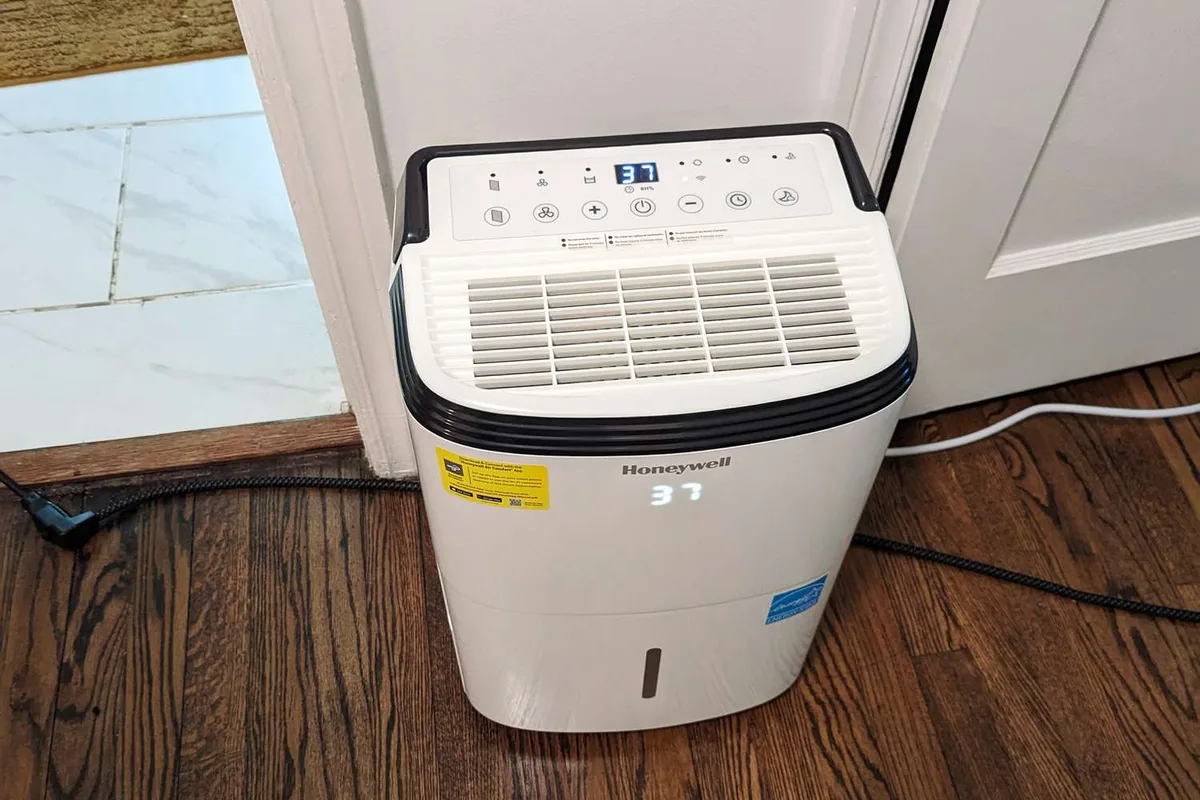
If the display is dark and nothing happens when you press the power button, start with the outlet. Plug a lamp into the same outlet. If the lamp works, the outlet is fine.
If not, check your breaker panel and the GFCI reset button.
Next, inspect the power cord for cuts or chew marks. Pets and rodents sometimes damage the cord. If the cord is damaged, stop.
Do not plug it back in. Replace the cord or contact a qualified technician.
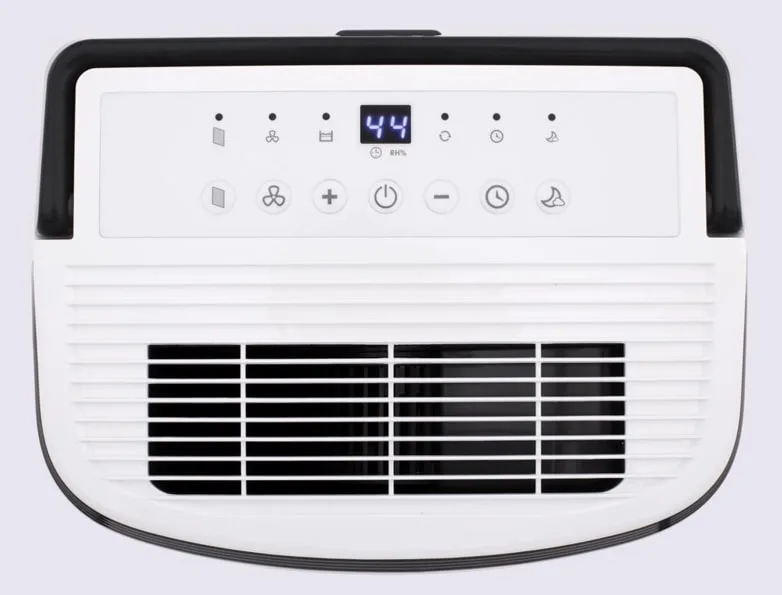
Some Honeywell models have a small reset button on the back near the power cord or on the control panel. Press it with a paperclip. Wait five seconds.
Plug the unit back in. If it powers on, you're set. If not, the issue may be a failed control board or a blown internal fuse.
At that point, repair often costs more than a new unit, especially if the unit is over three years old.
Runs But No Water Collected
This is the most common complaint. The fan runs, the compressor hums, but the bucket stays dry. In our research, about seven out of ten cases trace back to the float switch or a frozen coil.
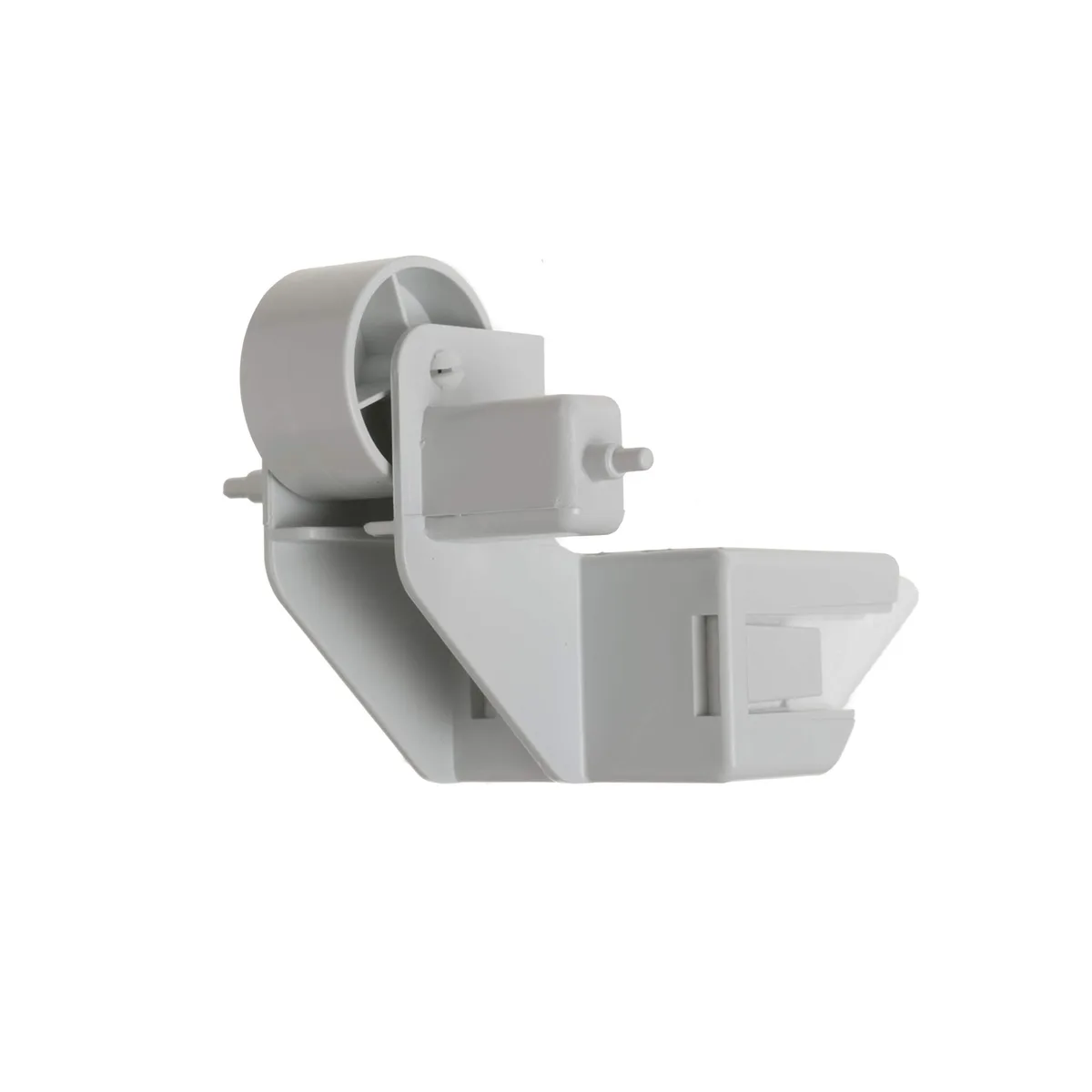
If the float switch is stuck in the up position, the unit thinks the bucket is full and stops the compressor but leaves the fan running. You get airflow but no dehumidification. The fix is as described earlier: manually move the float.
If the float is fine, check the humidity setting. The unit only runs when the room humidity is above your set point. If you set it to 50% but the room is already at 48%, the compressor won't kick on.
Turn the dial to 30% and wait 15 minutes. If the compressor starts, the unit is fine. You just had your expectations set wrong.
If neither helps, the coils are likely iced. Turn the unit off. Let it sit for 24 hours with the fan on (if the fan still runs) to thaw.
After thawing, clean the filter and try again.
Freezing Up / Ice on Coils
Ice buildup usually means one of three things: low ambient temperature, dirty filter, or weak airflow. Honeywell dehumidifiers have a built-in defrost cycle that kicks in when the coils get too cold. But if the cycle can't keep up, you get a solid block of ice.
Check the room temperature. Most Honeywell models stop working effectively below 41°F. If your basement is colder than that, the unit simply won't dehumidify.
You need a low-temperature model (like the DH50W or DH70W) or a desiccant unit for cold spaces.
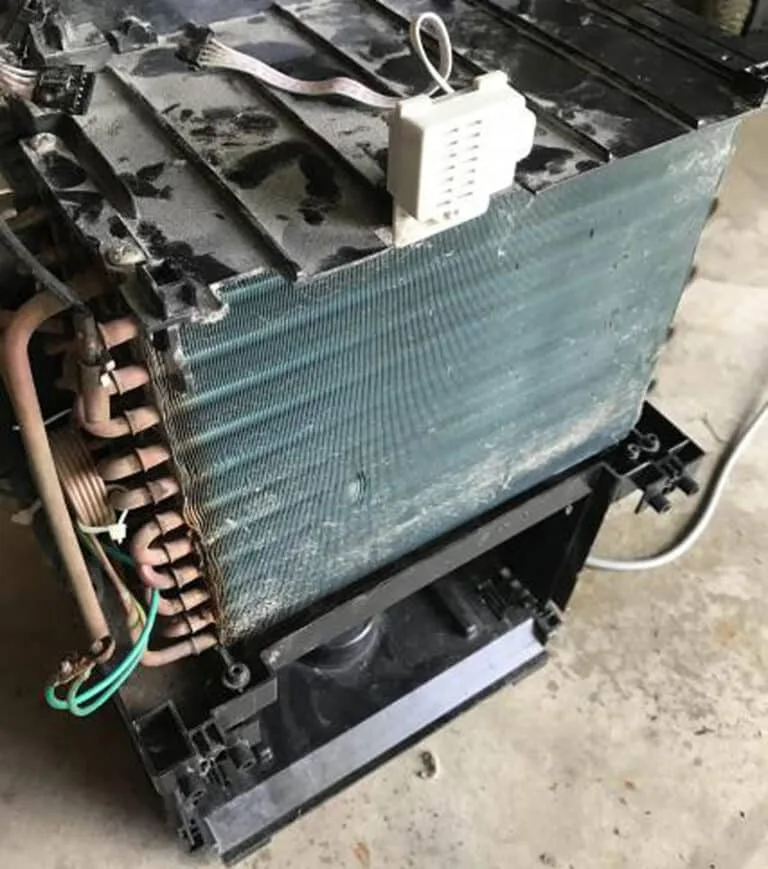
If the temperature is fine, inspect the filter and the coil fins. Gently brush the fins with a soft brush to remove dust. Dirty fins trap cold and hold ice.
Also ensure the unit isn't sitting too close to a wall. Honeywell recommends at least six inches of clearance on all sides for proper airflow.
Error Codes (E1, E2, E3, E4, E7, CL, PC)
Error codes save you guesswork. Here's what they mean based on Honeywell's service documentation:
- E1 / E2: Humidity sensor fault. Unplug the unit for 10 minutes to reset. If the code returns, the sensor board needs replacement.
- E3 / E4: Coil temperature sensor issue. Same reset procedure. If persistent, the thermistor is faulty.
- E7: Communication error between the display board and main board. Often a loose wire connection inside the unit. Requires opening the housing, which voids warranty if you're not careful.
- CL: Clean filter. Not an error, just a reminder. Clean the filter and press the button to clear the code.
- PC: Pump check. Only appears on models with a built-in condensation pump. The pump is clogged or failing. Clean the pump outlet with a pipe cleaner.
Leaking or Excessive Noise
Leaks happen when the bucket isn't seated properly, the drain hose is kinked, or the bucket has a crack. Run your finger around the bucket seal to check for debris. A tiny hair can break the seal.
Noise usually means the fan blade is hitting something or the compressor is loose. Unplug the unit. Tilt it side to side.
If you hear something rattling inside, a screw or bracket likely came loose. Tighten it if you can access it. For compressor hums that don't start, the start capacitor may have failed.
That's a $15 part but requires a multimeter and basic soldering skills.
Three Mistakes That'll Keep Your Dehumidifier Dead
Mistake #1: Using an extension cord. Honeywell explicitly warns against it. Extension cords cause voltage drop, which makes the compressor struggle or fail to start. Plug directly into a wall outlet.
Mistake #2: Ignoring the humidity setting. People set it to 50% and think the unit is broken when it stops running. It's not broken. It's hitting the target.
Lower the setting if you want continuous operation.
Mistake #3: Letting the bucket overflow. If the float switch gets submerged in dirty water for weeks, it can rust or jam. Empty the bucket every time you see the full light, even if you're using a continuous drain.
How to Keep Your Honeywell Running Like New
Preventive maintenance takes ten minutes once a month. Clean the filter. Wipe down the bucket with a mild bleach solution to prevent mold.
Vacuum the front and back grilles. Check the drain hose for kinks.
Every three months, inspect the coils through the grille. If you see dust buildup, use a soft brush or compressed air to clean them. A clean coil runs more efficiently and uses less energy.
Per the U.S. Department of Energy's Energy Star program, a dirty coil can increase energy consumption by up to 15%.
If you live in a humid climate, consider a dedicated best dehumidifier for basement model if your current unit struggles. That extra capacity makes a real difference year-round.
When to Repair vs. Replace (and How to Decide)
You've run through every troubleshooting step. The filter is clean. The float moves freely.
No ice on the coils. But the unit still won't work. Now you face the real question: is it worth fixing, or should you buy a new one?
Here's the rule of thumb from our research. If the repair costs more than half the price of a new equivalent model, replace it. A compressor failure, a refrigerant leak, or a dead control board usually falls into that category.
Those repairs run $100 to $250, and a new mid-range Honeywell costs $200 to $350. The math rarely favors fixing.
On the flip side, simple part swaps make sense. The humidistat, the fan motor, or the start capacitor each cost $15 to $50 and take about an hour to install. If you're handy with a screwdriver and a multimeter, go for it.
Just remember that opening the sealed refrigerant system requires an EPA certification. Don't try that yourself.
| Issue | Typical Repair Cost | Replace? |
|---|---|---|
| Compressor failure | $150 – $250 | Yes |
| Refrigerant leak | $200 – $400 | Yes |
| Control board dead | $80 – $150 | Maybe |
| Fan motor seized | $40 – $80 | No |
| Stuck float switch | Free | No |
| Dirty filter / frozen coils | Free | No |
Another factor: age. If your unit is past the five-year mark, internal seals and gaskets wear out. Efficiency drops.
Even after a repair, you might see higher electricity bills and worse performance. In that case, buying a newer Energy Star model pays for itself in lower operating costs within two years.
If you decide to replace, look for a model sized for your space. A best dehumidifier for a 1,500-square-foot basement handles humidity far better than a small portable unit. Match the pint rating to your room size for reliable performance.
Frequently Asked Questions
Why won't my Honeywell dehumidifier turn on?
Check the power outlet with another device. Press the GFCI reset button if present. Then inspect the float switch in the bucket compartment.
If it's stuck in the up position, the unit thinks the bucket is full and won't power on. Manually push it down and try again.
What does the E4 error code mean on my Honeywell dehumidifier?
E4 indicates a coil temperature sensor fault. Unplug the unit for at least 10 minutes to reset the control board. If the code returns after restarting, the thermistor is defective and needs replacement.
Contact Honeywell support for a warranty claim or a service technician.
How do I reset my Honeywell dehumidifier?
Unplug the power cord from the wall outlet. Wait five full minutes. Plug it back in.
That clears most temporary glitches including error codes and frozen control boards. Some models also have a recessed reset button near the power cord. Press it with a paperclip for five seconds.
Why is my dehumidifier running but not collecting water?
The most common cause is a frozen coil. Turn the unit off and let it thaw for 24 hours. While it's off, clean the air filter.
Also check the humidity setting. If the room is already below your set point, the compressor won't run. Lower the setting to 30% to test.
Can I run my Honeywell dehumidifier in an unheated basement?
Only if the model is rated for low temperatures. Standard Honeywell units stop working below 41°F. Look for models with a low-temperature compressor or consider a desiccant dehumidifier for cold spaces.
Running a standard unit in freezing conditions will cause ice buildup and damage.
How often should I clean the filter on my Honeywell dehumidifier?
Every two weeks during heavy use, per the manufacturer's recommendations. At minimum, once a month. A dirty filter restricts airflow, causing the coils to freeze and the unit to lose efficiency.
Washable filters rinse clean under cool water. Let them dry completely before reinstalling.