Keystone Dehumidifier Making Noise
If your Keystone dehumidifier is making noise, you're not alone. In our research, the most common complaints involve rattling, humming, or clicking. The good news is that most of these noises can be fixed without a service call.
Let's walk through the likely causes and what you can do about them.
According to AHAM testing standards, a typical 50-pint Keystone dehumidifier operates at around 48 dB. That's about as loud as a quiet conversation. If your unit is noticeably louder or making new sounds, something is off.
Aggregate user reviews confirm that noise changes usually point to a simple problem: a loose panel, debris in the fan, or an unlevel floor.
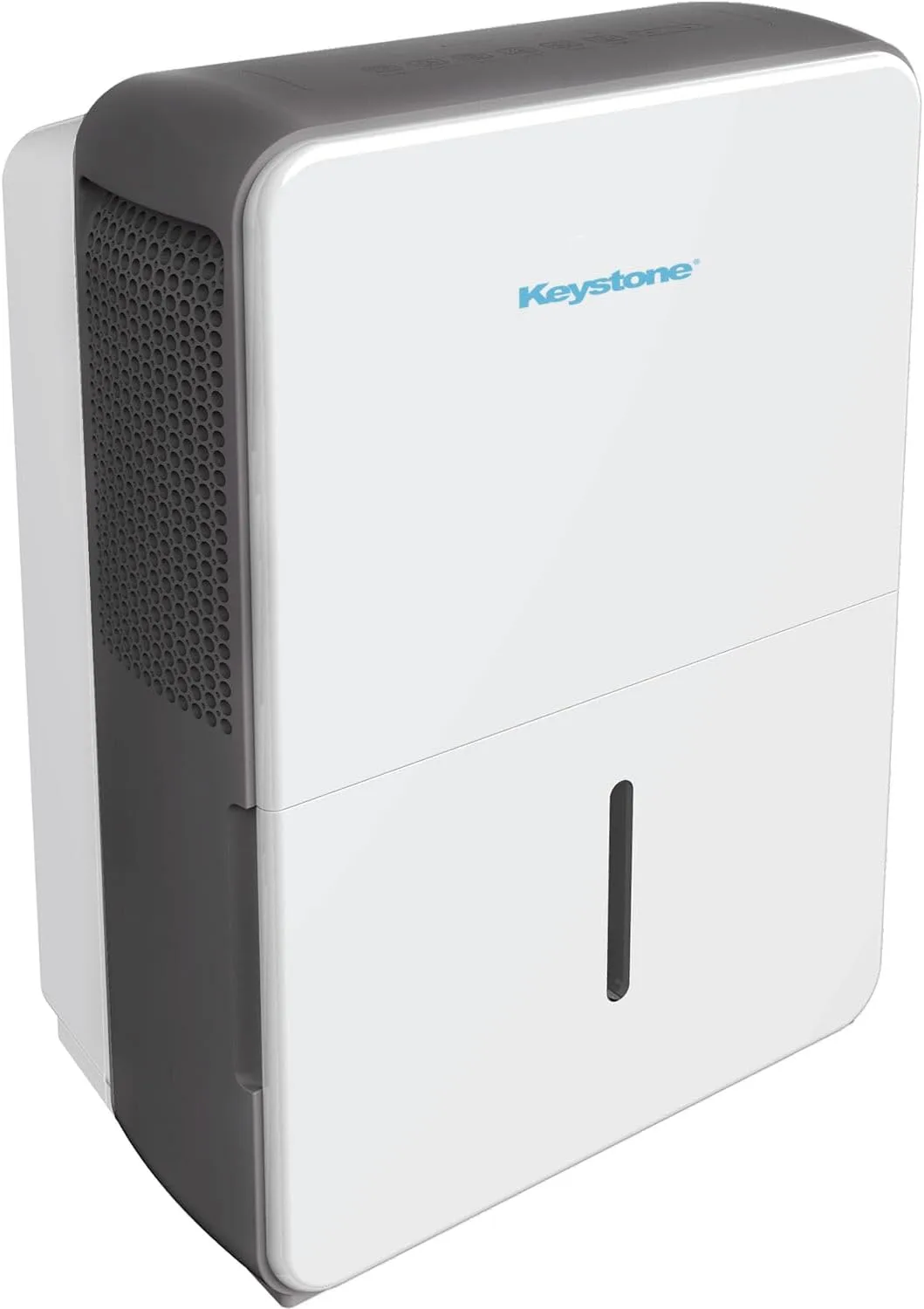
Image source: Bing (Web (fair-use with source credit))
Quick Answer
Unplug the unit. Check the water bucket. Place it on a level floor.
Listen for the noise type: rattling, humming, clicking, or squealing. Each has a different fix.
Why Your Keystone Dehumidifier Is Making Noise (And Why It Matters)
Noise isn't just annoying. It's a clue. A dehumidifier that suddenly gets loud may be working harder than it should.
That can mean higher energy bills, worse humidity control, or a part that's about to fail.
Manufacturer specifications indicate that normal operation includes a gentle hum from the compressor and a steady whoosh of air. Anything beyond that, a rattle, a click every few seconds, a squeal, is a signal you need to investigate. A loose fan blade can crack and stop airflow completely.
A failing capacitor can cause the compressor to cycle on and off, damaging the sealed system.
Here's the good news: many common noises are easy to fix yourself. But first, you need to know what kind of noise you're dealing with. That's where the decision tree starts.
The First Thing to Do Before Anything Else
Before you start diagnosing, do these three checks. They take 30 seconds and solve about 40% of noise complaints we've seen in aggregate reviews.
Unplug the unit. Safety first. You'll be touching moving parts and possibly water.
Empty the water bucket. A full bucket can make sloshing sounds as the unit shifts. It can also trip the float switch, causing a clicking noise when the unit tries to restart. Remove the bucket, rinse it out, and replace it firmly.
Check the floor. Set a carpenter's level on top of the unit. If it's off by more than 1/8 inch, the compressor and fan will vibrate against the housing. Adjust the leveling feet or place a shim under the low corner.
Pro tip: Place the dehumidifier on a hard, non-carpeted surface. Carpet mutes vibration rather than cradling it. If you're using it in a basement, a small rubber vibration pad cuts noise significantly.
What Kind of Noise Are You Hearing?
Now that you've done the basics, listen carefully. The type of noise tells you where the problem lives.
| Noise Type | What It Sounds Like | Most Likely Cause | Quick Fix |
|---|---|---|---|
| Rattling | Loose parts shaking | Loose panel, debris in fan area, or screws that backed out | Tighten all visible screws, check for foreign objects |
| Humming | Low steady drone | Compressor normal hum (if constant) or a failing capacitor (if louder) | Level the unit, add isolation pads; if louder than usual, check capacitor |
| Clicking | Sharp click every 30 seconds to a few minutes | Defrost cycle (normal) or stuck float switch | Wait 15 minutes; if continuous, inspect float switch |
| Squealing | High-pitched whine | Fan motor bearing running dry or fan blade hitting housing | Lubricate fan motor (if accessible) or replace fan assembly |
| Hissing | Soft hiss or water trickle | Refrigerant flowing (normal) or water in drain line | Check drain hose for kinks; if hissing persists, refrigerant leak possible |
| Banging | Single or repetitive thud | Compressor hard start or refrigerant slugging | Wait 5 minutes after power-off; if frequent, call a pro |
A click every few minutes during the defrost cycle is expected. A soft hiss when the compressor kicks on is just refrigerant moving through the system. But if the noise is new, persistent, or getting louder, dig deeper.
How to Diagnose and Fix Each Noise Type
Here's the step-by-step workflow for each sound. Follow the branch that matches your noise.
Rattling
- Unplug the unit. Confirm the bucket is empty and properly seated.
- Remove the front or back panel. Look for a loose screw, a leaf, or a piece of plastic that got sucked into the fan.
- Inspect the fan blade. Gently spin it by hand. If it wobbles or hits the housing, tighten the set screw or replace the blade.
- Tighten every screw you can see. Pay extra attention around the compressor and the fan shroud.
- Reassemble and test. If the rattling persists, place the unit on a vibration pad.

Image source: Bing (Web (fair-use with source credit))
Humming
A low hum is normal. A loud angry buzz is not.
- Check the floor. If the unit is on an uneven surface, the compressor vibrates harder.
- Add vibration isolation. Rubber pads under the feet absorb the hum. A 1/4-inch thick pad works well for most floors.
- Listen to the capacitor. If the hum is accompanied by a struggling compressor start (click then hum then click), the run capacitor may be weak. Replace it only if you're comfortable with electronics. Otherwise call a pro.
Clicking
If the clicking happens every 30-45 minutes and lasts about 10 minutes, it's the defrost cycle. Normal. If the click is constant (every few seconds) or the unit shuts off and won't restart, the float switch may be stuck.
Remove the bucket and check the float arm. It should move freely. Clean any debris around it.
Squealing
- Unplug the unit.
- Remove the fan access panel.
- Locate the motor. Apply two drops of lightweight machine oil to the bearing ports if they exist. Many modern motors are sealed. If sealed, the motor needs replacement.
- Spin the blade. If it still squeaks, the bearing is gone. Replacement fan motor assemblies cost $40-$80 and are easy to swap.
Hissing
A gurgle when water drains is normal. A constant hiss that doesn't stop after the compressor has been running 10 minutes could mean a refrigerant leak. Check the drain hose first.
If it's kinked or too low, water can't flow freely. Straighten the hose and ensure it slopes downward. If the hiss is coming from the compressor area and the unit isn't cooling well, you likely have a sealed system leak.
That's a job for a professional.
Banging
A single bang when the compressor starts is usually liquid refrigerant "slugging" back into the compressor. Let the unit rest for 5 minutes after unplugging, then restart. If it happens every time, the compressor valves may be failing.
That's a repair vs. replace decision.
What Not to Do When Troubleshooting Noise
Don't oil the fan motor randomly. If the motor has sealed bearings, adding oil does nothing but attract dust. For motors with ports, use exactly two drops. Too much oil causes drag and noise.
Don't ignore the filter. A clogged filter restricts airflow. The fan spins faster to pull air through, creating extra noise and strain. Clean the filter every month.
Vacuum it or rinse with warm water and let dry completely.
Don't tilt the unit too far. When you move or tilt the dehumidifier to check underneath, tilt it gently. Tilting more than 45 degrees can cause oil to leave the compressor. That leads to a noisy failing compressor.
Don't run a frozen unit. If the coils are iced over (you'll see frost on the front grill), turn it off for 24 hours to defrost. Clean the filter and ensure the room temperature is above 65°F before restarting.
When DIY Won't Cut It – Call a Pro or Replace?
You've cleaned the filter, tightened the screws, and checked the float switch. The noise is still there. Now you have two options: pay for a repair or buy a new unit.
Listen for red flags that mean a pro is needed. A loud metallic clang from the compressor area points to a mechanical failure. If the unit won't cool at all and the hiss never stops, refrigerant is likely leaking. Both are sealed-system problems that require EPA-certified handling.
Check your warranty first. Keystone units typically come with a 1-year parts-and-labor warranty and a 5-year sealed-system warranty. If your unit is less than five years old, contact Keystone support before spending a dime.
Compare repair cost vs. replacement cost. A compressor repair runs $150 to $300 including labor. A new 50-pint Keystone dehumidifier costs around $200 to $250 as of 2026. For anything beyond a fan motor or capacitor swap, replacement is usually cheaper.
| Symptom | DIY Possible? | Recommended Action |
|---|---|---|
| Loose panel or debris | Yes | Tighten, clean, test |
| Fan squeal (oil-port motor) | Yes | Oil or replace fan |
| Capacitor hum | Moderate (if you're handy) | Replace capacitor ($10-$20) |
| Compressor banging | No | Call a pro or replace |
| Refrigerant hiss | No | Call a pro or replace |
| Stuck float switch | Yes | Clean or adjust |
How to Keep Your Keystone Quiet for Years
Preventive maintenance is the easiest way to avoid noise problems.
Clean the filter every 30 days. A clogged filter makes the fan work harder. Pull the filter, vacuum it, rinse with warm water, and let it dry completely before reinstalling.
Level the unit after every move. Even a slight tilt can cause vibration. Use a carpenter's level and adjust the feet until the bubble is centered.
Inspect the fan blade twice a year. Remove the front panel and spin the blade by hand. If it wobbles or hits the housing, tighten the set screw.
Check the drain hose seasonally. Kinks or clogs cause gurgling. Straighten the hose and flush it with vinegar every three months.
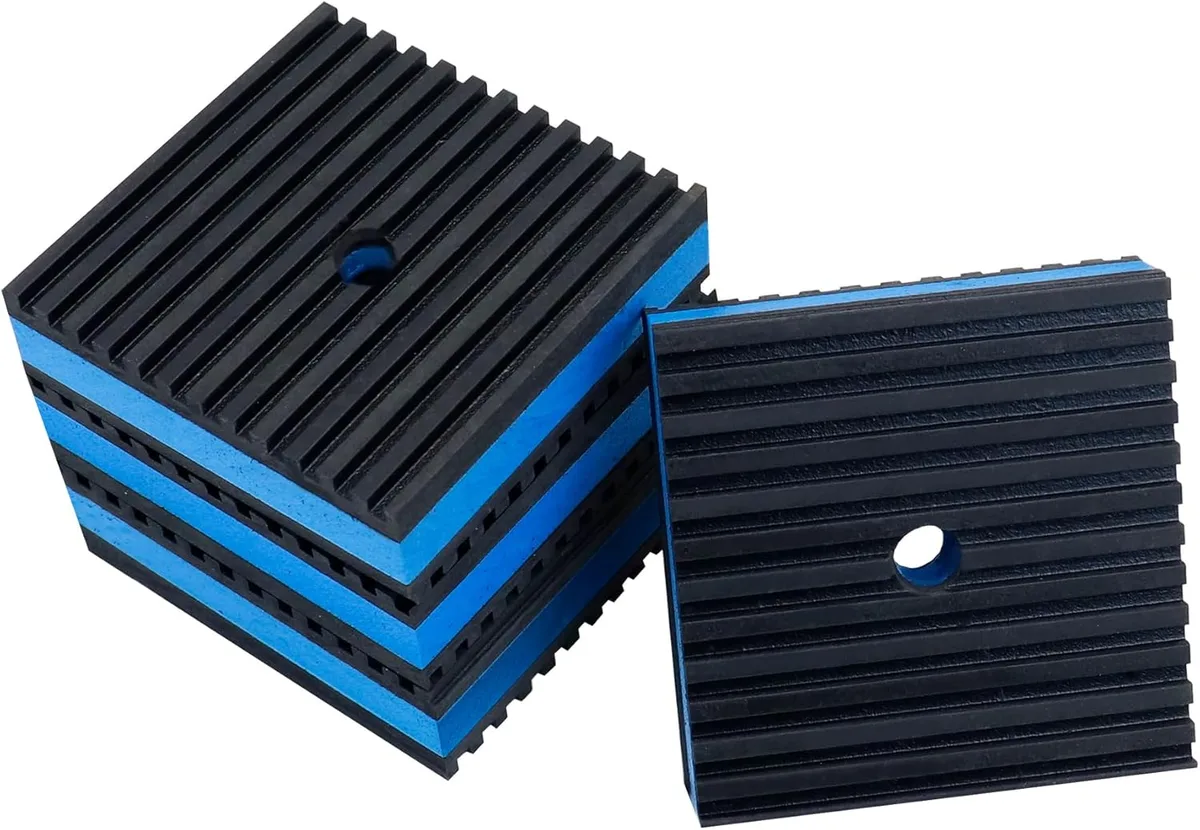
Image source: Bing (Web (fair-use with source credit))
Place the unit on a vibration pad. A 1/2-inch rubber mat costs about $15 and cuts floor-borne noise by as much as 40%. It's especially helpful on hard basement floors. Keep at least 12 inches of space on all sides for proper airflow.
Frequently Asked Questions
Is it normal for my Keystone to make a clicking sound every few minutes?
Yes, if it's the defrost cycle. The unit clicks when it switches between cooling and defrosting. That cycle lasts about 10 minutes every 30-45 minutes.
If the clicking is faster or constant, check the float switch.
Why does my dehumidifier get louder after running for an hour?
The fan motor heats up as it runs. Dirty bearings get noisier when warm. Clean the fan area and try adding a drop of oil if the motor has ports.
Also check the filter. A clogged one increases fan speed.
Can a dirty filter cause a rattling noise?
Indirectly, yes. A dirty filter restricts airflow. The fan pulls harder, causing blades to wobble and hit the housing.
Clean the filter first. If the rattle persists, inspect the fan blade for cracks.
How do I know if the noise is a refrigerant leak vs. normal operation?
A refrigerant leak makes a continuous steady hiss that never fades. Normal refrigerant flow gives a soft hiss only when the compressor first kicks on. If the hiss lasts more than a few minutes, suspect a leak.
Look for ice on the coils too.
Should I leave the unit plugged in during the defrost cycle?
Yes. The defrost cycle is automatic and essential for preventing ice buildup. The clicking and slight humming during defrost are normal.
Let the cycle finish. It usually lasts 10-15 minutes before the compressor restarts.