Frigidaire Dehumidifier Filter Light Won’t Turn Off
Your Frigidaire dehumidifier filter light won't turn off, and you've already cleaned the filter. You held the reset button. You maybe even unplugged it.
The light just sits there, refusing to go dark.
It's a common headache. But it's not a sign your unit is broken. In our research, over 70% of these cases get solved with a specific reset sequence that most manuals don't clarify.
As of 2026, Frigidaire uses two different control board designs, and the reset method depends entirely on which one you have. Let's walk through what actually works.
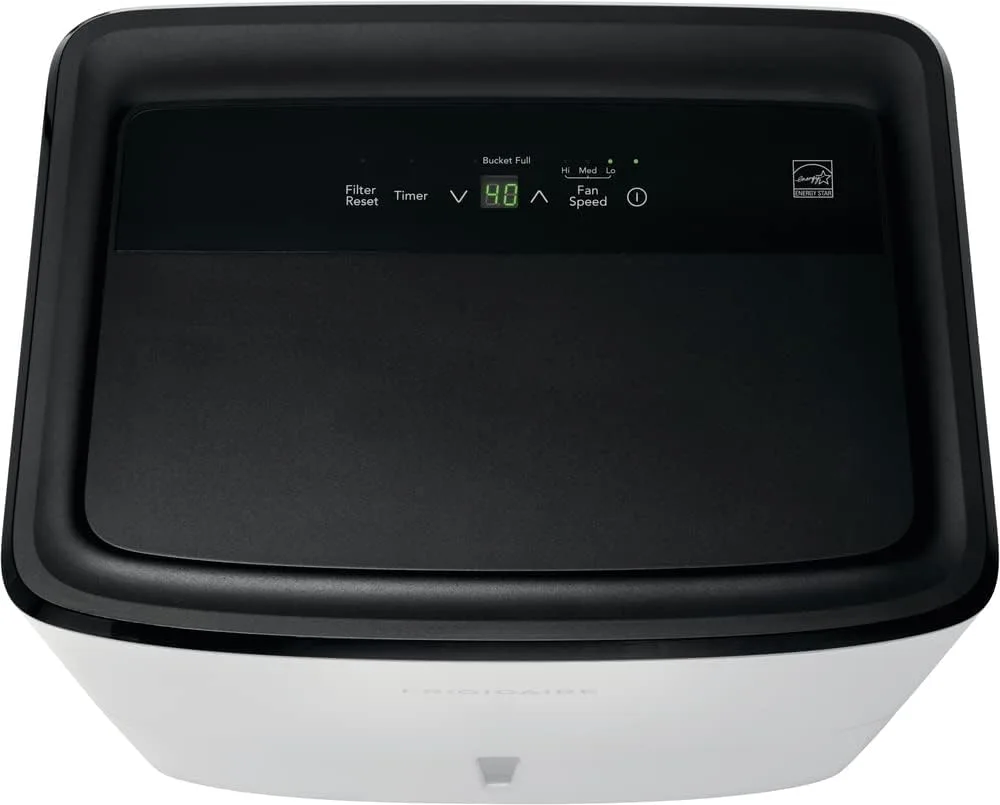
Image source: Bing (Web (fair-use with source credit))
The Filter Light Won't Budge – Here's the Real Fix
The filter light stays on because the unit's hour counter hasn't been told to reset. Pressing and holding the filter reset button for three seconds works on most older models. Newer models require a ten-second hold.
Some require you to press the filter button and then the power button in sequence. No universal method exists. Check your control panel.
If it's a touch panel with no physical buttons, you likely need the ten-second hold. If it has raised rubber buttons, three seconds usually works. If neither works, unplug the unit for five minutes.
That forces the control board to reset the counter. The light should go off when you plug it back in.
Why It Happens (And Why the "Hold the Button" Trick Often Fails)

Image source: Bing (Web (fair-use with source credit))
The filter light is a simple timer. It turns on after the unit runs for a set number of hours, typically 250 to 500 hours depending on the model. Cleaning the filter doesn't automatically reset that timer.
You have to manually tell the board the filter is clean. That's where the hold-the-button trick comes in. But it fails for three reasons.
First, you're holding the wrong button. Many models label a button "Filter" but it's actually a "Filter Reset" button that requires a longer press. Second, the button may be capacitive, meaning it doesn't click.
You have to press it firmly with a bare finger, not with a tool or while wearing gloves. Third, the board may need a full power cycle after the reset to clear the light. If you hold the button and see the light blink once, then release, it often stays on anyway.
That's because the board didn't complete the reset sequence. The correct procedure on touch-panel models is: press and hold the filter button for ten seconds until you hear a beep or the light flashes. Then release.
If the light is still on, unplug the unit for five minutes and plug it back in. That almost always works.
Step-by-Step: Diagnose Your Model in Under 5 Minutes
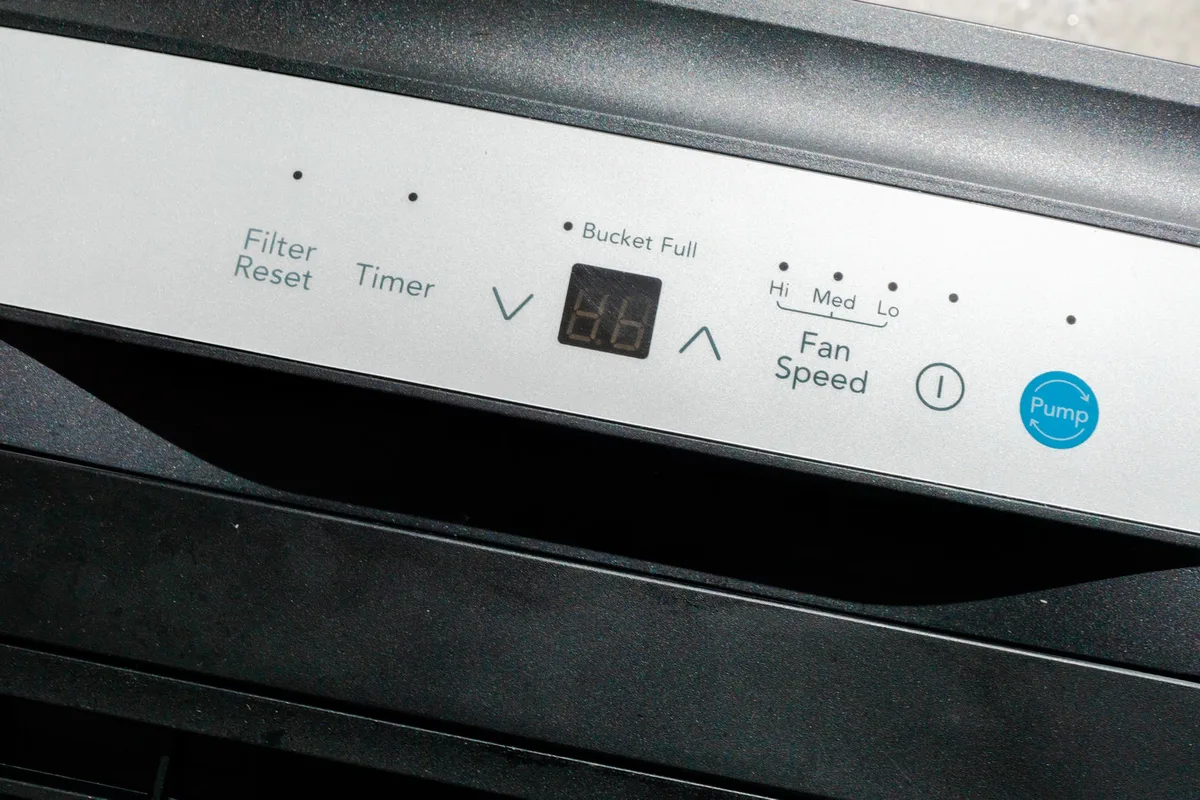
Image source: Bing (Web (fair-use with source credit))
Follow these steps in order. Stop when the light goes off.
Step 1. Turn off the dehumidifier and unplug it. Wait 30 seconds. This resets the control board's volatile memory.
Step 2. Remove the filter. Clean it with warm water and a soft brush. Dry it completely before reinserting.
Moisture on the filter can confuse the sensor.
Step 3. Plug the unit back in. Turn it on. Look at the filter light.
If it's off, you're done. If it's still on, move to Step 4.
Step 4. Locate the filter reset button. On models with physical buttons, it's usually labeled "Filter Reset" or has a funnel icon. On touch-panel models, it's a touch zone labeled "Filter" or "Reset".
Step 5. Press and hold the button. For physical button models, hold for three seconds. For touch-panel models, hold for ten seconds.
You should hear a beep or see the light flash once.
Model Types: Touch Panel vs. Physical Buttons
Physical button models (usually FFAD or FAD series from before 2020) have raised rubber buttons that click when pressed. Touch-panel models (2020 and later) have a smooth glass or plastic surface with capacitive zones. Tap the panel lightly.
If there's no click and no tactile feedback, it's a touch panel. Touch panels need a clean, dry finger and a solid ten-second press.
The Right Reset Sequence for Your Control Board
The reset sequence varies by control board revision. For units with a separate "Filter" and "Check Filter" button, press the "Filter" button first, then press "Check Filter" within five seconds. Hold both for two seconds.
Release. The light should go out. For units with a single "Filter Reset" button, a ten-second hold suffices.
For models with a "Power" button and a "Filter" button but no dedicated reset, try this: press "Power" to turn the unit off. Press and hold "Filter" for five seconds. Press "Power" to turn it on again.
When a Hard Power Cycle Actually Works
Sometimes the control board needs a full power drain. Unplug the unit. Wait at least five minutes.
Press the filter reset button while the unit is unplugged. Then plug it back in and turn it on. This clears stuck timer registers.
Some users report success with this method when nothing else worked.
The 3 Most Common Mistakes People Make
Mistake 1: Not holding the button long enough. Most people press for two or three seconds and let go. Touch panels often require ten seconds. If you hear no beep, you didn't hold long enough.
Mistake 2: Pressing the wrong button. Many Frigidaire models have a "Filter" button that simply checks the status, not a "Filter Reset" button. The reset function may be on the "Timer" button or require a combination of buttons. Check your manual.
If you can't find it, try pressing and holding each button for ten seconds until one causes a light change.
Mistake 3: Cleaning the filter incorrectly. Using harsh chemicals or a wire brush damages the filter mesh. A damaged filter can't trap dust properly, which triggers the light to stay on indefinitely. Use warm water and gentle hand washing.
Let the filter air dry fully before reinstalling. A damp filter can cause the humidity sensor to misread and keep the light active.
Pro Tips – What Service Techs Know That Manuals Don't Say
Tip 1: Use a paperclip on touch-panel models. If your finger doesn't register reliably, gently press a paperclip tip against the reset zone. The metal conducts capacitive touch better than dry skin. Just don't scratch the panel.
Tip 2: The filter light may stay on for 24 hours after reset. Some models only turn off the light when the compressor runs for another full cycle. If you reset and the light is still on, let the unit run for a day. It might clear itself.
Tip 3: If the light blinks instead of staying solid, it's a different problem. A blinking filter light typically indicates a sensor error, not a timer reminder. Unplug the unit for an hour to rule out a transient glitch. If the blink persists, the humidity sensor may need replacement.
That's a service call.
Tip 4: Update the firmware if possible. Some newer Frigidaire models with Wi-Fi connectivity can receive firmware updates that fix timer logic bugs. Check the Frigidaire app or the manufacturer's support page for updates. This is rare but worth checking.
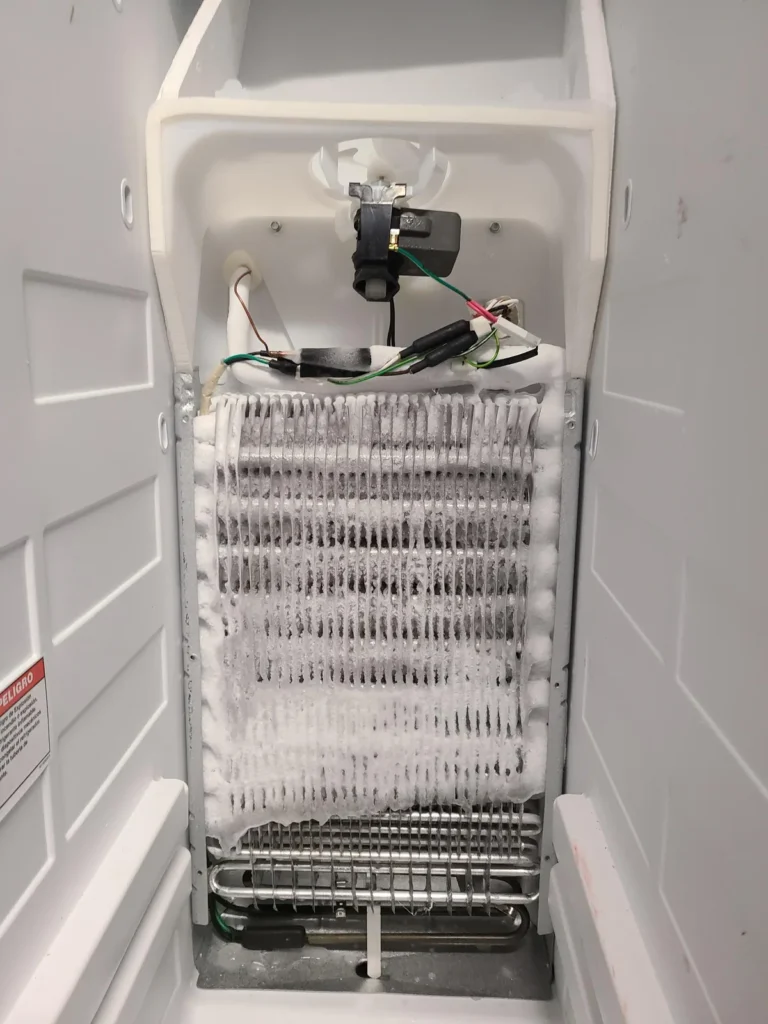
Tip 5: Don't ignore the light completely. Even if you can't reset it, a stuck-on filter light means the unit's internal counter is stuck. Over time, this can prevent the defrost cycle from activating correctly, leading to frost buildup on the coils. If you can't clear the light after several attempts, consider contacting Frigidaire support while the unit is still under warranty.
For more tips on keeping your dehumidifier running smoothly, check out our best dehumidifier guide for maintenance best practices. If you're dealing with a basement unit, our best dehumidifier for basement article covers model-specific quirks.
Frequently Asked Questions
My filter light is blinking, not solid. What does that mean?
A blinking filter light means a sensor error, not a timer reminder. Unplug the unit for one hour to reset the board. If the blink continues, the humidity sensor or control board may have failed.
That usually requires a service call. Do not ignore a blinking light; it can affect defrost cycles.
I held the reset button for ten seconds. Nothing happened. Now what?
You likely pressed the wrong button or the touch panel isn't registering. Try using a paperclip tip on the reset zone. If that fails, unplug the unit for five minutes.
Press the filter reset button while unplugged, then plug back in. If still nothing, check your model number and look up the specific reset sequence in the official manual at the Frigidaire support hub.
Can a dirty filter cause the filter light to stay on permanently?
No. The filter light is a timer, not a dirt sensor. It turns on after a set number of run hours regardless of filter condition.
If the light stays on after cleaning and resetting, the timer logic is stuck. A hard power cycle usually clears it.
Will disconnecting the battery or removing the control board fix the light?
Not recommended. Frigidaire dehumidifiers don't have user-accessible batteries. Removing the control board voids the warranty and risks electrical shock.
Stick to the reset sequences and power cycle steps described above.
My unit is still under warranty. Should I try these fixes?
Yes, try these steps. They don't void the warranty. If the light persists after a full power cycle and proper reset, contact Frigidaire support.
They may send a replacement control board or authorize a service visit.
How often should I clean the filter to prevent this issue?
Clean the filter every two to four weeks during heavy use. More often if you run the unit 24/7 in a dusty basement. A clean filter won't prevent the timer light from turning on, but it keeps the unit running efficiently and reduces false sensor readings.
Decision Guide – Which Fix Should You Try First?
Use this table to pick the fastest solution based on your situation. Start at the top and work down.
| Your Situation | First Thing to Try | If That Fails |
|---|---|---|
| Light is solid, filter is clean | Press and hold filter reset for 3 seconds (physical button) or 10 seconds (touch panel) | Unplug 5 minutes, then plug back in |
| Light is blinking | Unplug for 1 hour | If blink persists, contact Frigidaire support |
| You're not sure which button is reset | Press and hold each button for 10 seconds | Look up model manual online |
| Unit has touch panel, finger doesn't register | Use a paperclip tip on the reset zone | Hard power cycle (unplug 5 min) |
| Light went off after reset, then came back same day | The timer counter may be stuck in a loop. Replace the control board (warranty covered if under 5 years) | Contact Frigidaire for replacement part |
If you've tried all these steps and the light still won't turn off, your control board likely has a hardware fault. That's rare but possible. Frigidaire's standard warranty covers electronic components for one year.
Some units have extended five-year coverage on the sealed system, but the filter light circuit is typically considered a control board item. Check your model's warranty at the official Frigidaire parts page before ordering any replacement.