Midea Dehumidifier Making Noise
If your Midea dehumidifier making noise is driving you crazy, you're not alone. A sudden rattle, buzz, or high-pitched whine can turn a quiet room into a workshop. The good news is most noises have simple causes you can fix yourself.
Manufacturer specs show typical Midea models operate between 45 and 52 decibels. That's quieter than normal conversation. But when that hum turns into a knock or hiss, it's time to investigate.
This guide walks you through each sound, what it means, and exactly what to do.
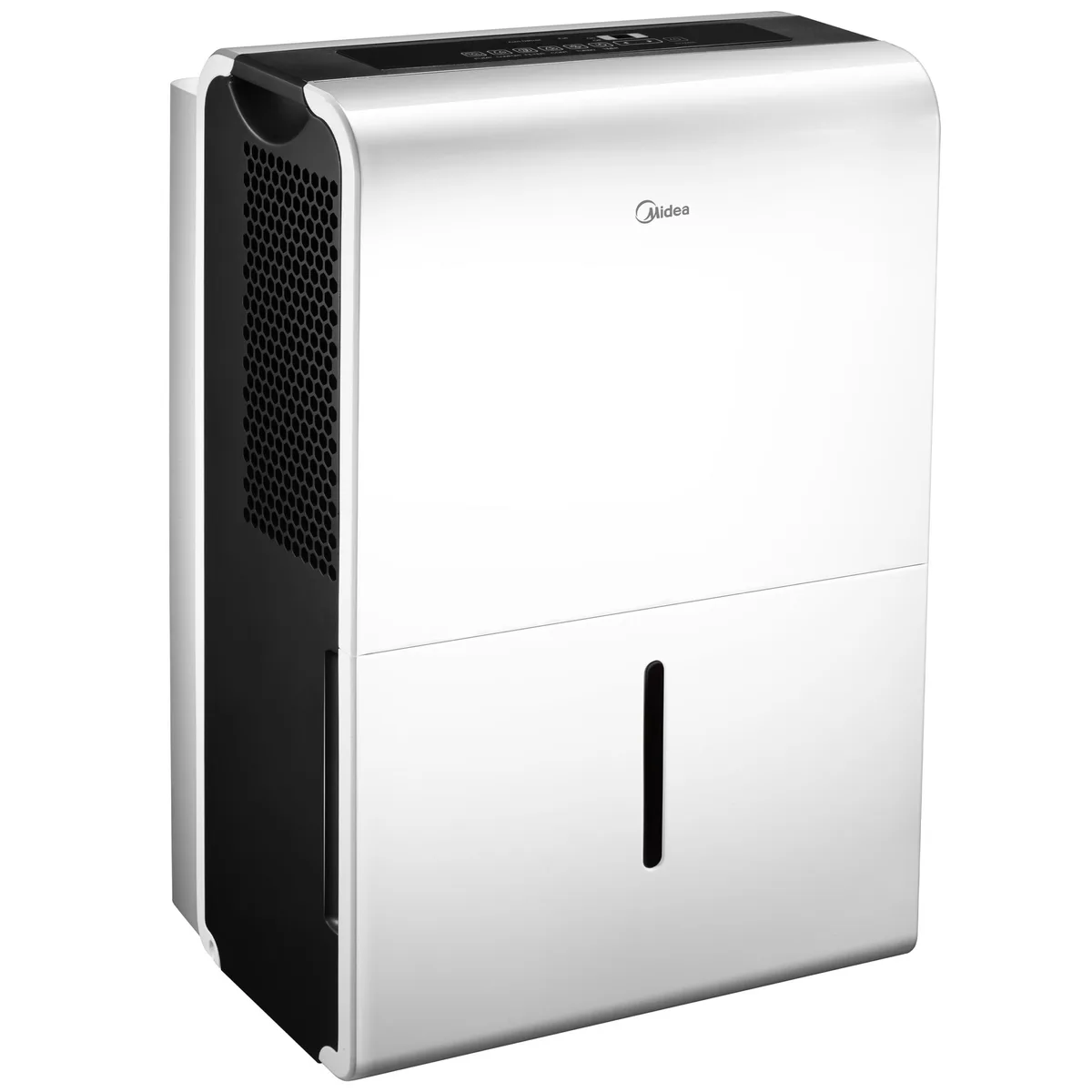
Image source: Bing (Web (fair-use with source credit))
Quick Answer
A noisy Midea usually means something simple. Check the unit is level. Clean the filter.
Remove any packing material. Listen closely to identify the sound type. Most fixes take minutes.
Normal vs. Abnormal Sounds – How a Midea Dehumidifier Should Sound
Every dehumidifier makes some noise. The compressor hums, the fan whirs, and water trickles into the bucket. On Midea models, you'll hear a soft hum when the compressor kicks in.
That's normal. You might also hear a single click when the unit cycles off or the defrost cycle starts. That's the relay switch, and it's nothing to worry about.
So what's abnormal? Anything louder, more persistent, or changing in pitch. A steady hum is fine.
A grinding or screeching sound is not. A single click at startup is normal. Rapid clicking every few seconds is a problem.
Learn to tell these apart and you'll solve most issues without a service call.
Diagnose by Sound – The Step-by-Step Decision Tree
The fastest way to fix a noisy dehumidifier is to listen carefully. The type of noise tells you where the problem lives. Below is a simple map to match each sound to its likely cause and cure.
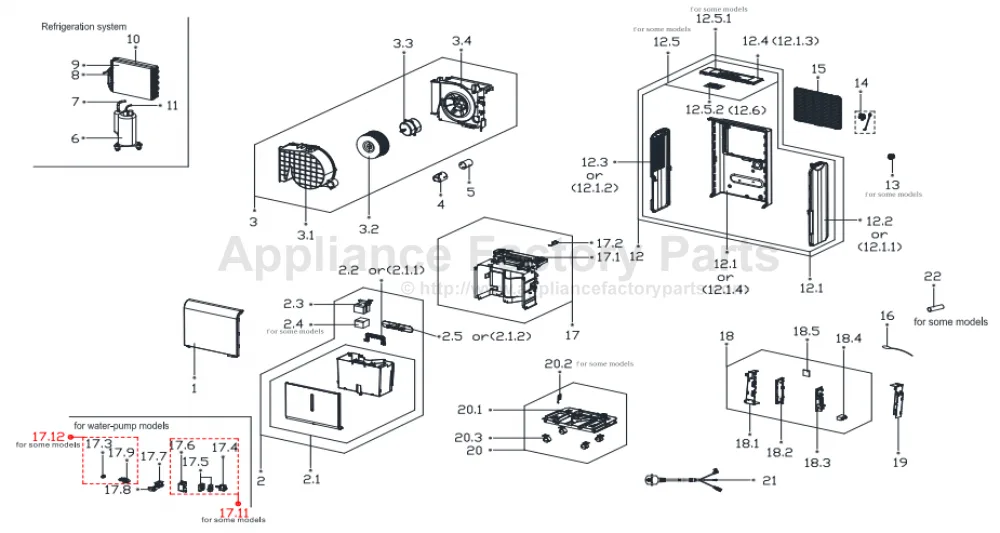
Image source: Bing (Web (fair-use with source credit))
Rattling or Vibrating – Loose Parts, Unlevel Floor, or Shipping Foam
If you hear a rattle or feel vibration through the floor, the most likely culprit is an unlevel unit. Midea dehumidifiers have adjustable feet. Use a bubble level on top of the unit and twist each foot until the bubble centers.
That alone stops many rattles.
If the rattle persists, check for leftover shipping foam. New owners sometimes miss foam blocks inside the bucket compartment or behind the filter. Pull the bucket.
Look for white foam wedges. Remove them. Also tighten any screws on the back panel.
They loosen during shipment.
Loud Humming or Buzzing – Compressor, Fan Motor, or Airflow Issues
A loud hum or buzz that's louder than usual points to either a struggling compressor or a blocked fan. Start with the filter. A dirty filter restricts airflow, making the fan work harder and creating a deeper hum.
Clean it with warm water and let it dry completely before reinserting.
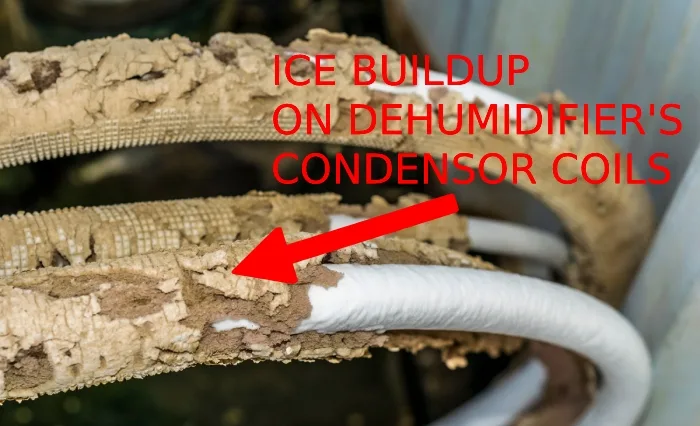
If the filter is clean, check the fan blade for debris or ice. Ice buildup on the coils can push the blade against ice, causing a grinding hum. Turn the unit off, let ice melt, and ensure the room temperature is above 65°F.
If the hum persists, the compressor may need professional attention.
Clicking On and Off – Relay Chatter, Defrost Cycle, or Float Switch
Rapid clicking every few seconds is usually a relay or float switch issue. First, check the bucket. If the bucket isn't fully seated, the float switch may think it's full and cycle the compressor on and off.
Remove the bucket, push the float arm down, and reinsert firmly.
If the bucket is fine, the defrost cycle could be causing normal clicking every 30 to 60 minutes. That's not a problem. But if clicking is constant, unplug the unit for ten minutes, then plug it back.
This resets the control board. If it continues, a faulty relay might need replacement.
Hissing or Gurgling – Refrigerant Leak, Drain Hose Blockage, or Normal Refrigerant Flow
A hissing sound is often mistaken for a refrigerant leak, but it's usually normal refrigerant flowing through the system. A soft, intermittent hiss during operation is nothing to worry about. A continuous loud hiss or one that's new and getting louder could indicate a leak.
If you also notice reduced performance or ice on the coils, call a pro.
Gurgling sounds are almost always water running through the drain hose or inside the bucket. If the hose is kinked or blocked, water backs up and gurgles. Straighten the hose or clear the blockage.
If you're using continuous drainage, make sure the hose runs downhill.
High-Pitched Whining – Fan Bearing, Motor Wear, or Blocked Filter
A whine that rises in pitch usually comes from the fan motor. It could be a failing bearing or a filter so clogged that the fan struggles for air. Clean the filter first.
It's the easiest fix. If the whine remains, the fan bearing is likely dry or worn. You can try adding a drop of light machine oil to the motor shaft if it's accessible.
Many Midea fan motors are sealed, though. Replacement may be needed after a few years of heavy use.
If the whine is intermittent and happens only on high fan speed, switch to low speed. If it disappears, that confirms the fan motor is the source. Plan for a replacement.
Common Mistakes That Make Noise Worse (and How to Fix Them)
Many people try to mask noise rather than fix it. Here are the most common errors that actually make things worse.

Image source: Bing (Web (fair-use with source credit))
Placing the unit on an uneven surface. This is the number one cause of rattling. Always use a level and adjust the feet. If the floor is carpeted, put a firm, flat board under the unit.
Forgetting to remove packing materials. Some units run for months with foam blocks lodged inside. Check every compartment, especially around the bucket and behind the filter.
Ignoring a dirty filter. A clogged filter reduces airflow, makes the fan noisier, and forces the compressor to run longer. Clean it every two weeks in heavy use. Replace it every six months if it's washable and worn.
Blocking the drain hose. A kinked or uphill hose causes water to back up, creating constant gurgling and even overflow. Keep the hose straight and downhill.
Running the unit in a room below 60°F. Low ambient temperature leads to ice buildup. That causes fan blades to scrape against ice. Move the unit to a warmer space or use it only in heated areas.
When to DIY vs. Call a Pro – The Safety & Cost Decision Guide
Most noises you can handle yourself with simple tools. Some problems require a professional. Here's how to decide.
DIY-friendly fixes: Leveling the unit, cleaning the filter, removing shipping foam, checking the bucket, straightening the drain hose, tightening screws. These take under 15 minutes and cost nothing.
Call a pro if you hear: A continuous loud hiss that may be a refrigerant leak. Refrigerant repairs are covered under warranty and require EPA-certified handling. Never attempt to open the sealed system yourself.
It voids the warranty and poses a safety hazard.
Also call a pro if you suspect a compressor failure. Signs include a loud hum with no cooling or the unit running but not removing water. Compressor replacement often costs more than a new dehumidifier.
For units under warranty, Midea's service can help.
Cost consideration: A service call typically costs $75 to $150, plus parts. A new Midea dehumidifier ranges from $150 to $350 as of 2026. If your unit is over three years old and needs a major repair, replacement is usually the smarter move.
Always unplug the unit before any inspection. If you're not comfortable opening the case, don't. Stick to the external checks and leave the internal diagnostics to the pros.
Long-Term Quiet Operation: Maintenance Tips for a Silent Midea
A little regular care keeps a dehumidifier quiet. Here's what to do every month, every season, and every year.
Monthly tasks. Clean the filter with warm water. Let it dry fully before putting it back. Check the drain hose for kinks or clogs.
Wipe down the bucket and float switch to prevent mineral buildup. These three steps prevent the most common noise complaints.
Seasonal tasks. At the start of each humid season, vacuum the coils gently with a brush attachment. Dust on the coils reduces efficiency and forces the fan to work harder. Also inspect the feet for rust or wear.
Adjust them if the unit has shifted.
Yearly tasks. Replace the filter if it's washable and worn out. Check the fan blade for wobble. Spin it by hand with the unit unplugged.
If it feels rough or catches, the bearing is failing. Consider replacing the fan assembly before next season.
Where to place it matters. For basements, a solid, level surface is critical. If your Midea sits on carpet, place a plywood or plastic board underneath. This stops vibration from transferring to the floor and reduces noise.
Leave at least six inches of clearance on all sides for airflow. Restricted airflow makes the fan louder.
Smart usage habits. Run the unit on low fan speed at night. Low speed is quieter and still removes moisture effectively. In most Midea models, the difference between low and high is 3 to 5 decibels.
That's noticeable in a bedroom. Avoid running the unit in rooms below 65°F. Cold temperatures trigger frequent defrost cycles, which add clicking and reduce efficiency.
For more tips on choosing the right unit for your space, check out our guide to the best dehumidifier for different room sizes and conditions.
Frequently Asked Questions
Why is my Midea dehumidifier making a loud humming noise?
A loud hum usually means the filter is dirty or the fan is struggling. Clean the filter first. If the hum continues, check for ice on the coils.
If the noise is a deep vibration, level the unit with the adjustable feet.
Is it normal for my Midea dehumidifier to click on and off?
Yes, a single click when the unit starts or stops is normal. That's the relay switch. Rapid clicking every few seconds is not normal.
It often means the bucket is not seated properly or the float switch is stuck.
What does a hissing sound mean on a Midea dehumidifier?
A soft, intermittent hiss is normal refrigerant flow. A continuous loud hiss may indicate a refrigerant leak. If you also see ice on the coils or notice poor moisture removal, call a professional.
Do not open the sealed system yourself.
Why is my dehumidifier making a rattling noise?
Rattling usually comes from loose parts. Check if the unit is level. Tighten any external screws.
Remove the bucket and look for shipping foam that may have been left inside. Also check the drain hose for loose connections.
How often should I clean my Midea dehumidifier filter?
Clean the filter every two weeks during heavy use. A dirty filter restricts airflow, makes the fan noisier, and forces the compressor to run longer. Replace the filter every six months if it's washable and worn.
When should I call a professional for a noisy dehumidifier?
Call a pro if you hear a continuous loud hiss (refrigerant leak), a grinding noise from the compressor, or if the unit stops removing moisture entirely. Also call if you are not comfortable opening the case for internal inspection. Most other issues you can fix yourself.
Final Verdict: Use This Noise-to-Action Chart
Here is a quick reference table for every sound your Midea might make. Keep it handy.
| Sound | Likely Cause | Action |
|---|---|---|
| Rattling or vibration | Unlevel unit, loose screws, shipping foam | Level the unit, tighten screws, remove foam |
| Loud hum or buzz | Dirty filter, blocked fan, ice on coils | Clean filter, clear debris, defrost unit |
| Rapid clicking | Bucket not seated, float stuck, relay issue | Reseat bucket, check float, reset unit |
| Soft hiss | Normal refrigerant flow | No action needed |
| Continuous loud hiss | Refrigerant leak | Call a professional |
| Gurgling | Water in drain hose or bucket | Straighten hose, clear blockage |
| High-pitched whine | Fan bearing, dirty filter, motor wear | Clean filter, oil bearing if accessible, replace fan |
Bottom line: Most noise problems are simple and cheap to fix. Start with the easiest checks. Level the unit.
Clean the filter. Remove any packing foam. Listen carefully to the type of noise and match it to the chart above.
If the problem persists after these steps, consider professional help or replacement.
For basements and larger spaces, noise can be more noticeable due to echoes and hard surfaces. Our guide to the best dehumidifier for basement includes models that run quieter and have better vibration dampening.