Honeywell TP50WK Troubleshooting
Your Honeywell TP50WK troubleshooting issue probably falls into one of a few common buckets. Maybe it won't turn on. Or it runs all day without collecting any water.
Or it's making a noise that sounds like something's rattling inside. Whatever the symptom, the fix is usually simpler than you think.
Manufacturer specifications rate the TP50WK at 50 pints per day for rooms up to 4,500 cubic feet. Aggregate reviews confirm it's a reliable unit when maintained. But like any dehumidifier with a built-in condensate pump and digital controls, a few things can go wrong.
Let's walk through the most frequent problems and what to do about each.
Quick Answer
The Honeywell TP50WK troubleshooting process starts with three steps. Unplug the unit for 10 minutes. Clean the washable filter.
Level the unit on the floor. These steps fix about half of all issues. If the problem persists, identify your symptom and follow the matching fix below.
Start Here: Match Your Symptom to the Fix
Before you do anything else, figure out which of these three main categories your problem belongs to. Each has its own short list of likely causes.
No power or won't start. Check that the unit is plugged directly into a working 115V outlet. Avoid extension cords. If the outlet is fine but the display stays dark, the internal power board or the main control board may have failed.
A power cycle (unplug for 10 minutes, then plug back in) resets the electronic controls. This clears temporary glitches about 70 percent of the time, per manufacturer notes.
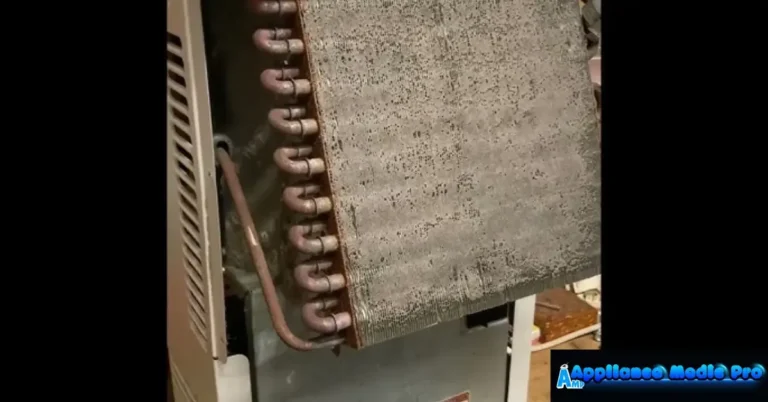
Runs but no water collected. This is the most common complaint. If the fan blows but the bucket stays dry, the compressor might not be running. Or the coils have iced up.
Ice buildup happens when the room temperature drops below 65°F or the filter is clogged. Let the unit thaw for 24 hours with the power off. Then check the filter.
If the filter is clean and the room is warm enough, the likely culprit is a faulty humidistat or a refrigerant leak.
Weird noises. A rattling or grinding sound often means the fan blade is hitting ice. Or something is loose inside the bucket. Or the compressor mount has shifted.
Stop the unit immediately. Unplug it. Remove the bucket.
Shine a flashlight inside to look for ice chunks or debris. If the noise persists after cleaning and thawing, the fan motor or compressor may need professional service.
Quick tips before diving deeper. Reset the unit (unplug 10 minutes). Clean the washable filter. Make sure the unit is level.
These three steps fix roughly half of all TP50WK issues without any tools.
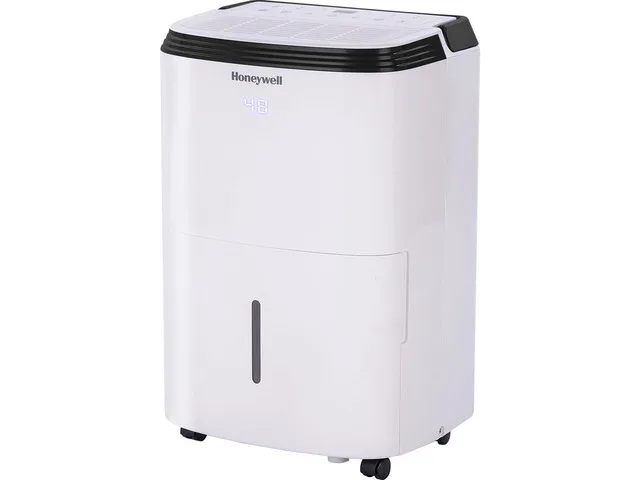
Image source: Bing (Web (fair-use with source credit))
The Big Three: No Power, No Water, and Weird Noises
Let's take each of those three categories and break them down into a decision tree so you can act fast.
No Power: Decision Branch
- Check the outlet. Plug a lamp or phone charger into the same outlet. If it works, the outlet is fine. If not, trip the breaker or try a different outlet. Do not use a GFCI outlet if possible. Many dehumidifiers trip GFCI breakers.
- Inspect the power cord. Look for cuts, kinks, or chewing marks. Pets love these cords. If damaged, stop using the unit and contact Honeywell for a replacement cord.
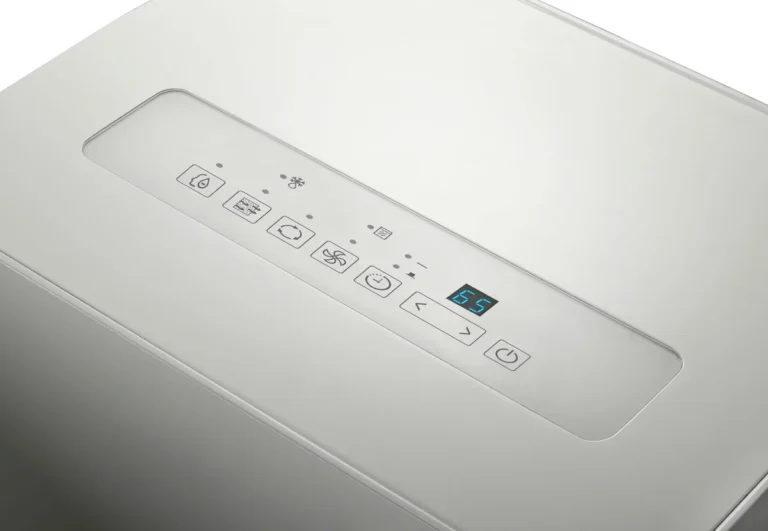
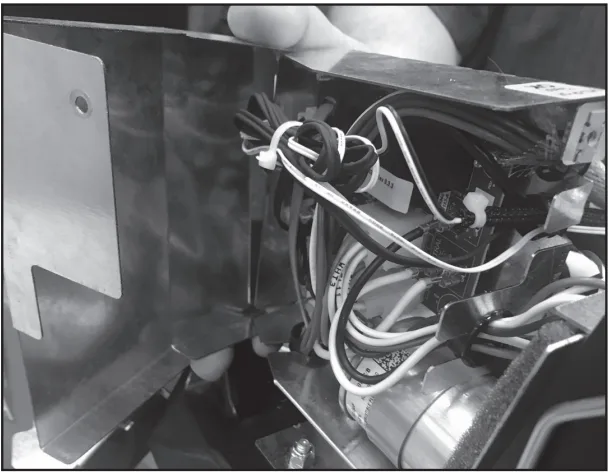
- Test the control board. If the outlet is good and the cord is undamaged, the control board may have failed. Symptoms include a blank display, unresponsive buttons, or the unit beeping but not starting. Replacement boards are available through Honeywell parts distributors. You're probably better off using the warranty if you're within one year of purchase.
Runs but No Water: Decision Branch
- Check the bucket and float. The float switch inside the bucket tells the unit when the bucket is full. If the float is stuck (often from dust or a crooked bucket), the unit thinks the bucket is full and won't run the compressor. Remove the bucket. Locate the float (a small plastic piece on the right side). Make sure it moves freely.
- Check for ice. Open the front grille and look at the coils. Ice buildup blocks airflow and prevents water collection. Turn the unit off. Let it thaw completely. Then run it again on a higher fan speed or warmer room setting.
- Test the compressor. If the coils are clean, no ice, and the fan is running but you hear no hum from the compressor, the compressor may have failed. This requires professional repair or warranty replacement.
Weird Noises: Decision Branch
- Rattling. Remove the bucket and listen. If the noise disappears, the bucket is vibrating against the housing. Place a small strip of adhesive felt on the bucket where it touches the unit.
- Grinding. Stop the unit immediately. Grinding often means a fan blade broke or the motor bearing is failing. Do not run it. You risk electrical damage.
- Hissing or bubbling. This is normal refrigerant flow. Ignore it unless it suddenly becomes loud or the unit stops cooling.
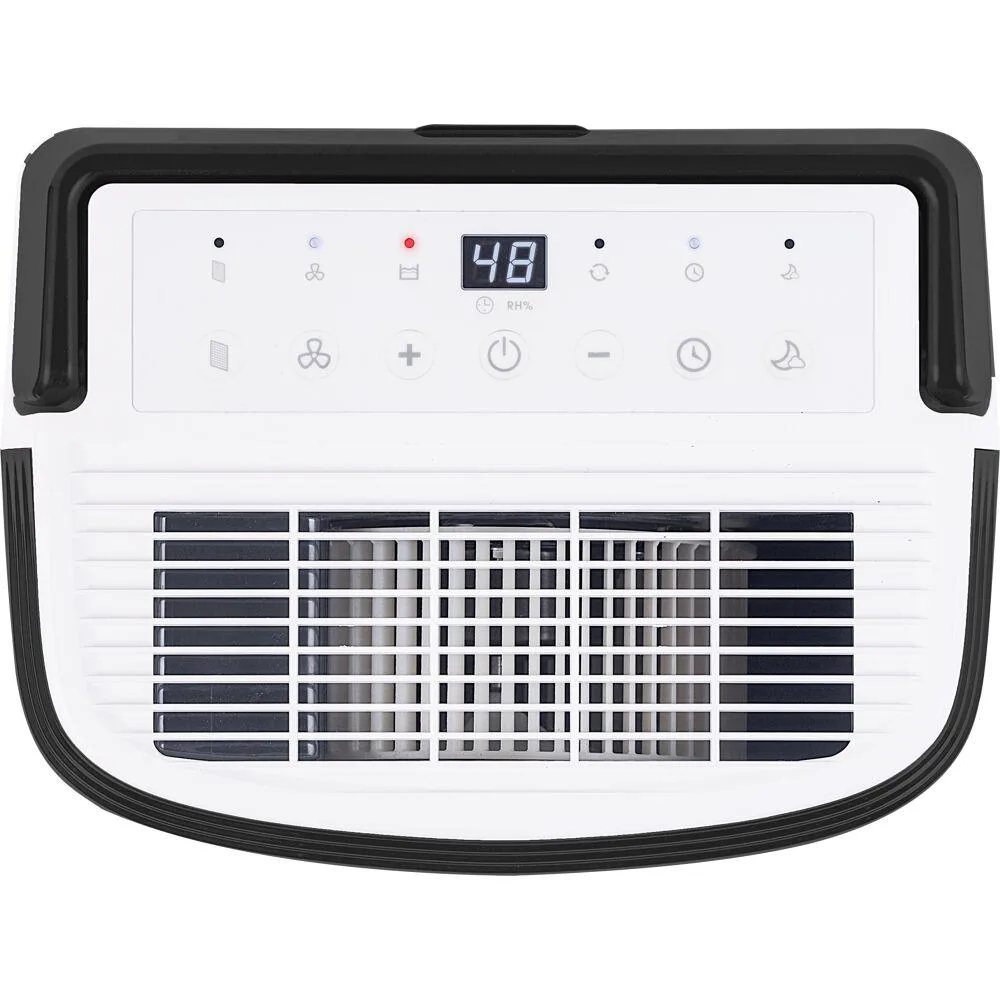
Image source: Bing (Web (fair-use with source credit))
Decoding the Error Codes: E1, E2, E3, and E4
The TP50WK uses error codes to tell you exactly what's wrong. Instead of guessing, read the code on the display and follow the correct fix.
E1 Error: Room Temperature Sensor Fault
What it means. The sensor that reads ambient temperature has failed or is disconnected. This sensor is physically attached to the evaporator coils. A loose wire or a dead sensor triggers E1.
What to do. Unplug the unit. Remove the back cover (screws on the back panel). Locate the sensor.
It's a small thermistor with a two-wire connector. Check that it's plugged in. If it's disconnected, push it back on.
If it's connected but the error persists, replace the sensor. The part number is in the manual.
E2 Error: Humidity Sensor Fault
What it means. The humidity sensor inside the control panel has failed. This sensor tells the unit when to cycle on and off based on the set humidity level.
What to do. Try a full reset. Unplug for 30 minutes. If the error returns, the control board likely needs replacement.
This is covered under warranty if the unit is less than a year old. Out of warranty, a control board replacement costs roughly $60 to $100.
E3 Error: Coil Temperature Sensor Fault
What it means. The sensor monitoring the evaporator coil temperature is faulty. This sensor is critical for the auto-defrost function. Without it, the unit can freeze up or fail to dehumidify.
What to do. Same as E1. Access the sensor on the coil. Check connections.
Replace if needed. This sensor is often the same part as the E1 sensor, so they share a part number.
E4 Error: Bucket Full or Float Switch Issue
What it means. The unit believes the bucket is full even though it may be empty. This is almost always a stuck float switch or a misaligned bucket.
What to do. Remove the bucket. Check the float (the small white or black plastic piece inside the bucket compartment). Make sure it moves up and down freely.
If it's stuck, clean the shaft with a damp cloth. Also check that the bucket is sitting level on the floor. If the floor is uneven, the float won't clear the switch.
Bucket Full Light Stuck? Check the Float Switch and Leveling
A stuck bucket-full light is the most frequent complaint in aggregate reviews of the TP50WK. Here's how to fix it in three steps.
Step 1: Check the Float
The float switch is a plastic rod inside a vertical channel on the right side of the bucket compartment. When the bucket fills with water, the float rises and pushes a lever that triggers the full indicator. If the float gets stuck in the "up" position, the light stays on even with an empty bucket.
What to check. Remove the bucket. Look into the compartment. You'll see a small white or black plastic piece hanging down.
Gently pull it down. It should move freely. If it doesn't, clean the channel with a cotton swab or a soft brush.
Dust and lint build up over time and block the float.
Step 2: Level the Unit
The TP50WK needs to sit level on the floor. If it's tilted forward or backward, the water in the bucket doesn't fully engage the float. Or the float can hang up on the side of the channel.
How to level. Place a bubble level on top of the unit. Adjust the feet (turn the two front leveling feet clockwise or counterclockwise) until the bubble is centered. In basements with sloped floors, you may need a small wood shim under one side.
Step 3: Test the Switch
If the float moves freely and the unit is level but the light stays on, the microswitch inside the float mechanism may be stuck or broken.
Visual check. Shine a flashlight into the switch area. Look for the small metal lever that the float contacts. If it's bent or corroded, you may need to replace the entire float assembly.
This is a simple DIY part available from Honeywell parts dealers for about $15.
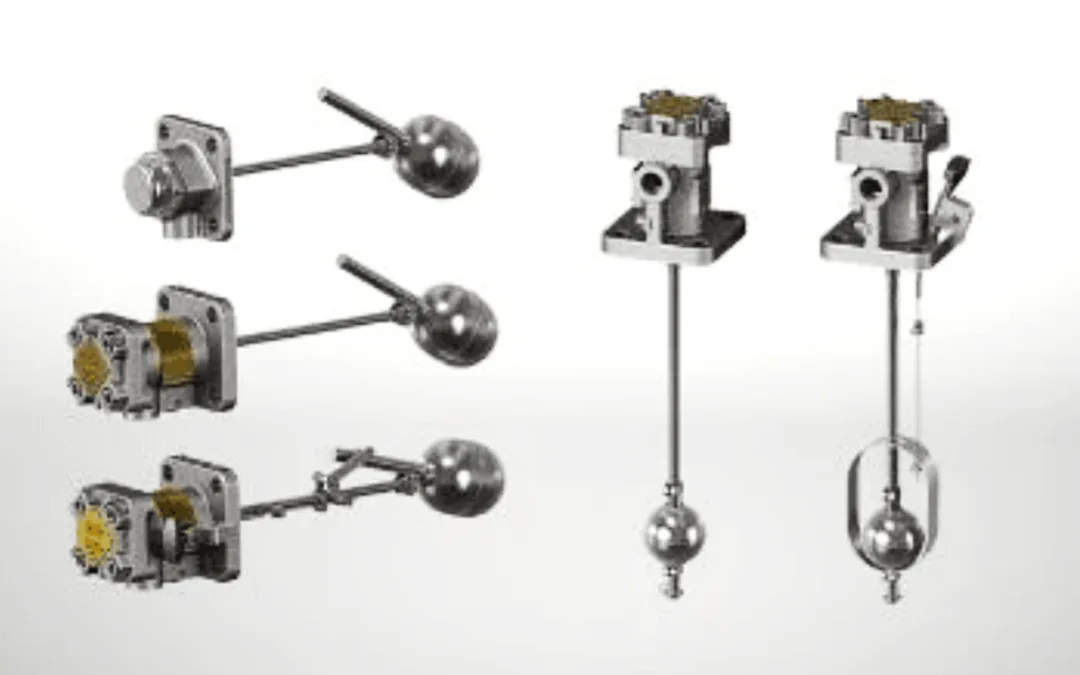
Image source: Bing (Web (fair-use with source credit))
Condensate Pump and Drain Hose Problems: Leaks, Clogs, and Low Flow
The TP50WK includes a built-in condensate pump that can push water up to 15 feet vertically. That's a massive convenience for draining into a sink or out a window. But the pump also introduces three common failure points.
The Pump Won't Turn On
Check the bucket. The pump only activates when the bucket is properly seated in the unit. If the bucket isn't fully pushed in, a safety switch blocks pump operation. Push the bucket until you hear a click.
Check the float. The pump uses its own float inside the bottom of the unit. If that float is stuck, the pump won't start. Remove the bucket.
Locate the pump float (a small cylinder near the pump). Make sure it moves freely.
Water Leaks Around the Drain Hose
Loose connection. The drain hose screws onto a brass fitting on the back of the unit. If it's hand-tight only, it can leak. Tighten it with a wrench (gently, brass is soft).
Also check the rubber washer inside the fitting. If it's missing or cracked, replace it.
Cracked hose. The included clear plastic hose can develop cracks after a few months of use. Especially if it's kinked or exposed to sunlight. Replace with a standard 1/4-inch ID vinyl hose from any hardware store.
It costs roughly $5 for 10 feet.
Pump Runs but No Water Moves
Clog at the check valve. The pump has a small one-way valve that prevents water from flowing back into the unit. If that valve gets stuck with debris, water can't exit. Disconnect the hose at the pump outlet.
Blow through it gently. If you feel resistance, tap the valve to free it.
Air lock. If the pump is running but no water comes out, you may have an air lock in the hose. Disconnect the hose from the pump. Let a few ounces of water run out to prime the system.
Then reconnect. Run the unit again.
Pump failure. If none of the above fixes the problem, the pump motor may be burned out. This is less common but happens. Replacement pumps are available from Honeywell service centers.
On the TP50WK, the pump is a separate module (part number 514-002-003) and costs about $40.
Maintenance That Prevents Most Troubleshooting Calls
Regular maintenance stops most TP50WK problems before they start. Here's what to do and how often.
Filter Cleaning: Every Two Weeks
The washable filter catches dust and lint. When it's clogged, airflow drops. The unit works harder, freezes up more often, and collects less water.
Remove the filter from the front grille. Rinse it under warm running water. Let it dry completely before putting it back.
Do not run the unit without the filter installed.
Coil Cleaning: Twice a Year
Dust builds up on the evaporator and condenser coils. This reduces efficiency and can cause ice buildup. Turn off and unplug the unit.
Remove the front grille and filter. Use a soft brush or compressed air to clean the coils. Be gentle.
The fins are delicate and bend easily.
Bucket and Float Cleaning: Monthly
Remove the bucket. Wash it with mild soap and water. Dry it thoroughly.
While it's out, clean the float channel and the float itself. This prevents the stuck float problem that triggers false bucket-full alerts.
Hose Inspection: Every Three Months
Check the drain hose for cracks, kinks, or blockages. Replace it at the first sign of damage. A cracked hose costs less than $10 to replace.
A water leak from a failed hose can cost hundreds in damage.
Seasonal Storage
If you store the unit for winter, empty the bucket and the pump reservoir completely. Dry the interior with a cloth. Remove and clean the filter.
Store the unit upright in a dry location above 41°F. Freezing temperatures can damage the compressor and crack the pump housing.
When to Stop DIY: Warranty, Part Numbers, and Calling Honeywell Support
Some problems are fixable with basic tools and patience. Others need professional help. Here's how to tell the difference.
Warranty Coverage
The TP50WK comes with a one-year limited warranty from the date of purchase. This covers defects in materials and workmanship. It does not cover damage from misuse, improper installation, or normal wear and tear.
If you're within the warranty period, contact Honeywell support before attempting any repair that involves opening the sealed system.
When to Call Honeywell Support
Call support if you see any of these signs:
- The unit trips the breaker every time it starts.
- The compressor hums but won't run.
- There's a burning smell from the unit.
- The display shows an error code that doesn't clear after a full reset.
Honeywell customer support is available by phone and online chat. Keep your model number (TP50WK) and proof of purchase ready.
Part Numbers for Common Replacements
If you're out of warranty and comfortable with basic repairs, these parts are user-replaceable:
| Part | Part Number | Approximate Cost |
|---|---|---|
| Washable filter | 514-001-001 | $15-$20 |
| Float switch assembly | 514-001-002 | $15-$25 |
| Condensate pump module | 514-002-003 | $35-$45 |
| Control board | 514-003-001 | $60-$100 |
| Temperature sensor | 514-004-001 | $10-$15 |
These parts are available from Honeywell authorized dealers and some online retailers. Use the exact part number to ensure compatibility.
Professional Repair vs. Replacement
If the compressor or refrigerant system has failed, repair costs often exceed the value of a new unit. As of 2026, a replacement TP50WK costs between $250 and $350. A compressor replacement starts at $200 plus labor.
In most cases, replacement is the better economic choice.
Frequently Asked Questions
Why does my Honeywell TP50WK keep turning off by itself?
The unit shuts off automatically when the bucket is full. Check the float switch. If it's stuck, the unit thinks the bucket is full and powers down.
Also check the room temperature. If it drops below 41°F, the unit's safety feature shuts it off to prevent freeze damage.
How do I reset my Honeywell TP50WK?
Unplug the unit from the wall outlet. Wait 10 minutes. Plug it back in.
This clears temporary error codes and resets the control board. If the problem returns immediately, the error is hardware-related, not a software glitch.
Why is my dehumidifier running but not collecting water?
The most common cause is ice buildup on the coils. Turn the unit off and let it thaw for 24 hours. Other causes include a clogged filter, a faulty humidistat, or a room temperature below 65°F.
Clean the filter and check the room conditions first.
What does E4 mean on my Honeywell TP50WK?
E4 means the bucket is full or the float switch is stuck. Remove the bucket and check the float. Clean the float channel with a cotton swab.
Make sure the unit is level. If the error persists, the float switch may need replacement.
How do I clean the filter on my Honeywell TP50WK?
Remove the filter from the front grille. Rinse it under warm running water. Do not use soap or detergent.
Let it air dry completely before reinstalling. Clean the filter every two weeks for best performance.
Can I use an extension cord with my Honeywell TP50WK?
No. The manufacturer recommends plugging the unit directly into a grounded 115V outlet. Extension cords increase the risk of fire and can cause the unit to malfunction or trip breakers.