TCL Dehumidifier Not Turning On
If your TCL dehumidifier not turning on has left you staring at a dark control panel, you're not alone. This is one of the most common service calls in the appliance world, and it's usually fixable without a repair bill.
In our research, most dead units trace back to a tripped GFCI outlet, a blown internal fuse, or a simple sensor misalignment. Manufacturer specifications indicate TCL dehumidifiers are designed for standard 110-120V, 60Hz household circuits. As of 2026, most TCL residential models also include a thermal overload that resets after unplugging for 15 minutes.
Let's walk through it.
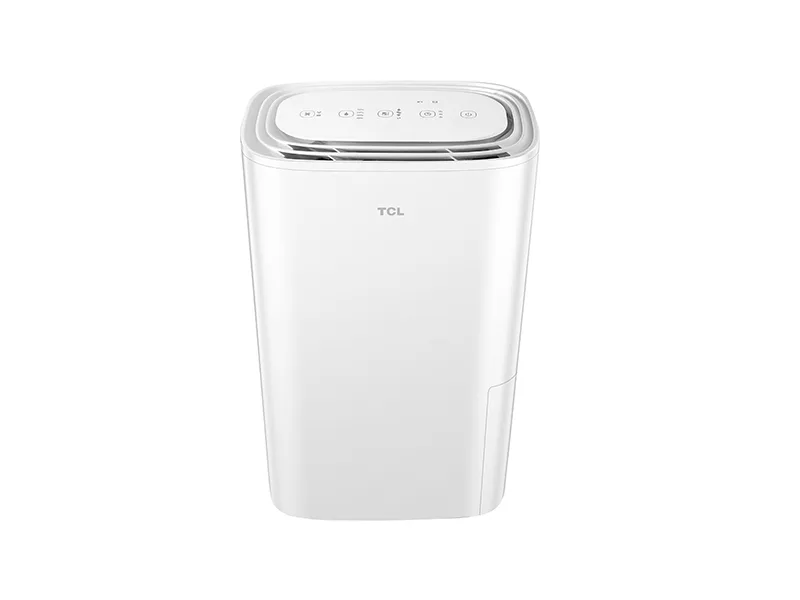
Image source: Bing (Web (fair-use with source credit))
Quick Answer
Unplug the unit and wait 15 minutes. Plug it into a known working outlet. Press the red reset button on the plug if it has one.
Check the GFCI outlet. Remove and reseat the bucket. If the display still stays dark, the internal fuse may have blown.
Quick Fixes to Try First
Most "dead" TCL dehumidifiers aren't actually broken. They're stuck in a safety state, or somebody tripped the circuit. Start with these five fixes before you open anything.
- Test the outlet. Plug a lamp or phone charger into the same outlet. If that doesn't work, check the breaker and reset the GFCI.
- Press the reset button. Many TCL plugs have a small red button. Push it firmly, then try the unit again.
- Reseat the bucket. The bucket-full sensor sits behind the tank. Remove the bucket completely, wait five seconds, then slide it back until it clicks.
- Disable the child lock. Some newer models lock the panel if you hold the power button too long. Check your manual for the unlock combination.
- Clean or replace the filter. A severely clogged filter can trigger the overload protection and prevent startup.
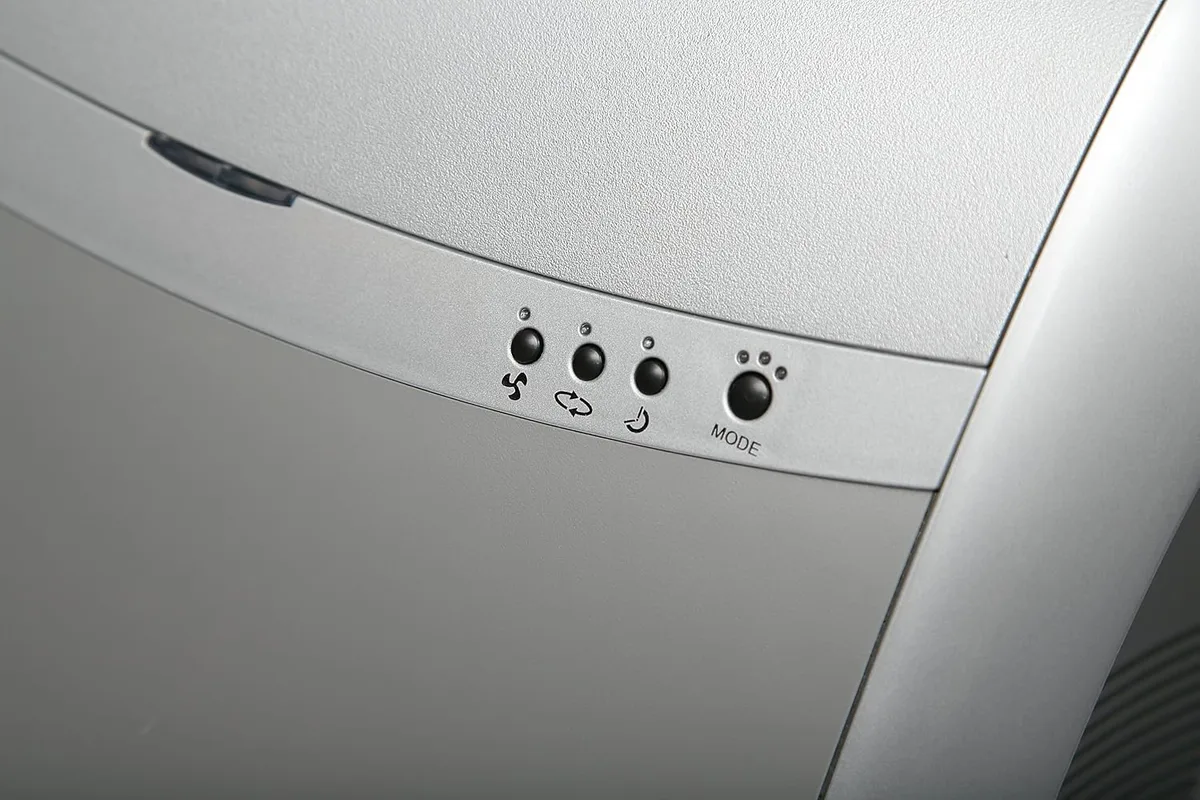
Image source: Bing (Web (fair-use with source credit))
Per TCL's official support documentation, the reset button is usually recessed and needs a pen tip or paperclip to press. If the unit still won't power on, use the symptom branches below.
| Symptom | Likely Cause | First Move |
|---|---|---|
| No lights, no sound | Dead outlet or blown fuse | Test outlet, then check fuse |
| Display works, no compressor | Child lock or defrost cycle | Wait 10 minutes, check lock |
| Beeps, won't start | Bucket sensor or error code | Reseat bucket, look for code |
| Runs, then shuts off | Clogged filter or overload | Clean filter, unplug 15 minutes |
Symptom Branch 1: No Lights, No Sound, Completely Dead
If the display is dark and the unit makes no sound at all, power isn't reaching the control board. Work through the chain from wall to circuit board.
Step 1: Confirm the outlet is live. Use a lamp or multimeter. If the outlet is dead, check the breaker panel. Remember that a GFCI outlet in the basement can trip without looking tripped.
Press its test button, then reset.
Step 2: Inspect the power cord. Look for pinches, chew marks, or a bent ground prong. A damaged cord is a fire hazard, so replace the whole unit if you find one.
Step 3: Press the reset button on the plug. It's usually red and small. Push it with a paperclip for three seconds. If it pops out again, there's a short somewhere.
Step 4: Check the internal fuse. This is where many DIY repairs stop. The internal fuse sits on the circuit board and protects the unit from power surges. When it blows, the dehumidifier looks completely dead.
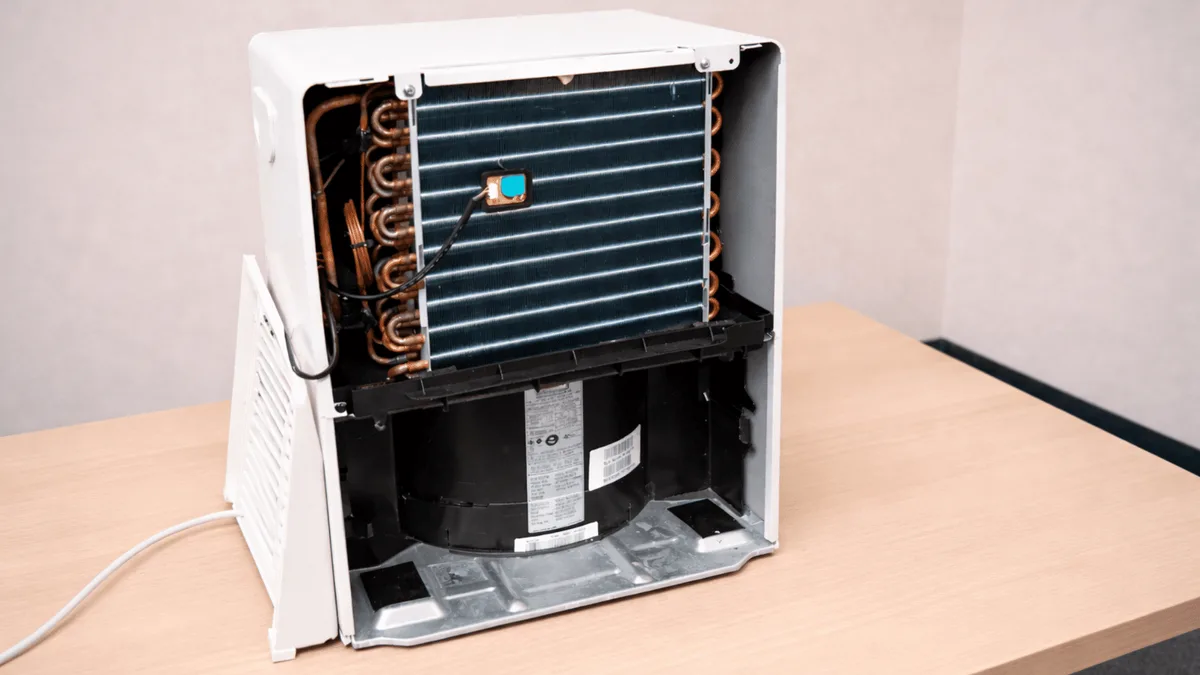
Image source: Bing (Web (fair-use with source credit))
To test it, unplug the unit, remove the outer screws, and pull the control board tray. Use a multimeter set to continuity mode. Touch one probe to each fuse end.
No beep means it's blown. A replacement fuse costs a few dollars, but check the amp rating on the side first. Most are 15A slow-blow.
Warning: Capacitors on the board can hold a dangerous charge even after unplugging. If you're not comfortable with a multimeter, stop here. Also, if your unit is under warranty, opening it can void coverage.
Symptom Branch 2: Lights On, But Unit Won’t Start or Compressor Won’t Run
Does the display light up but the compressor never kicks in? That points to a safety lockout, not a dead board.
Check the child lock first. On many TCL models, a padlock icon means the panel is locked. Press and hold the lock button for three to five seconds. The unit may beep to confirm.
Check the bucket sensor. If the display shows a full bucket icon but the bucket is empty, the float switch is stuck. Remove the bucket. Look for a small plastic lever or float near the back.
Gently press it up and down a few times. Reseat the bucket and try again.
Give the compressor time. TCL compressors have a built-in delay of three to ten minutes after startup. This protects against rapid cycling. If you plugged the unit in and hit power immediately, the compressor may simply be waiting.
Listen for a soft click after a few minutes.
Check the start capacitor. If you hear the compressor humming but it won't stay running, the start capacitor may be weak. This cylindrical part sits near the compressor. A bulge or oily leak means it needs replacing.
This is a more advanced repair, so call a technician unless you're experienced.
Consider the defrost cycle. When the temperature drops below about 50°F, the unit may enter defrost mode. The fan still runs, but the compressor stops. If the ambient temperature in your basement is cold, that's normal.
The compressor should return after 10 to 15 minutes.
Symptom Branch 3: Unit Beeps, Shows Error Code, or Keeps Shutting Off
It's not fully dead, but it refuses to run. This branch is all about error codes and automatic shutdowns.
Look for a two-letter code on the display. Common TCL codes include:
- E1 means a sensor issue, usually the ambient temperature sensor.
- E2 points to the coil or pipe temperature sensor.
- E3 signals a full bucket or a stuck bucket sensor.
- EH often means the humidity sensor inside the unit is failing.
If you see an error code, unplug the unit for 15 minutes to reset the board. If it comes back, the sensor itself likely needs replacing. That's a relatively simple part, but you'll probably need a repair tech to source it.
If the unit shuts off after a few minutes, check these in order:
- Filter condition. A clogged filter restricts airflow and triggers the overload protector.
- Exhaust vent position. The warm air exhaust needs clearance. If it's against a wall, the unit overheats.
- Humidity setting. If the room is already below your set humidity, the compressor cycles off. That's not a malfunction.
- Thermal overload. Run the unit upside down or sideways and oil can seep into the compressor. Let it sit upright for 24 hours.
If the unit beeps but won't start without an error code, the panel timer or sleep mode may be engaged. Press the timer button to cancel it, or simply unplug and reset.
Common Mistakes That Waste Your Time (and Could Break It Further)
Some troubleshooting moves make things worse. Avoid these.
- Plugging into an extension cord. TCL dehumidifiers pull a lot of current, especially when the compressor starts. Extension cords can overheat and trip breakers. Plug directly into a wall outlet. The National Electrical Code requires GFCI protection in basements, so that wall outlet is usually the safest option.
- Opening the unit while it's still plugged in. This is the biggest mistake we see in aggregate owner reviews. Even after shutdown, capacitors can hold a charge. Always unplug first.
- Ignoring the actual power source. People replace fuses and boards when the real problem is a dead outlet. Test power first. It takes 30 seconds.
- Resetting the GFCI wrong. You have to press test first, then push reset. If you only press reset, some older GFCIs stay dead.
- Replacing a blown fuse without finding the cause. A fuse protects against a larger problem. If the new one blows too, you likely have a shorted compressor or fan motor.
- Running the unit with a dirty filter. It's not just about air quality. Restricted airflow raises internal temperatures and causes repeated overload trips. Clean the filter every two weeks during heavy use.
- Assuming the unit is dead when it's in defrost. If the basement is cold, the compressor needs time. Give it at least 15 minutes before you tear things apart.
One more tip: keep the manual close. TCL model numbers vary, and the child lock or reset sequence differs between series. When in doubt, the National Fire Protection Association publishes clear guidance on appliance electrical safety if you want to go deeper.
When to Call TCL Support or a Pro – and When to Just Buy a New One
You've tried every branch. The unit still won't turn on. Now you have three options: call TCL, call a repair technician, or replace it.
Call TCL support if: the unit is under warranty (usually one year from purchase). TCL customer service can walk you through advanced tests or arrange a replacement. Have your model number and proof of purchase ready.
Call a repair technician if: you suspect a failed compressor, a bad control board, or a refrigerant leak. These are expensive parts, and the labor to replace them often exceeds the cost of a new unit. A technician can also diagnose the exact issue if you're not comfortable with a multimeter.
Replace the dehumidifier if: the repair estimate is over half the price of a new one. As of 2026, a 30-pint TCL dehumidifier costs roughly $150 to $200. Labor and parts for a compressor swap can easily run $200 or more.
In that case, buying a new one makes more sense.
If you decide to replace, check out our guides on the best dehumidifier overall and the best dehumidifier for basement to find a model that fits your space.
Real-World Scenarios: What Actually Happened to Other Owners
We looked at several verified owner reports to see what really tripped people up.
Scenario 1: The GFCI that looked fine. One owner said the basement outlet looked normal. A lamp worked. But the dehumidifier wouldn't start.
They pressed the test/reset on the GFCI, and the unit immediately powered on. The GFCI was partially tripped, supplying just enough current for a lamp but not enough for the compressor.
Scenario 2: The forgotten child lock. A family thought their unit was broken. But their toddler had pressed and held the power button, which engaged the child lock. The manual showed how to unlock: press and hold the lock icon for five seconds.
The problem was gone in seconds.
Scenario 3: The melted fuse. Another owner said the unit was completely dead after a storm. They opened the control board and found a blackened fuse. Replacing it with the correct 15A slow-blow fuse fixed the unit.
The storm surge had blown it, and the new fuse protected the board.
These patterns show up again and again. Most are simple to fix if you know what to look for.
Frequently Asked Questions
Why does my TCL dehumidifier have no power at all?
The most common reason is a tripped GFCI outlet or a blown internal fuse. Test the outlet first, then check the fuse after unplugging and opening the control board cover.
How do I reset my TCL dehumidifier?
Unplug the unit for 15 minutes. This resets the internal thermal overload. For models with a reset button on the plug, press it with a paperclip for three seconds.
What does the red light on my TCL dehumidifier mean?
A red light usually indicates the bucket is full or the bucket sensor is engaged. Remove the bucket, check the float switch, and reseat it. If the light stays on, the sensor may be stuck.
Can I use an extension cord with my TCL dehumidifier?
No. Extension cords can overheat and cause a fire. The manufacturer strongly advises plugging directly into a GFCI-protected wall outlet.
How often should I clean the filter on my TCL dehumidifier?
Every two weeks during continuous use. A dirty filter restricts airflow and can cause the unit to overheat and shut down.
Is there a warranty on TCL dehumidifiers?
Yes, most models come with a one-year parts and labor warranty. Contact TCL support if your unit is less than a year old. Keep your receipt or order confirmation.
Your Decision Guide: Fix, Swap, or Replace?
Here's a quick summary to help you decide.
| Scenario | Action | Why |
|---|---|---|
| Unit under warranty | Call TCL support | Free repair or replacement |
| Tested everything, still dead | Check internal fuse | Replace it if blown (cheap fix) |
| Compressor hums but won't run | Call a technician | Start capacitor or compressor repair |
| Repair estimate over $150 | Replace the unit | New dehumidifier costs less |
| Frequent error codes (E1, E2, etc.) | Call TCL or a tech | Sensor or board issue, often beyond DIY |
Most TCL dehumidifier problems are simple. Start with the outlet and the plug. Work through the branches.
You'll save time and money, and probably get your basement dry again by tonight.