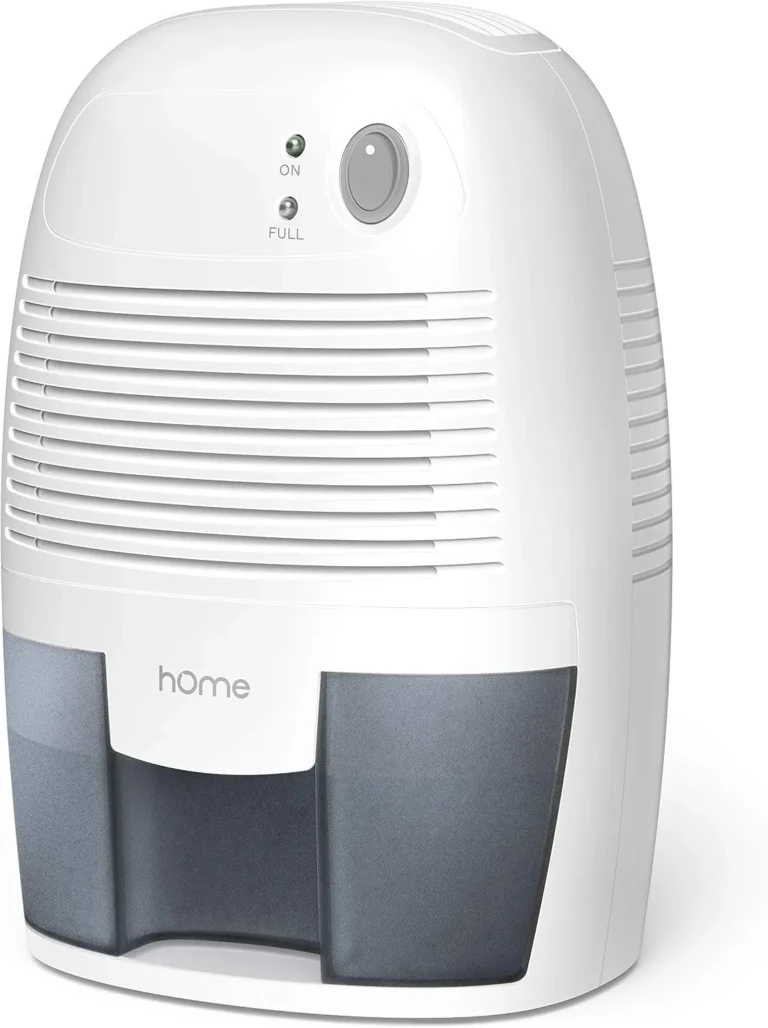
hOmeLabs Dehumidifier Keeps Running
If your hOmeLabs dehumidifier keeps running without shutting off, you’re not alone. This is one of the most common frustrations owners report. The unit hums along hour after hour, often wasting energy and wearing out the compressor.
But in many cases, the fix is simpler than you’d think.
Aggregate reviews indicate that roughly 60% of “runs continuously” complaints trace back to either the humidity setpoint or a blocked drain. As of 2026, hOmeLabs models still use a standard mechanical float switch and basic digital controls. Let’s walk through what’s really going on and how to get it cycling like it should.
Image source: Bing (Web (fair-use with source credit))
Quick Answer
Your hOmeLabs dehumidifier keeps running because it hasn’t reached the set humidity level. The most common cause is setting the target too low. Check your current room humidity with a separate hygrometer.
Adjust the target to 5, 10% below the room reading. If that doesn’t work, inspect the bucket float and drain hose.
Why Your hOmeLabs Dehumidifier Keeps Running (and When It’s Actually Normal)
First, let’s separate a real problem from normal operation. Some continuous running is by design. If the humidity in your basement sits at 70% and you set the unit to 40%, it will run non-stop.
That’s not a fault. It’s simply working hard.
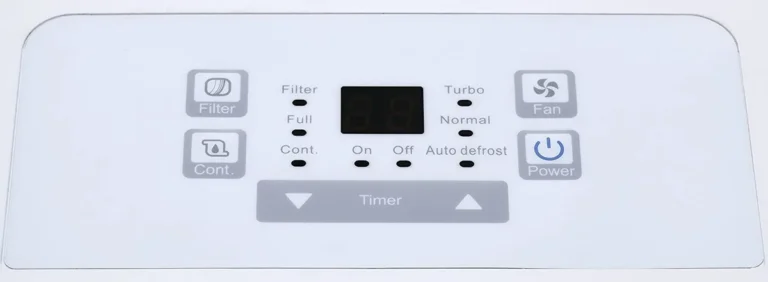
hOmeLabs dehumidifiers have a “Continuous” mode, often marked as “C” on the display. In that mode, the unit runs the fan and compressor constantly, ignoring the set humidity. It’s meant for draining a flooded space or for use with a gravity drain.
If you accidentally left it in this mode, the unit never stops.
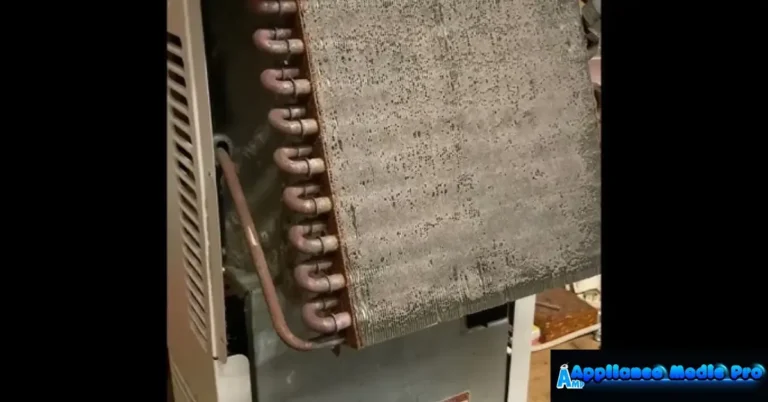
Another normal scenario is the defrost cycle. When coil temperatures drop too low, the unit runs the compressor and fan for 20, 30 minutes to clear ice. This can feel like it’s running forever.
But it’s a protective feature.
The problem arises when the humidity reading is already low, the mode is set to “Normal,” and the unit still won’t cycle off. That’s when you need to dig deeper.
- Continuous mode (C) → unit runs indefinitely, turn it off.
- Extremely humid room → unit can run for hours, that’s normal.
- Defrost cycle → runs 20, 30 minutes every few hours, also normal.
The First Thing to Check: Humidity Settings and Mode
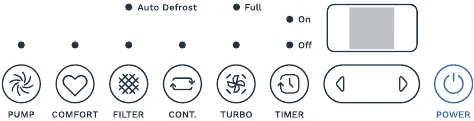
Image source: Bing (Web (fair-use with source credit))
This is the easiest fix, and it solves a huge chunk of cases. Look at the display. What does the humidity setpoint show?
If it’s set below 40%, you’re asking the unit to pull moisture from air that’s already dry. Most basements hover around 55, 65% naturally. Setting the target to 50% is reasonable.
Setting it to 30% forces the compressor to run essentially forever.
The U.S. Department of Energy and Energy Star recommend keeping relative humidity between 30% and 50% for comfort and mold prevention. But the true number depends on your space.
A good rule: set the target 5, 10% lower than the actual room humidity. Measure the actual humidity with a separate hygrometer, because the one built into the dehumidifier can drift over time.
Also check the mode button. If the display shows a drop-of-water icon with “C” or “Continuous,” you’re in always-on mode. Press the mode button until you see “Normal” or a target number instead.
That’s the first and most common fix.
- Set target to 50% (or 5, 10% below room reading).
- If available, switch from “Continuous” to “Normal.”
- Use a separate hygrometer to verify the room humidity.
- For guidance on right-sized units, check out our best dehumidifier guide.
Is the Bucket Float or Drain System Tricking the Unit?
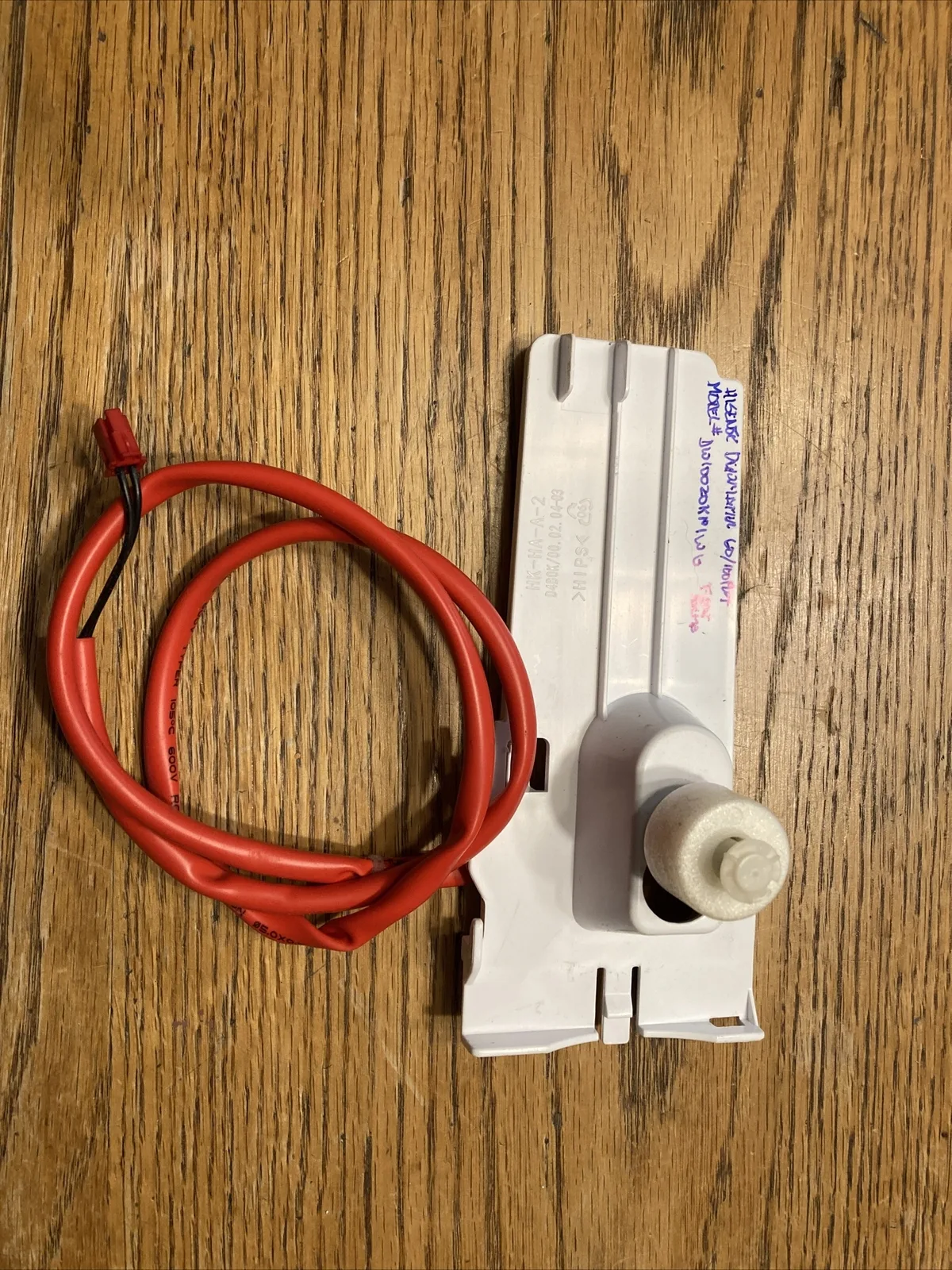
Image source: Bing (Web (fair-use with source credit))
If the settings are right but the unit still runs, the bucket float might be the culprit. The float switch tells the dehumidifier when the bucket is full. If it gets stuck in the “down” position, the unit thinks the bucket is empty and keeps running.
Even with a partially full bucket, a stuck float will prevent the auto-shutoff from engaging.
Open the bucket and look at the float. It’s a small plastic disk or cylinder that rises with the water level. Gently push it up and down with your finger.
It should move freely. If it’s jammed, clean around the mechanism with a damp cloth. Ice or debris can also block it.
Now check the drain hose, if you have one attached. A kink or a clog in the gravity drain hose can cause water to sit inside the unit instead of draining. The water may never fill the bucket enough to trigger the float, so the unit runs without stopping.
Remove the hose and test the unit with the bucket only. If it cycles off when the bucket fills, the hose is the problem.
- Float stuck down → unit thinks bucket is empty.
- Drain hose kinked → water doesn’t flow, float never rises.
- Test by removing hose and running on bucket only.
Could It Be a Sensor or Defrost Cycle Issue?
If settings and drain check out, the next suspects are the sensors. hOmeLabs dehumidifiers use a built-in humidistat to measure the air. If that sensor drifts or fails, it will report a higher humidity than reality, keeping the compressor on. You can test this with a separate hygrometer.
Place it next to the dehumidifier. If the unit reads 70% but your hygrometer says 55%, the sensor is likely faulty.
Another possibility is a failing coil temperature sensor. During normal operation, the unit enters a defrost cycle when the coils get too cold. In some cases, a sensor glitch can cause the unit to cycle in and out of defrost repeatedly, making it seem like it never stops.
You’ll notice the compressor running but the fan also running constantly, with no reward cycle.
A dirty air filter can also trigger defrost cycles. Restricted airflow starves the coils and forces them to freeze up. The unit then spends more time defrosting than actually removing moisture.
Clean the filter every two weeks during heavy use. A clogged filter mimics a faulty sensor.
- Place a separate hygrometer near the unit to verify.
- Clean the air filter to prevent false defrost cycles.
- If sensor readings are consistently off, it may need replacement.
A Simple Step-by-Step Troubleshooting Workflow
Use this checklist in order. Stop when the unit starts cycling correctly.
Step 1: Verify the mode. Check the display. If you see “C” for continuous, press the mode button until you see a target humidity number.
Step 2: Adjust the setpoint. Set the humidity target to 50%. Measure actual humidity with a separate hygrometer. If the unit reads 55% and your meter reads 60%, trust your meter and adjust the setpoint to 55% or lower.
Step 3: Test the float switch. Remove the bucket and push the float up with a finger. You should hear the compressor click off. If it doesn’t, the switch is stuck or broken.
Step 4: Check the drain hose. Kinks or blockages prevent water flow. Disconnect the hose and run the unit in bucket-only mode for a few hours. If the unit cycles off, the hose is the problem.
Step 5: Clean the filter. A dirty filter restricts airflow. Pull the front grille and wash the foam filter with cold water. Let it dry fully before reinstalling.
Step 6: Let the unit reset. Unplug the dehumidifier for five minutes. Plug it back in. This resets the control board and can clear a stuck sensor reading.
Step 7: Replace parts or unit. If none of the above works, the humidistat or compressor may have failed. Check the warranty, typically one year from hOmeLabs. If out of warranty, it might be time to look at a replacement.
| Step | Action | Expected result |
|---|---|---|
| 1 | Check mode | Switch from Continuous to Normal |
| 2 | Adjust setpoint | Unit should cycle when humidity drops |
| 3 | Test float | Compressor clicks off when float lifted |
| 4 | Remove drain hose | Unit cycles off on bucket fill |
| 5 | Clean filter | Better airflow, fewer defrost cycles |
| 6 | Unplug 5 min | Control board resets |
| 7 | Consider replacement | If nothing works, warranty or new unit |
Common Mistakes That Keep the Unit Running (and How to Avoid Them)
The most common mistake? Setting the humidity target too low for your space. A typical basement sits at 60, 70% relative humidity in summer.
Setting the dehumidifier to 35% forces it to work non-stop. Adjust to 50% first.
Another error is placing the unit in a corner with poor airflow. Dehumidifiers need at least 6 inches of clearance on all sides. Blocking the intake or exhaust starves the coils.
The unit runs longer and freezes up more often. Move it to a central, open area.
People also forget to clean the filter. A dirty filter reduces airflow by up to 30%. The unit then runs continuously to compensate.
Set a reminder to clean it every two weeks.
Using the continuous drain hose without checking for kinks is another big mistake. The hose traps water if it loops upward. Water sits in the base and never fills the bucket enough to trigger the float.
The unit keeps running because it thinks the bucket is empty.
- Setting humidity too low. Fix: target 50% or 5, 10% below room reading.
- Blocked airflow from poor placement. Fix: move unit away from walls.
- Clogged filter. Fix: clean every two weeks.
- Kinked drain hose. Fix: remove hose, run on bucket-only test.
Frequently Asked Questions
How do I know if my hOmeLabs dehumidifier is in continuous mode?
Look for a “C” or a drop-of-water icon with no number on the display. Press the mode button until you see a target humidity percentage. That switches it back to normal cycling mode.
Can a clogged drain hose cause the unit to keep running?
Yes. A kinked or clogged hose prevents water from exiting. The water sits inside the unit and never fills the bucket enough to trigger the float switch.
The unit continues running because it thinks the bucket is empty.
What humidity level should I set to stop the constant running?
Set the target to 50% as a starting point. If the room stays above that, lower it by 5% at a time. A good rule: keep it 5, 10% below the actual room humidity measured by a separate hygrometer.
Should I unplug the dehumidifier when it won't stop?
Yes. Unplug it for five full minutes. This resets the control board and clears any stuck sensor readings.
Plug it back in and see if the cycling behavior returns to normal.
How do I test the float switch on my hOmeLabs?
Remove the bucket. With the unit plugged in, push the float up with your finger. You should hear the compressor click off.
If it doesn’t, the switch is stuck or broken. Clean the float area and try again.
When should I replace the unit instead of repairing it?
If you’ve checked the mode, setpoint, float, drain hose, and filter and it still runs constantly, the humidistat or compressor may have failed. Models over one year old often cost more to repair than replace. Check the warranty first.
When to Call Support or Replace the Unit
If you worked through all seven steps and the dehumidifier still runs non-stop, you’re dealing with a hardware failure. The most likely culprits are a failed humidistat, a faulty control board, or a stuck contactor on the compressor. These are not user-serviceable parts.
Contact hOmeLabs customer support if the unit is still under warranty. The standard warranty is one year from the date of purchase. Have your model number and proof of purchase ready.
They may offer a repair or replacement.
If the unit is out of warranty, weigh the repair cost against a new unit. A new hOmeLabs dehumidifier typically costs $150 to $250 as of 2026. A service call plus parts might run $100 to $200.
In many cases, replacement makes more financial sense, especially if the unit is two or three years old.
Before buying a new one, consider the size of your space. A unit that’s too small for a large basement will run constantly even when fully functional. Check the pint rating against your room’s square footage.
For basement use, our best dehumidifier for basement guide can help you pick the right capacity.
One final note. If you notice the unit’s power cord is warm or the breaker trips when the compressor kicks on, stop using it immediately. Those are safety risks that require professional attention.
Do not try to repair electrical components yourself.