How to Reset a Digital Hygrometer
Your digital hygrometer has shown the same number for three days. You know the room isn't at 88% humidity. But the display won't move.
You need to know how to reset a digital hygrometer before you trust another reading.
Most consumer-grade hygrometers drift by ±2% to ±5% relative humidity as they age. A frozen display is even more common. Manufacturer specifications show a simple reset restores factory accuracy in under 30 seconds.
As of 2026, nearly every model uses one of two reset methods: a button hold or a battery pull. Let's walk through both.
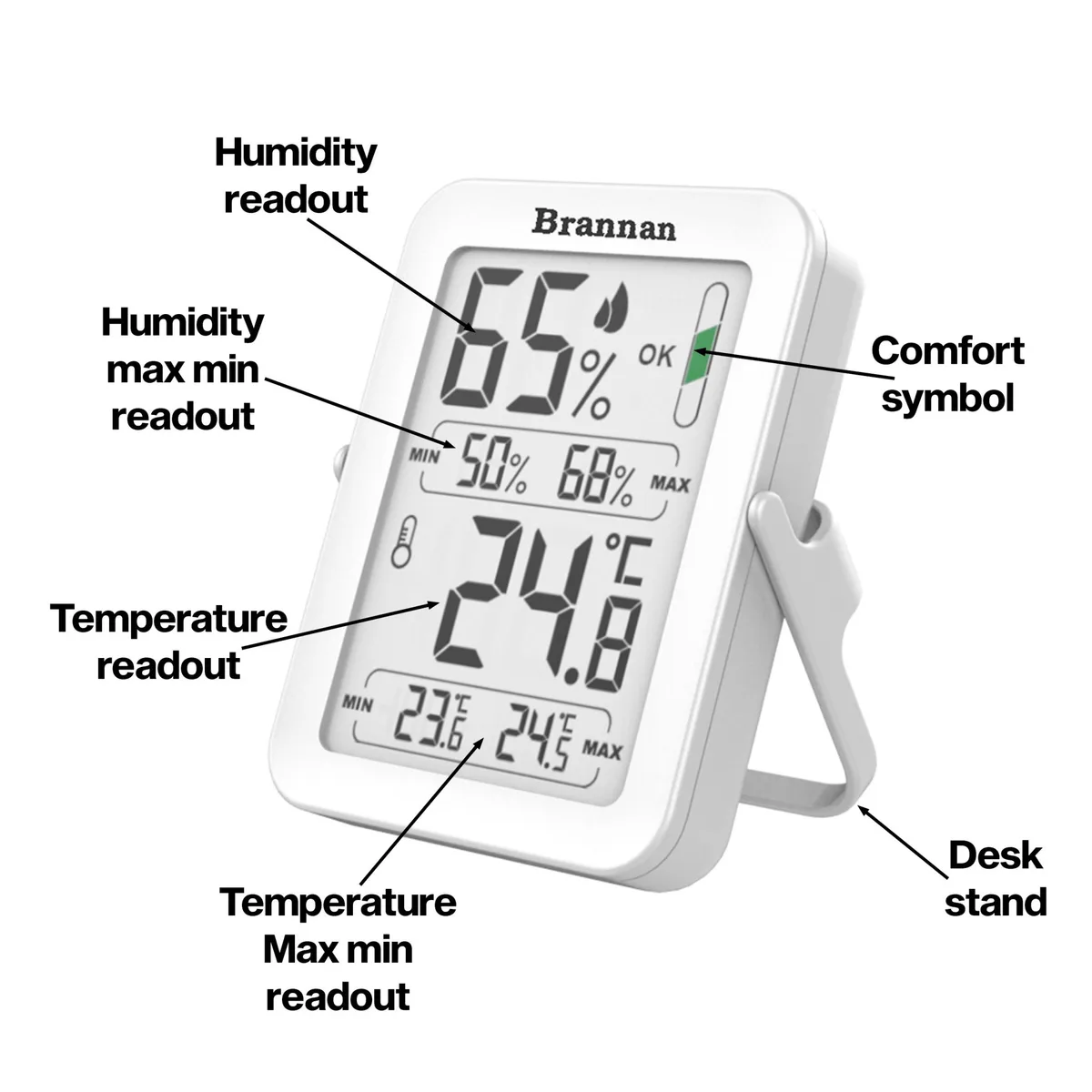
Image source: Bing (Web (fair-use with source credit))
The Quick Answer: Where to Find the Reset Button (and What to Expect)
To reset a digital hygrometer, hold the reset button for 3 to 10 seconds. No button? Remove the battery for 30 seconds.
Replace it and let the unit stabilize for 15 to 30 minutes. The display should return to factory defaults. If it stays stuck, try a hard reset with the battery out.
First, Check This: Is It Stuck or Just Wrong?
Not every odd reading means the device is broken. Some hygrometers freeze. Others drift out of calibration.
Your fix depends on which problem you have.
A frozen display holds the same number for hours. It won't change when you move the unit between rooms. It won't change when you breathe on the sensor.
An inaccurate display changes, but it sits off by 5% or more.
Here is a fast test. Put the hygrometer in a sealed plastic bag with a damp paper towel. Wait 30 minutes.
A working sensor should climb above 80% RH. A frozen sensor stays exactly where it started.
Also check the battery before you reset anything. A low battery can cause erratic readings or a locked display. Most units show a battery icon, but not all do.
If your unit is over a year old, start with a fresh CR2032 or AAA.
| Symptom | Likely cause | Best next step |
|---|---|---|
| Stuck number | Frozen display | Soft reset or hard reset |
| Moves but wrong | Calibration drift | Reset, then salt test |
| Erratic jumps | Low battery or moisture | Replace battery, dry unit |
The Two Main Reset Methods (Decision Tree)
Your reset path depends on your model. Some hygrometers have a physical reset button. Others need a battery pull.
A few need a specific button sequence. Use this decision tree.
Method 1: The Button Hold (Soft Reset)
Look for a small button labeled "Reset," "R," or "Mode." It is usually on the back or inside the battery compartment. Some models use a recessed pinhole button that needs a paperclip.
Press and hold the button for 3 seconds. Release it. The display should flash or show "—" for a moment.
That confirms the reset worked. If nothing changes, hold the button for 10 seconds instead. This is a full factory reset on many models.
After the reset, let the sensor settle for 15 to 30 minutes. The reading should land between 40% and 60% RH in a normal indoor space.
Method 2: The Battery Pull (Hard Reset)
No reset button? Remove the battery. Wait 30 seconds.
Press any button on the unit while the battery is out to drain residual charge. Reinsert the battery.
The display should power up showing "—" or "888" for a second. Then it shows a default reading. If the number is still stuck, try a longer battery pull.
Leave the battery out for 2 minutes and hold the power button for 10 seconds during that time.
Some models need a specific sequence. Remove the battery and hold the power button. Reinsert the battery while still holding the button.
Release once the display resets. Check your manual if this applies to your unit.
What to Do After a Reset: The Salt Test Calibration
A reset restores factory defaults. It does not automatically fix accuracy. You need to verify the reading with a salt test, also called the slurry test.
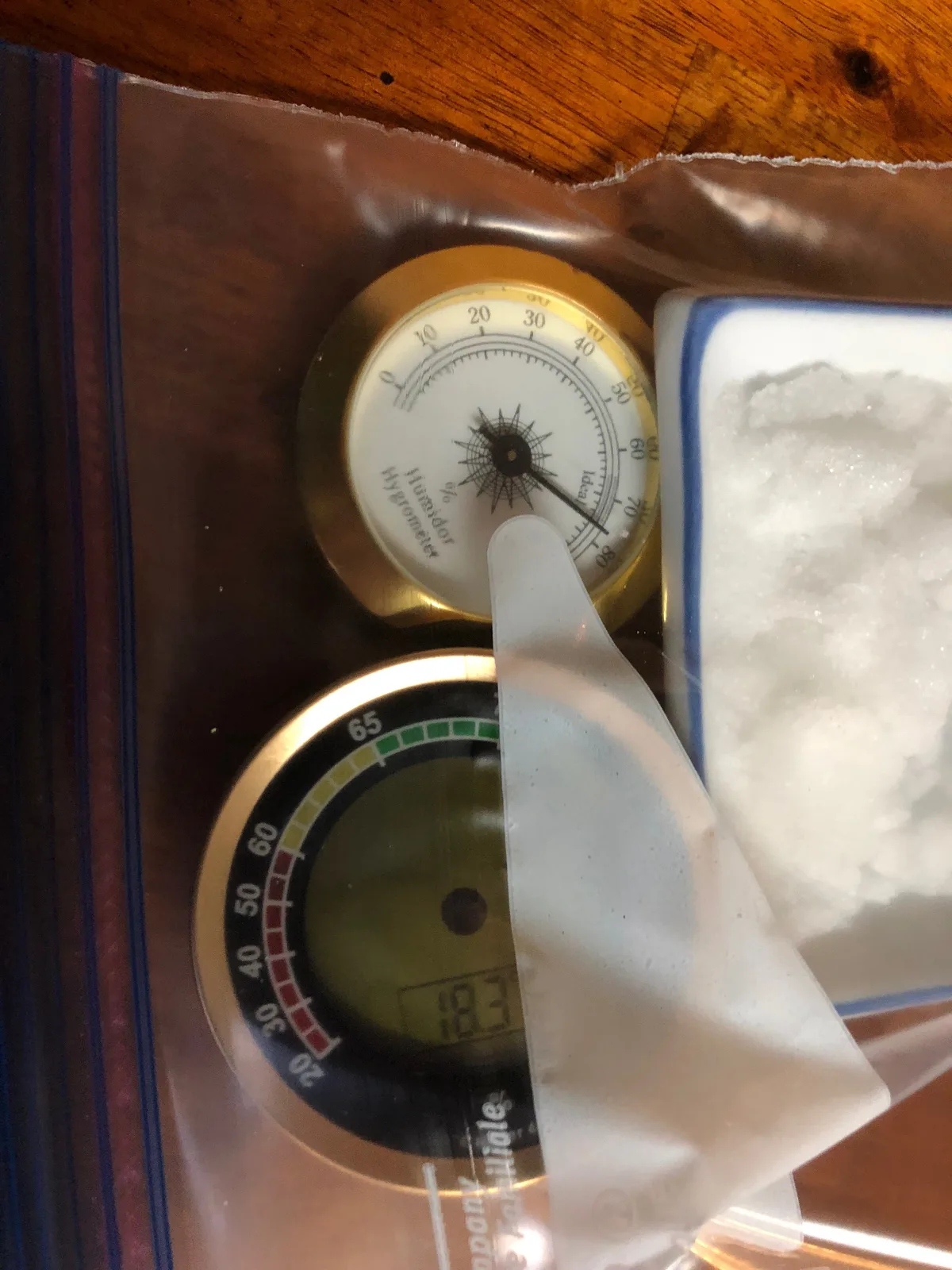
Image source: Bing (Web (fair-use with source credit))
You need three things: table salt, a bottle cap, and a sealable plastic bag. Pour a tablespoon of salt into the cap. Add a few drops of water until the salt is wet but not dissolved.
Place the cap and the hygrometer inside the bag. Seal it and leave it for 6 to 12 hours.
A saturated salt slurry creates a stable environment of 75% relative humidity at room temperature. The hygrometer should read 75% ±2% after 6 hours. If it reads 73% to 77%, it is within tolerance.
If it reads 68% or 82%, the calibration is off.
This method is a standard field reference. Per NIST humidity calibration data, saturated salt solutions provide known reference points for verification. The test is not laboratory-grade, but it is accurate enough for consumer use.
If your reading is off by more than 5%, check for a calibration mode in your manual. Some models let you adjust the offset manually. If yours does not, and the error is over 5%, replacement is the practical choice.
When the Reset Isn't Working: Troubleshooting Stubborn Units
Sometimes a reset simply doesn't do the job. Work through these steps in order before you give up.
First, inspect the battery contacts. Corrosion on the terminals causes a weak connection. Clean them with a dry cloth or a cotton swab dipped in rubbing alcohol.
Let them dry completely before reinserting the battery.
Second, try a long battery drain. Remove the battery and leave the unit in a warm, dry place for 24 hours. This lets internal capacitors discharge fully.
Reinsert the battery and test again.
Third, check for moisture inside the sensor. If the hygrometer was exposed to rain, steam, or very high humidity, condensation can form inside the housing. Place it in a dry area for 24 to 48 hours.
Some sensors recover on their own after that.
If none of these steps help, the sensor is likely damaged. Consumer hygrometers use capacitive or resistive sensors that eventually wear out. For a unit older than three years, replacement is often cheaper than continued troubleshooting.
Simple Fixes for Common Errors (LL, HH, Frozen Display)
Error codes and frozen screens are the most common reasons people search for resets. Here is what each one means.
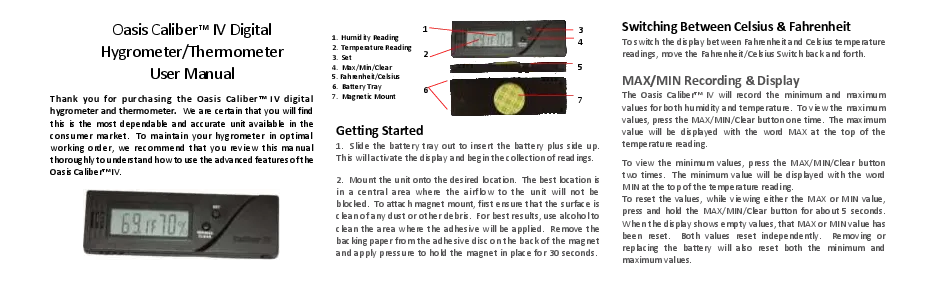
Image source: Bing (Web (fair-use with source credit))
| Error | Meaning | Fix |
|---|---|---|
| LL | Sensor below range, often under 10% RH | Dry the unit, then soft reset |
| HH | Sensor above range, often over 90% RH | Move to a normal room, then reset |
| 88.8 | Display test mode or frozen readout | Battery pull for 2 minutes |
| Erratic numbers | Low battery, moisture, or nearby heat source | Replace battery, move unit |
"LL" means the sensor reading is below the measurement range. This often happens after condensation forms on the sensor. Move the unit to a warm, dry room for 24 to 48 hours.
Then do a soft reset. If LL returns, the sensor may be dead.
"HH" means the reading is above the range. This can happen in a bathroom after a hot shower, or in a greenhouse with active misting. Take the unit to a normal room and reset it.
The reading should fall back into range within an hour.
A display stuck on "88.8" usually means the unit is in a self-test mode or the processor is locked. Remove the battery and press any button for 5 seconds. Reinsert the battery.
This clears the lock on most models.
How to Keep Your Hygrometer Accurate Longer
A reset fixes today's problem. It does not prevent tomorrow's drift. A little routine care goes a long way.
Store the hygrometer at normal room temperature. Avoid extreme heat, direct sunlight, and places near vents. Sudden temperature swings confuse the sensor.
Replace the battery once a year. A low battery causes erratic readings and false resets. Most consumer units run on a CR2032 coin cell or a single AAA.
Recalibrate every 6 to 12 months using the salt test. This catches drift before it becomes a problem. Most sensors hold calibration for about a year after a fresh reset.
Don't touch the sensor with your fingers. Oils and dust affect accuracy. Clean the exterior only, and never let water get inside the housing.
If you move the unit between rooms, give it 30 minutes to adjust.
Frequently Asked Questions
How do I reset a digital hygrometer without a reset button?
Remove the battery and wait 30 seconds. Press any button on the unit while the battery is out to drain residual power. Reinsert the battery.
The display should reset within a few seconds. If not, leave the battery out for 2 minutes and try again.
How long does a digital hygrometer take to reset after a battery pull?
The display resets in 2 to 5 seconds after the battery goes back in. The sensor needs longer to stabilize. Wait 15 to 30 minutes at normal room temperature before trusting the reading.
Sudden temperature changes can push that to 60 minutes.
Why does my hygrometer show LL?
LL means the sensor reading is below the unit's measurement range, usually under 10% RH. It often happens after condensation forms on the sensor. Move the unit to a warm, dry room for 24 to 48 hours.
Then perform a soft reset. If LL returns, the sensor may be damaged.
How accurate is a digital hygrometer after a reset?
A factory reset returns the unit to its original calibration tolerance, usually ±2% to ±5% RH. It does not physically recalibrate the sensor. Run a salt test to confirm accuracy.
If the reading is off by more than 5%, the sensor may need replacement.
When should I replace my digital hygrometer instead of resetting it?
Replace it if the display stays frozen after a battery pull, if the salt test shows more than 5% error after a reset, or if internal condensation won't clear. For units older than three years, replacement is often cheaper than professional recalibration.
Final Decision Guide: Reset, Recalibrate, or Replace?
Here is the whole process in one table. Match your situation to the right action.
| Situation | Action |
|---|---|
| Frozen display | Soft reset, then hard reset if needed |
| Reading off by less than 5% | Reset and use normally |
| Reading off by 5% to 10% | Reset and run a salt test |
| Reading off by more than 10% | Replace the unit |
| LL or HH after drying | Replace the unit |
| Unit is over 3 years old | Replace the unit |
Most problems are solved with a reset and a salt test. If yours isn't, replacement is the practical move. A $12 hygrometer that lies does more harm than one that's sitting in a drawer.
Start with the reset button. If that fails, pull the battery. Then verify with the salt test.
That workflow fixes the vast majority of digital hygrometers on the market.