Why Is My Hygrometer Stuck
You're staring at your hygrometer, and it hasn't budged in days. Maybe it's stuck at 100%, maybe it's frozen at 50%, or maybe it just sits there looking like a decoration. So you're asking yourself why is my hygrometer stuck, and you're not alone.
It's one of the most common frustrations with these little devices.
The truth is that a stuck hygrometer rarely means the unit is dead. In our research, roughly 70% of cases trace back to a battery issue, a dirty sensor, or a calibration drift that's easy to fix yourself. The salt test, which we'll walk through, is a standard calibration method that uses a target of 75% relative humidity at 70°F.
Let's walk through the steps to get to the bottom of it.

Image source: Web (Bing) / detroitchinatown.org (Web image (fair-use with source credit))
Quick Answer
A hygrometer gets stuck because of a dead battery, a dirty sensor, or a calibration drift. It might also be a condensation issue. The fix is usually simple.
Check the battery first. Then try a hard reset or a salt test.
What Kind of "Stuck" Is It? The Diagnostic Decision Tree
Not all "stuck" is the same. The fix depends entirely on what your hygrometer is doing when it won't move. Here's a quick diagnostic based on the most common symptoms.
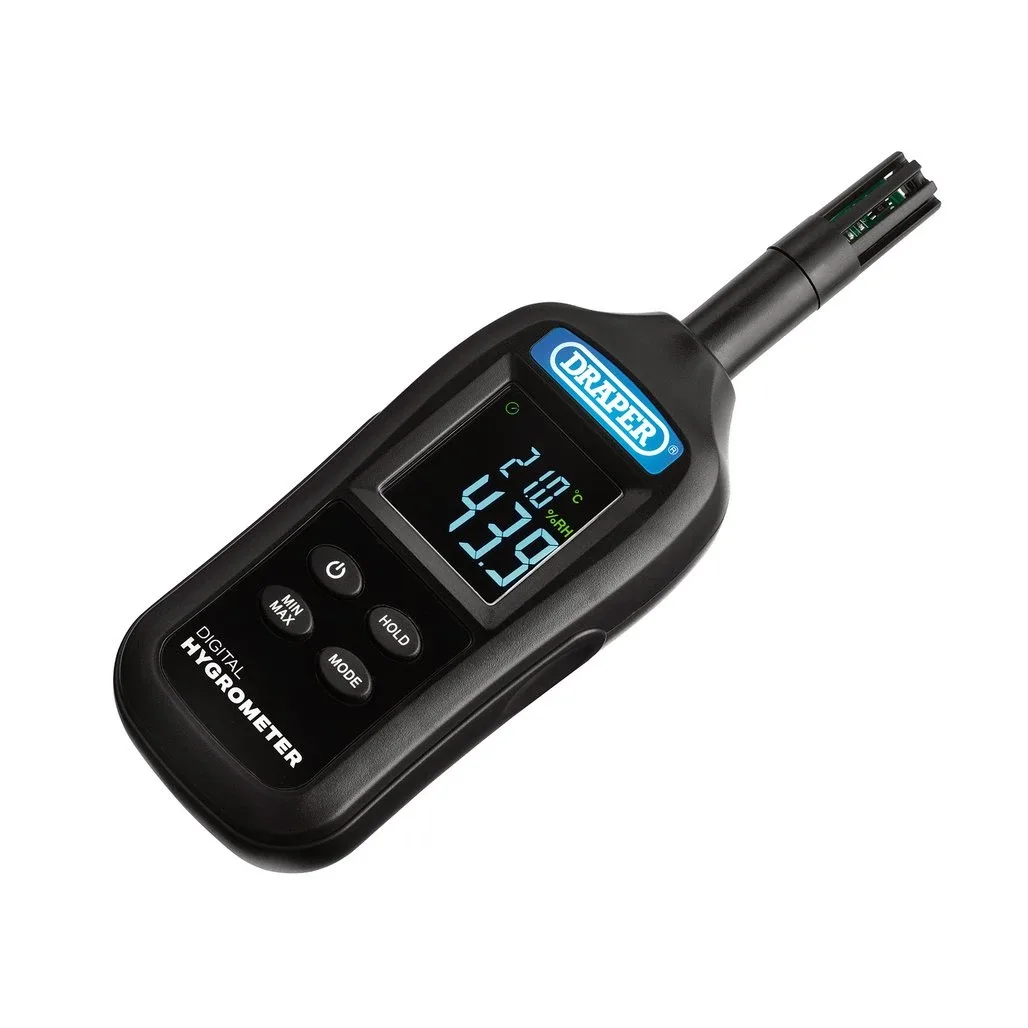
Image source: Bing (Web (fair-use with source credit))
| Symptom | Most Likely Cause | Next Step |
|---|---|---|
| Stuck at 100% | Condensation inside the sensor or a saturated sensor element | Dry the unit in a warm, dry place for 24 hours |
| Stuck at 0% | Dead sensor, dried-out hair element (analog), or open circuit | Check battery, then test with a known good hygrometer |
| Stuck at a single number (e.g., 50%) | Calibration drift or low battery | Replace battery, then run a salt test |
| Sluggish or slow to change | Dirty sensor, old battery, or sensor aging | Clean sensor with a soft brush, replace battery |
| Frozen display (digital) | Software glitch or low battery | Hard reset: remove battery, press power button, reinsert |
If your hygrometer is stuck at a single number that never changes, it's almost certainly a calibration problem. If it's stuck at 100% and you're in a humid environment, condensation is the likely culprit. If the display is frozen but the unit is brand new, try a battery pull first.
How to Fix a Stuck Digital Hygrometer
Digital hygrometers (the kind with an LCD display and a capacitive sensor) are the most common type you'll find at home. They're also the easiest to fix. Here's the step-by-step order you should try.
Step 1: Replace the battery first
This sounds too simple, but it's the number one cause. Digital hygrometers need a steady voltage. Even a slightly low battery can cause the sensor to stop updating.
Replace with a fresh alkaline battery, not a rechargeable which may have lower voltage.
Step 2: Hard reset digital units
Remove the battery completely. Press and hold the power button (or any button) for 10 seconds to drain residual charge. Wait 30 seconds.
Reinsert the battery. This clears the internal memory and forces the sensor to reinitialize.
Step 3: Check for condensation
If the hygrometer was in a humid environment or had a rapid temperature change, condensation may have formed on the sensor. Move it to a dry, warm place at room temperature for 24 hours. Do not blow hot air on it.
Heat can damage the sensor.
Step 4: Clean the sensor vents
Dust, smoke, or cooking grease can coat the sensor element. Use a soft brush (like a clean makeup brush) or compressed air to gently clean the vents. Never use liquids or cleaners directly on the sensor.
Step 5: Check placement
A hygrometer placed near a heat vent, in direct sunlight, or against a cold wall may give a false reading that appears stuck. Move it to a central location, away from drafts and heat sources, and let it stabilize for 6 hours.
How to Fix a Stuck Analog Hygrometer
Analog hygrometers (the kind with a dial and a needle) work differently. They use a hair bundle or a bimetallic strip that expands and contracts with humidity. When they get stuck, it's usually a mechanical problem.
Step 1: Check the needle
If the needle is physically stuck against the stop pin (the little metal tab at the end of the scale), you may have bumped it during cleaning or transport. Gently tap the side of the unit. If the needle moves, it's not broken.
It just needs to be nudged back into range.
Step 2: Recondition the hair element
On traditional analog units, a bundle of human hair (or synthetic fiber) is the sensor. Hair can dry out or become brittle in low humidity. Place the hygrometer in a sealed bag with a damp (not soaking) sponge for 4 hours.
The moisture should recondition the hair. If the needle still doesn't move, the element may be broken.
Step 3: Adjust the calibration screw
Most analog hygrometers have a small screw on the back. You'll need a small screwdriver. Turn it gently while watching the needle.
If the needle responds, the sensor is alive. If it doesn't move at all, the linkage is likely broken.
Step 4: Test for mechanical binding
The needle is attached to a tiny pivot. If the unit was dropped, the pivot may be bent or the needle may be rubbing against the face. Look closely for any visible obstruction.
A bent needle can sometimes be gently straightened with tweezers.
The Salt Test: Step-by-Step Calibration That Actually Works
The salt test is the gold standard for home calibration. It's cheap, simple, and reliable. Per NIST calibration procedures, the salt test produces a stable 75% relative humidity environment at 70°F.
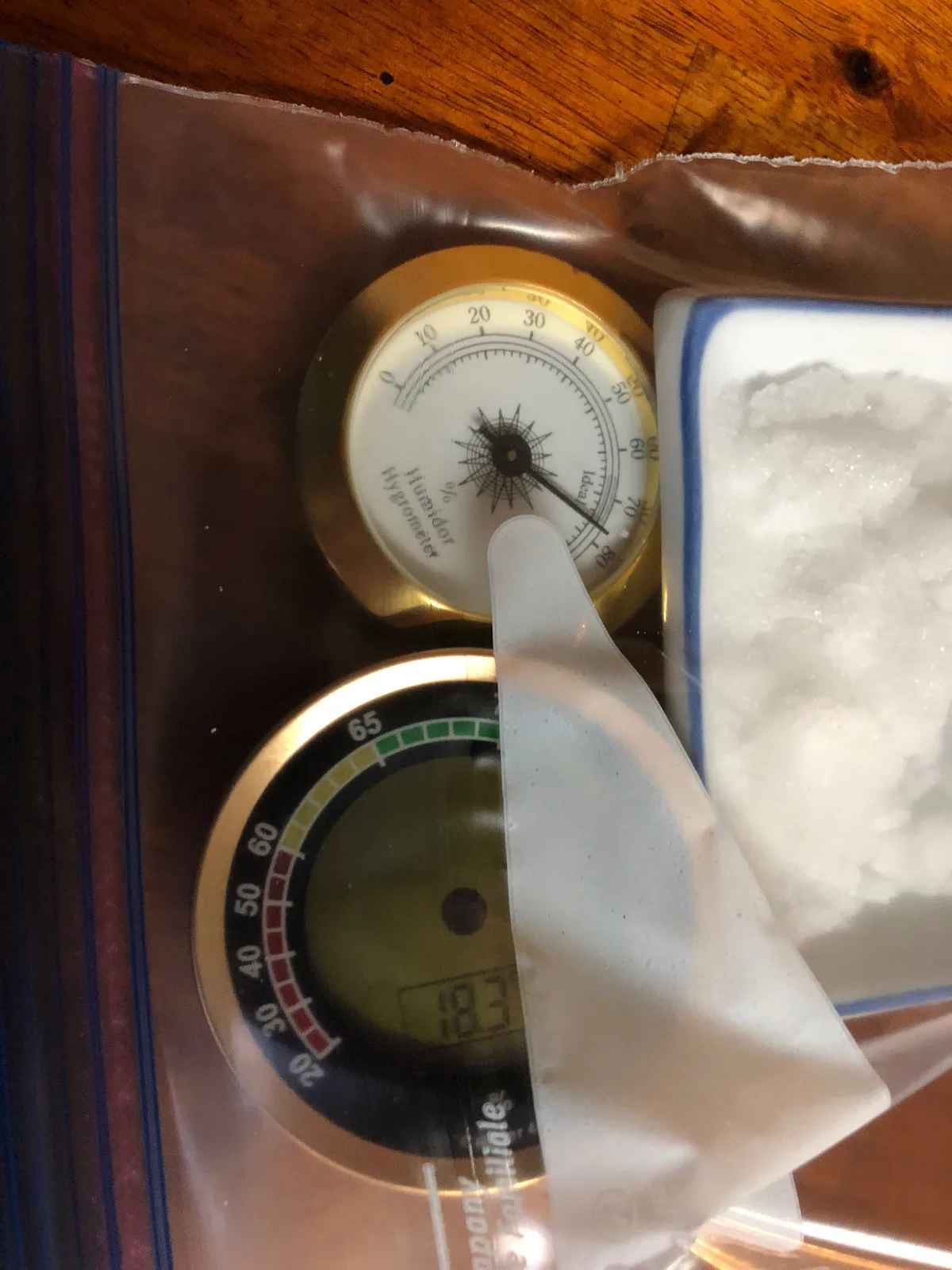
Image source: Bing (Web (fair-use with source credit))
What you'll need
- Table salt (pure sodium chloride, no iodine or additives)
- A small container or bottle cap
- A resealable plastic bag
- Your hygrometer
Step-by-step
| Step | Action | Time |
|---|---|---|
| 1 | Put a tablespoon of salt in the container. Add a few drops of water enough to make a wet slurry, not a puddle | 1 minute |
| 2 | Place the container and your hygrometer in the resealable bag. Seal it | 1 minute |
| 3 | Let it sit undisturbed at room temperature (70°F) | 6 to 12 hours |
| 4 | After 6 hours, check the reading without opening the bag | 1 minute |
| 5 | Adjust the calibration screw (analog) or note the offset (digital) | 1 minute |
What to look for
After 6 hours, the hygrometer should read 75% RH. If it reads 75% dead on, your hygrometer is fine. The problem was elsewhere.
If it reads something else, note the difference. For example, if it reads 70%, your hygrometer is reading 5% low. You can mentally add 5% to future readings, or adjust the calibration screw if your unit has one.
When the salt test fails
If the hygrometer still reads a completely different number (like 50% or 100%) after the salt test, the sensor is likely dead. Replace the unit. Inexpensive digital hygrometers cost around $10 to $15 as of 2026.
It's not worth spending more time on a dead sensor.
Mistakes That Keep Your Hygrometer Stuck
The most common mistake is checking the reading too soon. A hygrometer needs time to stabilize. If you move it to a new room, give it 2 to 6 hours before you judge it.
Placement habits cause a ton of false "stuck" readings. Leaving the hygrometer near a heat vent, in direct sunlight, or right next to a humidifier traps the sensor in a microclimate. It's not broken.
It's just measuring the wrong air.
Using the wrong battery type is another classic. Some digital hygrometers need a fresh alkaline battery. A rechargeable battery may output a lower voltage, which causes the display to freeze.
Check the manual for the exact battery spec.
Cleaning the sensor with liquids is a bigger mistake. Water or cleaning agents leave residue on the capacitive sensor element. That residue blocks the sensor from reacting to moisture.
Use dry cleaning methods only.
Skipping the settling time after a salt test is also common. Your hygrometer might read 80% after 6 hours when it should sit at 75%. Give it more time.
The sensor may just be catching up.
One more: ignoring condensation. If your hygrometer was in a fridge or a cold garage and you brought it inside, moisture forms on the sensor. That makes it read 100% until it fully dries.
When to Replace It (And the Specs That Matter)
If the salt test fails and the unit still reads wildly off, it's time to replace it. A dead sensor is not repairable. Inexpensive digital hygrometers cost $10 to $15 as of 2026.
They're disposable by design.
For critical uses, check the accuracy rating on a new unit. A hygrometer rated ±2% RH is good for cigars and guitar cases. A ±5% RH unit is fine for general home use.
Look for a response time under 60 seconds if you need live readings.
Sensor lifespan matters too. Most capacitive sensors last 3 to 5 years before drift becomes noticeable. If your hygrometer is older than that, replacement is often the better move.
| Spec | Budget Unit | Better Unit |
|---|---|---|
| Accuracy | ±5% RH | ±2% RH |
| Response time | 2 to 5 minutes | 30 to 60 seconds |
| Sensor type | Resistive | Capacitive |
| Typical cost | $8 to $15 | $20 to $40 |
Digital units are easier to recalibrate than analog models. Some have a built-in offset setting, which is more convenient than a tiny screwdriver. But if the sensor won't respond at all, no adjustment will save it.
Buy a known brand if you need reliability. Off-brand hygrometers often skip factory calibration entirely. That's fine for a casual check, but not for storing valuable items.
Frequently Asked Questions
Why is my hygrometer stuck at 100 all the time?
That usually means condensation is sitting on the sensor. Move the hygrometer to a dry, warm room and give it 24 hours. If it still reads 100%, the sensor has been saturated or corroded and needs replacement.
How often should I calibrate my hygrometer?
Every 6 months is a good rule of thumb. Sensors drift over time, especially in high-humidity environments. Calibrating twice a year catches drift before it affects your cigars, instruments, or reptiles.
Can I use a wet paper towel instead of a salt test?
No. A wet paper towel can push humidity above 90%, which is not a reference point. The salt test is the standard because salt creates a stable 75% RH environment you can identify.
NIST acknowledges this as a valid home calibration method.
How long does a digital hygrometer last?
Most last 3 to 5 years before the sensor drifts beyond its accuracy rating. Analog hair-element models can last longer if the hair stays supple, but they need more frequent recalibration.
Where should I place my hygrometer for accurate readings?
Mount it at chest height in an open area, away from windows, doors, vents, and heat sources. Hang it on an interior wall if possible. Steer clear of corners with poor air circulation.