How to Empty a Dehumidifier Water Tank
If your dehumidifier beeps at 3 a.m. because the bucket is full, you already know the drill. Learning how to empty a dehumidifier water tank properly saves you from midnight spillage and keeps the unit running all season. It sounds simple, but tank designs vary more than you'd think.
The right technique depends on your model, and getting it wrong can mean water on the floor.
Manufacturer specifications for 2026 show that most portable dehumidifiers range from 12 to 50 pints of capacity. A full 50-pint tank weighs close to 40 pounds. That weight changes how you carry and pour, so you need a solid method before you pick it up.
Let's walk through the best way to handle yours.
Quick Answer
Press the release latch and pull the bucket straight out. Carry it level to a sink. Pour the water, rinse the tank, and slide it back in.
Confirm the float moves freely. Replace the bucket until it clicks.
Why Tank Design Matters: Spotting Your Dehumidifier's Type at a Glance
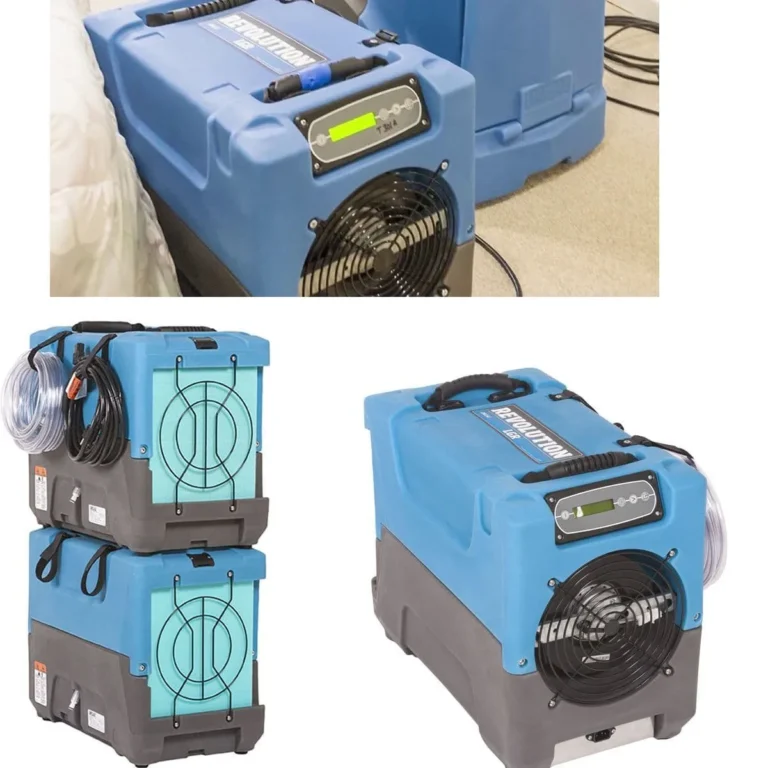
Not every dehumidifier empties the same way. Most portable units use a front-loading bucket that slides out from the front panel. Less common are top-loading designs where you lift the lid and pull the tank straight up.
Before you yank anything, take two seconds to find the release mechanism.
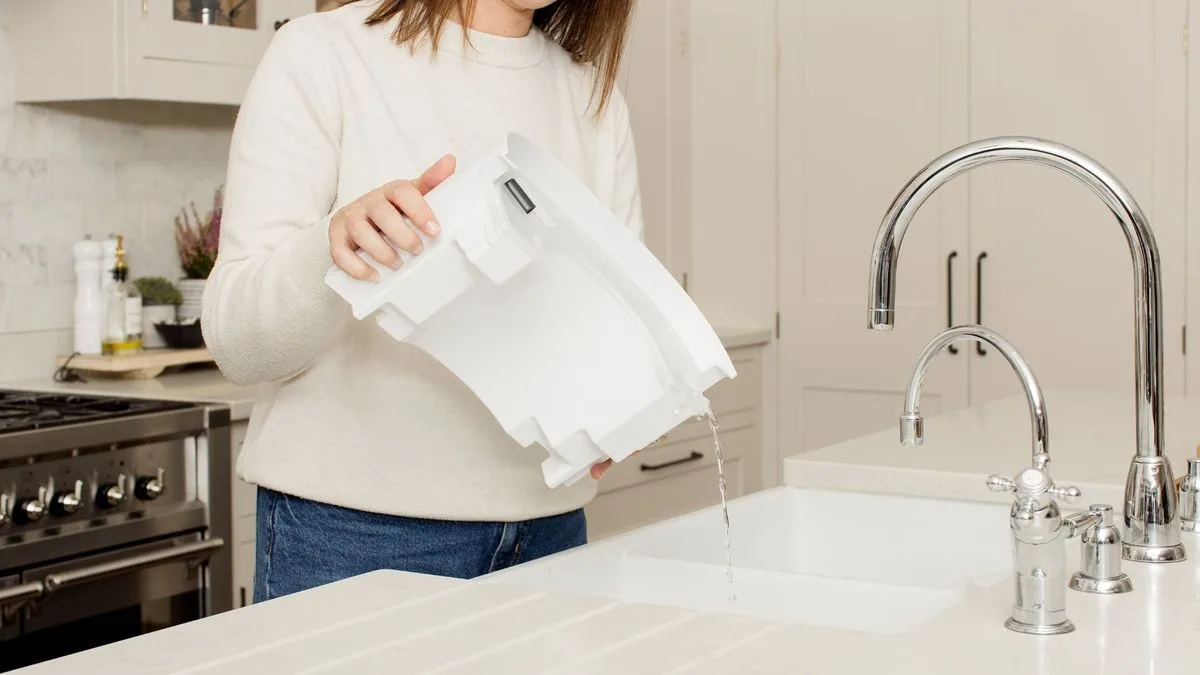
Image source: Bing (Web (fair-use with source credit))
Front-loading vs. top-loading tanks
Front-loading buckets have a visible seam, a recessed handle, and a release button or latch near the top. Top-loading tanks sit under a grille and often require you to lift the entire top cover. Older budget models sometimes use a simple tray that lacks a handle altogether.
| Feature | Front-loading | Top-loading |
|---|---|---|
| Bucket location | Pulls forward | Lifts upward |
| Release | Button or latch | Cover clip or direct pull |
| Handle | Usually molded | Often none |
| Spill risk | Lower | Higher |
In our research, front-loading designs dominate the market as of 2026, especially in the 30- to 50-pint range. If you aren't sure which type you own, look for a water-level window on the front. That's the quickest visual clue.
The float switch is also worth spotting. It's the white or black bobber near the top of the tank opening. When the water rises, the float lifts and triggers a shut-off.
You'll need to keep it clean and unblocked, which brings us to the actual process.
Step-by-Step: How to Empty Any Dehumidifier Water Tank
This sequence works for nearly every model. Read it once, then apply it to your unit.
- Turn off the dehumidifier or unplug it. It prevents accidental spills and lets the compressor rest.
- Locate the release latch. It's usually a plastic button or squeezing clip near the bucket handle.
- Pull the bucket straight out. Don't tilt it. Water can escape through the top lip even if there's a cover.
- Carry the tank with two hands. Keep it level. If it has a handle, use one hand on the handle and the other underneath for support.
- Pour the water slowly. Aim for a sink, utility tub, or floor drain. Lift the far side of the tank slightly to create a controlled pour.
- Rinse the tank if you see residue. Use plain water and a soft cloth or sponge.
- Slide the tank back in until it clicks. A solid click means the float switch aligns properly.
- Check the float. Push it up and down once to confirm it moves freely. That prevents the "full tank" light from staying on.
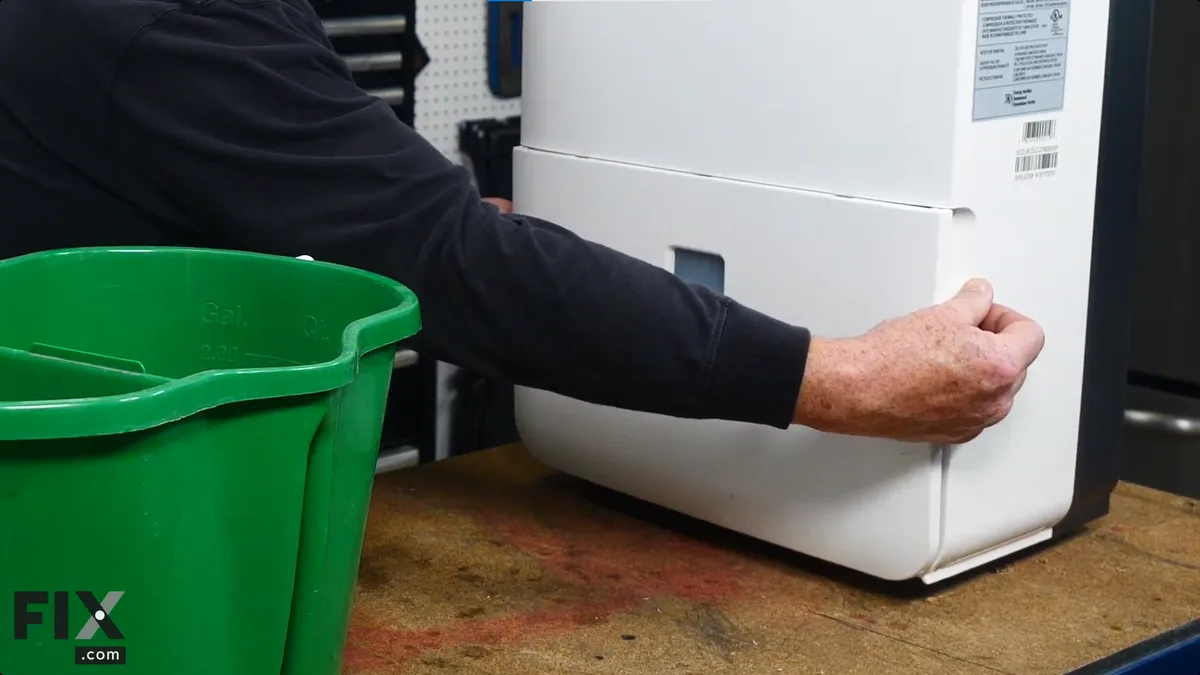
Image source: Bing (Web (fair-use with source credit))
Handling heavier tanks
A 50-pint tank gets heavy fast. If your unit is in the basement and you're heading to a utility sink, carry the tank with the handle and support the bottom. Don't swing it by the handle alone.
The plastic can crack under a full load. If you're short or have weak wrists, empty it halfway by tipping the entire dehumidifier toward a drain. Some models allow this, but check the manual first.
You never want water near the compressor or electrical controls.
After you empty
Once the tank is back in, plug the unit in and restart it. The "full" light should turn off within a few seconds. If it stays on, the float is likely stuck.
Remove the tank again and check for anything blocking the float arm.
Common Mistakes That Lead to Spills, Float Jams, and Shutdowns
Most dehumidifier problems aren't mechanical failures. They're user errors that compound over time. Here are the ones we see most often.
Pulling the tank at an angle
When the tank is jammed, the natural instinct is to tilt it upward and tug. That's the fastest way to spill water through the top opening. Instead, rock the tank side to side slightly while pulling straight out.
A tank that won't budge usually has a latch you missed. Check for a hidden release button under the handle.
Overfilling the tank
Letting the unit run until the float reaches its absolute limit strains the shut-off mechanism. The float arm can bend or snap in extreme cases. Get into the habit of emptying when the tank is 50% to 70% full, not when it beeps.
Your float will last longer, and you'll avoid the surprise of an overnight leak.
Forcing the bucket back in
If the bucket doesn't slide in smoothly, stop pushing. Something is blocking the track or the float is positioned wrong. Inspect the tank groove and the unit's guide rails for debris.
Also check that the float is sitting below the water level opening, not hanging up on a piece of lint.
Ignoring the float switch
A stuck float is the number one reason dehumidifiers shut off with an empty tank. Dust and grime build up around the float stem over time. When you empty the tank, run your finger around the float housing to clear any residue.
If the float moves but the full light stays on, the switch inside may need service.
Using harsh chemicals to clean
Bleach and strong detergents can damage the plastic and leave a film that confuses the float sensor. Stick with warm water and a few drops of mild dish soap. Rinse thoroughly.
Continuous Drain Setup: When You Can Skip Manual Emptying
Manual emptying gets old fast. That's why most mid-range and high-end dehumidifiers include a continuous drain option. It lets you connect a garden hose or included drain line to the unit, and gravity pulls the water away.
No bucketing, no lifting, no beeping.
- Gravity drain: The hose must end lower than the drain port. A floor drain works best.
- Condensate pump: Some units have a built-in pump that pushes water upward, allowing discharge to a sink or outside.
How to set up a gravity drain
- Find the drain port. It's usually on the back or side, covered by a rubber plug or plastic cap.
- Attach the hose. Most units accept a standard 5/8-inch or 3/4-inch garden hose. Some use barbed fittings and a clamp.
- Route the hose downward. No kinks or loops. The water can't flow uphill without a pump.
- Test it. Fill the tank with a cup of water and watch it exit the hose. Your setup should drain within 30 seconds.
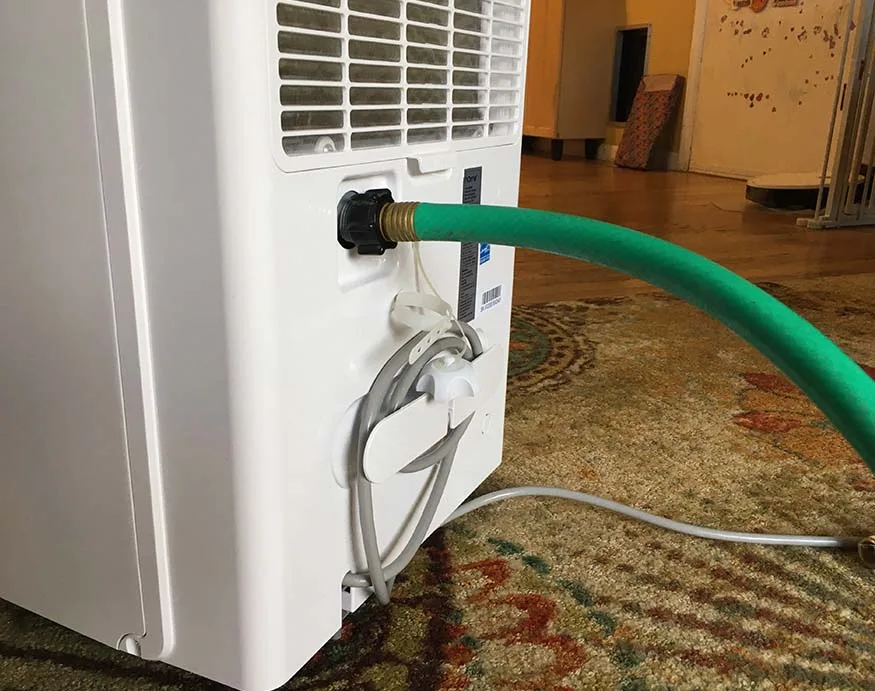
Image source: Bing (Web (fair-use with source credit))
Our research shows that continuous drainage is the best option if you run a dehumidifier in a basement or crawlspace. You set it once and forget it. The only downside is that some warranties require you to use the included hose, not an aftermarket one.
Check your owner's manual first.
If your unit lacks a drain port, the best dehumidifier for basement use will often have one built in. For most people, the built-in gravity drain is enough.
Keeping Your Tank Clean and the Float Moving Freely
A dirty tank isn't just gross. It can trigger that stuck-float issue we covered. Slime and mold thrive in warm, dark, moist environments, and your dehumidifier bucket is practically a petri dish.
Clean it monthly in humid season, or every two weeks if you live in a hot, sweaty climate.
The cleaning routine
- Empty the tank completely. Rinse it with warm water to remove loose debris.
- Add a few drops of mild dish soap. Scrub with a soft sponge or bottle brush. Avoid abrasive pads that scratch plastic.
- Pay attention to the seams. Mold hides in the corners where the sides meet the bottom.
- Rinse thoroughly. Leftover soap residue can irritate the float switch.
- Dry the tank with a clean cloth before reinstalling it. A dry tank means less bacterial growth.
Float switch maintenance
The float switch sits in a small housing near the water entry point. While the tank is out, look at it through the opening. You might see mineral deposits or a hazy film.
Wipe it gently with a damp cloth or a cotton swab. Never use petroleum-based lubricants. They can damage rubber components and attract dust.
Per Energy Star guidelines, a well-maintained dehumidifier operates more efficiently and lasts longer. That includes keeping the moisture path clear. You can check the Energy Star program to see if your model meets current standards.
When to call a pro
If your tank cracks, the float jams repeatedly, or the unit trips a breaker during operation, stop fiddling and contact a qualified appliance repair technician. Water and electricity don't mix. A service call is cheaper than a new unit.
Need help choosing your next unit? We cover the best dehumidifiers separately, with a focus on basement-friendly models that offer continuous drain ports and sturdy buckets.
Frequently Asked Questions About Dehumidifier Water Tanks
How often should I empty my dehumidifier water tank?
Empty the tank when it reaches 50% to 70% capacity. That works out to one to three times daily in humid conditions. A 30-pint unit in a damp basement can fill in 8 to 12 hours.
Check the water level window each morning and evening.
Why won't my dehumidifier shut off even after I empty the tank?
The float switch is likely stuck. When the tank lifts out, dust or slime can jam the float in its housing. Clean the float area gently with a damp cloth and confirm it moves freely.
If the full light persists, the switch may need a professional repair.
Can I use the water from my dehumidifier for plants or cleaning?
Dehumidifier water isn't distilled or potable, so it's not safe for drinking. Many gardeners do use it for outdoor plants, since it's essentially condensed atmospheric moisture. Still, the water picks up dust and impurities from the air.
For houseplants, stick with tap or filtered water to avoid trace contaminants.
What should I do if my dehumidifier bucket is cracked or leaking?
Stop using the unit until you replace the bucket. Running a leaky tank risks water damage to the floor and the machine's internal components. Search your model number online and order a direct replacement from the manufacturer.
You can also check with local appliance repair shops for used parts.
How do I know if my dehumidifier supports a continuous drain hose?
Look for a threaded or barbed port on the back or side of the unit, usually marked with a hose icon. Many models ship with a 5-foot drain hose and a rubber plug. Check the manual under "drainage options" to confirm compatibility with a garden hose adapter.
Is it safe to leave a dehumidifier running overnight?
Yes, but only if you confirm the tank seats properly and the float switch works. A misaligned tank can overflow, and a stuck float means the unit won't shut off at the water line. If you have a drain port, connecting a hose is the safest overnight option.
That way you never depend on the bucket.