Why Is My Hygrometer Showing Different Temperatures
You glance at your hygrometer and it reads 73°F, while the thermostat down the hall insists it's 68°F. If you've been asking why is my hygrometer showing different temperatures, you're not alone. It's one of the most common frustrations for anyone tracking indoor climate, and usually the answer isn't a broken device.
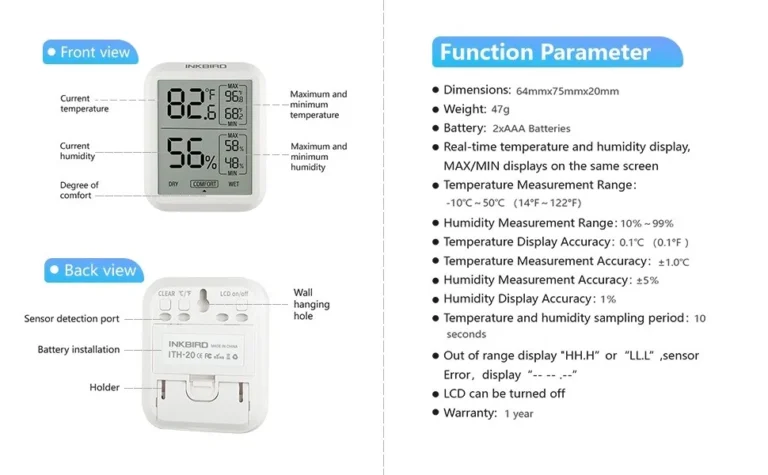
Here's a useful fact: consumer hygrometers typically have a temperature accuracy of about ±1°F and a relative humidity accuracy of about ±5% RH, based on manufacturer specifications and NIST calibration guidance. Two working instruments in the same room can legitimately disagree. Let's explore what's really happening inside that little box.

Image source: Bing (Web (fair-use with source credit))
Quick Answer
Your hygrometer shows a different temperature because it measures the air right around its sensor, not the whole room. Sunlight, vents, drafts, and internal heat can shift the reading by several degrees. Wait 30 minutes in a neutral spot before trusting it.
A gap of 2°F or less is perfectly normal.
The Real Reason Your Hygrometer Shows a Different Temperature
Short answer: a working hygrometer can easily show a different temperature than your thermostat, because it measures the air right around itself. It doesn't measure the average of your whole home. A sunbeam on the case, a warm wall behind it, or a heating vent a few feet away can shift the reading by several degrees.
Your thermostat usually sits in a hallway, away from direct sun and airflow. Your hygrometer might sit near a window, over a vent, or in a bathroom that gets steamy. Different spots, different microclimates, different readings.
Digital hygrometers also generate a tiny amount of internal heat from their display and sensor circuits. That heat can raise the sensor temperature by a degree or two above actual room air. It's a documented behavior in consumer-grade spec sheets, not a defect.
Your thermostat is just as biased as your hygrometer. It reads the temperature in its own tiny wall location. So when you compare the two, you're comparing two different samples of air, not one device against the truth.
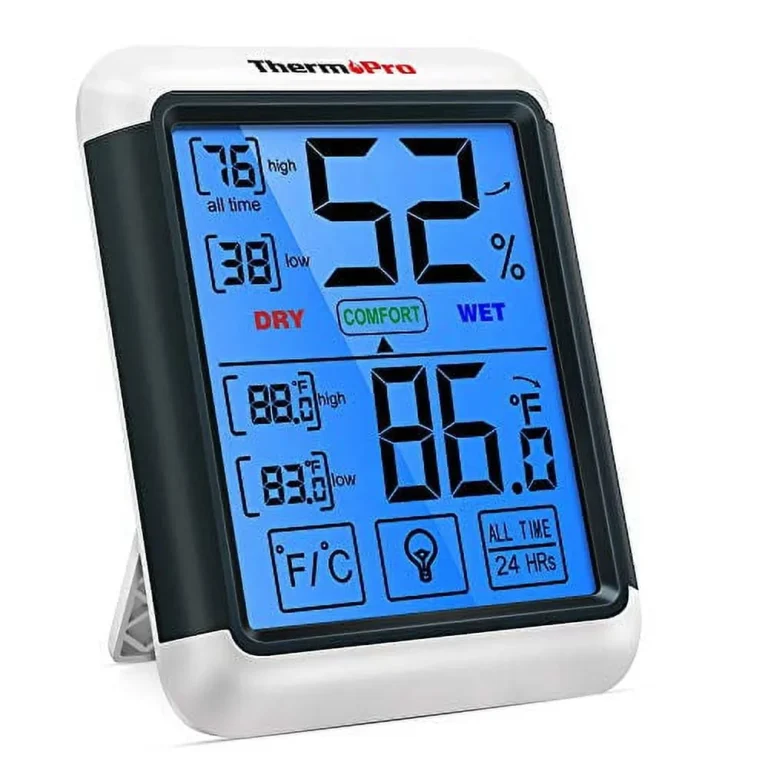
Two identical hygrometers sitting side by side can show a small temperature gap because the cases trap heat differently and each sensor chip has its own tiny variations. A 1 to 2°F spread between two healthy devices is completely normal.
How Your Hygrometer Actually Reads Temperature (and Why It Matters)
Most digital hygrometers measure temperature with a small thermistor, which is a resistor that changes its electrical resistance as the air warms or cools. Analog units use a bimetallic coil that expands and contracts. Both designs are mature and well-documented in calibration standards published by the National Institute of Standards and Technology (NIST), and as of 2026, virtually every consumer hygrometer uses one of them.
Here's the important part: the temperature sensor and the humidity sensor are separate components. The temperature reading comes from the thermistor. The relative humidity percentage comes from a nearby capacitive or resistive sensor.
And because relative humidity is always calculated relative to temperature, a slightly skewed temperature value pulls the humidity reading along with it.
What most people miss is that humidity sensors are slow. A capacitive sensor responds gradually to changes in moisture. Move your hygrometer from a cold room to a warm one, and the temperature will catch up in a minute or two.
The humidity reading can keep drifting for another 10 to 20 minutes. That delay is called sensor lag, and it convinces many people that their unit is broken when it's just catching up.
So when you see a temperature difference, ask whether both devices had time to equalize. If one was just moved, carried, or handled, its reading isn't trustworthy yet.
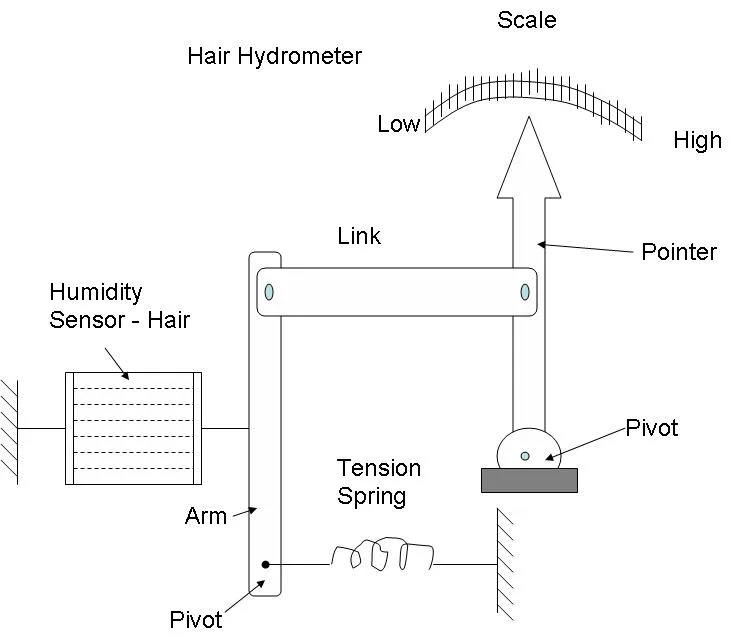
Image source: Bing (Web (fair-use with source credit))
The Decision Tree: What's Causing the Temperature Difference
Image source: Bing (Web (fair-use with source credit))
Walk through this in order. It'll point you to the cause in less than a minute.
Branch 1: Is the unit near a heat source? If it sits close to a window, lamp, radiator, television, or heating vent, that's your answer. Move it at least 3 feet away and wait 30 minutes. This single fix clears up more temperature complaints than any other.
Branch 2: Is it on an exterior wall or near drafts? Cold walls and air leaks pull heat away from the sensor, making the reading lower than the room's actual temperature. Set it on a bookshelf or an interior wall instead.
Branch 3: Was it moved recently? If the unit hasn't settled, the sensor is still catching up. Give it 30 to 60 minutes before you judge the reading.
Branch 4: Are you comparing different device types? A thermostat, a smart weather station, and a hygrometer all use different sensors mounted in different spots. A 1 to 2°F difference is normal and within tolerance.
| Symptom | Likely Cause | Fix |
|---|---|---|
| Reads high by 5°F or more | Sunlight or heat source nearby | Move away and wait 30 min |
| Reads low by 3°F or more | Exterior wall or cold draft | Relocate to interior wall |
| Drifts after being moved | Sensor lag | Wait 30 to 60 minutes |
| Stable but slightly off | Normal unit-to-unit variance | Accept ±2°F tolerance |
Step-by-Step: How to Get a Reliable Reading
The goal is simple: give your hygrometer fair conditions, then trust what it says. Here's the process that works.
Step 1: Pick a neutral spot. Place the unit at mid-height in the room, at least 3 feet away from windows, doors, vents, and appliances. Avoid exterior walls whenever you can. A small side table or bookshelf is ideal.
Step 2: Let it settle. Leave the device untouched for 30 minutes. If you just brought it from a colder or warmer room, give it a full hour. Temperature stabilizes quickly, but humidity takes longer.
Step 3: Compare side by side. Set your reference thermometer or a second hygrometer next to the first, at the same height. Wait 15 minutes, then compare. If they agree within 2°F, the original difference was just about position, not a faulty sensor.
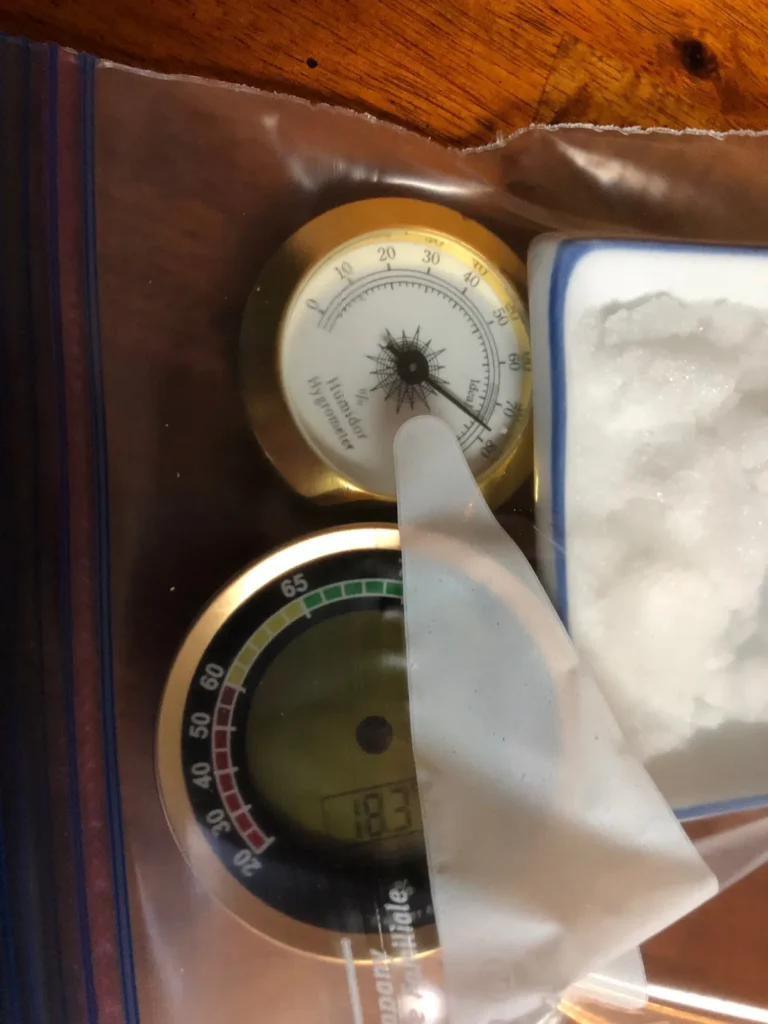
Step 4: Check the humidity sensor too. A quick salt test confirms whether the humidity side is honest. Mix a teaspoon of table salt with a few drops of water until it forms a damp paste. Place it in an open cup next to your hygrometer inside a sealed container, then wait 6 to 8 hours.
Saturated salt holds a microclimate of roughly 75% RH at normal room temperature. Your hygrometer should read between 73% and 77%. If it's outside that range, the humidity sensor needs attention.
Quick Fixes That Actually Work (and One That Doesn't)
Some temperature issues clear up in seconds. These are the fixes that work most often.
- Relocate the unit. Move it at least 3 feet from vents, radiators, windows, and heat-producing electronics. This solves the majority of temperature discrepancies in our research.
- Remove and reseat the battery. A weak battery or loose contact can cause erratic readings on digital units.
- Clean the sensor vents. Dust buildup can insulate the sensor and delay its response. Blow it out or brush it gently with a dry toothbrush.
- Let it stabilize. Place the unit, walk away, and don't look at it for 30 minutes. Most people read their hygrometer too soon after handling it.
And the fix that doesn't work: tapping, shaking, or repeatedly resetting the unit. A tap might unstick a needle on an old analog gauge, but it won't change the actual sensor response. Digital units are even more resistant.
If the reading is still wrong after moving the device, changing the battery, and letting it settle, you're dealing with a hardware problem, not a setup issue. Some digital hygrometers do offer a manual humidity offset, usually through a menu or a small screw. Temperature, however, is fixed at the factory, which is exactly why placement matters so much.
Frequently Asked Questions
How long should I wait for my hygrometer to stabilize after moving it?
Wait at least 30 minutes for the temperature reading to settle. The humidity sensor needs 30 to 60 minutes to fully adjust. If you moved the unit between rooms with a temperature difference of more than 10°F, give it a full hour.
Can a low battery cause temperature reading errors?
Yes, a weak battery can cause erratic readings on digital hygrometers. The sensor requires stable voltage to operate correctly. If you notice sudden jumps in temperature or humidity that don't match the room's feel, replace the battery first.
Why do two identical hygrometers show different temperatures in the same room?
Manufacturer tolerance is the main reason. Consumer hygrometers are typically rated at ±1°F or ±2°F for temperature. Two units sitting side by side can legitimately disagree by 2°F and still be within spec.
The sensors also have tiny manufacturing variations, and the plastic cases trap heat slightly differently.
Does direct sunlight really affect the reading that much?
It absolutely does. Direct sunlight can raise the temperature reading by 5°F to 10°F above the actual room air. The sensor and the plastic case absorb heat from the sun's rays.
Even indirect sunlight through a window can cause a noticeable offset.
Should I trust my hygrometer or my thermostat more?
Trust your thermostat for overall room temperature, but understand it reads only its own wall location. Trust your hygrometer for temperature where it sits. If you want a real room average, place multiple sensors at different spots and take the median value.
Final Decision Guide: When to Trust Your Hygrometer
Here's the bottom line from our research. A hygrometer is trustworthy when it has been sitting in one spot for at least 30 minutes, away from direct sunlight, heat sources, drafts, and exterior walls. If the temperature reading differs from your thermostat by 2°F or less, that's normal unit-to-unit variance.
Accept it.
If the difference is 3°F or more, rerun the decision tree. Check the placement first, then move the unit to a neutral interior location and wait. This single step resolves most reported discrepancies.
If the reading still seems off after proper placement and a fresh battery, the sensor itself may be out of spec. Most consumer hygrometers are not field-calibratable for temperature, so replacement is the practical fix.
For humidity, the salt test is your best verification tool. If your unit passes the salt test but still shows a temperature offset, the humidity reading is still reliable because the offset is consistent. The device is fine.
It's just telling you the temperature of its own little corner of the room. And that's exactly what it's designed to do.