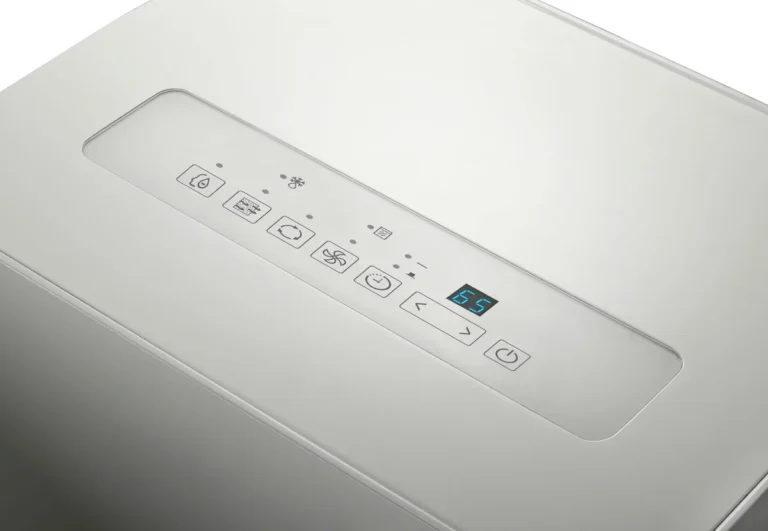
Midea Dehumidifier Keeps Shutting Off
If your Midea dehumidifier keeps shutting off before the room feels dry, you are not alone. It is one of the most common complaints across every major brand, and Midea is no exception. The good news: most causes are simple to fix without a service call.
Most shutoff issues trace back to one of three things: a stuck float switch, a blocked drain line, or a room temperature that is too low. The Midea operating manual states the unit will stop running when the ambient temperature drops below 41°F (5°C) to protect the compressor. Let's walk through what is really happening and how to fix it.
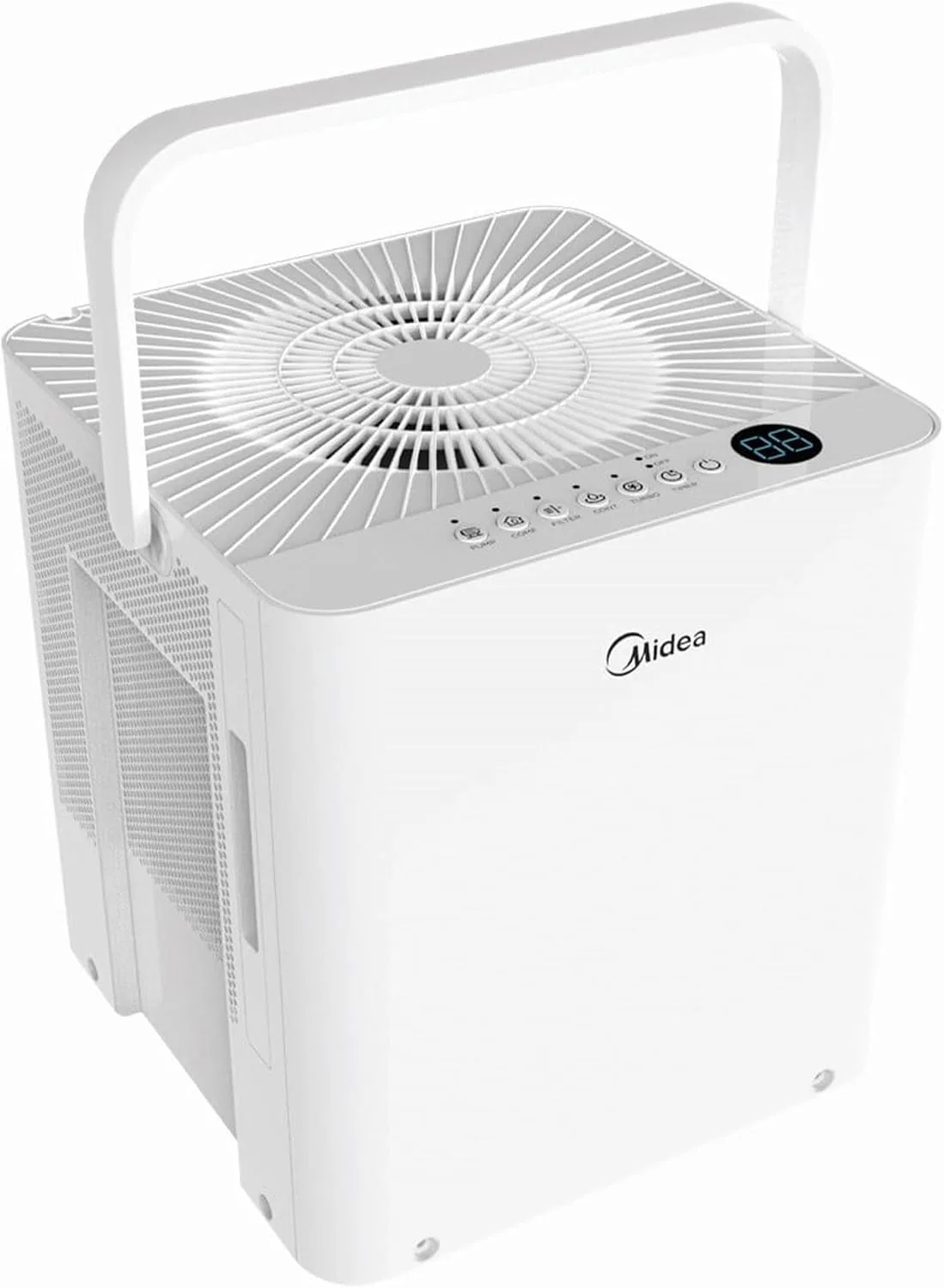
Image source: Bing (Web (fair-use with source credit))
Quick Answer
Your Midea dehumidifier keeps shutting off because of a triggered safety feature. Wait three minutes for the compressor restart delay. Check if the bucket is full or the float is stuck.
Inspect the drain hose for kinks. Ensure room temperature is above 41°F. Clean the air filter.
If error codes appear, reset the unit.
Is It a Normal Shutoff or a Problem?
Before you start pulling things apart, you need to know the difference between a normal cycle and a fault. Midea dehumidifiers have three built-in behaviors that look like a problem but are actually the unit working correctly.
Compressor Protection Delay
Every time the compressor stops, it needs a three-minute cooldown before it can restart. If you turn the unit off and back on quickly, it will sit there humming but not cooling. That is normal.
Wait three minutes. If it starts blowing cold air after that, nothing is broken.
Auto-Defrost Cycle
When the room temperature drops, the coils can ice up. The unit senses this and switches off the compressor while the fan keeps running. This melts the ice.
Once the coils are clear, it restarts on its own. This cycle can take 10 to 30 minutes. If your unit shuts off for a while and then restarts on its own, especially in a basement or garage, that is the defrost cycle doing its job.
Bucket Full Indicator
Some models shut off even if the bucket is not completely full. The bucket full sensor is a float that rises as water fills the tank. If the float gets stuck in the raised position, the unit thinks the bucket is full and will not run.
That brings us to the most common culprit.
Bucket and Float Switch: The Most Common Culprit
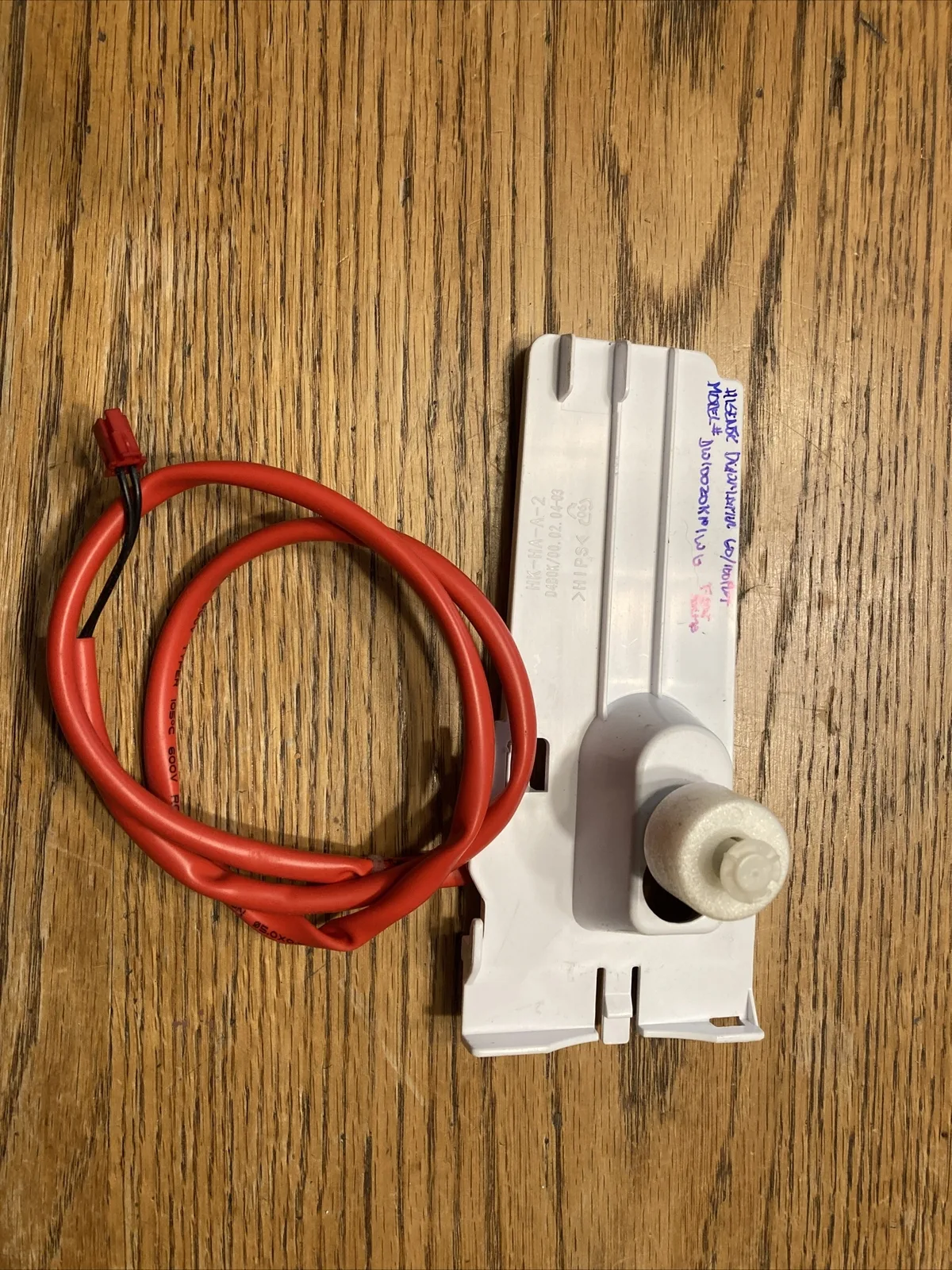
Image source: Bing (Web (fair-use with source credit))
The bucket full sensor is a small plastic float inside the bucket cavity. When water pushes the float up, it triggers a microswitch that tells the unit to shut off. If the float is stuck in the up position, even an empty bucket triggers the shutoff.
How to Check the Float
Open the bucket compartment. Look for a small white or black plastic piece that moves up and down. It is usually near the back wall.
Use a flashlight. Gently push the float down and release. It should spring back up and then fall freely.
If it sticks, the switch is likely jammed.
What Causes a Stuck Float
- Dirt or debris in the bucket cavity
- A cracked or warped bucket that pushes against the float
- Ice buildup from condensation freezing on the float
- The bucket not sitting perfectly in its slot
The Fix
Remove the bucket. Wipe the float and the surrounding area with a damp cloth. Check that the bucket is not cracked or warped.
Reinsert the bucket, making sure it clicks into place. Power the unit off for 30 seconds, then back on. This solves the problem in about 40% of shutoff cases.
Temperature and Drain Line: Hidden Shutoff Triggers

Image source: Bing (Web (fair-use with source credit))
If the float is fine, the next suspects are the environment and the drain line. Two very different causes, but both produce the same symptom: the unit runs for a while, then stops and refuses to restart.
Low Ambient Temperature
Midea dehumidifiers are designed to work in temperatures between 41°F and 95°F (5°C to 35°C). Below 41°F, the compressor will not run. This is not a malfunction.
It is deliberate protection.
If you have the unit in an unheated basement, garage, or crawlspace during winter, check the temperature. Anything below 41°F means the unit will keep shutting off. Move it to a warmer area or use a space heater to bring the room temperature up.
Do not run it in freezing conditions. It can damage the compressor permanently.
Continuous Drain Line Blockage
Many people hook up a hose to the continuous drain port so they do not have to empty the bucket. But if that hose gets kinked, clogged, or is not sloped downhill, water backs up inside the unit. The backup eventually trips the same float switch that senses a full bucket.
Check the hose for sharp bends. Make sure it is not plugged with algae or debris. Run a few cups of water through it to test flow.
If water pools inside the unit, clear the blockage and reattach the hose. Some users find that a larger-diameter hose (3/4 inch instead of 5/8 inch) prevents future clogs.
Sensor Failures and Error Codes
If the bucket and drain line are fine and the temperature is warm enough, the problem may be electronic. Midea dehumidifiers have several sensors that monitor humidity, coil temperature, and room temperature. When one fails, the unit may shut off randomly or refuse to start.
Common Error Codes
| Code | Meaning | What to Do |
|---|---|---|
| E1 | Humidity sensor failure | Unplug for 10 minutes. If code returns, replace sensor |
| E2 | Coil temperature sensor failure | Clean coils. If code persists, replace sensor |
| E3 | Defrost sensor failure | Check for ice on coils. Reset unit |
| E4 | Communication error between control board and display | Power cycle. If persistent, control board replacement needed |
How to Reset the Unit
A hard reset often clears sensor glitches. Unplug the dehumidifier from the wall. Wait 10 minutes.
Plug it back in. Set the desired humidity level (usually 50% or lower). If the error code disappears and the unit runs normally, the sensor issue was temporary.
If the code returns, the sensor likely needs replacement.
Humidistat Calibration
Sometimes the humidistat reads the room incorrectly. The unit thinks the air is already dry enough and shuts off, even though you can feel the humidity. You can test this by placing a separate hygrometer next to the unit.
If your hygrometer reads 65% but the dehumidifier reads 50%, the sensor is off. Midea service can replace it under warranty. For out-of-warranty units, you can buy a replacement sensor online and install it yourself with basic tools.
Sensor failures account for a notable portion of shutoff complaints. Most are the E1 or E2 codes. Before you replace anything, always try a hard reset first.
Step-by-Step Troubleshooting Workflow
This is the part where you stop guessing and start methodically eliminating causes. Follow the branches in order. Each step takes under five minutes.
Step 1: Check the Restart Delay
If the unit shuts off and you try to restart it immediately, it will not run. That is normal. Set a timer for three minutes.
If it starts after that, your unit is working correctly. Move on only if it stays off beyond three minutes or shuts off repeatedly during operation.
Step 2: Inspect the Bucket and Float
Remove the bucket. Look at the float inside the cavity. Push it down.
It should move freely. If it sticks, clean the area with a damp cloth. Reinstall the bucket firmly.
Power cycle the unit. If it runs, you are done. If not, go to Step 3.
Step 3: Check the Continuous Drain Line
If you have a hose attached, disconnect it and see if water drains freely. Kinks or blockages cause backup that triggers the full-bucket shutoff. If the hose is clear, reattach it and test.
If the unit still shuts off, the issue is elsewhere.
Step 4: Check Room Temperature
Use a thermometer. If the room is below 41°F (5°C), the compressor will not run. Move the unit to a warmer space.
If you cannot, consider a whole-home system or a model rated for low temperatures.
Step 5: Clean the Air Filter
A clogged filter restricts airflow, which causes the coils to ice up. Remove the filter and hold it up to light. If you cannot see through it, wash it with warm water and mild soap.
Let it dry completely before reinstalling. Dirty filters cause about 10% of shutoff issues.
Step 6: Look for Error Codes
If the display shows E1, E2, E3, or E4, try a hard reset: unplug for 10 minutes, plug back in. If the code returns, the sensor needs replacement. Contact Midea support if the unit is under warranty.
Step 7: When to Call Support
If you have gone through all six steps and the unit still shuts off randomly, the compressor or control board may be failing. Midea customer service can walk you through warranty claims. If the unit is out of warranty and repair costs approach half the price of a new unit, it may be more practical to explore replacement options.
Our best dehumidifier guide covers reliable alternatives, and if you are dealing with a damp basement specifically, our basement dehumidifier recommendations may help you find a model that handles cooler temperatures better.
Midea provides detailed troubleshooting in the official user manual available on their support site. You can also check Energy.gov for efficiency specifications on newer models if you decide to upgrade.
Power and Maintenance Mistakes
Even if the float, drain line, and sensors check out, small maintenance oversights can cause your Midea dehumidifier to shut off repeatedly. These are the easiest fixes to overlook.
Dirty Air Filter
A clogged filter starves the unit of airflow. The coils get too cold and ice up. The defrost cycle kicks in, shutting off the compressor.
You see the unit run for a while, then stop.
Check the filter every 30 days. Hold it up to a light. If you cannot see through it, wash it with warm water and mild detergent.
Let it dry fully before reinstalling. A wet filter blocks airflow just as badly as a dirty one. A clean filter prevents many shutoff events in dusty basements.
Using an Extension Cord or Power Strip
Midea explicitly warns against extension cords. The voltage drop over a long or thin cord can cause the compressor to struggle and trip internal protection circuits. The unit may shut off without showing an error code.
Plug the dehumidifier directly into a wall outlet. If you must use an extension cord, use a heavy-duty 14-gauge cord that is 6 feet or shorter. Even then, monitor the unit.
Many persistent shutoff issues resolve when the unit gets full power.
Overloaded Circuit
Dehumidifiers draw 300 to 600 watts while running, but the startup surge can be higher. If the unit shares a circuit with a refrigerator, freezer, or space heater, the breaker may trip or voltage may dip enough to trigger a protection shutdown.
Check your breaker panel. If the dehumidifier is on a 15-amp circuit with other high-draw appliances, move it to a dedicated circuit. A simple test: run the dehumidifier alone.
If it stops shutting off, the shared circuit was the problem.
Frozen Coils from Poor Airflow
Beyond a dirty filter, blocked intake or exhaust vents cause freezing. Midea units need at least 12 inches of clearance on all sides. If the unit is shoved into a corner or against a wall, airflow stalls and ice builds up.
Move the unit away from walls and furniture. Check that nothing is sitting on top of the exhaust grille. Let any existing ice melt completely before restarting.
Running the unit on fan-only mode for 30 minutes can speed up defrosting.
Condensate Pump Issues
Some Midea models include a built-in condensate pump for draining upward. If the pump fails or the discharge tube is blocked, water backs up and triggers the full-bucket shutoff.
Listen for the pump running. If you hear it hum but no water moves, check the discharge tube for kinks. If it is silent, the pump may be dead.
Pump failures are less common but worth checking if you have a model with one. Midea support can help diagnose pump issues under warranty.
Frequently Asked Questions
Why does my Midea dehumidifier run for 5 minutes then stop?
The most common cause is the three-minute compressor restart delay being misinterpreted. Wait five minutes. If it restarts on its own, it is normal.
If it stays off, check the float switch and the drain line. A stuck float is the second most common cause.
How do I reset my Midea dehumidifier?
Unplug the unit from the wall outlet. Wait at least 10 minutes. Plug it back in.
Set the desired humidity level to 50% or lower. Press the power button. This clears most temporary sensor glitches and control board hiccups.
Can I run my dehumidifier in an unheated garage?
Only if the garage stays above 41°F (5°C). Below that, the compressor will not run and the unit may be damaged by freezing condensate. If your garage dips below that temperature in winter, move the unit indoors or use a low-temperature-rated model.
What does error code E1 mean on my Midea dehumidifier?
E1 indicates a humidity sensor failure. Try a hard reset first. If the code returns, the sensor needs replacement.
This is a common issue covered under the one-year warranty. If out of warranty, replacement sensors cost about $15 to $25 and are easy to install.
How often should I clean the air filter on my Midea dehumidifier?
Every 30 days is the manufacturer recommendation. A dirty filter restricts airflow, causing the coils to ice up and the unit to shut off. If you run the unit in a dusty basement or near a workshop, check it every two weeks.
My dehumidifier keeps shutting off but the bucket is empty. What now?
Check the float switch for sticking. Then inspect the continuous drain hose for kinks. Then check room temperature.
Then clean the filter. If none of those work, look for an error code on the display. The unit may have a sensor failure or a control board issue.
Contact Midea support if the troubleshooting steps do not resolve it within warranty. If out of warranty, a replacement sensor costs around $20 and takes about 15 minutes to install. For control board failures, the repair cost often exceeds half the price of a new unit, making replacement the more practical option.