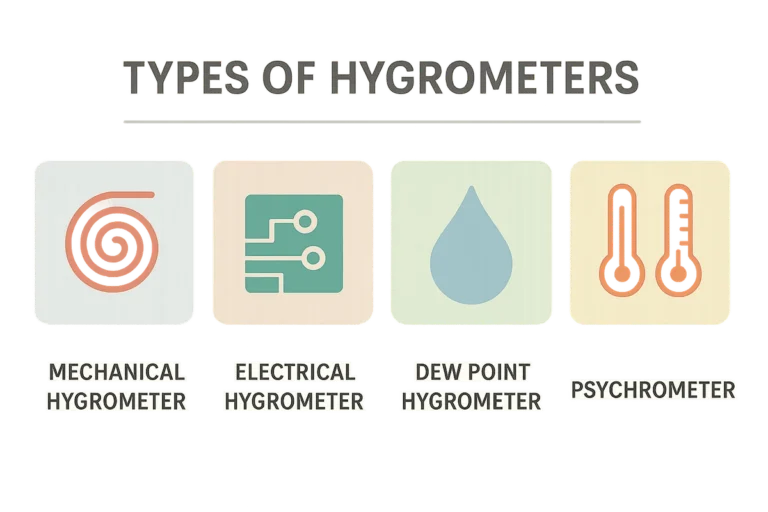
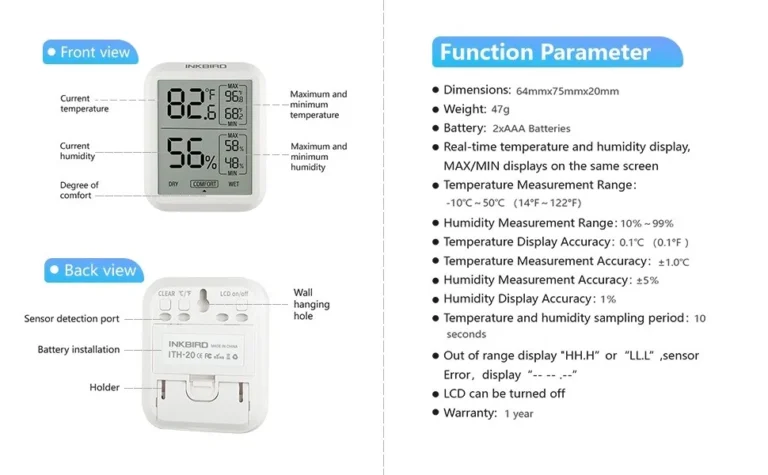
How to Read a Hygrometer
If you've ever stared at a hygrometer and wondered what the number actually means, you're not alone. Knowing how to read a hygrometer correctly matters for everything from protecting a guitar to preventing mold in a basement. A simple misread can send you down the wrong path.
Relative humidity, the number a hygrometer shows, is a percentage from 0 to 100. As of 2026, most consumer-grade hygrometers claim accuracy between ±2 and ±5 percent relative humidity, per manufacturer specifications. Once you know what the reading means, the device becomes far more useful.

Image source: Web (Bing) / fishlaboratory.com (Web image (fair-use with source credit))
Quick Answer
To read a hygrometer, find the relative humidity percentage on the display or dial. Digital models show a number. Analog models use a needle on a 0 to 100 scale.
Psychrometers need two thermometer readings. Then match the wet-bulb difference to a chart.
Why Visuals Matter for Reading a Hygrometer
You can't trust a hygrometer until you can actually read what it's showing. This is a visual skill. You need to see the scale, the needle, the display, and the markings.
The way you look at the device can change the number you take away.
Consider analog dials. If you view the needle from an angle, the pointer may appear to be at 45 percent when it's really at 48 percent. That optical shift is called parallax error.
It happens because the needle sits above a printed scale with a small gap.
Digital displays remove that problem, but they bring their own visual traps. A low battery icon, a flashing reading, or a min/max record mode can make you read the wrong value. Many models show both temperature and humidity, so the larger number might be temperature, not humidity.
Color-coded zones help you interpret the reading at a glance. Many dials use green, yellow, and red arcs to show ideal, acceptable, and risky humidity levels. A common analog dial points into the green zone when indoor humidity sits around 45 to 55 percent.
Don't forget the limits. As of 2026, inexpensive mechanical hygrometers are often accurate to ±5 percent, not more. Per the National Institute of Standards and Technology, calibration and reading technique both affect the final value.
That's why visual details matter so much.
- Use eyes directly above the dial for analog models.
- Let the reading stabilize before you trust it.
- Look for the percent sign on digital displays.
- Check whether the display shows RH, temperature, or dew point.
How to Read an Analog Dial Hygrometer
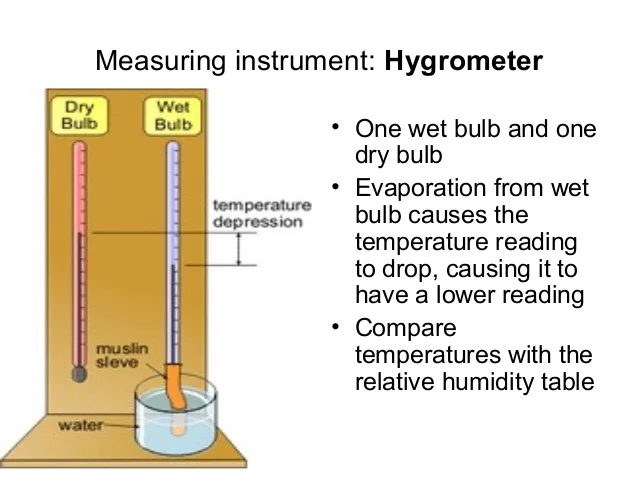
Image source: Bing (Web (fair-use with source credit))
Analog dials are common on inexpensive hygrometers and simple to read once you know the process.
- Place the hygrometer where you want to measure. Keep it away from direct sunlight, vents, and windows.
- Wait at least one to two hours. The needle moves slowly as the sensor adjusts.
- Look directly at the dial from straight ahead. This reduces parallax error.
- Read the number where the needle tip points on the 0 to 100 percent scale.
- Compare the needle position to any color zones on the dial. Green usually means comfortable; red usually means risk.
Most analog hygrometers measure relative humidity with a mechanical coil or a hair-bundle sensor. These respond slowly. If the needle moves between readings, give it time to settle.
A reading taken within five minutes of moving the unit will rarely be accurate.
Some dials include a section labeled "high" or "low" instead of numbers. Treat those as general indicators, not precise values. For real accuracy, you need a dial with numbered markings.
The photo above shows the most common type: a circular dial with a single needle. You read it the same way you'd read a clock hand pointing at a number. The difference is that the scale from 0 to 100 represents relative humidity, not hours.
If your dial has an adjustment screw on the back or behind the dial, it may need calibration. We'll cover that later.
How to Read a Digital Hygrometer
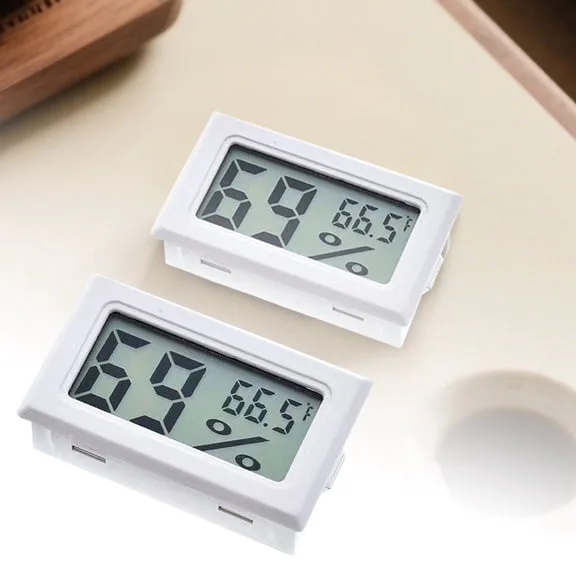
Image source: Bing (Web (fair-use with source credit))
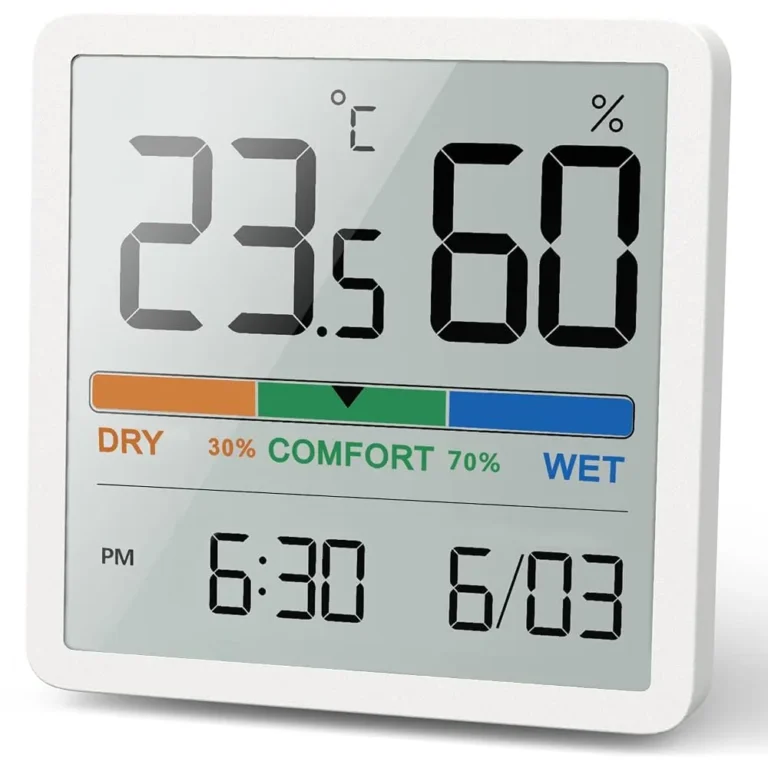
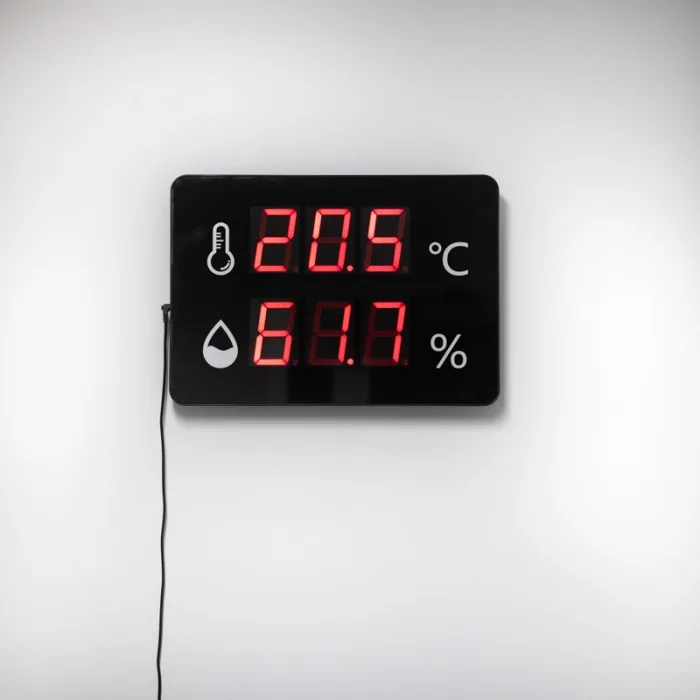
Digital hygrometers give you a numeric readout, usually on an LCD display. Most show relative humidity as a percentage, but that's not always the only value on screen.
Start by checking the display. Look for the percent sign. If the screen shows "45" with a % symbol, that's the relative humidity.
If it shows a temperature reading, you'll usually see °F or °C beside the number. Some models alternate between temperature and humidity automatically.
Wait for the reading to stabilize. Digital sensors still need time to adjust. Manufacturer specifications indicate typical response times range from 10 seconds to a few minutes, depending on the sensor.
A freshly unpacked hygrometer can take up to 24 hours to settle into a new environment.
Watch for mode indicators. Many digital hygrometers include a min/max memory. When that mode is active, the on-screen value may be the highest or lowest recorded reading from the last few hours, not the current condition.
Press the mode button to return to the live reading that updates.
A low battery icon can also trick you. If the battery is weak, the display may dim or freeze. Replace the battery and check the reading again.
The photo above shows a typical digital display with both humidity and temperature. The larger number, often the easiest to glance at, is not always humidity. Make it a habit to look for the percent sign first.
How to Read a Psychrometer (Wet Bulb/Dry Bulb)
A sling psychrometer is the old-school precision tool for measuring relative humidity. It uses two thermometers, one with a wet wick and one dry.
- Wet the wick with distilled water.
- Swing the psychrometer in the air for about 30 seconds.
- Stop, then read the wet bulb and dry bulb temperatures immediately.
- Subtract the wet bulb temperature from the dry bulb temperature to find the wet bulb depression.
- Find the dry bulb temperature on the left edge of a psychrometric chart. Move horizontally to the wet bulb depression value, then read the relative humidity curve nearest that point.
Here's a simple example. Say the dry bulb reads 75°F and the wet bulb reads 62°F. The depression is 13 degrees.
On a psychrometric chart, that combination lines up with roughly 50 percent relative humidity.
You can also use a printed psychrometric table. These list dry bulb temperature down the side and wet bulb depression across the top. The cell where they meet is the relative humidity.
Psychrometers need fast reading. The wet bulb warms as soon as the wick starts drying. That's why you record both thermometers right after swinging.
As of 2026, digital psychrometers model the same calculation automatically. But learning to read the chart is still a useful skill when you need accuracy in the field.
Common Visual Mistakes to Avoid
Even after you learn the process, small errors can throw off a reading. Here's what goes wrong most often.
- Viewing an analog dial from an angle. This causes parallax error and can shift the reading by several percent.
- Reading the wrong number on a digital display. If the screen shows temperature without a % sign, you've missed the humidity value.
- Taking a reading too soon after moving the hygrometer. Analog units can take two hours or more.
- Confusing a min/max record for a live reading. Check the mode.
- Placing the unit over a humid or dry pocket. A spot near a humidifier, stove, or sunny window gives a misleading number.
- Ignoring condensation on the sensor. If water droplets sit on the sensor, the reading will spike.
The table below sums up the common visual issues:
| Mistake | What you might read | How to fix it |
|---|---|---|
| Parallax on an analog dial | 3 to 5 percent too high or low | Line up your eyes level with the needle |
| Reading temperature instead of humidity | 72 instead of 45 percent | Look for the % symbol |
| Min/max mode left on | Stored peak, not current value | Press mode until no MIN/MAX label shows |
| Condensation on the sensor | 90+ percent indoors | Dry the sensor and re-test |
| Not waiting for the needle to settle | Skipping between values | Wait 1 to 2 hours |
If the reading stays stuck at the same number, the sensor may be dead, not visually wrong. Compare it with a second hygrometer placed nearby. This basic check confirms whether your eyes or the device are at fault.
How to Calibrate Your Hygrometer (Salt Test)
Even a properly read hygrometer is useless if it's off by 10 percent. Calibration fixes that.
The salt test is the standard method. Per ASTM E104, a saturated salt solution of sodium chloride creates a stable relative humidity of about 75 percent at 25°C. Here's how to do it.
- Gather a sealed container, a small dish, table salt, and distilled water.
- Mix salt with a little distilled water until it forms a wet slurry, not fully dissolved.
- Place the slurry in the container and put your hygrometer next to it, not touching the salt.
- Seal the container tightly and let it sit for 8 to 12 hours.
- After that time, check the reading. It should be 75 percent on an accurate hygrometer.
If the reading is off, note the difference. For analog models, you can adjust the calibration screw on the back. For digital models, check the user manual.
Many have a calibration mode. If yours doesn't, you can't fix it. You just have to mentally add or subtract the offset.
A reading of 73 percent when the chamber is at 75 percent means the device reads 2 percent low. That's within typical consumer accuracy. Anything beyond 5 percent off needs correction.
Test your hygrometer once a year. Seasonal changes and sensor drift affect accuracy over time.
Frequently Asked Questions
How do I know if my hygrometer is accurate?
Use the salt test described above. A reading of 75 percent after 12 hours in a sealed container with a saturated salt slurry means the device is accurate. If it's off by 5 percent or more, recalibrate or replace it.
Why does my hygrometer show over 90 percent indoors?
A reading above 90 percent indoors usually means condensation on the sensor, a dead sensor, or placement near a humidifier or bathroom. Move the unit to a different spot and let it dry for 24 hours. If the reading stays high, the sensor may be faulty.
Can I read a hygrometer without a chart?
Yes, for digital and analog dial models. The reading is directly on the display or dial. Psychrometers need a chart or table to convert wet-bulb depression to relative humidity.
Some digital psychrometers calculate it automatically.
How long does a hygrometer take to give a correct reading?
Digital models stabilize in 10 seconds to a few minutes. Analog models take one to two hours. If you move a hygrometer between rooms, wait for the sensor to fully adjust before trusting the reading.
What does a humidity reading of 100 percent mean?
It means the air is fully saturated with water vapor. This can happen in a bathroom during a hot shower or outdoors during heavy fog. A reading of 100 percent inside a house usually indicates a problem such as a leak, poor ventilation, or a faulty sensor.
Do I need to calibrate a digital hygrometer?
Digital hygrometers also drift, though less often than analog ones. The salt test is the same for both types. If your digital model lacks a calibration mode, you can still test it and know the offset.
For critical uses like cigar storage or instrument preservation, calibration is worth the time.