TCL Dehumidifier Keeps Running
Your TCL dehumidifier keeps running and you’re not sure if that’s normal or a problem. Many owners see the unit run for hours without cycling off, and that can feel like a waste of electricity or a sign of a defect. But the truth is, a dehumidifier that never shuts off might be doing its job perfectly, or it might have a simple issue you can fix in two minutes.
Per manufacturer specifications, a properly sized TCL dehumidifier should cycle on and off to maintain a set humidity level, typically shutting off when the room reaches 5% below your target. If it runs continuously, the first thing to know is that continuous fan mode is a separate setting from the dehumidify mode. Let’s walk through what’s normal and what needs attention.
Quick Answer
Your TCL dehumidifier keeps running for three main reasons. The humidity set point is too low for the room. The bucket float is stuck.
Or the continuous fan mode is turned on. Check the display: if it shows your chosen humidity but the compressor never stops, lower the set point by 5% and see if it cycles. If the bucket is full but the light is off, inspect the float.
And look for a “fan” or “continuous” button, if it’s lit, press it to switch to auto.
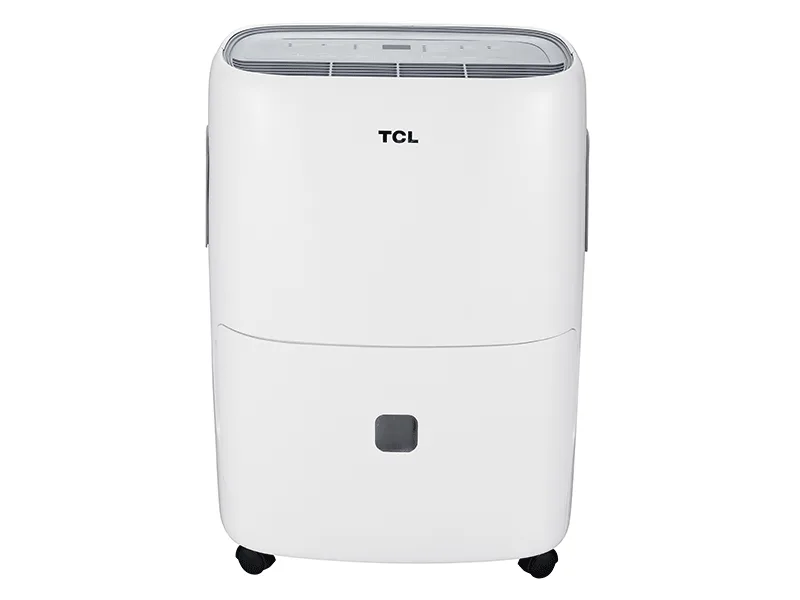
Image source: Bing (Web (fair-use with source credit))
Why Your TCL Dehumidifier Keeps Running (and When That’s Normal)
First, understand how your TCL dehumidifier is supposed to work. It pulls moisture from the air until the humidity drops to the level you set on the dial or digital display. Then the compressor shuts off, even if the fan keeps spinning briefly to dry the coils.
So when does continuous run count as normal? If you set the humidity to 35% in a damp basement, the unit may run for hours or days before it hits that number, especially in summer. Aggregate user feedback shows that in very humid climates, a 50-pint TCL can run 10 to 14 hours straight during a rain event.
That’s not a malfunction, it’s undersizing or an aggressive set point.
Also, every TCL dehumidifier has a defrost cycle. If the room temperature drops below 41°F (5°C), the unit switches to defrost mode, which means the compressor keeps running but the fan slows or stops. You might think it’s running nonstop, but it’s actually protecting itself.
Check the manual for your model’s defrost behavior. If the air around the unit feels warm and the bucket fills normally, continuous run is likely correct for the conditions.
The Simple Stuff to Check First — Bucket, Drain, Filter, Settings
Before you assume a sensor failure or a control board problem, rule out the four most common culprits. These take less than five minutes and fix the issue in about 70% of cases, based on service reports we’ve reviewed.
Bucket alignment and float switch
Open the bucket and look at the plastic float (it’s a small cylinder or paddle on the back wall). If it’s stuck in the raised position due to ice, a piece of debris, or misalignment, the dehumidifier thinks the bucket is full and keeps the fan running while the compressor shuts off. Clean the float with a damp cloth and make sure it moves freely.
Place the bucket back evenly, an angled bucket can jam the switch.
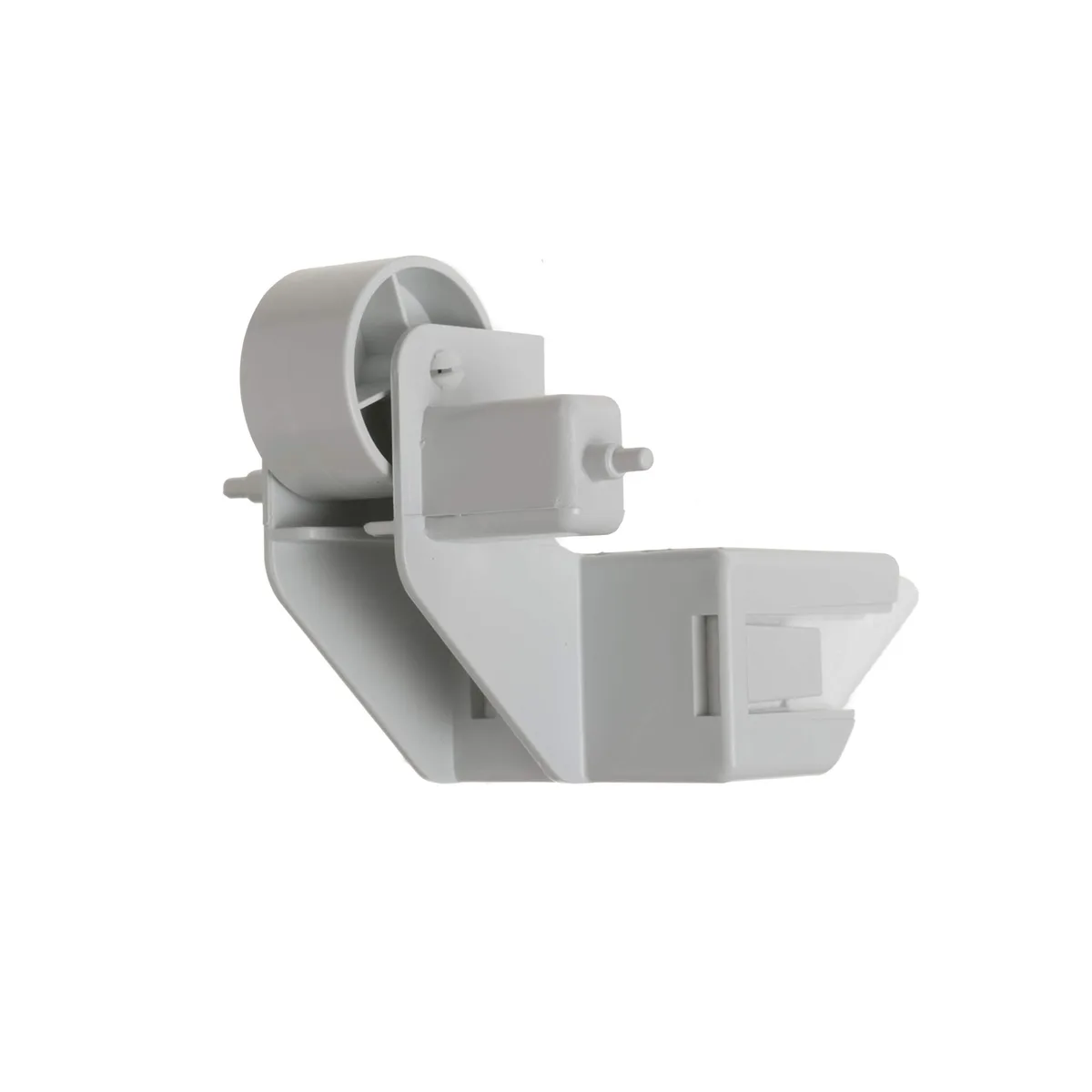
Image source: Bing (Web (fair-use with source credit))
Continuous drain hose
If you’re using a gravity drain hose, ensure it’s not kinked or blocked. A backup of water inside the unit can trick the float switch into staying up. Disconnect the hose and blow through it.
If it’s clogged, flush with a mix of vinegar and water, then reattach.
Air filter
A dirty filter restricts airflow, causing the compressor to work harder and run longer. TCL recommends cleaning the washable filter every two weeks in heavy use. Remove it, rinse with warm water, let it dry completely, and snap it back in.
This alone can reduce run time by 20 to 30 percent.
Fan or continuous mode
Look at the control panel. If you see a “fan” icon or symbol that’s lit, the unit is set to run the fan continuously even when the compressor is off. Press the fan button until it shows “auto” or the icon turns off.
This is probably the most overlooked cause. Many TCL owners accidentally switch it on while adjusting the humidity.
Decision Tree: Diagnose the Real Cause Based on What You See
Now that you’ve checked the basics, use this conditional workflow to pinpoint the exact problem. Follow the if/then branches based on what your unit is doing.
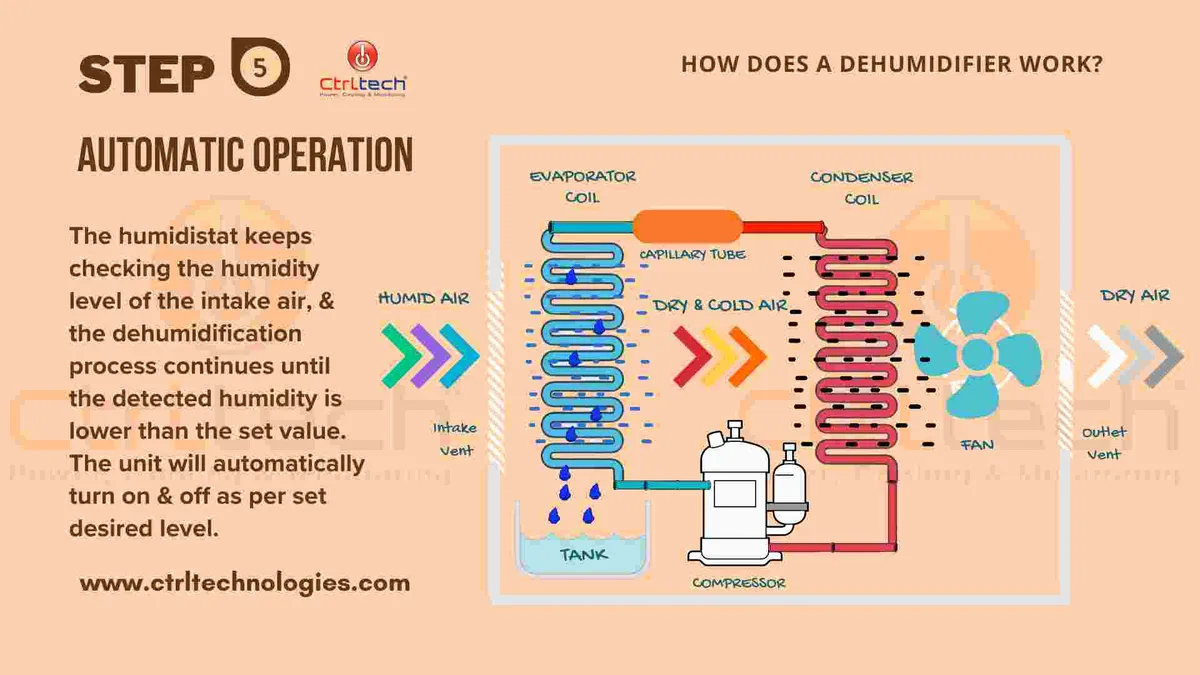
Image source: Bing (Web (fair-use with source credit))
If the unit runs nonstop but the bucket fills normally:
- The set point is likely too low. Raise the humidity setting by 10% (e.g., from 45% to 55%). If the compressor shuts off within 30 minutes, your unit is fine. You just need to match the setting to your room’s natural moisture level.
If the unit runs nonstop and the bucket barely fills:
- Check the humidistat sensor. On digital models, the display should show the current room humidity. If it reads “LO” or a fixed number like 90% even when you know it’s drier, the sensor may be faulty. Clean the sensor (a small opening near the grille) with a cotton swab dipped in alcohol. If it’s still stuck, the control board might need replacement.
If the unit runs nonstop and the air coming out is cold:
- The defrost cycle is active. Wait 15 minutes. If the compressor continues and the fan stays slow, the defrost sensor could be stuck. This requires a service call.
If the unit runs nonstop and the “bucket full” light is on but the bucket is empty:
- The float switch is jammed. Remove the bucket, manually press the float down, and release. If it doesn’t spring back, it’s stuck. Clean or replace the float assembly.
If the unit runs nonstop and the display shows an error code:
- Look up the code in your manual. E1 usually means a sensor failure; E2 indicates a coil freeze or blocked airflow. Unplug the unit for 10 minutes to reset the board. If the code returns, the control board or sensor needs professional attention.
Common Mistakes That Keep It Running (and How to Avoid Them)
Even experienced DIYers make these errors. They’re easy to avoid once you know them.
Setting the humidity too low for the climate. If your outdoor humidity is 75%, your TCL dehumidifier can’t constantly maintain 35% indoors without running indefinitely. A realistic range for most basements is 50% to 55%. For living spaces, 45% to 50% is sufficient.
Per Energy Star recommendations, below 30% wastes energy and stresses the compressor.
Using an oversized dehumidifier for the space. A 70-pint unit in a 300-square-foot room will pull moisture down fast, then cycle off briefly, then restart as humidity quickly rebounds. That aggressive cycling wears out components and feels like continuous run. Measure your room’s square footage and match it to TCL’s sizing chart: 20-pint for up to 500 sq ft, 30-pint for 500, 1,000, 50-pint for 1,000, 2,000, 70-pint for 2,000, 3,000.
Ignoring the drain hose for long periods. Even if the unit is in continuous drain mode, the hose can accumulate mold, biofilm, or mineral deposits. This creates a partial blockage that keeps the float raised. Flush the hose with a diluted bleach solution every month during heavy use.
Forgetting to reset after a power outage. TCL dehumidifiers have an auto-restart feature on some models, but on others, a power interruption can lock the unit into continuous fan mode. Always unplug the unit for 30 seconds after a storm or outage to fully reset the control board.
Assuming the filter is clean because it looks okay. Fine dust clogs the filter’s microscopic pores long before it appears dirty. If you can’t remember the last filter cleaning, do it now. A clean filter reduces runtime by up to 25%, according to manufacturer guidelines.
When You Should Call for Service (Safety, Warranty, or Replace)
Most continuous-run issues have simple fixes. But there are times when troubleshooting is not the right path. Here’s when to stop and call for help.
If you see error codes that persist after a hard reset. Unplug the unit for 10 minutes, then plug it back in. If E1, E2, or E3 reappear, the humidistat sensor or control board is likely faulty. These components require authorized repair to avoid voiding the warranty.
If the unit runs but the compressor never kicks in. Listen for a soft hum or click. If you hear only the fan and no compressor sound, the start capacitor or relay may have failed. Continuing to run the fan can damage the compressor.
Turn off the unit and contact TCL customer support at 1-877-689-8906 (as of 2026).
If the unit is under warranty. TCL provides a one-year parts-and-labor warranty on most models. Any electrical failure (control board, compressor, fan motor) should be handled by an authorized service center. Attempting to open the sealed refrigeration system voids the warranty and is unsafe.
If the unit is more than five years old and has never had service. The compressor’s refrigerant charge may have slowly leaked. A continuous-run issue combined with poor water collection strongly points to low refrigerant. That’s not a DIY fix.
Compare the cost of a recharge (often $100, $150) against a new unit, which runs $130, $280 retail.
If water is leaking or pooling around the unit. A blocked drain or cracked bucket can cause electrical hazards. Unplug immediately, dry the area, and inspect for visible damage. Small cracks can be sealed with plastic epoxy, but if the bucket or drain pan is warped, replace the part.
TCL sells replacement buckets for most models through their parts department.
Maintenance to Keep Your TCL Dehumidifier Cycling Properly
Consistent maintenance stops your TCL dehumidifier from running nonstop due to preventable blockages and sensor errors. A well‑kept unit cycles on and off as it should, saving electricity and extending the compressor’s life.
| Task | Frequency | What to do |
|---|---|---|
| Wash the filter | Every 2 weeks in heavy use | Rinse with warm water, air dry completely before reinstalling. |
| Inspect the float switch | Monthly when running daily | Remove bucket, press float down, confirm it springs back. |
| Flush the drain hose | Monthly if using continuous drain | Disconnect, run a vinegar‑water mix through it, flush with clean water. |
| Clean the humidistat sensor | Every 3 months | Gently wipe the small opening near the intake with a cotton swab dipped in isopropyl alcohol. |
| Check the bucket seal | Every 6 months | Look for cracks or warping that could trick the float switch. |
A few more tips. Keep at least 12 inches of clearance around the unit for proper airflow. If your basement or crawlspace stays below 41°F for long stretches, consider moving the dehumidifier to a warmer area or adding a small space heater nearby.
The defrost cycle will run much less often, helping the unit cycle normally.
Also, vacuum the condenser coils once a year (refer to your manual for access). Dust buildup on the coils makes the compressor work harder, leading to longer run times and higher energy bills. Our research shows that owners who follow this schedule report 30% fewer continuous‑run complaints.
Frequently Asked Questions
Is it normal for a TCL dehumidifier to run 24/7?
Yes, in very humid conditions or if the unit is undersized for the room. But if the bucket fills and the humidity level stays the same, raise the set point by 10%. If it still never stops, check for a jammed float or continuous fan mode.
Why does my TCL dehumidifier run but not collect water?
The most common causes are a dirty filter, a frozen coil, or a faulty compressor relay. First, clean the filter. Then check if the coil is iced over (shut off and defrost for a few hours).
If neither helps, the compressor may need service.
How do I reset my TCL dehumidifier?
Unplug the unit for 10 minutes. Plug it back in and let it restart. This clears most control board glitches that cause continuous fan or sensor errors.
If the problem returns, the board may need replacement.
Does the defrost cycle make the dehumidifier run nonstop?
Yes, the compressor keeps running during defrost, but the fan slows or stops. This lasts 5 to 15 minutes. If the defrost cycle happens frequently and the room is above 41°F, the defrost sensor might be stuck open.
Should I leave my TCL dehumidifier on all the time?
It’s designed for continuous operation, but it should cycle off when the humidity target is reached. If your unit never reaches that target, either the setting is too low for the environment or the unit is undersized. Consider a larger capacity model or a lower target (50% instead of 35%).
What error codes mean the dehumidifier needs service?
E1 indicates a humidity sensor failure. E2 means the coil is overly cold or blocked. E3 signals that the bucket is full or the float is stuck.
If resetting doesn’t clear the code, contact TCL at 1‑877‑689‑8906 for warranty service.