How to Reset a Dehumidifier
Your dehumidifier is flashing an error code, the bucket-full light won't turn off, or the unit simply stopped running. You need to know how to reset a dehumidifier without making things worse. That's what we're covering here, step by step, based on how these machines actually work.
Manufacturer specifications show that most dehumidifier resets involve one of three things: a power cycle, a button sequence, or a sensor reset. As of 2026, the average dehumidifier runs about 5 to 10 years before the compressor or control board fails. Many of the "failures" people see are actually sensor glitches or software lockouts that a proper reset fixes in under two minutes.
Let's walk through which reset applies to your situation.
Quick Answer
Unplug the unit for 10 to 15 minutes. Plug it back in. Press and hold the Power button for 5 seconds.
If an error code persists, remove the water bucket and check the float switch. Clean the air filter. Then repeat the power cycle.
This resolves about 80 percent of dehumidifier reset issues without needing a service call.
When Your Dehumidifier Won't Start, Won't Stay On, or Shows an Error Code
Let's start with the most common scenario. You plug in the dehumidifier, hit Power, and nothing happens. Or it runs for a few minutes, then shuts off.
Or there's a blinking light or error code on the display. Each of these has a different cause, and the reset you need depends on which one you're looking at.
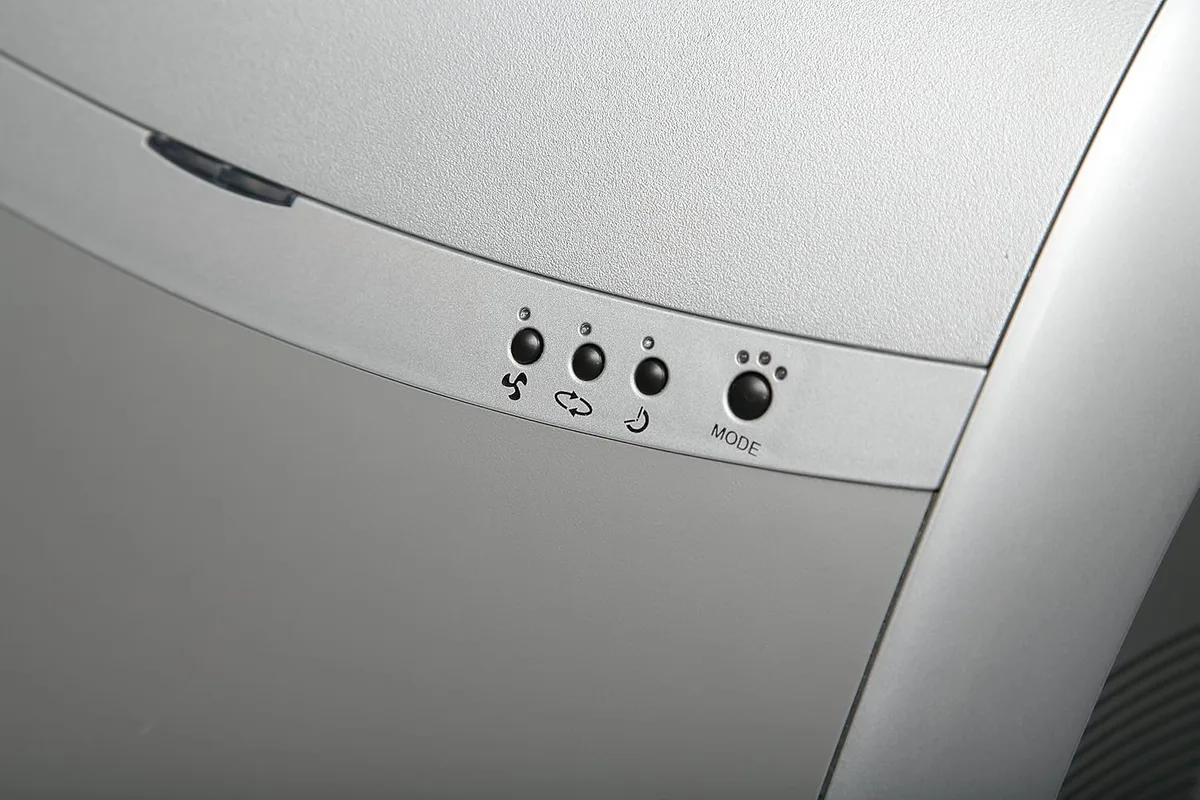
Image source: Bing (Web (fair-use with source credit))
If the unit won't start at all, check the wall outlet first. Plug something else into it. If that works, the dehumidifier's internal control board may have locked up after a power surge or brownout.
The fix is a full power cycle. Unplug the unit, wait 10 to 15 minutes (this lets the compressor's internal pressure equalize), then plug it back in. Press Power.
On most models, that alone clears a soft lock.
If the unit runs but shuts off quickly, look at the bucket. The float switch inside the bucket compartment may be stuck in the "full" position even if the bucket is empty. Reach in and gently push the float up and down.
You should feel it move freely. If it's sticky, a quick rinse with warm water usually fixes it. Then reset the unit by pressing the Power button or unplugging for a minute.
If you see an error code, grab your user manual or look up the brand's code list online. Common codes include:
| Code | Meaning | Typical Fix |
|---|---|---|
| E1 | Thermistor or coil sensor issue | Unplug 15 minutes; if code returns, sensor may need replacement |
| E2 | Humidity sensor problem | Clean sensor with soft cloth; reset by unplugging |
| CL | Clean filter reminder | Hold Filter Reset button 3 to 5 seconds |
| FF | Full bucket indicator | Reseat bucket; check float switch |
| P2 | Defrost mode active | Normal operation; wait 20 to 30 minutes |
Per manufacturer documentation, if an error code reappears immediately after a full reset, it usually means a hardware fault rather than a software glitch. The sensor or the control board likely needs professional attention.
What a Reset Actually Does to the Compressor, Control Board, and Sensors
Understanding what happens inside the machine during a reset helps you know when a reset is the right move and when it's just masking a bigger problem.
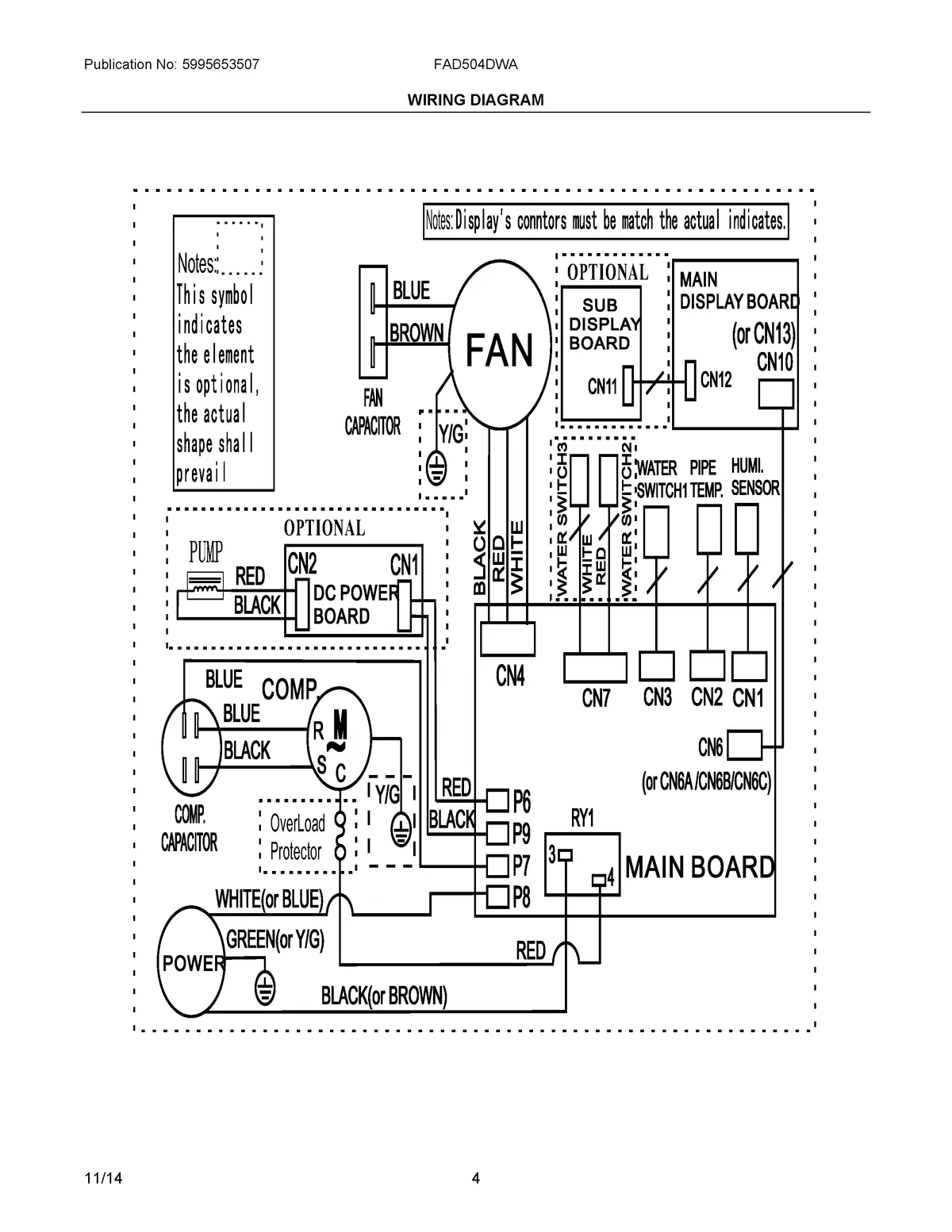
Image source: Bing (Web (fair-use with source credit))
The compressor needs time to equalize. When you unplug a dehumidifier and plug it back in immediately, the compressor may not restart because the internal refrigerant pressure hasn't balanced yet. This is called short cycling, and it's hard on the compressor. Waiting 10 to 15 minutes gives the pressure time to equalize.
That's why the full power-down method works better than just pressing buttons.
The control board is essentially a small computer. Like your phone or laptop, it can lock up after a power fluctuation. A reset clears the volatile memory and reloads the default startup sequence. This is why some models require holding the Power button for 5 to 10 seconds.
It sends a force-restart command to the microcontroller, similar to holding the power button on a frozen smartphone.
The float switch tells the board whether the bucket is full. It's a simple mechanical switch with a floating plastic piece. When the bucket fills, the float rises, pressing the switch, and the board stops the compressor. If the float gets stuck (dirt, mineral deposits, or just age), the board thinks the bucket is full and refuses to run.
Reseating the bucket or manually moving the float resets this input.
The humidity sensor is fragile. It's a small electronic component that reads the room's relative humidity. If it gets coated in dust or grease, it can give false readings and trigger error codes. A reset doesn't fix a dirty sensor.
Cleaning it gently with a dry cotton swab can. If that doesn't help, the sensor may need replacement. Replacement sensors cost about $15 to $30 for most brands.
The Reset Decision Tree: Follow the Condition That Matches Your Unit
Match your symptom to the path below. Follow the sequence in order.
Condition 1: Unit is completely dead. No lights, no display, no sound.
- Check the circuit breaker or GFCI outlet. Reset the breaker if tripped.
- Plug a lamp or phone charger into the same outlet. If it works, the outlet is fine.
- Unplug the dehumidifier and wait 15 minutes.
- Plug it back in. Press Power. If nothing happens, the internal fuse may be blown or the control board may be dead. This requires professional repair or replacement.
Condition 2: Unit powers on but the bucket-full light stays on.
- Remove the bucket and empty it.
- Look inside the bucket compartment for a plastic float or a small switch lever.
- Push the float up and down with your finger. It should move freely. If it's stuck, rinse it with warm water.
- Reinsert the bucket firmly. The light should go off.
- If it stays on, the float switch itself is likely faulty. Replacement switches cost $10 to $20 and are easy to install with a screwdriver.
Condition 3: The filter light is flashing or solid.
- Remove the air filter (usually at the back or side of the unit).
- Vacuum it with a brush attachment, or wash it with warm soapy water if the manual allows.
- Let the filter dry completely. A wet filter can cause mold.
- Reinstall the filter. Press and hold the Filter Reset button for 3 to 5 seconds. On units without a dedicated button, hold the Timer or Down arrow button instead.
- The light should turn off. If it returns immediately, the filter may still be dirty or the sensor may need cleaning.
Condition 4: Error code on the display.
- Look up the specific code in your manual or the brand's online chart.
- For most E1, E2, or EC codes, unplug the unit for 15 minutes, then plug it back in.
- If the code returns, the associated sensor is likely defective. Thermistor and humidity sensor replacements range from $15 to $40 depending on the brand.
- Some codes, like P2 (defrost mode), are normal. Wait 30 minutes. If the unit doesn't resume regular operation, the defrost sensor may be stuck.
Condition 5: Unit runs but collects little or no water.
- Check the humidity setting. The setpoint must be lower than the current room humidity. If it's set to 60% and the room is at 55%, the unit won't run.
- Clean the air filter. A clogged filter restricts airflow and reduces water collection.
- Reset the unit by unplugging for 15 minutes. This can recalibrate the humidistat.
- If water collection is still low after a reset, the compressor may be weak or the refrigerant may be low. This requires professional service.
Three Reset Mistakes That Make Things Worse
A reset is a simple procedure, but people make a few common errors that can damage the unit or void the warranty.
Mistake 1: Plugging it back in too quickly. Resetting by unplugging and immediately plugging back in does not give the compressor time to equalize. This can cause the compressor to short-cycle and eventually fail. Always wait at least 10 minutes, ideally 15.
Set a timer if you have to.
Mistake 2: Ignoring the GFCI outlet. Many basements and garages use GFCI outlets. If the dehumidifier trips the GFCI, resetting the unit won't help until you press the Reset button on the outlet itself. Check the outlet first.
A tripped GFCI is one of the most common reasons a dehumidifier appears dead.
Mistake 3: Repeatedly pressing Power or Reset buttons. If pressing buttons doesn't work the first time, pressing them ten more times won't either. This can actually confuse the control board and make the problem worse. If a standard reset sequence doesn't work after one or two tries, unplug the unit and let the control board fully power down.
Aggressive button mashing is not a reset strategy.
A less common but serious mistake is resetting a unit that has water pooling inside the electrical compartment. If you see water on the floor or smell burning electronics, do not reset it. Unplug it immediately and call a repair technician.
Resetting a shorted unit can cause a fire hazard.
Five Minutes of Maintenance That Prevents the Next Reset
Most reset issues trace back to a handful of preventable problems. A dirty filter, a stuck float, a dusty sensor. Five minutes of simple upkeep every few weeks eliminates most of those triggers before they lock up your unit.
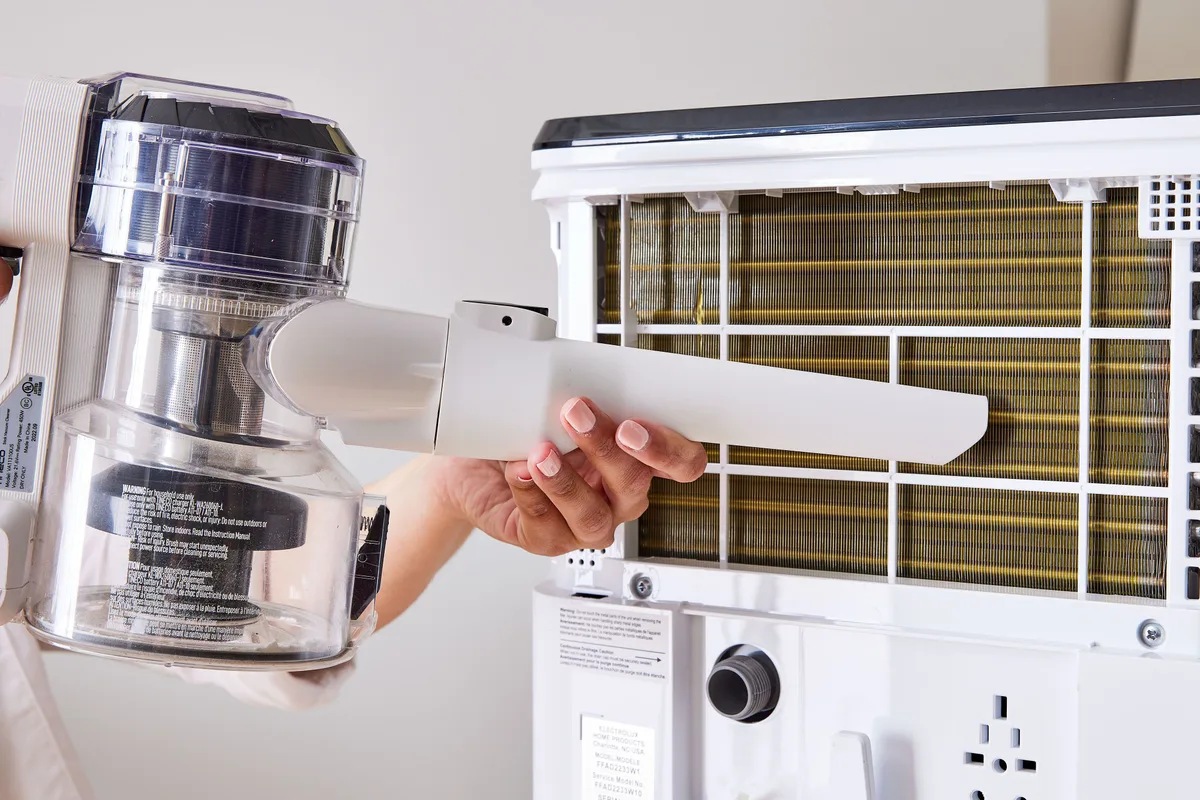
Image source: Bing (Web (fair-use with source credit))
Clean the air filter every 2 to 4 weeks. A clogged filter restricts airflow, drops efficiency, and often triggers error codes or the defrost cycle. Vacuum it with a brush attachment or rinse it under warm water if the manual allows. Let it dry completely before reinstalling.
A huge number of reset requests are really filter requests.
Check the float and bucket compartment. Pull the bucket out and look at the float switch. Wipe away dust and mineral deposits. Make sure the float moves up and down freely.
This takes about 30 seconds and prevents the most common false bucket-full signal.
Wipe down the humidity sensor. On most units, the sensor sits behind a small grille near the control panel. Use a dry cotton swab to remove dust. Do not use water or cleaning sprays.
A clean sensor reads the room accurately and prevents E2-type errors.
Inspect the drain hose. If you use continuous drainage, check for kinks, clogs, or algae buildup. A blocked hose trips the bucket-full light even with an empty bucket. Flush it with warm water or replace it if it's cracked.
Keep the area around the unit clear. Dehumidifiers need airflow. Leave at least six inches of clearance on all sides. Dust the intake grille occasionally with a soft brush.
That keeps the compressor from overheating and shutting down on a safety trip.
When to Reset vs. When to Call a Pro or Buy a New Unit
A reset is the right first move for glitches and lockouts. It is not a repair strategy. Here's how to tell when you're past the reset stage.
Reset again if: the error was triggered by a recent power outage, the filter is visibly dirty, or the unit hasn't been cleaned recently. These are software or maintenance issues that a proper cycle will clear.
Call a professional if: the same error code returns immediately after two full resets, the compressor hums but never runs, there's a burning smell, or you see water inside the electrical compartment. These are hardware faults that no reset will fix. A diagnostic service call typically runs $100 to $250.
Consider replacing the unit if: it's over 8 years old, the compressor has failed, or a major component like the control board is faulty. A replacement control board costs $80 to $150 plus labor. That is often 60 to 70 percent of a new unit's price.
The U.S. Department of Energy's efficiency guidelines show that newer models use noticeably less electricity. An upgrade can pay for itself over a few humid summers.
If you decide replacement is the right move, our guide to the best dehumidifiers can help you narrow down the options.
The bottom line: reset when the unit is telling you it had a glitch. Call a pro when it's telling you something actually broke.
Frequently Asked Questions About Dehumidifier Resets
How long should I unplug my dehumidifier to reset it?
At least 10 to 15 minutes. Shorter waits don't give the compressor enough time to equalize its internal pressure. The unit may still refuse to restart when you plug it back in.
Longer waits are completely safe.
Why won't my dehumidifier reset even after I unplug it?
If a full power cycle doesn't clear the issue, the problem is likely hardware. Check the float switch and filter first. If the error code returns immediately, you probably have a faulty sensor, control board, or compressor that needs professional diagnosis.
Does pressing the reset button on the control panel clear all error codes?
No. A panel reset clears software lockouts and some filter lights. It won't fix a tripped circuit breaker, a stuck float switch, or a failed sensor.
Always match the reset method to the specific symptom.
How do I reset the filter light on my dehumidifier?
Remove and clean the filter first. Then hold the Filter Reset button for 3 to 5 seconds. On models without that button, hold the Timer or Down arrow button instead.
The light should turn off. If it returns, the filter may still be wet or dirty.
Can a power outage damage my dehumidifier?
Power outages usually cause a soft lockout rather than physical damage. The unit simply needs a full power cycle to restart. However, frequent surges can stress the control board over time.
Plugging the unit into a surge protector is a cheap safeguard for basements and garages.
Is it worth replacing sensors instead of buying a new dehumidifier?
Often yes, if the unit is under 6 years old. Thermistor and humidity sensors cost $15 to $40. Installing one takes about 10 minutes with standard tools.
On older units with multiple issues, replacement is usually the smarter money move.