Can a Dehumidifier Run on a Timer
Can a dehumidifier run on a timer? It's a fair question. Maybe you want to save on electricity.
Or you only need it running when you're home. The short answer is yes, but only if your unit has the right features and you set it up correctly.
Manufacturer specifications indicate that most modern dehumidifiers draw between 300 and 700 watts during operation. That's not a huge load, but it's enough that a low-quality timer can overheat. As of 2026, most units also include a built-in compressor delay of about three minutes.
That feature matters more than you'd think when you start scheduling run times. Let's walk through what you actually need to know before you set that timer.
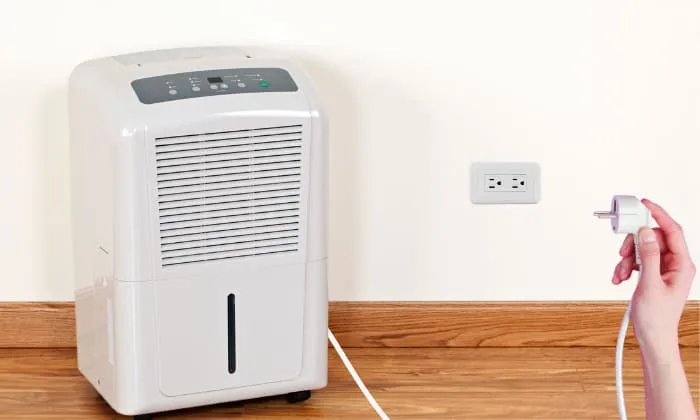
Image source: Bing (Web (fair-use with source credit))
Quick Answer
Yes, a dehumidifier can run on a timer. But it depends on the unit. Your model must have auto-restart.
That feature lets it resume after power loss. Without it, the timer won't work. Always set up continuous drainage first.
Timer use without a drain hose risks overflow. Compressor-based units need a three-minute delay between cycles. A smart plug with scheduling works well.
The main risks are water damage and compressor wear, but both are avoidable with the right setup.
How a Dehumidifier Actually Uses Electricity
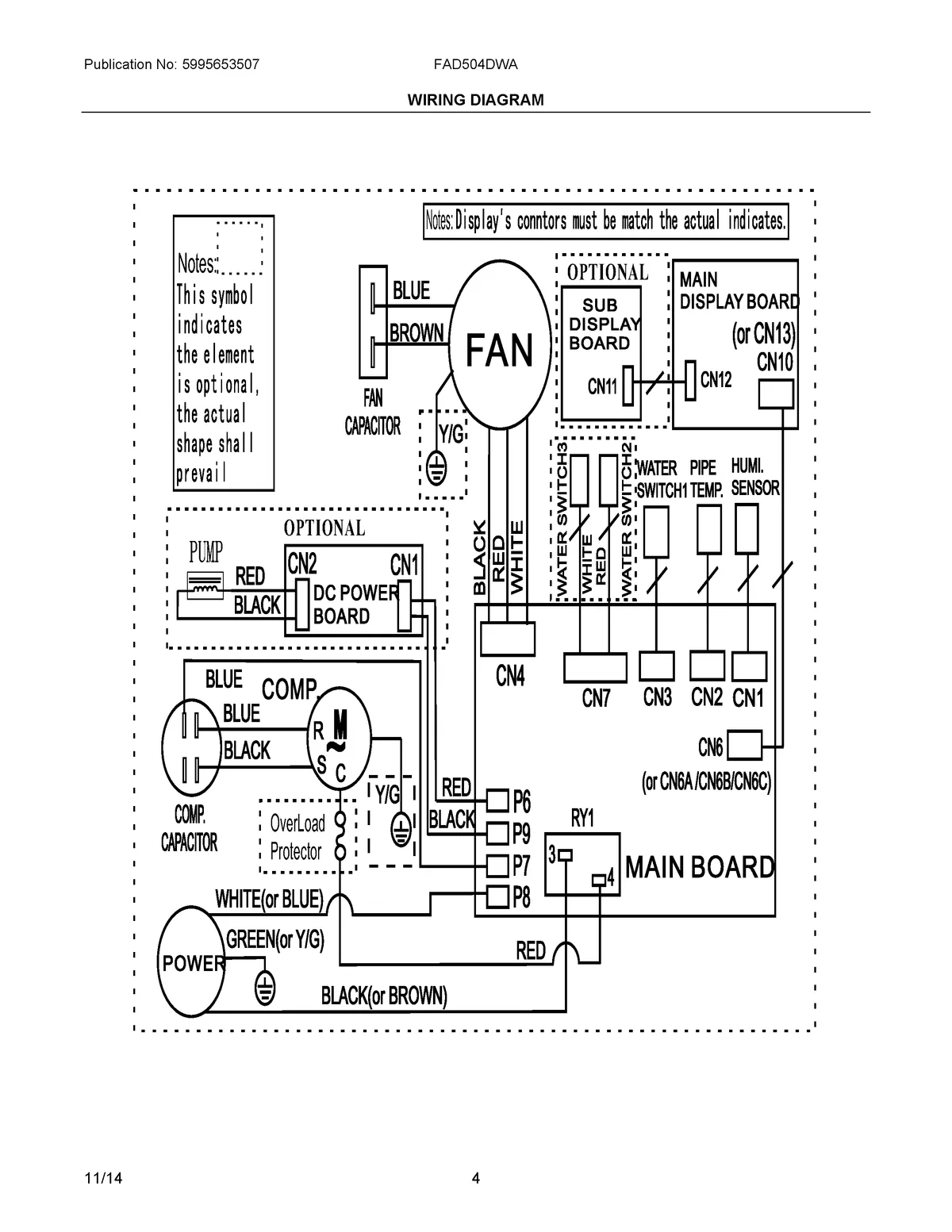
Image source: Bing (Web (fair-use with source credit))
Most people think a dehumidifier runs like a light bulb. You flip it on and it draws steady power until you flip it off. That's not how it works.
A dehumidifier cycles on and off based on humidity levels. The compressor kicks on, runs for a while, then shuts off when the target humidity is reached. It sits idle until the humidity creeps back up.
This on-off cycling is the key to understanding timer use. When you add a timer, you're overriding the unit's built-in humidity control. You're telling it to run no matter what.
That can be useful, but it also means you need to pay attention to the compressor's needs.
The 3-Minute Compressor Delay
Compressor-based dehumidifiers have a built-in safety feature. After the compressor shuts off, it needs about three minutes before it can restart. This delay prevents pressure buildup in the refrigerant lines.
Without it, the compressor can burn out or fail prematurely.
If your timer turns the unit off and then back on too quickly, the compressor might not start. The fan will run, but no dehumidifying happens. You'll think it's working, but the room stays damp.
That's why timing matters.
Built-in Timers vs. Plug-in Timers
Some newer dehumidifiers come with a built-in timer. You can program them to run for a set number of hours. That's the safest option because the unit knows its own limits.
It respects the compressor delay automatically.
Plug-in timers are different. They cut power completely. When the timer turns back on, the unit has to go through its full startup routine.
That's fine if the three-minute buffer is already built in. But if your timer cycles on and off every 15 minutes, you're asking for trouble.
The Real Risks of Running a Dehumidifier on a Timer
Aggregate user feedback shows that many people who try the timer approach end up with a wet basement or a broken unit. The risks are real, but they're also avoidable if you know what to watch for.
Bucket Overflow and Water Damage
This is the biggest risk by far. If you're using the bucket instead of a drain hose, a timer can cause real problems. The timer might turn the unit off after four hours.
The bucket stops filling. But the humidity in the room stays high. When the timer turns the unit back on, the bucket fills up again.
If you're not there to empty it, the unit shuts off on its own. The bucket overflows.
Aggregate reviews show that water damage from dehumidifier overflow is one of the most common complaints. It can ruin floors, baseboards, and drywall. The fix is simple.
Use continuous drainage with a hose. Or don't use a timer at all.
Short-Cycling and Compressor Wear
Short-cycling happens when the compressor turns on and off too frequently. This wears out the unit faster. A timer that cycles every 30 minutes is a recipe for early failure.
The compressor never gets to run long enough to actually remove moisture. It just keeps starting and stopping.
Our research suggests that a dehumidifier should run for at least an hour per cycle. Anything shorter wastes electricity and wears out the unit. If you're using a timer, set it for longer blocks of time.
Two hours on, one hour off works better than 30 minutes on and off.
Power Outage Problems
This is the hidden trap. Say you set a timer to turn the unit on at 8 PM. A power outage happens at 7:45 PM.
The power comes back at 7:50 PM. Most mechanical timers don't know the difference. They think it's 8 PM and start the unit.
But the unit might not have auto-restart. So it sits there, powered on but not running. The room stays damp all night.
Digital timers have the same issue. Some smart plugs remember their schedule after a power outage. Others reset to a default state.
You have to check the specific product specs. The safest approach is to choose a timer with power-failure memory.
Fire Safety and Electrical Load
Dehumidifiers are not small appliances. They draw enough current that a cheap timer can overheat. UL and ETL certification on your timer matters.
Per ENERGY STAR guidelines, dehumidifiers are designed to run efficiently, but the timer handling the load needs proper ratings. Look for a timer rated for at least 15 amps. That covers most dehumidifiers with room to spare.
Never daisy-chain a timer with an extension cord. And never plug a dehumidifier into a timer that's already powering other devices. The startup surge from the compressor can trip the breaker or melt the timer's internal components.
How to Do It Safely — A Step-by-Step Guide
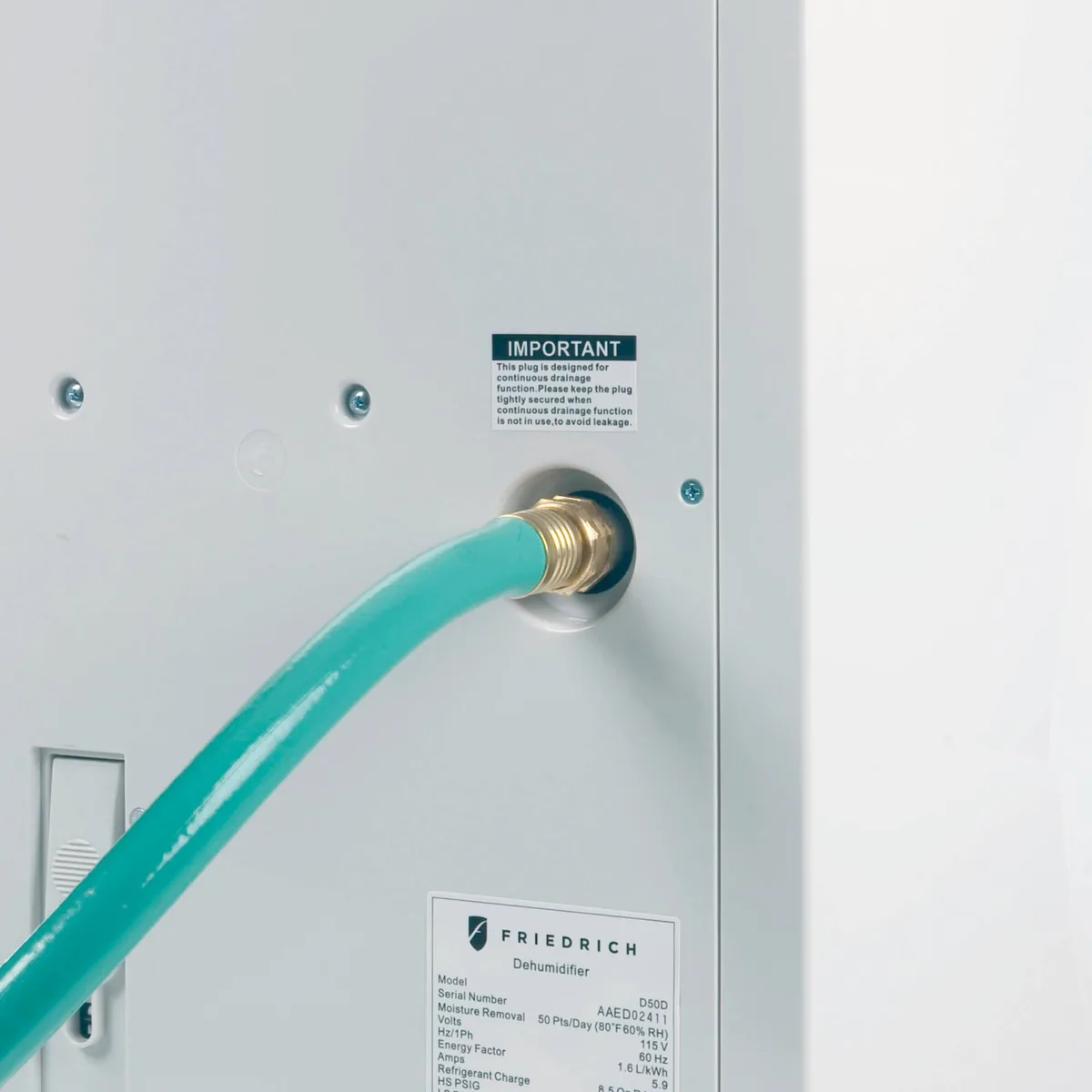
Image source: Bing (Web (fair-use with source credit))
If you've read the risks and still want to use a timer, here's the safe way to do it. Follow these steps in order. Skipping one could cost you a wet floor or a dead dehumidifier.
Step 1: Check Your Unit's Auto-Restart Feature
Look in the owner's manual for "auto restart" or "power loss recovery." This feature allows the unit to resume its previous settings after a power interruption. Without it, the timer will turn the power back on, but the unit will just sit there waiting for you to press the start button. Most modern units from brands like Frigidaire, GE, and Midea include this feature.
But not all. Check before you buy a timer.
Step 2: Set Up Continuous Drainage First
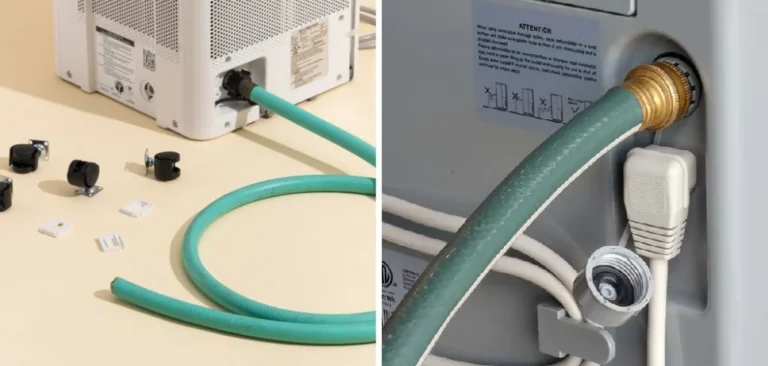
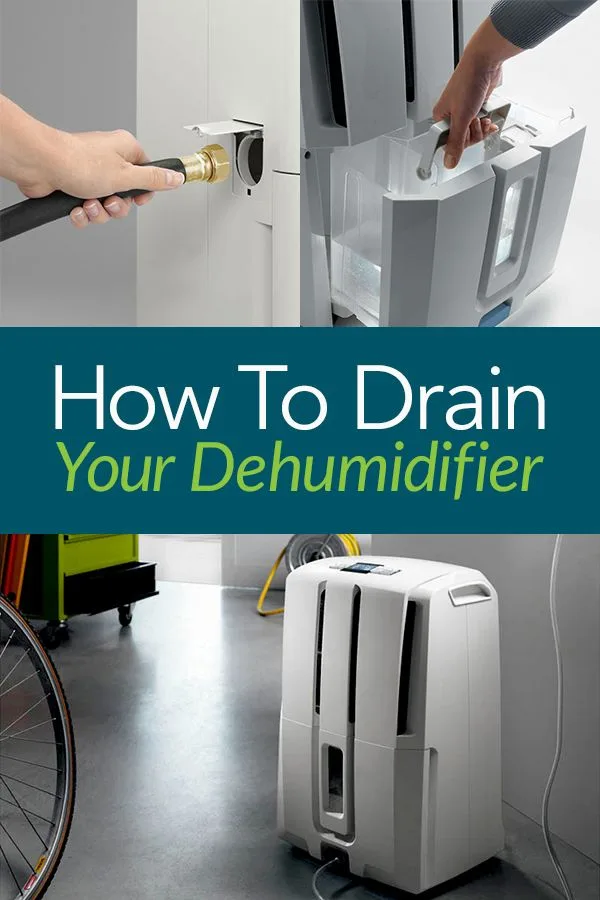
This is non-negotiable. If you're using a timer, you must use a drain hose. Connect a standard garden hose to the unit's drain port.
Run it to a floor drain, a sump pump, or a nearby sink. Gravity works best, so keep the hose sloping downward. If the drain is above the unit, you'll need a condensate pump.
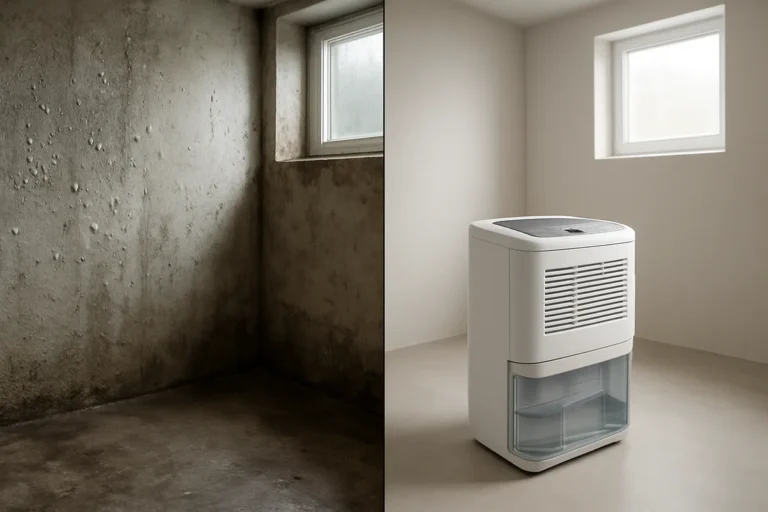
For basement use, a basement dehumidifier with a built-in pump is ideal. Per our research, this combination is the most reliable setup for timer use.
Step 3: Choose the Right Timer
You have three options. Mechanical timers are cheap and simple. They work with any dehumidifier that has auto-restart.
But they're not very precise. Digital timers offer more control. You can set on and off times to the minute.
Smart plugs are the best option. They let you control the schedule from your phone. You can also monitor energy usage and adjust remotely.
Whichever you choose, make sure it's rated for the amperage of your dehumidifier. A 15-amp timer is the minimum. A 20-amp timer is safer.
Step 4: Program Your Schedule Wisely
Don't set the timer to cycle every 30 minutes. The compressor needs time to work. Aim for at least one hour of runtime per cycle.
Two hours is better. The off period should be long enough for the compressor to rest. One hour off is usually sufficient.
If you're trying to match off-peak electricity rates, check your utility's schedule. Some utilities offer lower rates from 9 PM to 7 AM. That's a perfect window for a dehumidifier to run all night.
Step 5: Test and Monitor for the First Few Cycles
Watch the unit for the first couple of days. Make sure it turns on when the timer kicks in. Check that the compressor actually starts.
Listen for the normal hum of the fan and the compressor. If you hear clicking but no compressor startup, the timer might be cycling too fast.
Monitor the humidity level in the room. If it stays above 50%, you need longer runtime. If it drops below 30%, you're over-drying.
Adjust the schedule accordingly.
Timer Alternatives Worth Considering
Timers aren't the only way to control your dehumidifier. Depending on your situation, another approach might work better.
Smart Plugs for Remote Control
A smart plug is basically a timer on steroids. You plug it into the wall, then plug your dehumidifier into it. The smart plug connects to Wi-Fi.
You control it with an app on your phone. You can set schedules, turn it on remotely, and even see how much energy it's using.
The big advantage is flexibility. If you're out and realize the basement feels damp, you can turn the unit on from your phone. If you're home and want to override the schedule, you can do that too.
Smart plugs also handle power outages better than mechanical timers. Most of them remember their schedule after the power comes back.
Built-in Scheduling
If your dehumidifier already has a built-in timer, use it. It's the safest option. The unit knows its own compressor delay.
It won't short-cycle. You just set the hours you want it to run and let it do its thing.
The downside is that built-in timers are usually limited. You might only be able to set a timer for 2, 4, or 8 hours. Some models let you set specific on and off times.
Check your manual for the exact options.
Humidistats vs. Timers
This is an important distinction. A timer controls when the unit runs. A humidistat controls what humidity level the unit maintains.
Most dehumidifiers have a built-in humidistat. You set the target humidity, and the unit cycles on and off to maintain it.
A timer overrides the humidistat. That's useful if you want to save energy by running the unit only during certain hours. But it means the unit might run when the humidity is already low.
Or it might stay off when the humidity is high. That's why a timer alone isn't always the best solution.
Desiccant Dehumidifiers for Timer-Heavy Use
Desiccant dehumidifiers work differently than compressor-based units. They use a chemical rotor to absorb moisture. They don't have a compressor, so there's no three-minute delay.
They can cycle on and off without any issues.
If you plan to use a timer heavily, a desiccant unit is worth considering. They're also better for cooler temperatures. The trade-off is that they use more electricity per pint of water removed.
But they're more flexible with scheduling.
For a full comparison of the best models, check out our guide to the best dehumidifier options for different use cases.
Frequently Asked Questions
Can I use a timer on a dehumidifier without a drain hose?
No, you should not. Timer use without a drain hose creates a serious overflow risk. The bucket fills up on a schedule you can't predict.
If you're not home to empty it, the unit shuts off or overflows. Continuous drainage is a must for safe timer operation.
Will running my dehumidifier on a timer save electricity?
It can, but not always. The savings come from running the unit only during off-peak hours or when the room is occupied. A timer that runs the unit for eight hours overnight often uses less energy than 24-hour operation.
Just watch the humidity levels. If the room stays damp, the unit works harder when it does run.
How long should I run a dehumidifier on a timer?
Aim for at least two hours per cycle. That gives the compressor enough time to pull moisture from the air. Shorter cycles waste energy and wear out the unit faster.
The off period should be at least one hour. That prevents short-cycling and protects the compressor.
Can a mechanical timer handle a dehumidifier's startup surge?
Yes, if it's rated for the load. Dehumidifiers draw more current at startup than during normal operation. Look for a timer rated at 15 amps minimum.
Mechanical timers with metal pins and a heavy-duty rating work well. Avoid cheap plastic timers rated for 10 amps or less.
Does a timer void the warranty?
It depends on the manufacturer. Some brands explicitly state that external timers void the warranty. Others don't mention it.
Check your owner's manual or contact customer support. If the unit fails due to short-cycling or electrical damage from a timer, the repair likely won't be covered.