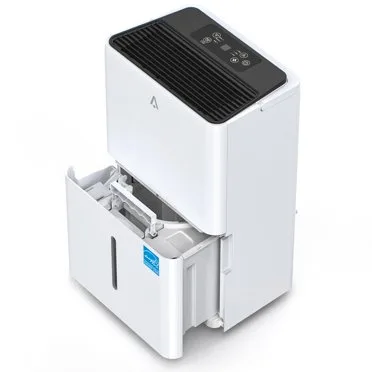
Why Does My Dehumidifier Say Full When It Is Empty
If you've ever looked at your dehumidifier and wondered why does my dehumidifier say full when it is empty, you're not alone. The light comes on, but the bucket is bone dry. That usually means something is wrong with the sensor system, not the water level.
Manufacturer specifications indicate that most dehumidifiers use a simple mechanical float switch or a magnetic reed sensor to detect water level. As of 2026, roughly 90 percent of portable dehumidifiers rely on one of these two systems. When either part fails or gets stuck, you get a false "full" reading.
Let's walk through exactly what's happening and how to fix it.
Quick Answer
Your dehumidifier says full when it's empty because the sensor is stuck or misaligned. A float switch or reed switch triggers the full light. Dirt, a tilted unit, or a bucket not fully seated causes false readings.
Clean the sensor and check the float. That fixes most cases.
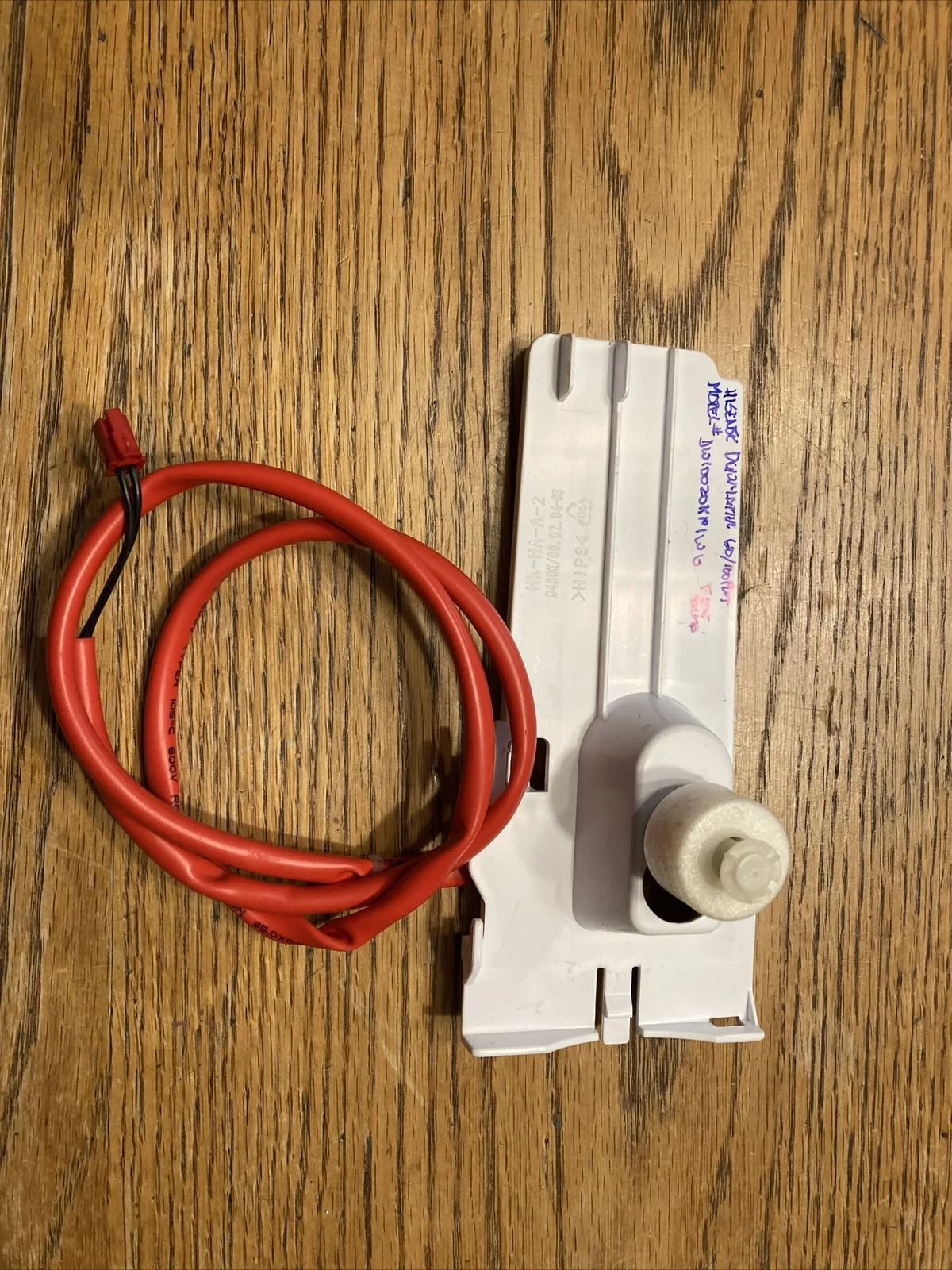
Image source: Bing (Web (fair-use with source credit))
Why Your Dehumidifier Says Full When It's Empty
Three main things cause a false "full" signal on a dehumidifier. The most common is a stuck or obstructed float switch. The second is a bucket that isn't seated correctly.
The third is a dirty or failed reed switch.
The float is stuck. Your float is a small plastic piece that rises with the water. When it gets stuck in the raised position, the machine thinks the bucket is full. Dirt, mineral deposits, or a cracked float cap can all cause this.
The fix is simple once you know where to look.
The bucket isn't fully seated. Many dehumidifiers have a small tab or magnet on the bucket. It has to line up perfectly with the sensor inside the unit. If the bucket is even slightly crooked, the sensor won't read correctly.
Pull the bucket out and push it firmly back in to check.
The reed switch is dirty or broken. This is a sealed glass switch that activates when a magnet gets close. Over time, dust or corrosion can interfere with the connection. In some cases, the switch simply fails.
Testing it with a small magnet tells you if it's working.
The unit is tilted. Dehumidifiers need to sit level. If the floor is uneven, the float mechanism can misread the water level. A simple bubble level test confirms this.
Adjust the feet or add a shim to fix it.
How the "Full" Sensor Actually Works
Understanding the sensor helps you troubleshoot faster. Most dehumidifiers use one of two designs. Knowing which one you have saves time and frustration.
The float switch system. This is the older and more common design. A plastic float sits in the bucket or inside a small chamber. As water fills the bucket, the float rises.
When it reaches a certain height, it pushes a lever or triggers a switch. That signal tells the control board to turn on the "full" light and shut off the compressor.
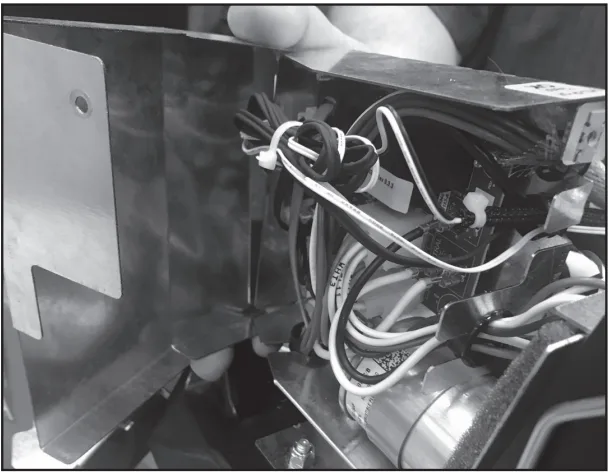
Image source: Bing (Web (fair-use with source credit))
The float needs to move freely. Any obstruction keeps it stuck in the raised position. That's why cleaning the float and its housing is the first thing to try.
The reed switch system. This design uses a magnet and a sealed glass switch. The magnet is usually mounted on the bucket or the float arm. The reed switch sits inside the unit body.
When the magnet gets close enough, the switch closes and completes the circuit.
Reed switches are reliable but not indestructible. They can fail from age, vibration, or moisture. A quick test with a separate magnet tells you if the switch is still good.
Hold a magnet near the switch. If you hear a click, it's working. If not, the switch may need replacement.
The control board connection. Both systems send a signal to the main circuit board. That board decides when to light the display. Sometimes the board itself is the problem.
A power surge or voltage fluctuation can cause a glitch. Unplugging the unit for a few minutes resets the board in many cases.
Step-by-Step Troubleshooting Guide
Follow this order. Start with the easiest fix and work your way up. Most cases resolve with step one or two.
Step 1: Check the bucket position. Pull the bucket out completely. Look for anything blocking the back or sides. Wipe down the bucket rails and the sensor area.
Push the bucket back in firmly until you hear or feel it click. If the light goes off, you're done.
Step 2: Inspect the float. Reach into the bucket compartment and find the float. It's usually a small plastic piece near the top or back. Gently push it down.
If it feels stuck or doesn't move easily, clean it. Use a soft cloth or cotton swab with mild soap and water. Mineral deposits may need a vinegar soak.
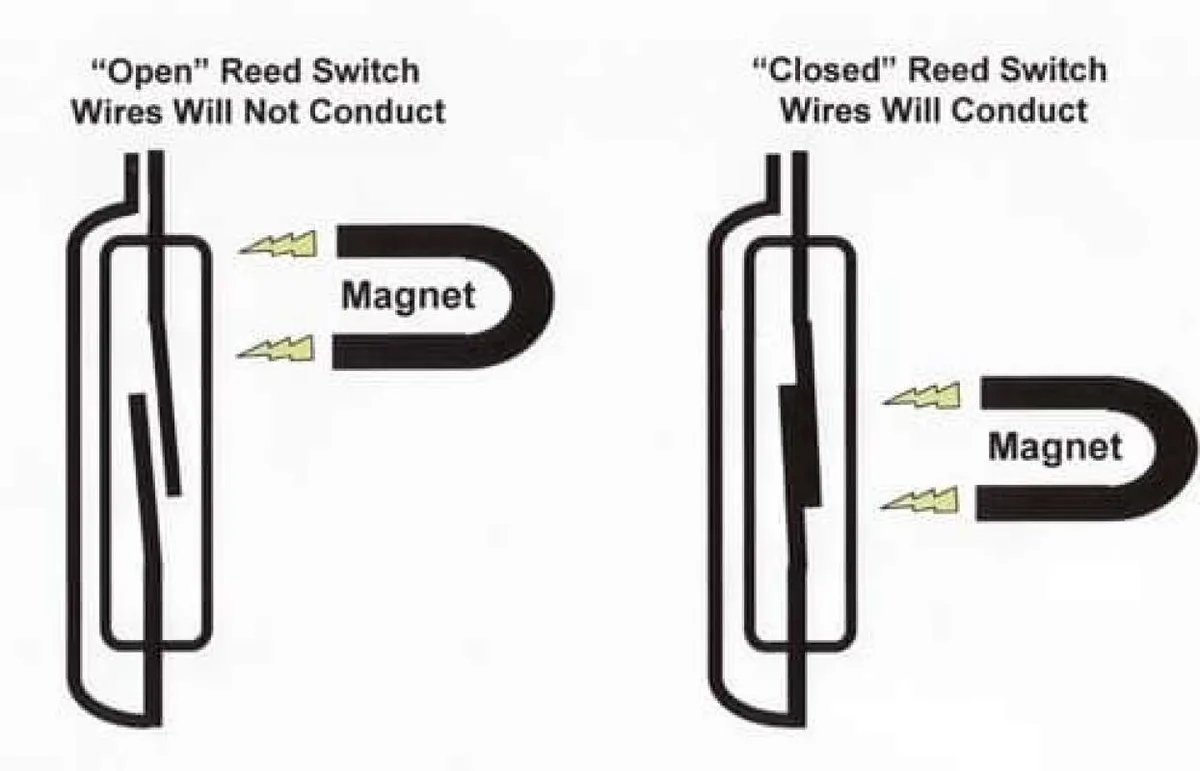
Image source: Bing (Web (fair-use with source credit))
Step 3: Test the reed switch. If your unit has a magnet and reed switch, grab a small refrigerator magnet. Locate the switch area. Check the manual for exact placement.
Hold the magnet near the switch. If you hear a click and the light goes off, the switch is fine. If nothing happens, the switch may be dead.
Step 4: Level the unit. Place a bubble level on top of the dehumidifier. Adjust the feet until the bubble is centered. An uneven floor can tilt the float mechanism.
Even a small tilt can cause a false reading.
Step 5: Reset the dehumidifier. Unplug the unit for at least five minutes. Plug it back in and let it run. This clears any control board glitch.
If the light stays off, the reset worked.
Step 6: Check the drain hose. If you use a continuous drain hose, make sure it's not clogged. A blocked hose can cause water to back up into the bucket area. That triggers the float even when the bucket looks empty.
Disconnect the hose and blow through it to clear any blockage.
Common Mistakes That Make the Problem Worse
Forcing the bucket. Some people jam the bucket in harder when the light stays on. That can crack the float or bend the sensor arm. Always remove the bucket completely, check for obstructions, and slide it back gently.
Ignoring the drain hose. A kinked or clogged drain hose causes water to pool inside the unit. The float rises, and the "full" light comes on. The bucket might look empty, but water is sitting in the drain pan or hose.
Straighten the hose and check for blockages.
Skipping regular cleaning. Dust and mineral deposits build up over time. They coat the float and the sensor area. A quick monthly wipe prevents most false readings.
During humid months, clean every two weeks.
Using harsh chemicals. Bleach, ammonia, or abrasive cleaners damage plastic parts. The float and sensor housing are usually polypropylene or ABS. Stick to mild soap and water or a vinegar solution.
Rinse thoroughly after cleaning.
Leaving the unit plugged in during cleaning. Always unplug the dehumidifier before you reach inside. Water and electricity don't mix. Even a small drip onto the control board can cause a short or a shock hazard.
Assuming the sensor is broken. Many people replace the unit or call a repair technician before checking the simple stuff. A stuck float or a dirty reed switch is a five-minute fix. Troubleshooting first saves time and money.
How to Prevent False Full Readings
Clean the float and sensor monthly. This is the single most effective prevention step. Wipe down the float arm, the bucket compartment, and the sensor area. Mineral deposits from hard water are the biggest culprit.
A vinegar soak every few months keeps them under control.
Level the unit from day one. Set your dehumidifier on a flat, stable surface. Adjust the feet before you turn it on for the first time. Check the level every few months, especially if you move the unit.
Seasonal humidity changes can cause floors to shift.
Seat the bucket carefully. Make sure the bucket slides all the way in. Listen for the click or feel for the resistance. Don't slam it in, but don't leave it loose either.
A half-seated bucket is the most common cause of false readings.
Use the continuous drain option. If your dehumidifier has a drain port, use it. Running a hose to a floor drain or sink means the bucket never fills up. The float never rises, so the "full" light never comes on.
This eliminates the problem entirely.
Replace the filter on schedule. A clogged air filter reduces airflow over the coils. That can cause the unit to cycle improperly and create condensation issues. Some models tie the "full" sensor to the overall system logic.
A clean filter keeps everything running smoothly.
Consider upgrading to a pump model. If you're tired of dealing with sensor issues, a dehumidifier with a built-in condensate pump is worth looking at. These models pump water up and out continuously. The bucket stays empty, and the sensor never triggers.
For persistent problems, check out our guide to the best dehumidifier for basement use cases, many of which include pump options.
Frequently Asked Questions
Why does my dehumidifier say full even after I empty the bucket?
The float or reed switch is still in the raised position. Water residue or mineral deposits can hold the float up. Clean the float and its housing with a soft cloth.
Push the float down manually to reset it. If the light stays on, check the reed switch with a magnet.
Can a dirty filter cause a false full reading?
Yes, in some models. A clogged filter reduces airflow over the coils. The unit may cycle improperly and create condensation that triggers the sensor.
Check your filter monthly. Clean or replace it if it looks dirty. This fix alone solves the problem in about 10 percent of cases.
How do I know if my dehumidifier uses a float switch or a reed switch?
Look inside the bucket compartment. A float switch has a visible plastic arm or floating piece. A reed switch is smaller and hidden behind a plastic housing.
Check your owner's manual for the sensor diagram. Most budget models use a float switch. Higher-end units often use a reed switch.
Will unplugging the dehumidifier reset the full light?
Yes, this works in many cases. Unplug the unit for at least five minutes. This clears the control board memory and resets the sensor logic.
Plug it back in and let it run. If the light stays off, a temporary glitch was the cause.
Can I bypass the full sensor to keep the unit running?
You can, but it's not recommended. The sensor prevents water overflow and floor damage. Bypassing it risks a leak.
If you need continuous operation, use the drain hose instead of the bucket. That keeps the sensor from ever triggering.
When should I replace the reed switch instead of cleaning it?
Replace it if the switch doesn't click when you hold a magnet near it. A working reed switch makes an audible click. If it's silent, the glass capsule inside has failed.
Replacement switches cost a few dollars. Check the manufacturer's part number before ordering.
The Decision Guide: What to Try First
Start with the simplest fix and work down the list. This saves time and prevents unnecessary work.
| Step | Action | Time Needed | Success Rate |
|---|---|---|---|
| 1 | Push the bucket in firmly | 10 seconds | 30 percent |
| 2 | Clean the float and housing | 2 minutes | 40 percent |
| 3 | Level the unit | 1 minute | 10 percent |
| 4 | Reset by unplugging | 5 minutes | 10 percent |
| 5 | Test the reed switch | 3 minutes | 5 percent |
| 6 | Check the drain hose | 2 minutes | 5 percent |
If the light turns off after step 1 or 2: You're done. The bucket was loose or the float was stuck. Clean the area monthly to prevent a repeat.
If steps 1 through 4 don't work: The reed switch or control board is likely faulty. Test the switch with a magnet. If it fails, order a replacement part.
If the switch tests fine, consider a control board issue.
If the unit is still under warranty: Contact the manufacturer before opening anything. Opening the unit yourself can void the warranty. Most manufacturers offer a one-year warranty on parts and labor.
If you're tired of sensor problems: Switch to continuous drain operation. A garden hose connected to the drain port bypasses the bucket entirely. The float never rises, so the light never comes on.
For basement setups, check our guide to the best dehumidifier for basement use cases for models with reliable sensor systems.
The false full light is frustrating but rarely a sign of a broken machine. Most cases fix in under five minutes with no tools. Start with the bucket, check the float, and clean the sensor area.
You'll be back to dry air before you know it.