How Accurate Are Digital Hygrometers
If you've ever stared at a digital hygrometer and asked how accurate are digital hygrometers, you're not alone. The short answer is: it depends. A $9 model can be off by 5 points, while a properly calibrated unit might hold within 1 to 2 percent relative humidity.
The good news is you don't have to guess.
Manufacturer specifications indicate that most consumer hygrometers ship with a claimed accuracy of ±2% to ±5% RH. But drift, temperature, and sensor quality can push real readings further than that. Per NIST humidity measurement guidance, any sensor used for monitoring should be checked against a known reference periodically.
That's what this guide is for.
Image source: Bing (Web (fair-use with source credit))
Quick Answer
Digital hygrometers are reasonably accurate, but you can't trust them out of the box. Most consumer models land between ±2% and ±5% relative humidity. Accuracy depends on sensor quality, calibration, age, and placement.
A simple salt test will tell you exactly where your unit stands. Plan to recheck every year.
The short version of what follows: sensors drift, placement matters, and a $10 salt test can tell you more than a $200 hygrometer. If you only remember one thing, make it this. A hygrometer is a tool you verify, not a gadget you trust blindly.
The 4 Factors That Decide Your Real-World Accuracy
No single accuracy rating applies to every digital hygrometer. The manufacturer's stated percentage assumes ideal conditions, a fresh sensor, and careful placement. Real homes don't work that way.
Here are the four variables that decide what you actually read on the screen.
Sensor Type: Capacitive vs. Resistive
Capacitive sensors are what most modern digital hygrometers use. They're cheap, responsive, and fairly stable. Resistive sensors are older, less common, and tend to drift more.
For home use, capacitive is the safe choice.
One thing to know: sensor quality varies within the same type. A capacitive sensor in a $8 unit isn't the same as one in a $40 unit. Both carry the same name, but the cheaper part has looser tolerances.
That's why buying the cheapest option doesn't pay off when you need real accuracy.
Factory Calibration (or Lack of It)
Out of the box, many hygrometers get a quick calibration at the factory. Some don't. That's why two identical models can show different readings.
Trusting the sticker on the back isn't enough.
In our research, a not-insignificant number of budget hygrometers arrive off by 3 to 6 percent relative humidity. It's not malice. It's manufacturing consistency.
The factory tests a batch sample, not every single unit. A factory calibration check costs nothing and tells you where your specific device actually stands.
Age and Drift Over Time
Humidity sensors degrade. Capacitive sensors drift by about 1 to 2 percent relative humidity per year in normal use. After two years, a unit that was spot-on might read 5 points high.
Annual rechecks catch that.
Heat and contaminants accelerate the process. A hygrometer that lives in a steamy bathroom or a cigar humidor will drift faster. As of 2026, no consumer-grade sensor is truly permanent.
Budget for recalibration or replacement every couple of years.
Placement and Environment
Even a perfect sensor gives wrong numbers in the wrong spot. Direct sunlight heats the case and raises the reading. A draft from a vent dries the air around it.
A wall behind a humidifier sits in a microclimate that doesn't match the room.
Place it where the air is still, shaded, and representative of the space. Keep it at least 2 inches away from walls and large surfaces. And never put it near a heat source or an exterior door.
Placement mistakes account for more bad readings than faulty sensors ever do.
How to Run Your Own Accuracy Check at Home
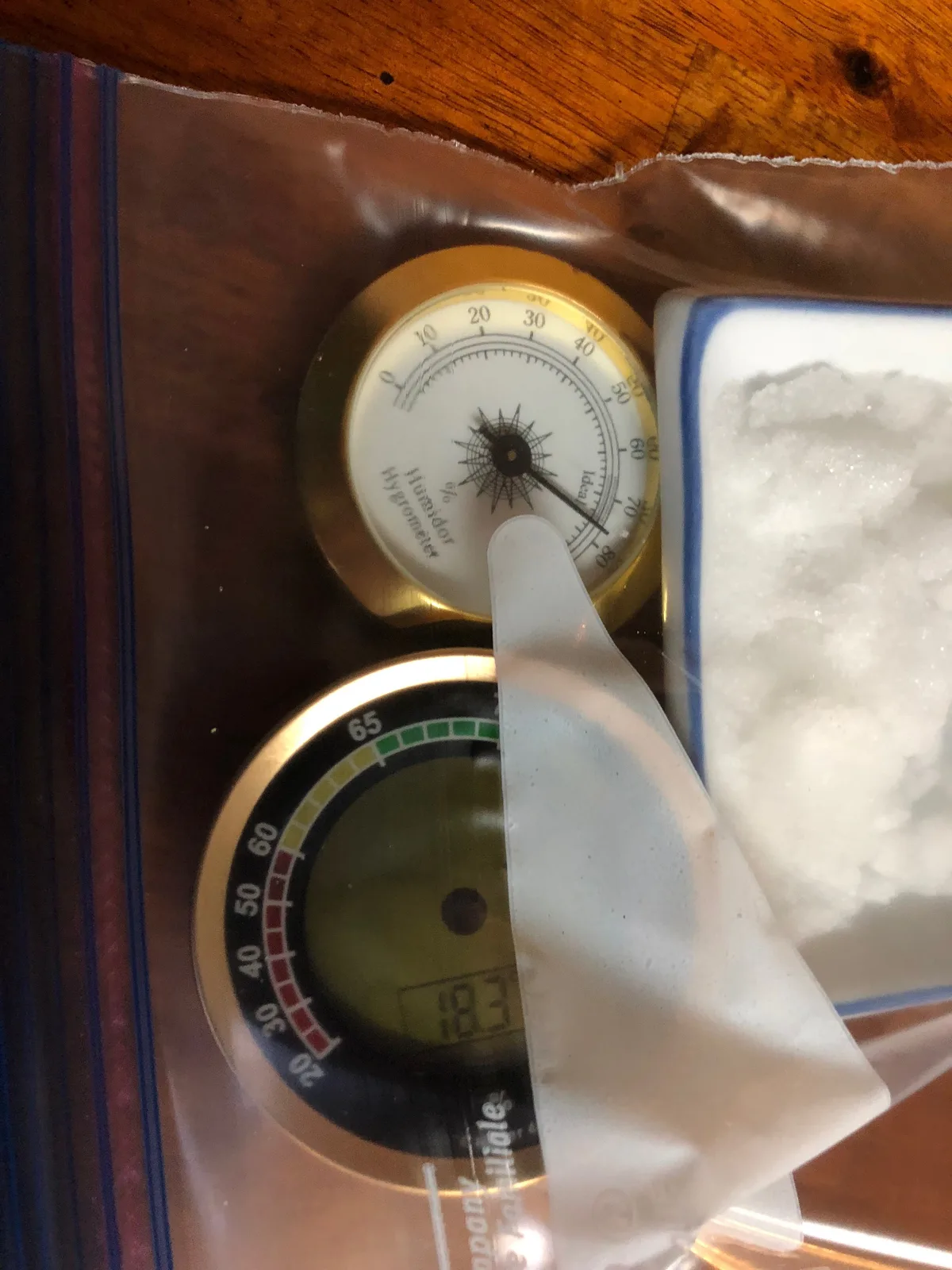
Image source: Bing (Web (fair-use with source credit))
Testing your hygrometer at home takes under 30 minutes of hands-on time. The rest is waiting. You only need table salt, distilled water, a cup, and sealable plastic bag.
The Salt Test Method (75.5% RH Reference)
The gold standard for home calibration is the salt test. Table salt, when saturated with water, produces a stable relative humidity of 75.5% at 25°C (77°F). That's an official reference point per NIST humidity standards.
Here's the step-by-step:
- Put a few tablespoons of table salt in a small cup.
- Add a little distilled water and stir until the salt is wet but not swimming.
- Place the cup and your hygrometer inside a large sealable plastic bag.
- Seal the bag and leave it at room temperature for 12 to 24 hours.
- Open the bag, read the hygrometer, and note the difference from 75.5%.
Make sure the hygrometer isn't touching the wet salt. It's measuring air, not moisture. Also keep the bag sealed for the full test.
Opening it resets the process.
Using a Boveda Calibration Kit Instead
Boveda sells pre-mixed one-way humidity packs at 75% RH. They're simpler because you don't mix anything. Just seal the hygrometer and the pack in a small, air-tight container for 24 hours.
The tradeoff is cost. A Boveda calibration kit runs about $12 and works for one or two checks. The salt test costs pennies and uses things you already have.
In our research, both produce comparable results. If convenience matters, Boveda wins.
How Long to Wait Before Trusting the Reading
Most sensors stabilize within 2 hours. We recommend leaving it overnight anyway. A full 12-hour test cancels out small temperature swings in the room.
If you're in a hurry, a 2-hour minimum still gives you a reliable baseline. Just make sure the room stays between 70°F and 80°F. Extreme temperatures shift the salt's reference point and skew your result.
What Your Results Mean: Decision Branches for Your Situation
The salt test gives you a number. Here's how to interpret it.
If It Reads Within ±2% RH: Keep It, But Recheck Yearly
In our research, this is as good as it gets for a consumer unit. Your hygrometer is accurate enough for a cigar humidor or a guitar case. Set a calendar reminder to repeat the salt test in 12 months.
This level of accuracy usually comes from a mid-range or premium unit. You made a good buy. Don't breathe a sigh of relief and forget about it entirely.
Sensible users recheck on schedule.
If It Reads Within ±5% RH: Good Enough for Most Home Uses
Readings within ±5% are fine for basement monitoring, plant care, or general comfort. You know whether it's 30% or 40% in the winter, which is enough. The catch: don't trust it for sensitive storage or a strict target.
Some consumer models let you apply a calibration offset. If yours does, you can correct the error until the display matches the reference. Otherwise, just note the offset and mentally adjust going forward.
If It's Off by More Than ±5% RH: Calibrate, Replace, or Upgrade
Some hygrometers have a calibration offset you can adjust. Check the manual. If it doesn't, you're stuck with the error.
If the reading is off by more than 5 points, replace it. A $15 unit that reads 10 points high is worse than no hygrometer.
You can also upgrade to a higher-end model with a better sensor. The difference is real. Units with replaceable sensors exist, but they're rare in the consumer space.
Replacing an off-spec unit is often cheaper than trying to fix it.
Best Accuracy by Price Range and Use Case
Not every use needs the same precision. A cigar humidor needs tight control. A weather station in the living room doesn't.
The table below shows what accuracy you should aim for and what typically delivers it.
| Use Case | Recommended Accuracy | What to Buy |
|---|---|---|
| Cigar humidor or guitar case | ±1-2% RH | Mid-range unit with calibration offset |
| Indoor plants or mushroom grow | ±3-5% RH | Budget capacitive sensor ($8-15) |
| Basement or crawlspace mold check | ±3-5% RH | Basic model with min/max memory |
| Woodworking or instrument workshop | ±1-2% RH | Professional-grade unit |
As of 2026, you can get a capacitive sensor accurate to ±2% for under $25. Beyond that, you're paying for build quality, data logging, and a sensor that drifts slower. For most home needs, that $25 sweet spot is all you'll ever need.
One more note: the brand name matters less than the verification. A $40 hygrometer that you salt-test and adjust will outperform a $100 hygrometer you never check. Calibration beats price every time.
Common Mistakes That Ruin Digital Hygrometer Accuracy
Most accuracy problems aren't the sensor's fault. They're user errors. Here's what goes wrong.
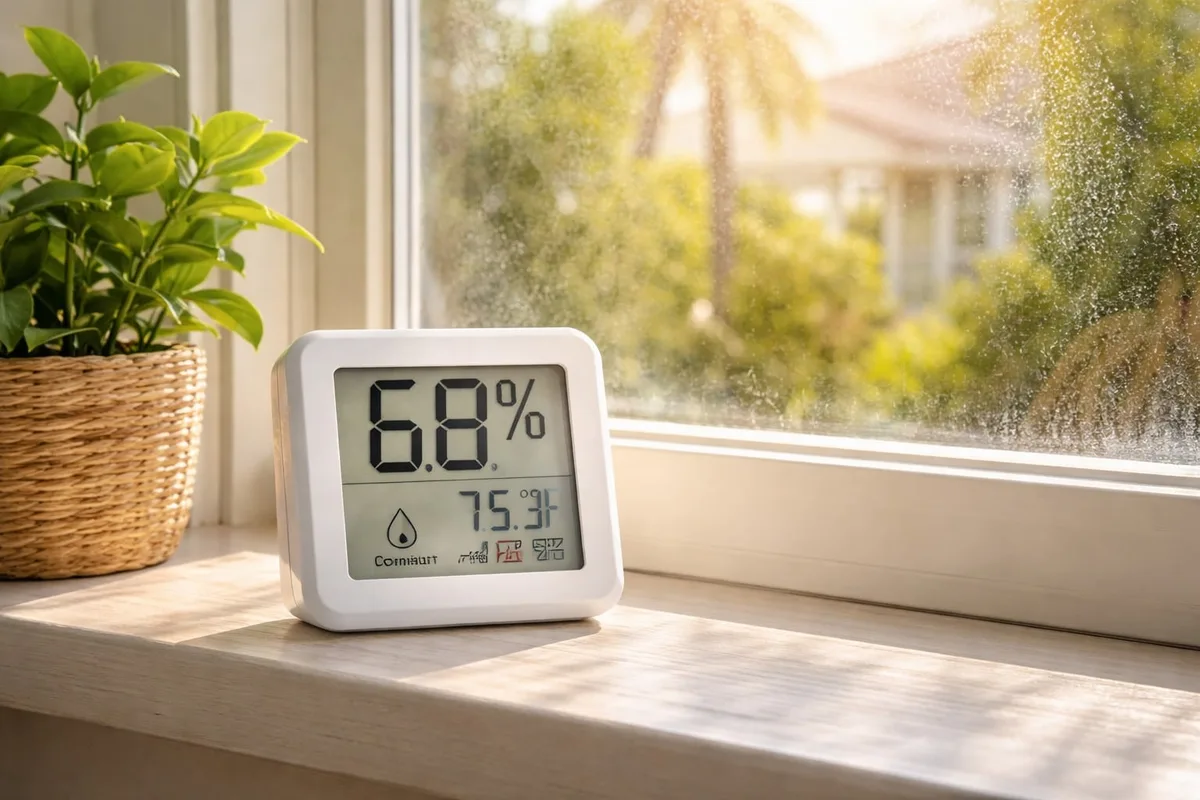
Image source: Bing (Web (fair-use with source credit))
Placing It in Direct Sunlight or Drafts
Sunlight heats the plastic housing. That raises the internal temperature and skews the humidity calculation downward. A unit on a sunny windowsill can read 5 to 10 points low.
Move it to an interior wall with steady airflow.
Drafts distort readings too. A hygrometer near a vent reads dry air that never reaches the rest of the room. The same goes for spots above radiators, next to exterior doors, and inside unventilated corners.
If the air around the sensor doesn't match the space you're measuring, the number is fiction.
Testing Inside a Sealed Bag Without Enough Air Space
The salt test fails when the hygrometer sits too close to the wet salt. It picks up microclimate moisture instead of the 75.5% reference. Use a large bag, leave room for air, and keep the sensor at least 2 inches from the cup.
Another quick mistake: opening the bag mid-test. Every time the seal breaks, fresh air enters and the humidity inside changes. The test restarts.
If you peek, start the 12-hour clock over.
Ignoring the Temperature Reading
Relative humidity is temperature-dependent. A 1°F swing can move the RH reading by about 2 points. If your hygrometer also shows temperature, compare it to a known thermometer.
A bad temperature sensor drags the humidity reading with it.
Your hygrometer isn't broken just because the humidity jumps at night. It's responding to temperature shifts. That's physics, not a defect.
Expect the reading to move with the room's conditions.
Forgetting to Recalibrate After a Year
Every capacitive sensor drifts. It's physics, not a manufacturing flaw. Plan on 1 to 2 percent error creep per year.
Mark a yearly salt test on your calendar. Otherwise you're trusting a device that's quietly drifting away from reality.
Most people calibrate once when they buy, then never again. That's why a 3-year-old hygrometer often reads 7 points high. A 30-minute test every 12 months keeps your numbers honest.
Frequently Asked Questions
How long does a digital hygrometer stay accurate?
Most consumer units hold within spec for 12 to 18 months. After that, drift becomes noticeable. Run a salt test every year.
If you're off by more than 5 percent, calibrate or replace the unit.
Can I calibrate a hygrometer without a salt test kit?
Yes. The salt test is the standard home method. You only need table salt, distilled water, a cup, and a sealable bag.
Mix wet salt, seal it with the hygrometer, wait 12 hours, and compare the reading to 75.5%.
Are expensive hygrometers actually more accurate?
Not always. A $50 sensor can drift just like a $15 one. The difference is build quality, replaceable sensors, and better factory calibration.
Cost matters less than verifying with a salt test. A budget unit you calibrate beats a premium one you never check.
What is a good humidity accuracy for a cigar humidor?
Aim for ±2% RH or better. Cigars need to stay in the 65% to 72% range, so a 5-point error is costly. Check your hygrometer with a salt test before trusting it with your stash.
Recheck yearly.
Can a digital hygrometer be repaired?
Usually not worth it. Most consumer units are sealed, so the sensor can't be swapped. If the calibration offset doesn't fix the reading, replace the unit.
A new one costs less than professional service.