GE Dehumidifier Keeps Running
If your GE dehumidifier keeps running and never seems to shut off, you’re probably wondering if you’ve got a broken unit. The truth is, most of the time it’s working exactly as designed. But there are a few things you should check to be sure.
Per manufacturer specifications, a properly sized dehumidifier in a very humid basement (above 70% relative humidity) can run 16 to 20 hours a day without any malfunction. That constant hum might feel alarming, but it’s often the sign of a machine doing its job. Let’s walk through what’s normal, what’s not, and how to tell the difference.
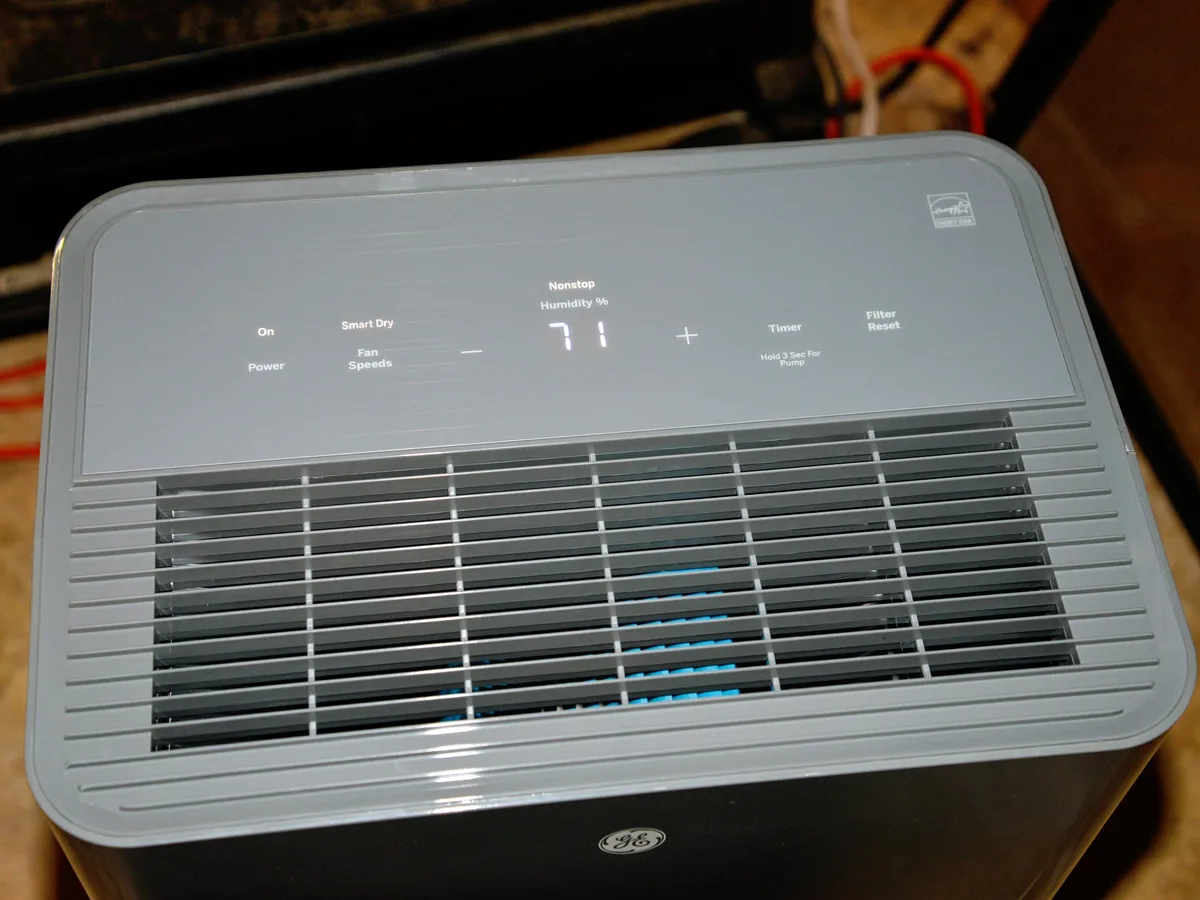
Image source: Bing (Web (fair-use with source credit))
Quick Answer
Your GE dehumidifier probably isn’t broken. It’s likely in continuous run mode. Check the control panel for a “continuous” setting.
Many models default to this when you first plug them in. Switch it to “auto” and set your desired humidity level. If it still won’t stop after 12 hours at a typical setpoint like 50%, move to the diagnostic steps below.
Decision Tree: Diagnose Why It Won’t Stop Running
This decision tree works best if you go step by step. Don’t skip ahead. Each test eliminates a common cause, and you’ll save yourself a service call.
Step 1: Check the Mode – Are You in Continuous Run?
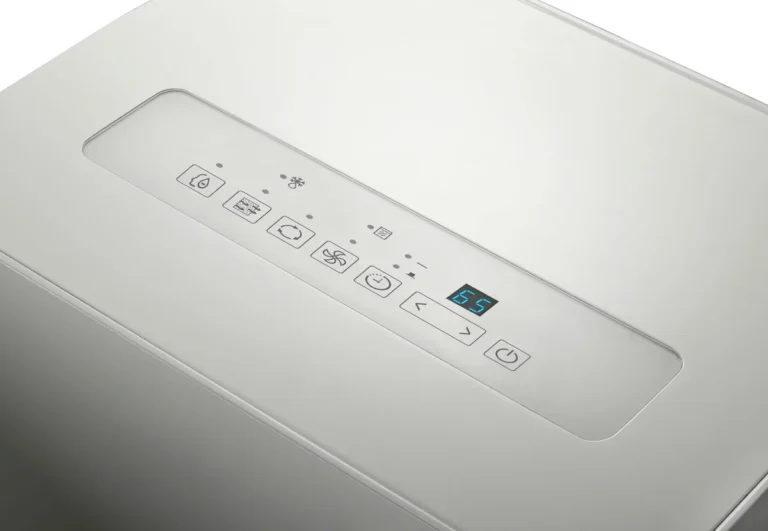
Look at the display on your GE dehumidifier. If the word “Continuous” or a fan icon with a drop symbol is lit, your unit is set to run nonstop. This is by design.
It doesn’t use the humidistat at all. It just keeps pulling moisture out until you turn it off manually.
If you find it in continuous mode, switch to “Auto” using the mode button. Then set a target humidity level (50% is a good starting point). Wait 10 to 15 minutes.
Does the compressor click off once the room hits that level? If yes, you’re all set. That was the whole problem.
If the unit still runs even after switching to auto, move to Step 2.
Step 2: Test the Humidity Setting and Sensor
Your GE dehumidifier uses a built‑in humidistat to sense the room’s moisture level. Sometimes that sensor drifts out of calibration. If it reads the air as more humid than it really is, the machine will keep running even in a dry room.
Here’s a quick test. Place a separate hygrometer (a cheap digital one from any hardware store) next to the dehumidifier’s intake. Let both run side by side for 20 minutes.
Compare the readings.
- If the hygrometer says 45% but the dehumidifier’s display says 65%, the sensor is off. The machine thinks the room is humid and will keep running until that fake reading drops.
- If both readings match and the room is actually above your setpoint, the unit is working normally. Lower your setpoint or accept that the room needs more drying time.
When the sensor is faulty, you may need to replace the control board. But first try a simple reset (Step 5). Many GE models have a self‑diagnostic mode that can recalibrate the sensor.

Image source: Bing (Web (fair-use with source credit))
Step 3: Inspect the Drainage System (Bucket, Float, Hose, Pump)
A full bucket, a stuck float, or a clogged drain hose will trick your dehumidifier into thinking the bucket is always full. When that happens, the machine may keep running in a pump‑out cycle without shutting off normally.
Start with the bucket. Open the front cover and slide the bucket out. Check the float (that little plastic piece inside the bucket cavity).
Press it up and down. Does it move freely? If it’s stuck down (from debris or ice), the unit thinks the bucket is full and never reaches a “bucket full” condition that would normally stop it.
Clean the float arm and the channel it rides in.
Next, if you use a drain hose, inspect it. Remove the hose and blow through it. If air doesn’t flow easily, there’s a clog.
Use a pipe cleaner or compressed air to clear it. For models with a built‑in pump, listen for the pump sound when the bucket water level rises. A silent pump could mean the pump is dead or the float switch is stuck.
Finally, put the bucket back in securely. A loose bucket can also trigger the “bucket full” signal even when it’s empty.
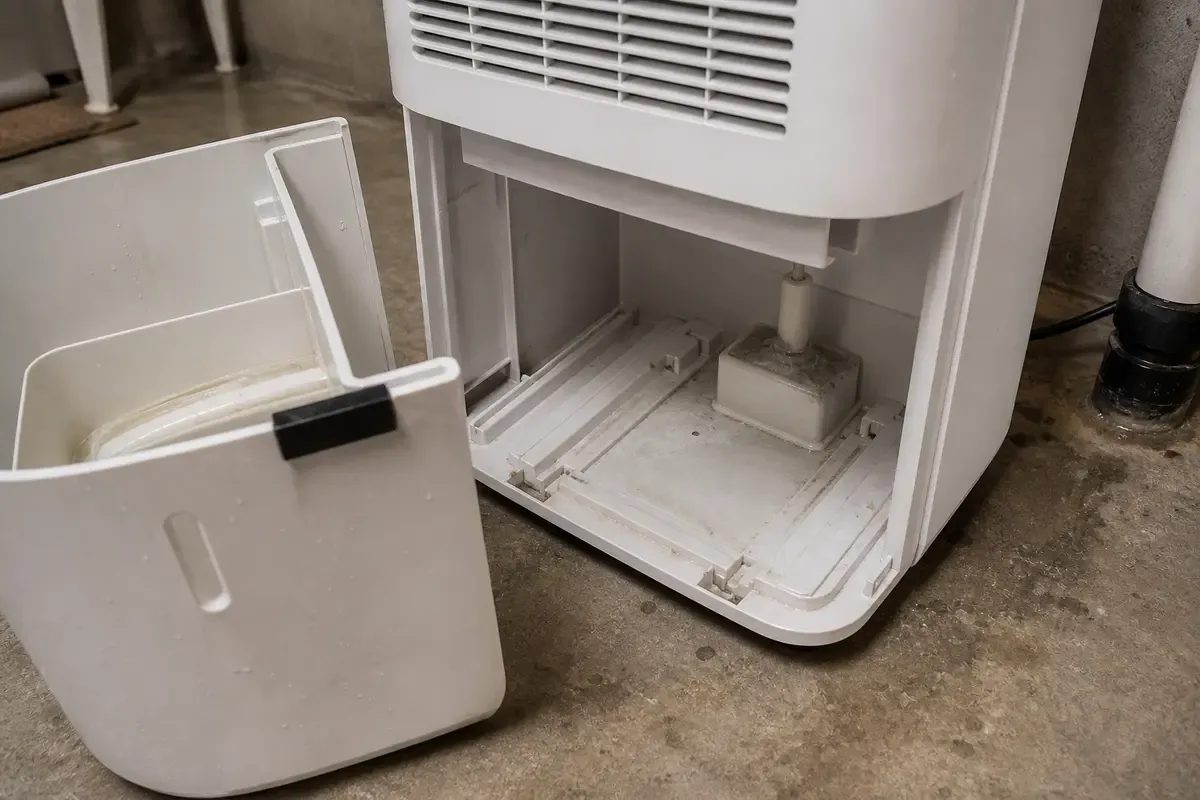
Image source: Bing (Web (fair-use with source credit))
Step 4: Look for Ice on the Coils (Defrost Cycle Trap)
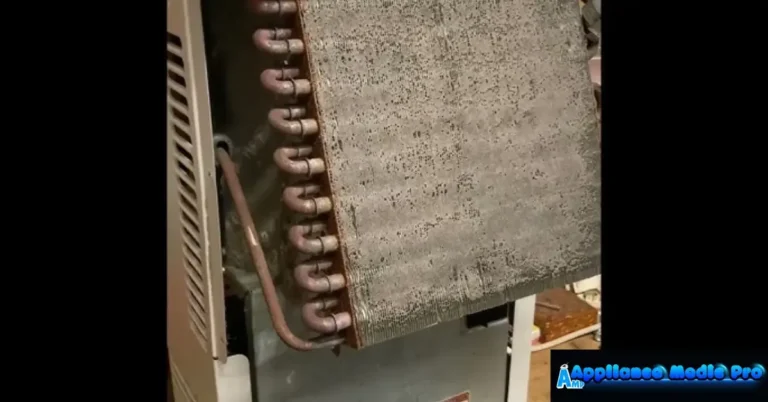
GE dehumidifiers have an automatic defrost function. When the evaporator coils get too cold (usually below 40°F), the unit pauses the compressor and runs the fan only to melt any ice. This cycle can last 10 to 20 minutes.
If the room temperature is low (e.g., a cold basement), the defrost cycle may engage frequently, making it seem like the compressor runs nonstop.
Check the room temperature. If it’s below 65°F, the dehumidifier will struggle and cycle in and out of defrost more often. You can’t fix this.
These units aren’t designed for cold spaces. Consider moving it to a warmer area or using a model rated for low‑temperature operation.
If the room is warm but you see visible frost on the coils, the unit may have a refrigerant leak or a faulty defrost thermostat. That’s a repair situation, not a setting fix.
Step 5: Reset the Unit or Run a Diagnostic
Sometimes a simple power cycle clears a glitchy control board. Unplug the dehumidifier for at least 10 minutes. Plug it back in and set the mode to Auto at 50%.
Listen. If the compressor clicks off after the room reaches that level, you’re good.
Many newer GE models have a diagnostic mode. Check your owner’s manual for the specific sequence (usually pressing and holding a button combination like “Timer” and “Fan” for 5 seconds). The diagnostic can display error codes like E1 (humidistat failure) or E3 (coil sensor fault).
If you get an error code, write it down and call GE support.
If the unit still won’t stop running after the reset and all the steps above, the issue is likely a failed control board or compressor relay. Both require a professional repair or a replacement unit.
Common Mistakes That Make It Seem Broken (When It’s Not)
Many users call for service unnecessarily. Their GE dehumidifier is often operating normally. Here are the three most common false alarms:
- Setting the humidity too low. If you set the target to 30% in a humid 80% basement, the machine will run constantly because it can never actually reach that level. Realistic setpoints for most basements are 45% to 55%.
- Ignoring the continuous mode switch. Many users simply press the “power” button and never realize the mode defaults to “continuous” on first use. That single button push is all it takes.
- Blocking the sensor. If you place the dehumidifier right next to a wall or inside a cabinet, the humidistat may read the air from a stagnant pocket, not the main room. Give it at least 6 inches of clearance on all sides.
When to Stop Troubleshooting and Call GE Support
If you’ve gone through all five decision‑tree steps and the unit still runs nonstop, it’s time to let the pros handle it. Call GE Appliances customer support at 1‑800‑GCARES (1‑800‑432‑2737). Have your model and serial number ready.
You can find them on a sticker inside the bucket compartment or on the back panel.
Situations that definitely need a technician:
- Error codes that don’t clear. E2 (low refrigerant pressure) or E4 (defrost sensor failure) are not user‑serviceable.
- The compressor runs but no water collects. That points to a refrigerant leak.
- The unit is more than 8 years old. In our research, the average dehumidifier lasts 5 to 10 years. Beyond that, a repair often costs as much as a new unit. If you’re in that boat, it might be worth looking at a replacement. You can find a good option here, but only if you’re truly ready to upgrade.
How to Keep It From Running Too Long (Maintenance & Smart Settings)
Once you’ve confirmed your unit is working correctly, a little ongoing care will prevent future “runs forever” issues.
- Clean the filter every month. A clogged filter reduces airflow, which forces the compressor to run longer to extract the same amount of moisture. Just rinse it with warm water and let it dry fully before reinstalling.
- Check the drain hose seasonally. Before the humid months start, blow out the hose to remove any dust or insect nests. A small clog is the number one cause of false bucket‑full signals.
- Use an external plug‑in timer. If your basement is only occupied during certain hours, plug the dehumidifier into a simple outlet timer. Set it to run during the warmest part of the day (when humidity peaks) and shut off overnight. This gives the unit a break and saves electricity.
- Monitor with a separate hygrometer. Relying on the unit’s built‑in display isn’t always accurate. Place a wireless hygrometer in the middle of the room. If the hygrometer says the humidity is fine but the dehumidifier keeps running, you know the sensor is the problem.
For basements especially, keep the unit elevated off the floor (on a table or stand) so it can drain properly. Many basement models are designed for continuous drain, but a kinked hose can still cause a backup. If you’re setting one up down there, see best dehumidifier for basement for placement tips.
Frequently Asked Questions
Why does my GE dehumidifier run all the time even when the bucket is empty?
The most common reason is continuous run mode. Check the display for the word “Continuous” and switch to “Auto.” Also make sure the float inside the bucket cavity isn’t stuck. If it stays pressed down, the unit thinks the bucket is full and keeps the compressor running in a pump‑out loop.
How do I reset my GE dehumidifier when it won’t stop running?
Unplug the unit for at least 10 minutes. This clears the control board’s memory. Plug it back in, set the mode to “Auto” and the humidity to 50%.
If it still runs nonstop, the problem is likely a faulty humidistat or a stuck relay, not a glitch.
What does “Continuous” mode mean on a GE dehumidifier?
Continuous mode tells the machine to ignore the humidity sensor and run the compressor constantly. It will never shut off on its own. You must manually turn it off.
Switch to “Auto” to let the humidistat control the runtime based on the room’s actual moisture level.
Can a dirty filter make a GE dehumidifier run too long?
Yes. A clogged filter reduces airflow, which makes the evaporator coils colder than normal. The unit compensates by running longer to extract moisture.
Clean the filter every 30 days with warm water. A clean filter also prevents the defrost cycle from engaging too often.
What error codes mean my dehumidifier needs professional repair?
E1 means a failed humidistat. E2 points to low refrigerant pressure. E3 is a faulty coil sensor.
E4 indicates a defrost sensor failure. If you see any of these, try a power reset first. If the code returns, call GE support.
These are not user‑serviceable parts.