What Does a Hygrometer Measure
Ever picked up a hygrometer and wondered what those numbers actually tell you? The short answer to what does a hygrometer measure is humidity, but that's only the beginning. Different hygrometers report different forms of humidity, and knowing which one you're looking at changes how you should act on the reading.
Per NIST measurement standards, a quality consumer hygrometer measures relative humidity with an accuracy of roughly ±2% within the mid-range. That sounds simple enough, but the device matters. A mechanical hygrometer, a digital capacitive sensor, and a psychrometer each work differently and give you different information.
Here's what each one actually measures and why it matters for your setup.
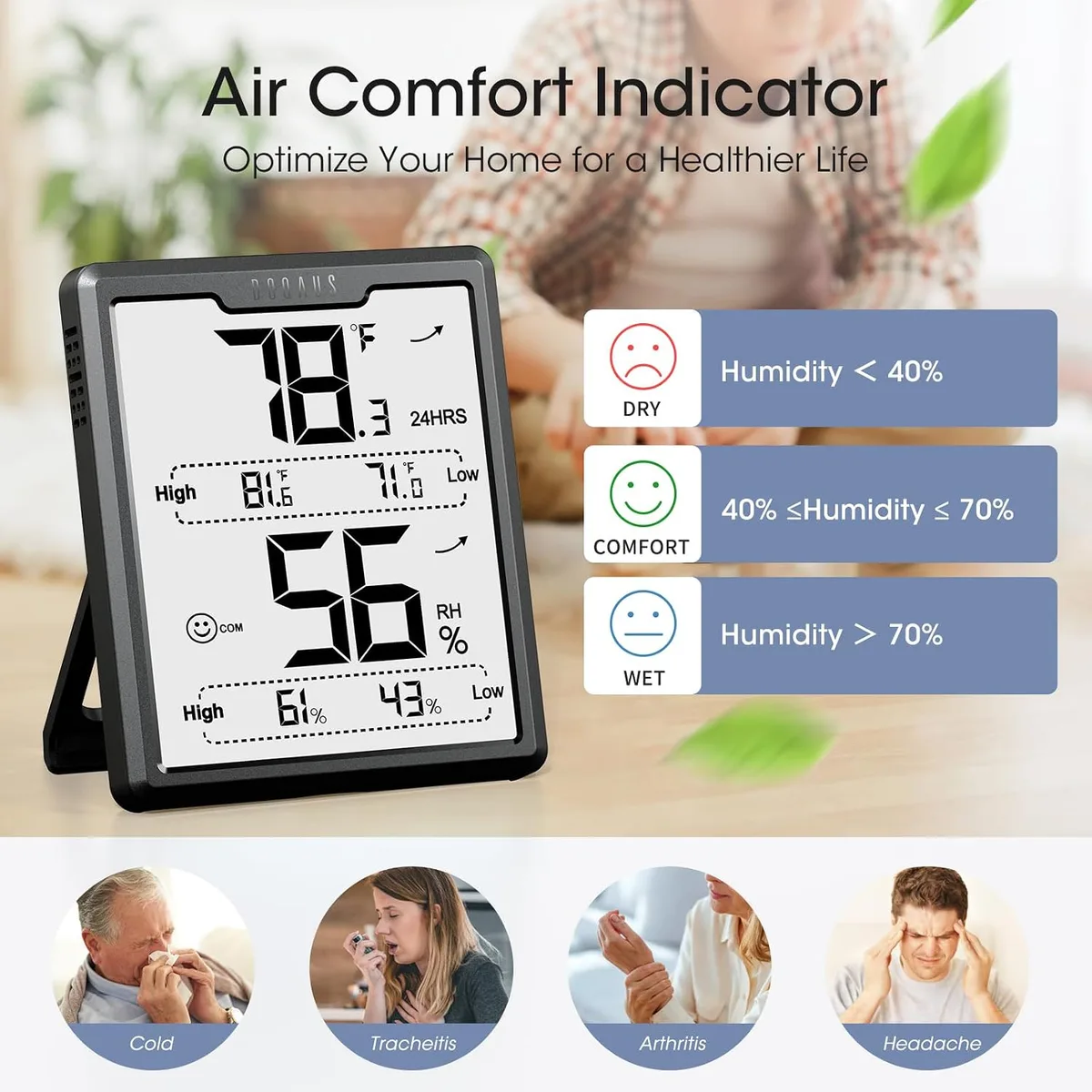
Image source: Bing (Web (fair-use with source credit))
Quick Answer: What a Hygrometer Measures and Why the Answer Depends on Your Device
A hygrometer measures humidity in the air. Most consumer models report relative humidity, or RH. RH is the moisture percentage compared to the maximum air can hold at that temperature.
Other devices measure dew point, absolute humidity, or specific humidity. The reading type depends on the sensor technology inside.
A sling psychrometer measures wet-bulb and dry-bulb temperatures to calculate dew point. A capacitive sensor measures relative humidity directly. A chilled mirror hygrometer measures dew point with lab-grade accuracy.
The device type determines what it reads and how you should interpret the number.
The Real Difference: Relative Humidity vs. Absolute Humidity vs. Dew Point
These three terms get mixed up constantly. Let's settle them.
Relative humidity is the one you see on weather forecasts and most home displays. It's a ratio, not a fixed amount. Specifically, it's the percentage of water vapor in the air compared to the maximum that air can hold at that exact temperature.
Warm air holds more moisture than cold air, which is why RH shifts with temperature.
Absolute humidity is the actual mass of water vapor in a given volume of air, measured in grams per cubic meter. It doesn't fluctuate with temperature. If you extract all the water from one cubic meter of air, weigh it, and get 12 grams, the absolute humidity is 12 g/m³.
Dew point is the temperature at which air becomes fully saturated and water vapor starts condensing into liquid. A dew point of 13°C means condensation will form on any surface cooler than 13°C. Forecasters use it to predict morning fog or frost.
Here's an example that makes it click. On a summer day, air at 30°C with 60% RH holds significantly more actual moisture than air at 10°C with 90% RH. The dew point tells you how that moisture behaves when temperatures drop overnight.
Per ASHRAE guidelines, indoor relative humidity should stay between 30% and 60% for occupant comfort and to limit mold growth. Here's how the three measurements compare:
| Term | What it measures | Typical unit | Best used for |
|---|---|---|---|
| Relative humidity | Moisture ratio vs. air's capacity at current temperature | % | Comfort, mold prevention, indoor climate |
| Absolute humidity | Actual mass of water vapor per volume of air | g/m³ | Industrial drying, HVAC engineering |
| Dew point | Temperature where air saturates and condensation begins | °C / °F | Weather forecasting, condensation prevention |
A psychrometric chart ties all three together visually. It plots dry-bulb temperature along the bottom, humidity along the vertical axis, and RH curves bending across the graph. HVAC techs use it to translate between these values when designing air handling systems.
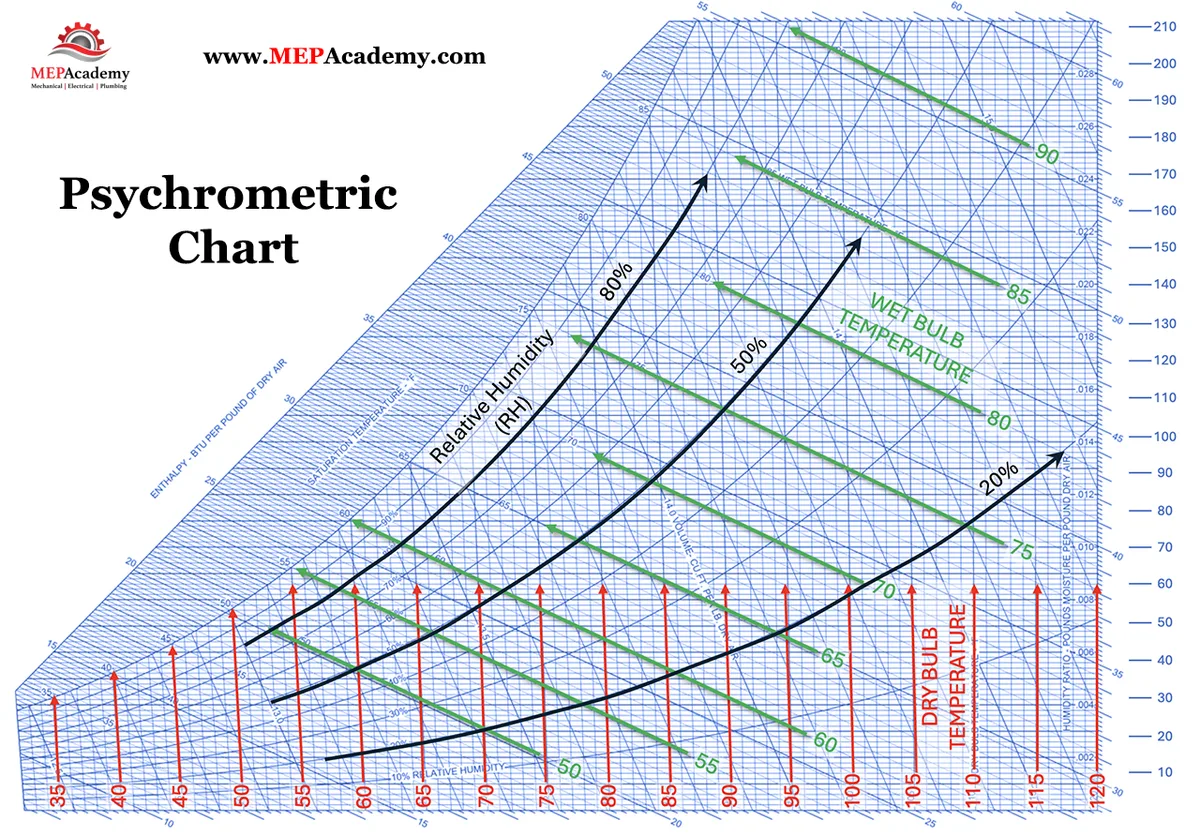
Image source: Bing (Web (fair-use with source credit))
How Hygrometer Types Measure Humidity and How to Tell Which One You Have
Not all hygrometers work the same way. The technology inside determines what the device actually measures and how accurate it stays over time. As of 2026, the consumer market leans heavily on digital capacitive sensors, which balance cost, accuracy, and response time well.
Capacitive hygrometers are what you'll find in most digital home units. They measure relative humidity by detecting changes in capacitance as a thin polymer film absorbs water vapor. They're typically accurate to about ±2% RH when new.
Resistive hygrometers work similarly but track resistance changes in a hygroscopic material instead. They're cheaper to produce but drift more over time and need more frequent calibration.
Hair hygrometers are the classic analog devices. They use a strand of human or animal hair that lengthens and shortens as humidity changes. The mechanical linkage moves a needle across the dial.
They respond slowly and need periodic recalibration, but they require no power.
Sling psychrometers are the old-school field tool. They pair two thermometers, one with a wet wick, and you swing the unit in the air. Evaporation cools the wet bulb, and the temperature difference lets you calculate dew point and RH using a reference chart.
Chilled mirror hygrometers are the precision reference instruments. They cool a small mirror until condensation forms and measure the exact dew point temperature. Laboratories and calibration facilities use them because they're accurate to ±0.1°C.
| Hygrometer type | Measures directly | Typical accuracy | Where you'll find it |
|---|---|---|---|
| Capacitive | RH | ±2-3% RH | Digital home monitors |
| Resistive | RH | ±3-5% RH | Budget digital units |
| Hair | RH | ±5-10% RH | Analog wall dials |
| Sling psychrometer | Wet-bulb temperature | ±2-3% RH with care | HVAC field checks |
| Chilled mirror | Dew point | ±0.1-0.2°C | Labs, calibration standards |
How do you tell which one you own? Look at the front. If it has a dial and no battery compartment, it's probably a hair hygrometer.
If it has an LCD screen, it's almost certainly capacitive or resistive. If it comes with two separate thermometer bulbs, it's a psychrometer.
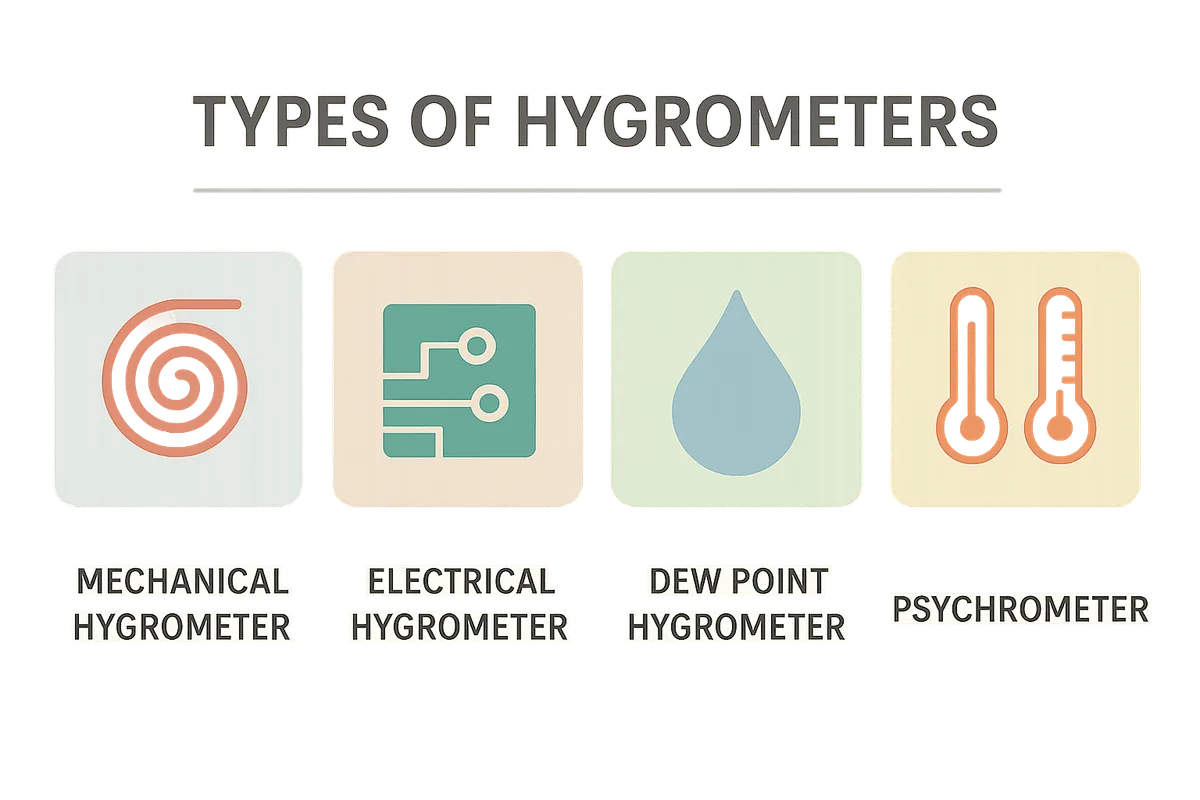
Image source: Bing (Web (fair-use with source credit))
Step-by-Step: How to Read, Place, and Calibrate Your Hygrometer for Accurate Results
Getting a reading is easy. Getting an accurate reading takes a little effort. Follow this workflow and your hygrometer will tell you the truth.
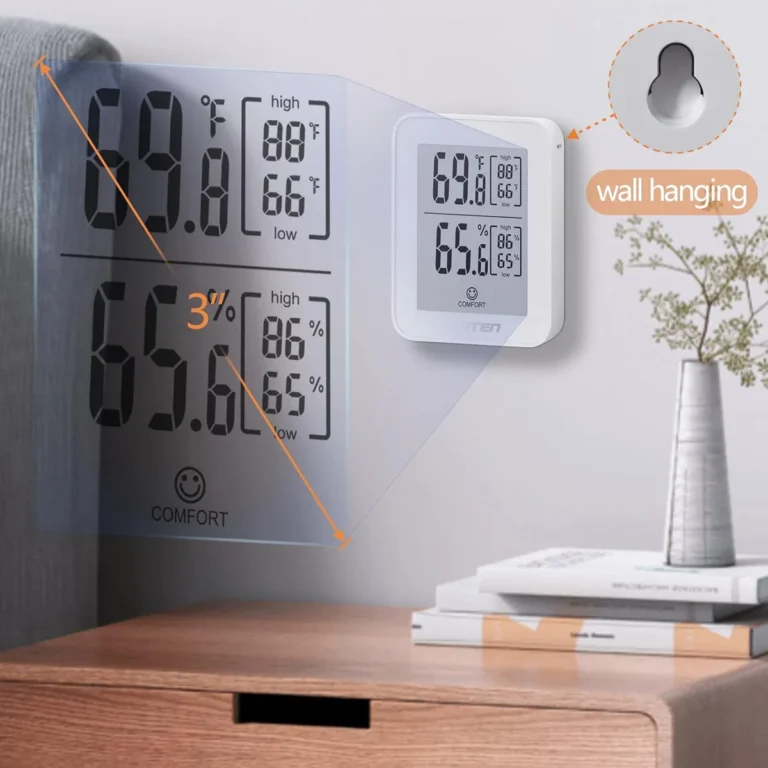
Step 1: Place it correctly. Put the hygrometer in the center of the room, about 3 to 5 feet off the floor. Keep it away from windows, AC vents, radiators, and heat-generating electronics. Warm surfaces and airflow create a microclimate that skews the reading.
Step 2: Let it acclimate. Digital hygrometers typically respond within 15 to 30 minutes. Analog models can take a few hours to catch up after a significant humidity change. If you just moved the device from a dry hallway into a humid bathroom, wait before trusting the display.
Step 3: Read the display. The main number on a consumer hygrometer is relative humidity. Check the temperature reading too, because RH is meaningless without temperature context.
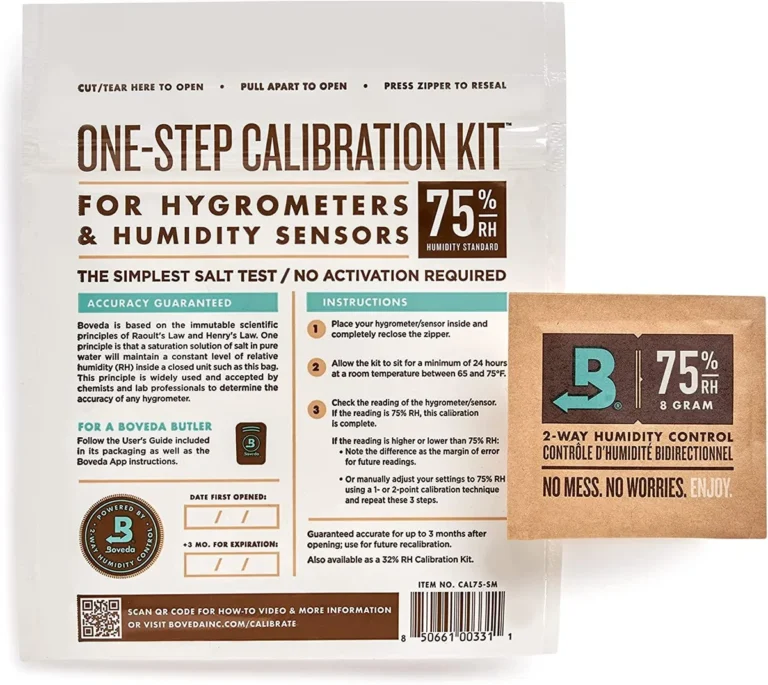
Step 4: Calibrate with the salt test. Get a small jar with a tight seal. Place two tablespoons of table salt in a bottle cap and add a few drops of water to make a thick paste. Put the cap and your hygrometer inside the jar, seal it, and wait 6 to 12 hours.
The trapped air will stabilize at exactly 75% RH. A properly calibrated hygrometer will read 75%. If it reads 70%, you know the offset and can adjust accordingly.
Some digital models include a calibration mode where you adjust the reading to match the known 75% reference. Check your manual. Many analog hygrometers have a small screw on the back that fine-tunes the needle position.
Step 5: Recalibrate regularly. Sensors drift. The change is gradual enough that you won't notice until the device is off by 5% or more. Per NIST measurement guidance, calibration checks every few months catch drift early and keep your readings dependable.
| Step | Action | Time needed |
|---|---|---|
| 1 | Place 3-5 ft off floor, away from vents | Instant |
| 2 | Let sensor settle | 15-30 min (digital), hours (analog) |
| 3 | Read RH with temperature context | Instant |
| 4 | Salt test calibration | 6-12 hours |
| 5 | Recalibrate periodically | Every 2-3 months |
Common Hygrometer Mistakes That Skew Your Readings
Most inaccurate readings aren't the hygrometer's fault. They're placement, calibration, or interpretation errors.
Placing the unit near an air vent is the classic mistake. The air flowing out is either drier or more humid than the room average, and the sensor reports the microclimate instead of the room. Same goes for windows, exterior walls, and electronics.
The number looks plausible and is completely wrong.
Direct sunlight is another culprit. A hygrometer on a sunny windowsill reads several percentage points lower because the sensor warms up. The RH drops as temperature rises, even though the actual moisture in the air hasn't changed.
Skipping the acclimation period trips up new owners. If you just brought a hygrometer from a dry store into your humid basement, the sensor needs time to catch up. Reading it immediately gives you a snapshot of where it came from, not where it is.
Ignoring calibration is the costliest habit. A digital hygrometer that's 3% off might not seem serious, but consider a humidor. If the device reads 70% RH while the actual level is 67%, your cigars could dry out slowly without you noticing.
If it reads 70% while the real level is 73%, you're drifting toward mold territory.
Touching the sensor introduces oils and skin moisture. Readings can stay skewed for a while after bare fingers contact the sensing element. Handle the unit by its housing, never the sensor grid.
Misinterpreting the number is the final common error. People see 65% RH, panic about moisture, and forget that RH is temperature-dependent. The same air at 20°C and 65% RH has a dew point near 13°C.
Cool that room to 13°C and condensation appears. Warm it to 25°C and RH drops to roughly 48%. The actual water vapor never changed.
The temperature did.
If your analog hygrometer is decades old and has never been calibrated, treat the number on the dial as a suggestion rather than a fact. Replace it or calibrate it before relying on it for anything important.
Frequently Asked Questions
Does a hygrometer measure temperature?
Some hygrometers include a built-in thermometer, but a standard hygrometer measures humidity only. Combo units called thermo-hygrometers display both temperature and relative humidity. The two measurements are linked, since RH depends on temperature, but the sensor technology for each is different.
What is the difference between a hygrometer and a moisture meter?
A hygrometer measures water vapor in the air. A moisture meter measures liquid water content inside solid materials like wood, drywall, or concrete. They serve different purposes.
A hygrometer tells you about the air. A moisture meter tells you about the material.
Can I use a hygrometer outdoors?
Yes. Outdoor models include weather-resistant housings and wider temperature ranges. Most consumer units are designed for indoor use only.
Check the specifications before placing one outside. Outdoor humidity data helps with gardening, painting, and weather monitoring.
How often should I calibrate my hygrometer?
Every 2 to 3 months is a good rule of thumb for digital units. Analog models may need more frequent checks. The salt test is the simplest home method.
If you notice your readings shifting suddenly or you've moved the device to a new location, recalibrate sooner.
What is a good humidity level for my home?
ASHRAE recommends 30% to 60% relative humidity for comfort and health. Levels above 60% encourage mold, dust mites, and mildew. Levels below 30% cause dry skin, static electricity, and respiratory irritation.
Adjust with a humidifier or dehumidifier as needed.
Why does my hygrometer read over 100%?
A reading above 100% RH indicates condensation on the sensor. This usually happens when the sensor is wet or the device is placed near a humidifier, steam source, or cold surface. Dry the sensor gently with a soft cloth and move the unit to a better location.