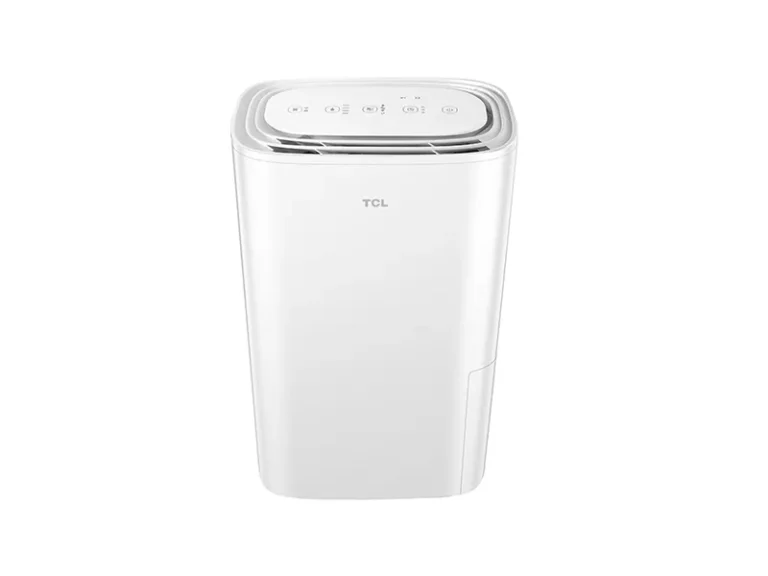
GE ADHL50LA Troubleshooting
Your GE ADHL50LA dehumidifier just stopped doing its job. The bucket stays empty. The air feels damp.
Maybe the unit won't even turn on. If you're searching for GE ADHL50LA troubleshooting help, you're likely dealing with one of a few common problems. Most are totally fixable without a service call.
This unit is rated to remove 50 pints of moisture per day under AHAM standard testing conditions. That's a lot of water. When it stops working, the cause is usually something simple.
Let's walk through the most likely issues and how to fix them, step by step.
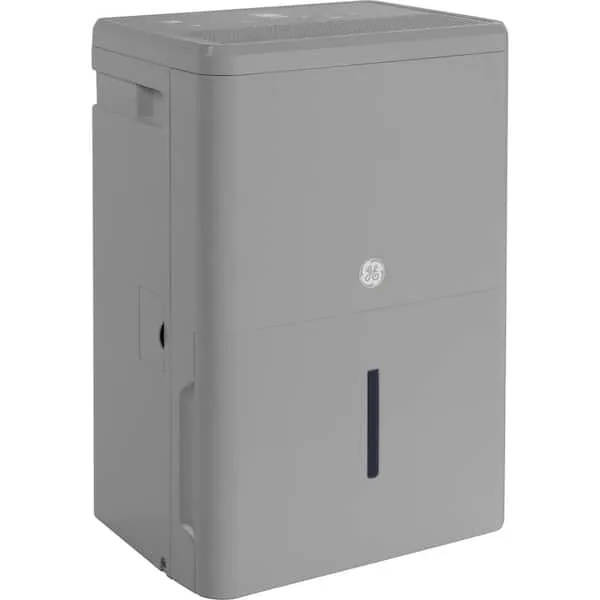
Image source: Bing (Web (fair-use with source credit))
Quick Answer
Check the power source first. Inspect the float switch for jams. Clean the filter if it's dirty.
Ensure the unit sits level. Review the manual for error codes.
Understanding How Your GE ADHL50LA Works
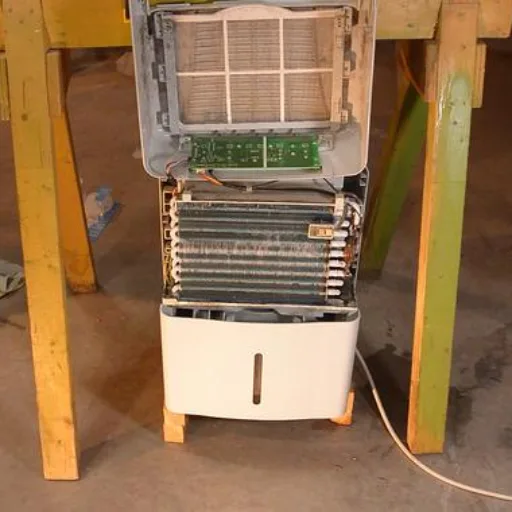
Before you start pulling things apart, it helps to know what's inside that metal box. The ADHL50LA uses a compressor and refrigerant to cool a set of coils. Warm humid air gets pulled over those cold coils.
Water condenses out, and the drips collect in the bucket. The fan moves the air. The humidistat tells the unit when to run.
The float switch stops the unit when the bucket is full.
Each part can fail in its own way. But here's the good news: with a machine this common, the failure patterns are predictable. The compressor is a sealed unit, so you can't fix that yourself.
But almost everything else is accessible. The control board handles the logic. The fan motor moves the air.
The evaporator coils get cold. The condenser coils dump the heat. The float switch sits in the bucket well and rises with the water level.
When you understand that chain, troubleshooting becomes a simple process of elimination. If the fan runs but no water collects, the compressor or refrigerant loop might be the issue. If the unit hums but won't start, the capacitor or start relay might be bad.
If the bucket full light stays on, the float switch is probably stuck. We'll cover each scenario in the next section.
Placement matters too. Keep the unit at least six inches from walls on all sides. Set the humidity to 50% for the best balance of comfort and efficiency.
Lower settings wear out the compressor faster without much benefit.
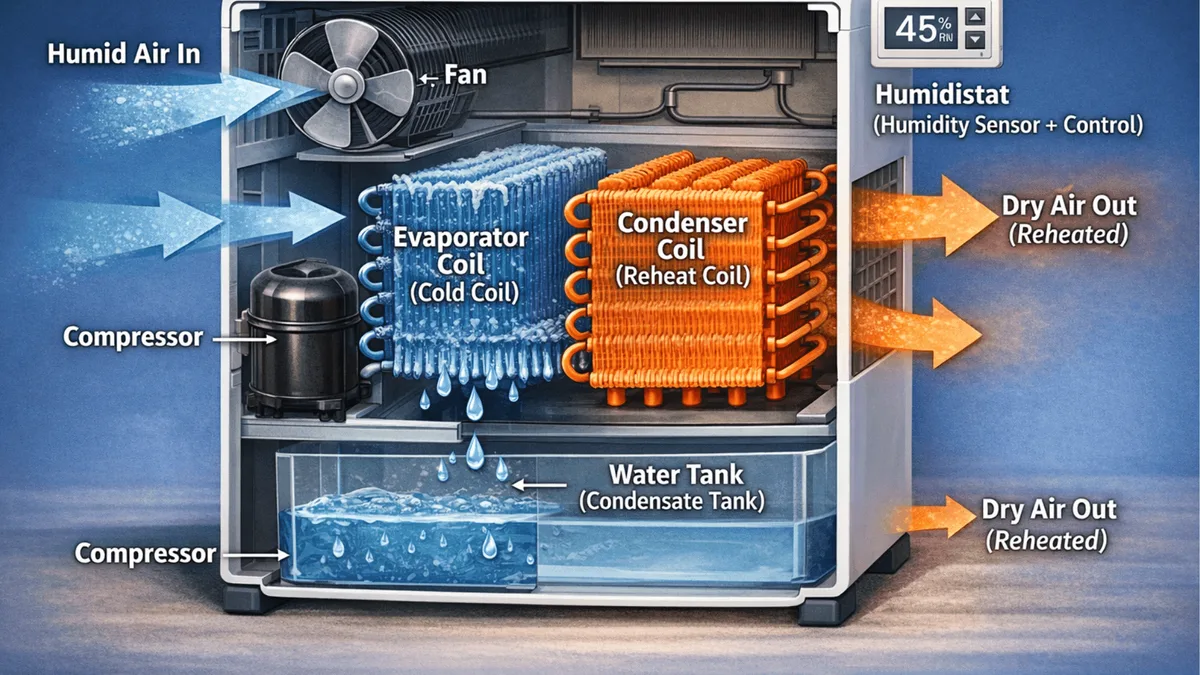
Image source: Bing (Web (fair-use with source credit))
Troubleshooting by Symptom: A Step-by-Step Decision Tree
Here is a quick reference table for the most common issues. Find your symptom, then follow the details below.
| Symptom | Most Likely Cause | Quick Fix |
|---|---|---|
| Unit won't turn on | No power, bad outlet, or failed control board | Check outlet, test with another device |
| Runs but no water collected | Low ambient temp, dirty coils, or low refrigerant | Clean coils, check temp, call pro if icing |
| Bucket full light stays on | Stuck float switch | Tap or clean the float switch |
| Loud or vibrating noises | Loose parts, unlevel surface, or bad compressor | Level unit, tighten screws |
| Ice buildup on coils | Low temp, dirty filter, or low airflow | Clean filter, raise room temp |
Unit Won't Turn On
Start with the obvious. Is the unit plugged into a working outlet? Plug a lamp or phone charger into the same outlet to confirm power.
If the outlet works but the unit is dead, check the power cord for damage. No visible damage? The control board or internal fuse might be blown.
Per manufacturer specs, the unit draws about 5.5 amps under load. A tripped breaker on a shared circuit is also possible. Reset the breaker and try again.
Runs but No Water Collected
This is a frustrating one. The fan runs, the compressor hums, but the bucket stays dry. First, check the humidity setting.
If the room is already below your setpoint, the unit won't run. Lower the setting. If it still doesn't collect water, the ambient temperature might be too low.
The ADHL50LA is designed to operate between 41°F and 95°F. Below 41°F, ice forms on the coils and the defrost cycle kicks in, which stops water collection. Raise the room temperature or move the unit to a warmer spot.
Bucket Full Light Stays On
The bucket full light is tied to the float switch. If that switch gets stuck in the "up" position, the unit thinks the bucket is full even when it's empty. This is the number one cause of false alarms on this model.
Open the bucket and look at the plastic float. It should move freely up and down. Gently push it up and let it drop.
If it sticks, clean the well with warm water and a soft cloth. Debris or mineral deposits often jam it.
Loud or Vibrating Noises
A rattling or vibrating noise usually means the unit is sitting on an uneven surface. The ADHL50LA has a compressor and a fan motor, both of which create vibration. If the floor is soft or unlevel, the noise amplifies.
Place the unit on a solid, level floor. If the noise persists, check the screws on the back panel. Loose screws cause rattling.
If the noise is a grinding or metal-on-metal sound, the fan blade might be hitting the housing or the compressor mounts might be worn.
Ice Buildup on Coils
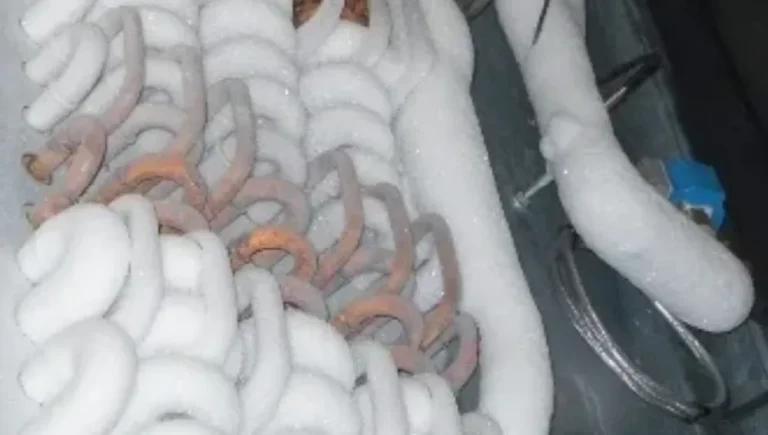
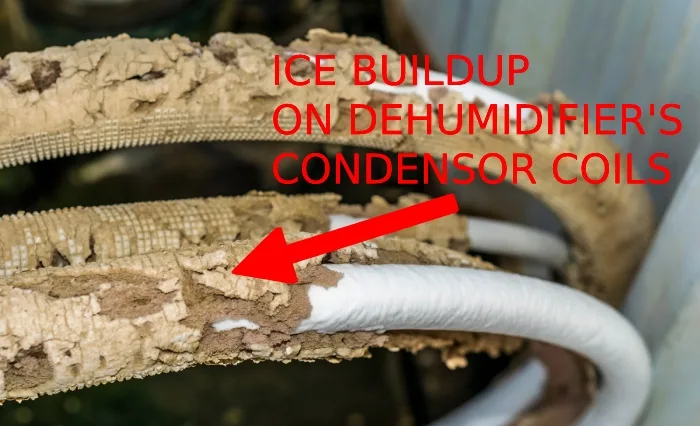
Ice on the evaporator coils is a sign of restricted airflow or low ambient temperature. The most common cause is a dirty air filter. A clogged filter reduces airflow, which causes the coils to get too cold and freeze.
Clean the filter following the steps in the maintenance section below. If the filter is clean but ice still forms, check the room temperature. If the room is below 65°F, the unit is working too hard.
Raise the temperature or move the unit to a warmer area.
Advanced Symptoms: When the Obvious Fixes Fail
Sometimes the unit hums but won't start. That often points to a bad start capacitor. Test the capacitor with a multimeter set to capacitance mode.
A good capacitor reads within 5% of its rated microfarads. A bad one reads low, high, or zero. Safety warning: Capacitors store electricity even when unplugged. Discharge the capacitor with a 20k ohm resistor before touching the terminals.
If you are not comfortable doing this, skip it and call a pro.
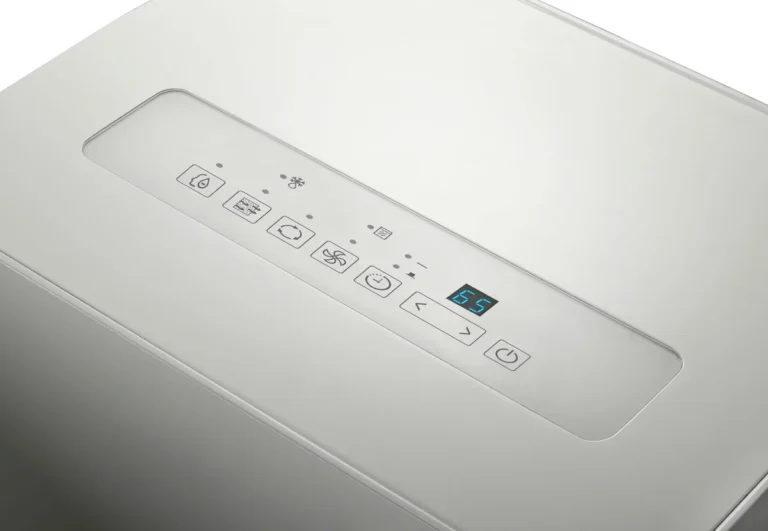
If the display is blank or shows scrambled characters, the control board may be failing. Try a power cycle first. Unplug for 10 minutes.
If the display stays weird, the board needs replacement. Replacement boards cost around $60 to $80 and are available from GE parts distributors.
If the unit cycles on and off rapidly, the humidistat sensor might be giving bad readings. The sensor tells the board the room is humid, then dry, then humid again in seconds. A new sensor costs less than $20 and is a simple plug-in replacement.
Common DIY Mistakes That Cause More Problems
Some fixes seem obvious but actually make things worse. Here are the mistakes we see most often.
Ignoring the filter for months. The filter is the first line of defense. When it's clogged, the unit struggles to move air, coils freeze, and the compressor works too hard. Clean it every month during heavy use.
It takes 30 seconds.
Using an extension cord. The manual clearly states this. The ADHL50LA draws enough current that a long or thin extension cord can cause voltage drop, overheating, and even fire risk. Plug it directly into a wall outlet.
Tilting the unit to drain. Some people think tilting helps the water flow out. It does not. It can cause the float switch to malfunction and the bucket to spill.
Keep the unit level at all times.
Setting the humidity too low. A setting of 30% or lower forces the unit to run nonstop. This wears out the compressor faster and can cause ice buildup. The sweet spot is 45% to 55% for comfort and efficiency.
Forgetting the bucket after emptying. The unit won't restart until the bucket is properly seated. If you push the bucket back in at an angle, the float switch might not reset. Always push the bucket in straight until it clicks.
Routine Maintenance to Prevent Future Issues
A little regular care keeps the ADHL50LA running reliably. Here is a simple schedule.
Monthly: Clean the air filter. Remove the filter grille, pull out the foam filter, and rinse it with warm water. Let it dry completely before reinstalling.
A wet filter can cause mold growth inside the unit.
Seasonally: Check the drain hose connection. If you use continuous drainage, inspect the hose for kinks, cracks, or clogs. A blocked hose causes water to back up into the bucket.
Replace the hose if it feels brittle.
Annually: Clean the bucket and the float switch well. Mineral deposits from hard water can build up and cause the switch to stick. Wipe the bucket with a mild vinegar solution to remove scale.
As needed: Vacuum the front and back grilles. Dust and pet hair can block airflow even if the filter is clean. Use a soft brush attachment.
End of season storage: If you only run the unit during humid months, empty and dry the bucket completely. Clean the filter one last time. Store the unit upright in a dry, temperature-stable area.
Unheated garages can damage the compressor oil and seals. Wrap it in a blanket for insulation if storage in a cold space is unavoidable.
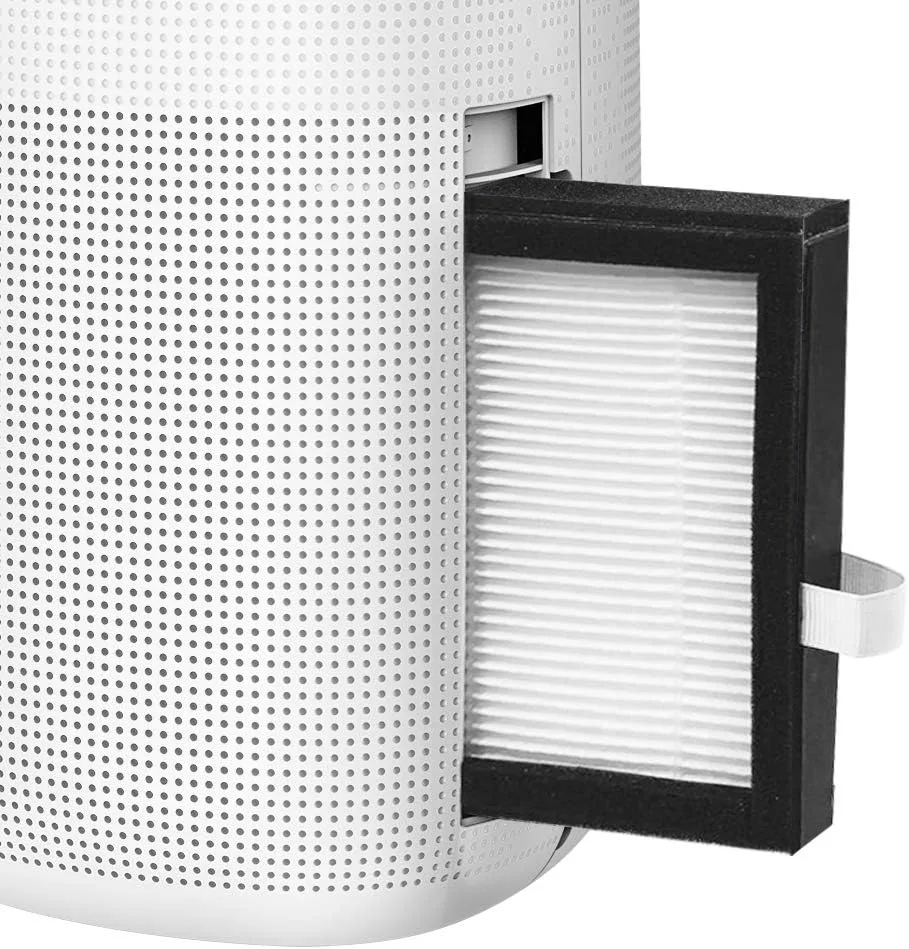
Image source: Bing (Web (fair-use with source credit))
For the official user manual and detailed specifications, visit the GE Appliances support page. The AHAM standard for dehumidifier testing is available through the Association of Home Appliance Manufacturers.
When to Call a Professional vs. DIY
Most GE ADHL50LA troubleshooting tasks are safe and straightforward for a DIYer. Cleaning the filter, leveling the unit, freeing a stuck float switch, and checking the outlet are all fair game. But some problems need a trained technician.
Call a pro if you hear a loud buzzing or clicking with no fan movement. That often means a failed start capacitor or compressor relay. Replacing those components involves live electrical connections and refrigerant lines. Not a beginner job.
Call a pro if the compressor runs but the unit never stops running. If the room feels dry but the dehumidifier keeps going, the humidistat sensor may be faulty. That part is buried inside the control board area. Replacing it requires desoldering or swapping the entire board.
Call a pro if you see a refrigerant leak. Signs include oil residue near the copper lines, a continuous hissing sound, or coils that never get cold even after cleaning. Refrigerant handling requires EPA certification. You cannot buy it over the counter.
DIY is fine for: filter cleaning, float switch freeing, bucket alignment, drain hose inspection, outlet testing, and leveling. If the fix involves removing the outer casing or touching the compressor, stop and get help.
A good rule of thumb: if the unit is still under warranty (GE provides a one-year limited parts and labor warranty as of 2026), do not break the seals. Any unauthorized disassembly voids the warranty. Let an authorized service center handle it.
Frequently Asked Questions
Why does my GE ADHL50LA keep shutting off early?
The most common cause is a stuck float switch. If the switch is jammed in the up position, the unit thinks the bucket is full and shuts down. Tap the float gently or clean the well to free it.
Also check that the bucket is seated correctly.
How do I reset my GE ADHL50LA dehumidifier?
Unplug the unit from the wall outlet. Wait 10 minutes. Plug it back in and turn it on.
This power cycle resets the control board and clears most error codes. If the problem returns immediately, something else is wrong.
What does the error code mean on my ADHL50LA?
Consult the owner's manual for the exact code. Common codes include "E1" for a sensor failure and "E2" for a coil temperature issue. Most codes clear with a power cycle.
If they persist, contact GE support.
Can I use an extension cord with this dehumidifier?
No. The manual explicitly warns against it. The unit draws enough current that an extension cord can overheat or cause voltage drop.
Plug it directly into a grounded wall outlet.
How often should I clean the filter on my GE ADHL50LA?
Clean it every month during peak humid seasons. If you run the unit year-round, clean it every two months. A dirty filter is the top cause of ice buildup and poor performance.
Why is my dehumidifier running but not collecting water?
Check the humidity setting first. If the room is already below your setpoint, the unit won't run. Next, check the ambient temperature.
Below 41°F stops collection. Finally, inspect the coils for ice. If all else fails, the refrigerant charge may be low, requiring a service call.