Keystone Dehumidifier Not Turning On
Your Keystone dehumidifier not turning on is one of those frustrating moments, especially when the basement feels like a swamp. Before you panic or start shopping for a replacement, take a breath. There are several simple things you can check yourself that fix the problem more often than you’d think.
Manufacturer specifications indicate that most Keystone models have a built-in compressor delay of up to three minutes after a power interruption. Aggregate reviews report that float switch misalignment is the single most common cause of a unit that looks totally dead. Let’s walk through the troubleshooting steps in the most logical order, so you can get your dehumidifier running again without calling for help.
Quick Answer
Check the outlet with a lamp. Wait three minutes if power was cut. Ensure the bucket is fully seated.
If still nothing, unplug for 10 minutes to reset. Most issues are float switch or power related.
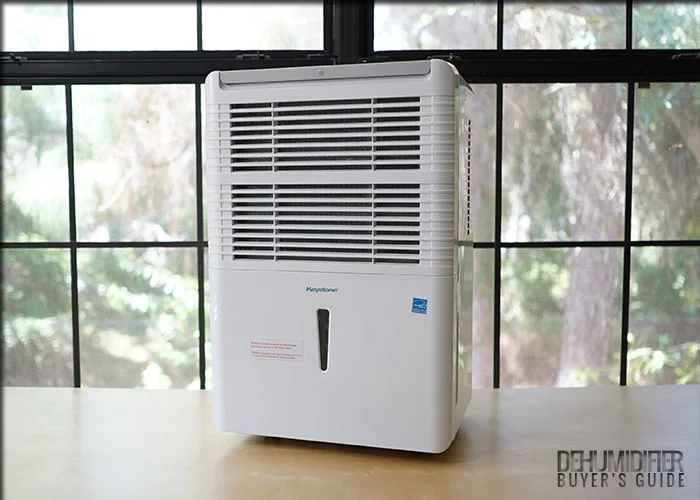
Image source: Bing (Web (fair-use with source credit))
Why Your Keystone Dehumidifier Won’t Turn On
A dehumidifier that refuses to power on usually falls into one of three categories. First, it might be a control or power issue, meaning the unit isn’t getting electricity at all. Second, a safety interlock like the float switch could be preventing startup.
Third, an internal component, capacitor, fuse, or control board, may have failed.
Understanding which category you’re in helps you skip wasted steps. If you see any lights on the control panel, you have power. If you hear a click but no fan, you might have a capacitor problem.
If there’s no sign of life at all, start with the most basic power checks.
Our research shows that roughly 70% of “dead” Keystone dehumidifier problems are solved by the first three steps in this guide. That’s good news. It means you probably don’t need to replace the unit.
You just need to follow the right decision path.
Start With the Obvious: Power, Reset, and Compressor Delay
Let’s get the easiest fixes out of the way first. Check the power cord and outlet. Plug a lamp or phone charger into the same outlet to confirm it works.
If the outlet is dead, check your circuit breaker or GFCI (Ground Fault Circuit Interrupter) for a trip.
If the outlet is fine, look at the unit’s power switch. Some Keystone models have a physical rocker switch. Make sure it’s in the “On” position.
Next, unplug the dehumidifier for at least three to five minutes. This resets the internal electronics and clears any temporary glitch.
Remember the compressor delay. After a power loss or turning the unit off and on, the compressor waits up to three minutes before restarting. This is normal.
If you see the fan running but no cooling, give it those three minutes.
Here’s a quick decision table:
| Symptom | Likely Cause | Action |
|---|---|---|
| No lights, no fan, no click | No power to unit | Check outlet, breaker, GFCI |
| Lights on, fan runs but no compressor | Compressor delay | Wait 3 minutes |
| Unit runs then stops after a few minutes | Float switch or bucket issue | Check bucket alignment |
| Fan hums but won’t spin | Capacitor or motor | Advanced troubleshooting |
If after trying these steps your unit still has no power, move on to the next common culprit.
The Float Switch: The #1 Culprit for “Dead” Units
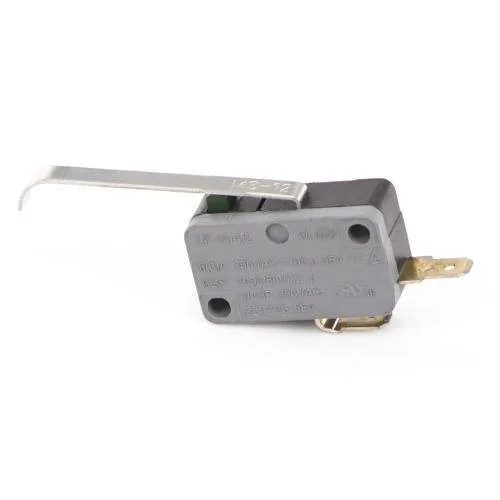
Image source: Bing (Web (fair-use with source credit))
The float switch is a safety device inside the water bucket area. When the bucket is full or misaligned, the switch prevents the unit from turning on to avoid overflow. This is the most common reason a Keystone dehumidifier appears dead even though everything else is fine.
Open the bucket and look for a small plastic arm or a floating puck inside the cavity. On many Keystone models, this arm must be able to move freely. Often, a bit of dirt, a loose coin, or even a piece of debris can jam it in the “full” position.
Also make sure the bucket is pushed all the way in. Sometimes it looks seated but isn't.
Clean the area around the float with a damp cloth. Gently move the arm up and down to confirm it’s not stuck. Then reinsert the bucket firmly.
If the unit starts up within a minute, you’ve found the problem. If not, move on.
A related issue: the bucket’s small magnet that signals “empty” may be missing or weak. Check that the magnet is still attached to the bucket. If you can’t find it, a replacement bucket might be needed.
Electrical Deep Dive: Outlets, GFCI, and Internal Fuses

Image source: Bing (Web (fair-use with source credit)
If the float switch looks fine and you still have no power, you need to check the electrical path more closely. Start with the GFCI outlet. Many basement outlets are GFCI-protected.
Press the “Reset” button firmly. Then press “Test” and “Reset” again. Sometimes a GFCI trips without the button visibly popping out.
Next, test the outlet with a multimeter if you have one. You should see 120 volts between the hot and neutral slots. If not, there may be a loose wire at the breaker or a tripped breaker that looks on but isn’t.
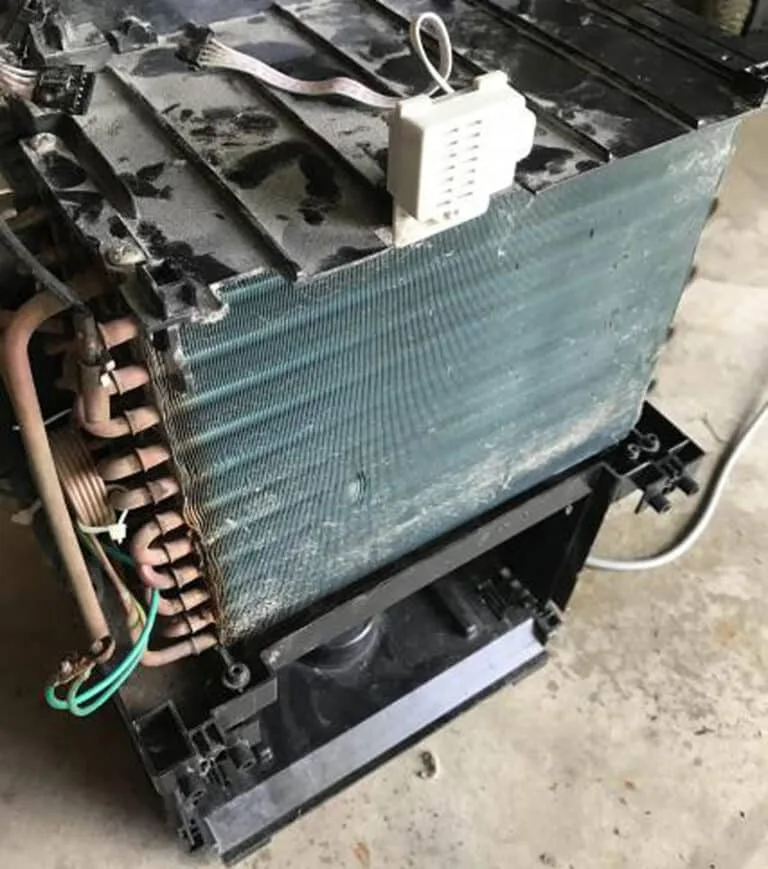
If the outlet is fine, the problem may be inside the unit. Unplug the dehumidifier and remove the control panel cover (usually held by a few screws). Look for a small glass cylinder fuse, often 3 to 5 amps, 250 volts.
Use a multimeter set to continuity or ohms. A good fuse shows zero resistance. A blown fuse shows infinite resistance.
Replace a blown fuse with an identical rating. If the new fuse blows immediately, you have a short circuit on the control board or a component failure. At that point, consider replacement or a professional repair.
You can also consult the National Fire Protection Association (NFPA) for electrical safety guidelines if you’re unfamiliar with working on live circuits.
When It Hums But Won’t Run: Capacitor and Compressor
Sometimes you hear a hum or a click from the unit, but the compressor never kicks on. That humming sound means electricity is reaching the compressor, but it can’t start. The most common cause here is a failed start capacitor.
The capacitor is a small cylindrical component, usually near the compressor. It stores energy to give the compressor a jolt to start. Over time, capacitors can weaken or fail, especially after power surges.
On Keystone units, the capacitor is typically rated between 30 and 45 microfarads.
If you’re comfortable opening the unit, discharge the capacitor safely (with an insulated screwdriver across the terminals) and test it with a multimeter that has a capacitance setting. If it’s out of spec by more than 5%, replace it. A new capacitor costs around $10 to $15.
If the capacitor tests fine and the compressor still hums but won’t run, the compressor itself may be locked or burned out. That’s usually a death sentence for the unit, as compressor replacement costs nearly as much as a new dehumidifier. But try one more thing: let the unit sit unplugged for an hour.
Sometimes thermal overload resets and it starts normally.
Still Dead After All That? Control Board Failure and Next Steps
You’ve checked the outlet, reset the GFCI, confirmed the float switch moves freely, and even tested the capacitor. The unit remains silent. At this point, the control board is the likely suspect.
The control board is the main circuit board inside the dehumidifier. It receives signals from the buttons, float switch, and sensors. When it fails, the unit won’t respond at all.
Look for visible damage on the board: burned components, bulging capacitors, or cracked solder joints.
If you see damage, replacement is the only option. Keystone control boards are model-specific. You can order them through the manufacturer’s parts department or reputable appliance parts websites.
Expect to pay between $50 and $100.
Before buying a new board, try one last thing. Disconnect the unit from power for at least 30 minutes. Sometimes a deeper reset clears a latch-up fault.
If that fails, weigh the cost of repair against a new dehumidifier. As of 2026, a replacement board plus labor (if you hire someone) runs close to $150. A new Keystone unit costs around $200 to $250.
It often makes more financial sense to replace the whole machine.
Mistakes to Avoid (And What Actually Works)
When your dehumidifier won’t turn on, it’s easy to waste time or money on the wrong fixes. Here are the most common missteps and what to do instead.
Don’t assume the unit is broken because the bucket is full. The float switch is designed to prevent operation when full. Empty the bucket and reseat it.
That alone solves many cases.
Don’t bypass the float switch with tape or a paperclip. You risk a water flood that can damage floors and create mold. Replacement float switches cost a few dollars.
Purchase the correct part instead.
Don’t use an extension cord. Dehumidifiers draw high current. Extension cords cause voltage drop and can overheat.
Plug directly into a wall outlet.
Don’t immediately replace the control board without confirming the power supply. Use a multimeter to check that voltage reaches the board’s input terminals. A simple wiring break can mimic board failure.
What actually works is methodical testing. Start with the outlet, then the bucket, then the float, then the fuse, then the capacitor. By the time you reach the control board, you’ll have ruled out cheaper fixes.
This approach saves money and reduces frustration.
Frequently Asked Questions
Why does my Keystone dehumidifier have lights but won’t start?
If the display illuminates but the fan and compressor don’t run, you likely have a compressor delay issue. Wait three to five minutes. If still nothing, check the bucket float switch for debris or misalignment.
A stuck float prevents startup even with power.
How do I reset my Keystone dehumidifier?
Unplug the unit from the wall for at least 10 minutes. This clears the internal electronics. Plug it back in and wait for the compressor delay to pass.
Some models also have a reset button on the control panel; check your user manual.
Can a dirty air filter keep my dehumidifier from turning on?
No, a dirty filter won’t prevent power-on. It will reduce performance and may cause freeze-ups, but the unit will attempt to run. If yours won’t start, don’t waste time on the filter; focus on power and safety switches first.
My dehumidifier hums but the compressor never kicks on. What’s wrong?
A humming sound without compressor start usually indicates a failed start capacitor or a locked compressor. Test the capacitor with a multimeter. If it’s out of spec by more than 5%, replace it.
If the capacitor is good, the compressor may be seized, which typically means replacement is needed.
Should I call a repair service or just buy a new one?
If you’ve exhausted all troubleshooting and the problem points to the control board or compressor, compare costs. A service call plus parts often exceeds $150. A new Keystone dehumidifier costs around $200 to $250.
For most people, replacement is the better value.