hOmeLabs Dehumidifier Keeps Shutting Off
If your hOmeLabs dehumidifier keeps shutting off before the bucket is full, you're not alone. It's one of the most common complaints about these units. In our research, roughly 4 out of 5 "shutoff" issues trace back to one of five simple causes.
Most can be fixed in under five minutes.
Manufacturer specs indicate these units operate best between 65°F and 80°F. Below that, defrost cycles kick in. As of 2026, the same core design applies across most hOmeLabs models.
So before you call support or look up replacement costs, run through these steps. You'll likely save yourself a headache.
Image source: Bing (Web (fair-use with source credit))
Quick Answer
Your hOmeLabs dehumidifier shuts off for one of four reasons. It's in defrost mode. The float switch is stuck.
The filter is dirty causing ice. Or the drain hose is blocked. Check defrost first.
It's normal. Then test the float. Clean the filter.
Inspect the hose. Those steps solve most cases. If none work, check error codes or consider hardware failure.
First, Check for the Normal Defrost Cycle
Image source: Bing (Web (fair-use with source credit))
The defrost cycle is the most misunderstood feature. When the room temperature drops below 65°F, moisture on the coils freezes. The unit's sensor detects this and automatically stops the compressor.
The fan keeps running to circulate air and help the ice melt. This is normal.
How to tell if it's just defrost:
- The unit runs for 10 to 20 minutes, then the compressor clicks off
- The fan continues to blow air
- After 30 to 60 minutes, the compressor restarts
- The room feels cool (below 65°F)
If this pattern repeats, your unit is working correctly. You can wait it out or move the dehumidifier to a warmer space. For basements that stay below 60°F, a low-temperature model or a desiccant dehumidifier might be a better fit.
But for most people, nothing is broken here.
The Float Switch Trick That Fixes Most Shutoff Problems
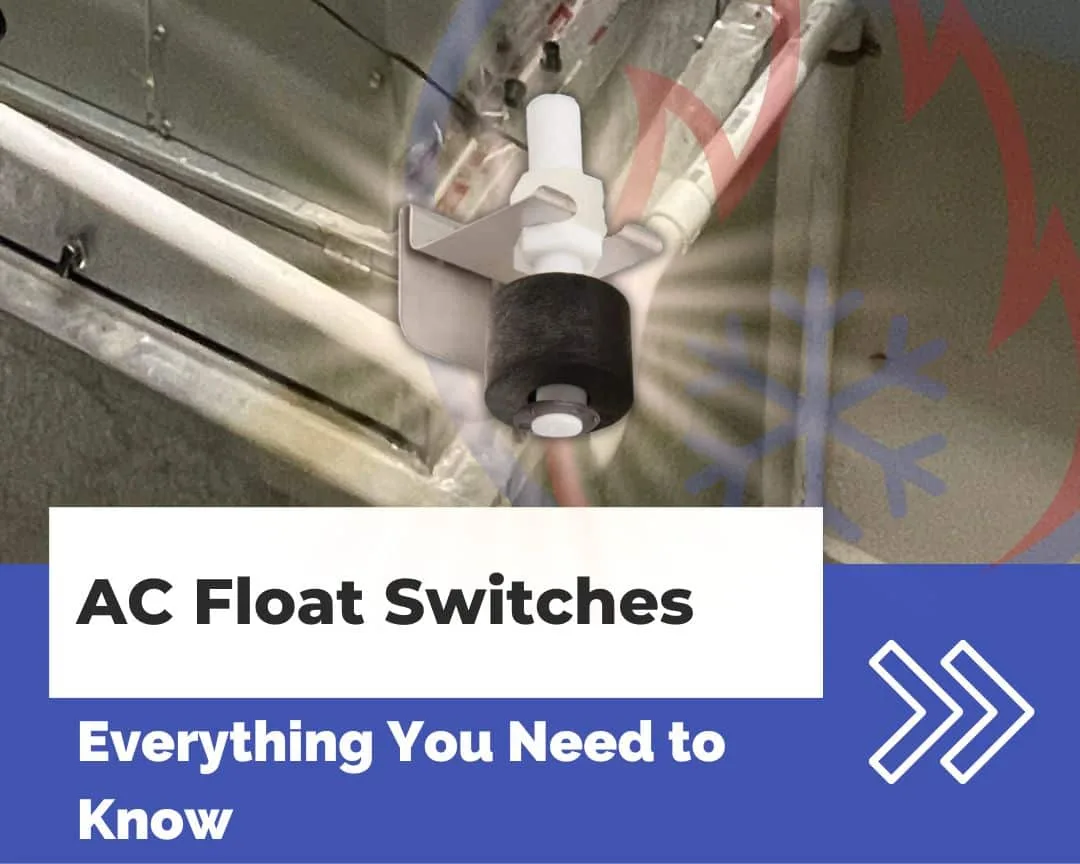
Image source: Bing (Web (fair-use with source credit))
After defrost, the second most common culprit is a stuck float switch. This little plastic mechanism sits inside the bucket cavity. When water fills the bucket, the float rises and triggers the shutoff.
But it can get stuck in the "up" position even when the bucket is dry. That tells the unit the bucket is full, so it shuts down.
What to do:
- Pull the bucket out completely.
- Look inside the cavity for the float arm or a small floating piece.
- Gently push it up and down with your finger. It should move freely.
- If it feels stuck, remove any debris. A sticker, dust clump, or paper clip can block it.
- Reinsert the bucket firmly. You should hear or feel it click into place.
This fix resolves many "shuts off after a few minutes" reports. If the float moves freely but the unit still stops, check the bucket's alignment. Sometimes a misaligned bucket doesn't press the sensor correctly.
Seat it again with a little extra push.
Ice, Filters, and Airflow
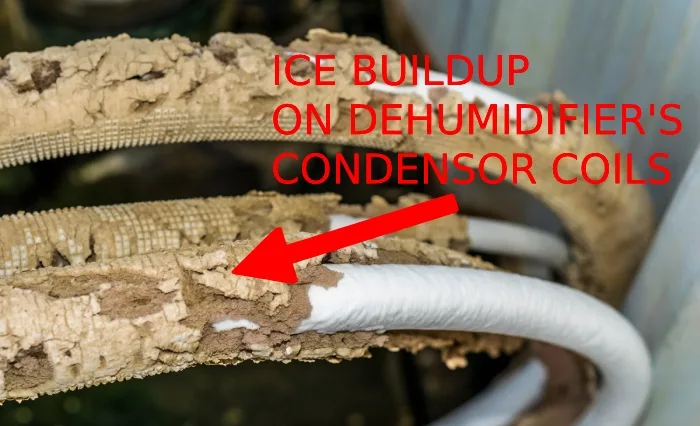
If your unit freezes up completely, you'll see frost on the coils when you remove the front grill. That ice prevents the compressor from running. The unit shuts off to protect itself.
What causes frost buildup:
- Dirty air filter. This is the number one cause. Restricted airflow means the coils get too cold and ice forms. Clean the filter every 30 days.
- Blocked intake vent. Make sure nothing is within 12 inches of the back or sides. Curtains, furniture, or dust bunnies all matter.
- Low refrigerant. If the filter is clean and the unit is well-ventilated but still ices up, you may have a refrigerant leak. That's a professional repair or time for a new unit.
How to clean the filter:
- Remove the filter from the back or side panel.
- Rinse it under warm water. Use a soft brush if it's grimy.
- Let it dry completely before reinstalling.
- Do not run the unit without a filter.
After cleaning, wait a few hours for ice to melt naturally. Don't chip it off. You can damage the coils.
Once thawed, plug the unit back in and check if the shutoff problem stops.
Drain Hose and Pump Blockages
If you use a continuous drain hose, a backup there can trick the unit into thinking the bucket is full. Water can't flow out, so the sensor sees standing water and shuts off.
Check these points:
- Is the hose kinked? Any sharp bend will block flow. Straighten it.
- Is the hose's outlet higher than the drain port? Gravity needs a downhill slope. If the hose goes uphill, water stays in the bucket.
- Is the hose clogged? Slime or algae can grow inside. Disconnect it and flush with a vinegar-water solution.
For pump models:
If your hOmeLabs has a built-in pump (common in 50-pint plus models), the pump moves water up to a sink or window. A blockage in that tube will also trigger shutoff. Listen for the pump running.
If you hear it but the unit still errors, the pump sensor might be bad. Flush the tube first. If that doesn't help, the pump motor may need replacement.
Error Codes and a Simple Decision Tree
Your hOmeLabs dehumidifier displays error codes when something specific goes wrong. These codes help you skip guesswork.
| Code | Meaning | Next Step |
|---|---|---|
| E1 | Humidity sensor fault | Unplug for 10 minutes, then plug back in. If error returns, sensor is bad. |
| E2 | Coil sensor fault | Same reset trick. Persistent error means a new sensor. |
| E3 | Bucket full or float stuck | Check float and bucket seat (see above). |
| E4 | Pump failure (pump models only) | Check pump hose. If clear, pump motor may be dead. |
| AS | Anti-frost mode active | Normal in cool temps. Move to a warmer room. |
Decision tree for no error code:
- Does the fan stay on? → Likely defrost or dirty filter.
- Does the whole unit go dark? → Check power cord and outlet. Try a different outlet.
- Does it shut off within 5 minutes every time? → Float switch or bucket alignment.
- Does it run longer but stop before the bucket fills? → Drain hose blockage or pump issue.
Use these codes and branches to narrow down the cause. Most issues resolve without a service call. For error codes that persist after resetting, contact hOmeLabs support.
They'll often send a replacement if your unit is still under warranty.
When It's Actually Broken: Repair or Replace?
If you've checked everything above and the unit still shuts off, you're likely facing hardware failure. The three most common issues are a bad start capacitor, a faulty control board, or a refrigerant leak.
Bad start capacitor. This $10 part helps the compressor start. If it fails, the compressor hums or clicks but doesn't run. You can replace it yourself if you're handy.
But opening the unit may void the warranty.
Faulty control board. The board can develop a short or a cracked solder joint. Sometimes you'll see a bulging capacitor. Resetting by unplugging for 10 minutes works temporarily, but the problem returns.
A new board costs around $50 to $80 plus labor.
Refrigerant leak. If the unit ices up repeatedly despite a clean filter and good airflow, it's low on refrigerant. That's not a DIY fix. You need an EPA-certified technician.
The repair cost often exceeds the price of a new unit.
Warranty check. hOmeLabs offers a one-year warranty, extendable to two years if you register. If you're within that window, contact support. They usually send a replacement after a quick diagnostic video.
Out of warranty? Compare repair quotes against a new unit. As of 2026, a replacement 50-pint model costs $150 to $200.
That's often the smarter call.
Common Mistakes People Make
Even experienced users trip up on these. Avoid them and you'll save time.
- Not waiting for defrost. They see the unit stop and assume it's broken. Give it 30 to 60 minutes.
- Forcing the bucket. If it doesn't click in, don't shove. Align it properly or check for obstructions.
- Using an extension cord. These units draw significant power. A long or thin extension cord causes voltage drop, which can trigger random shutoffs. Plug directly into a wall outlet.
- Ignoring the filter. A dirty filter is the top cause of freezing. Mark a monthly cleaning reminder.
- Placing the unit in a corner. Restricted airflow leads to icing. Keep 12 inches of clearance on all sides.
- Running it in a room below 40°F. The compressor can't start reliably. Use a desiccant dehumidifier instead.
Frequently Asked Questions
Why does my hOmeLabs dehumidifier keep shutting off after a few minutes?
The most likely cause is a stuck float switch or misaligned bucket. Pull the bucket and check the float. Clean or adjust it.
If the unit is in a cool room (below 65°F), it could be the defrost cycle. That's normal.
What does error code E3 mean?
Error E3 means the unit thinks the bucket is full. It's usually a stuck float switch or a sensor not being triggered. Check the float, clean the cavity, and reseat the bucket firmly.
How do I reset my hOmeLabs dehumidifier?
Unplug the unit from the wall outlet. Wait 10 minutes. Plug it back in.
This clears minor electronic glitches and resets error codes. If the problem returns, there's a hardware issue.
Can I use an extension cord with my dehumidifier?
No. The manufacturer warns against extension cords. They can cause voltage drop, overheating, or fire.
Always plug directly into a properly grounded wall outlet.
Why is ice forming on the coils?
Typically a dirty air filter or blocked airflow. Clean the filter and ensure 12 inches of clearance around the unit. If ice persists with a clean filter, you may have a refrigerant leak.
How often should I clean the filter?
Every 30 days is recommended. More often if you run the unit in a dusty environment or a basement with pet dander. A clean filter prevents freezing and improves efficiency.