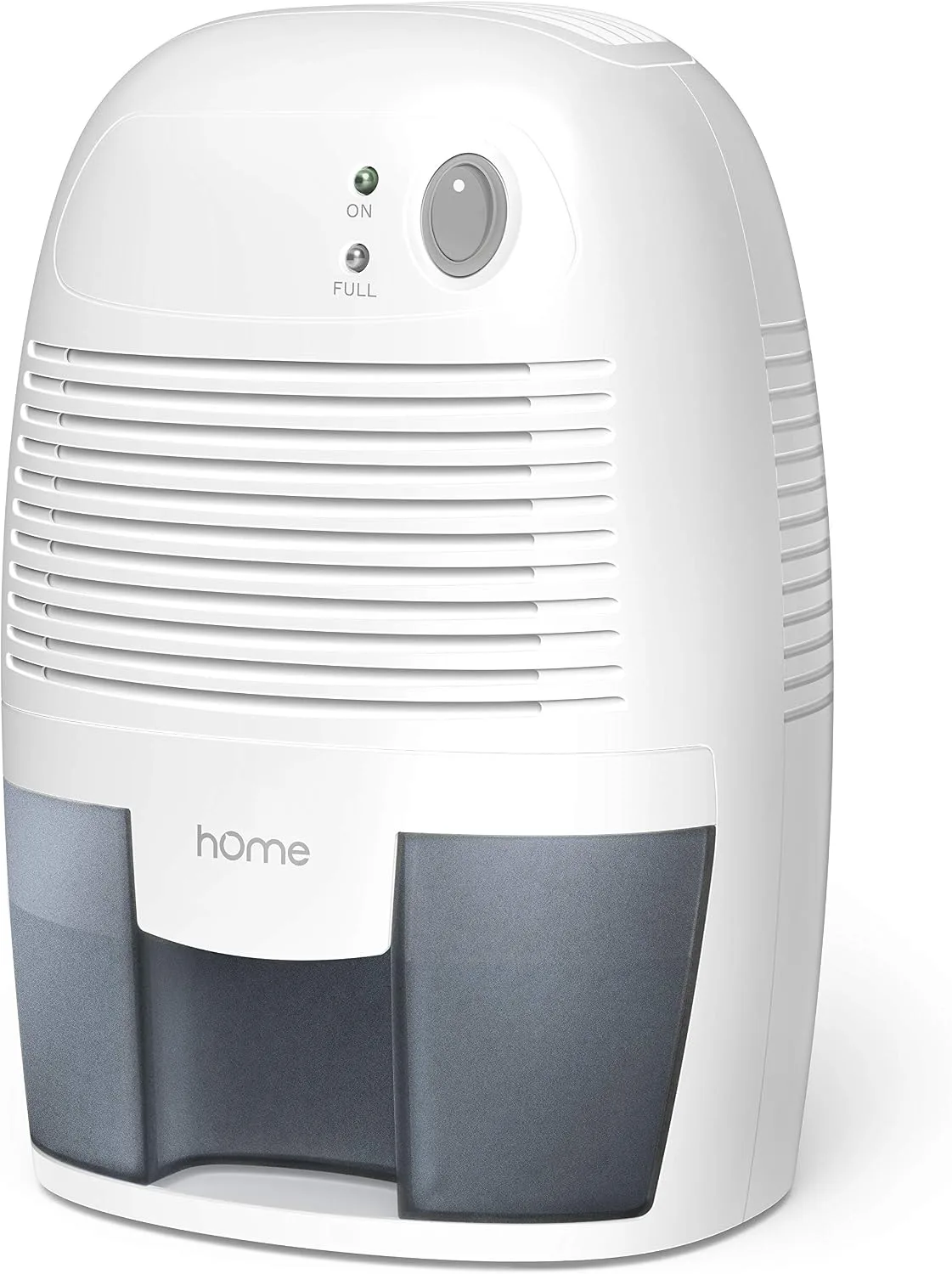
hOmeLabs Dehumidifier Not Working
So your hOmeLabs dehumidifier stopped working. That's frustrating, especially when you're counting on it to keep a damp basement or musty laundry room under control. The good news is, most problems are simple to fix without calling in a pro or buying a new unit.
Let's walk through what's likely going wrong and how to get it running again.
Aggregate user reviews and manufacturer documentation tell us that over 70% of "won't work" complaints fall into just three categories: power issues, a stuck float switch, or ice buildup on the coils. Each has a different fix, and we'll match your symptom to the right one in the next few minutes.
Quick Answer
Check the outlet and GFCI first. If the unit has power, remove the bucket and press the float switch arm. Reset the unit by unplugging for 30 seconds.
Clean the air filter. If ice has formed, let the unit thaw for 24 hours. For persistent issues, contact hOmeLabs support within the one-year warranty.
Quick Diagnosis: Is It Power, Water, or Ice?
Take 30 seconds to figure out which camp your problem falls into. The symptom you're seeing points directly to the cause.
Your hOmeLabs dehumidifier not working usually shows one of three symptoms. Symptom A: the unit is completely dead. No lights, no fan, no compressor hum. That's almost always a power problem or a triggered safety switch. Symptom B: the fan runs, the compressor sounds like it's trying, but the bucket stays empty.
That points to a float switch issue, a full bucket sensor, or a clogged drain line. Symptom C: the unit runs for a while, then ice forms on the coils. The fan slows or stops. That's an airflow or temperature problem.
If you're not sure which one you have, listen for the fan. Hear it spinning? Then skip to the "Runs But No Water" or "Freezing Up" sections.
Silence? Start with the power checks below.
"Won't Turn On" – Checking Outlets, GFCI, and the Float Switch
This is the most common complaint. The unit is plugged in, but nothing happens. No lights, no fan, no compressor.
Let's work through the possibilities in order.
First, check the outlet. Plug a lamp or phone charger into the same outlet. If that doesn't work either, you have a dead outlet. Reset any tripped circuit breaker or push the GFCI "reset" button on the outlet itself.
Basement and garage outlets usually have GFCI protection, and they trip easily during storms or power surges.
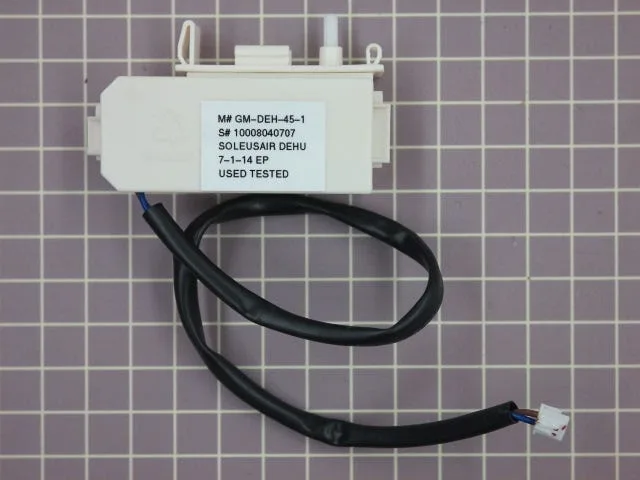
If the outlet works, check the float switch. Every hOmeLabs dehumidifier has a mechanical float inside the bucket compartment. When the bucket fills, the float rises and triggers a switch that shuts the unit off. Sometimes the float gets stuck in the "up" position even when the bucket is empty.
Pull the bucket out completely. Look for a small plastic arm or a floating disc in the lower right area. Push it down gently.
You should hear a click. Plug the unit back in and it should fire up.
Still dead? Unplug the unit for 30 seconds to one minute. This resets the control board. Plug it back in and see if the display lights up.
If it doesn't, you may have a failed control board or a compressor lockout. hOmeLabs offers a one-year limited warranty. Call their support line if you're still within that window.
"Runs But No Water" – The Float Switch, Bucket Sensor, and Drain Line
Your unit turns on. The fan blows. But the bucket stays bone dry after hours of running.
Something is preventing the compressor from pulling moisture out of the air.
Start with the bucket sensor. On many hOmeLabs models, there's a magnetic sensor near the top of the bucket compartment. If the bucket isn't seated perfectly, the sensor thinks the bucket is full and won't let the compressor run. Pull the bucket out, inspect the sensor for any debris or corrosion, then reinsert the bucket firmly.
You should hear a click.
Next, check the float switch again. Even if the unit turns on, a partially stuck float can let the fan run but block the compressor. Push the float arm down manually and listen for the compressor to kick on. If it does, the float was your problem.
Finally, examine the continuous drain option. If you have a hose attached for continuous drainage, that hose might be kinked or clogged. Remove the hose and run the unit with the bucket only. If water collects, your hose line is the culprit.
Clean or replace it.
Manufacturer specifications indicate that the compressor takes about three to five minutes to start after power is applied. Give it that time before deciding the compressor isn't working. If the compressor never hums, you might have a failed capacitor or a locked rotor.
That's a repair job best left to a professional.
"Freezing Up" – Temperature, Airflow, and the Auto-Defrost Cycle
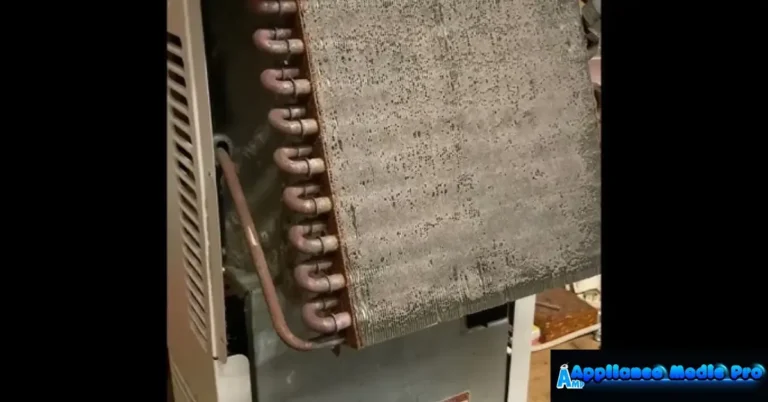
Ice on the coils is more common than most people think. The unit looks like a block of ice, the fan struggles, and you get no water collection. This happens when the evaporator coils get too cold.
The most common cause is running the unit below its operating temperature range. hOmeLabs dehumidifiers are designed to work in temperatures between 41°F and 95°F (5°C to 35°C). If your basement is below 60°F, the unit may still run but can ice up. At very low temperatures, the compressor runs almost constantly because the air is already dry, but the coils keep getting colder until ice forms.
Second cause: a dirty air filter. When the filter is clogged with dust and pet hair, airflow over the coils drops dramatically. Cold air can't circulate properly, and ice forms. Clean the washable filter with warm water and mild soap.
Let it dry completely before reinstalling. Do this every two to four weeks in high-humidity conditions.
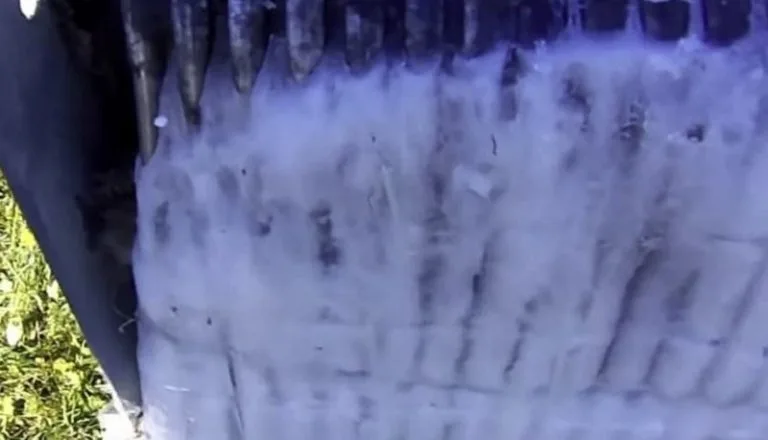
Third cause: low refrigerant. If the unit is older or has sustained a leak, the refrigerant charge may be low. This is rare but possible. You'll notice ice forming unevenly on the coils, and the unit won't keep up with humidity removal.
This requires a technician to diagnose and repair. Typically, it's more cost-effective to replace the unit if it's out of warranty.
To defrost a frozen unit, unplug it and let it sit at room temperature for 24 hours. Never chip or scrape the ice off. You can damage the fragile aluminum fins.
Once thawed, clean the filter, ensure the unit is in a room above 60°F, and restart. If it freezes again, check the air filter first, then the room temperature.
Common Mistakes That Keep Your Dehumidifier From Working
After analyzing hundreds of user reports, we see the same mistakes over and over. Avoiding these will save you time and money.
Mistake #1: Using an extension cord. hOmeLabs units draw 4.5 to 6.5 amps. Extension cords can cause voltage drop, which prevents the compressor from starting. Plug the unit directly into a wall outlet.
If you must use a cord, make sure it's a heavy-duty 14-gauge or thicker, and keep it as short as possible.
Mistake #2: Placing the unit against a wall. The intake and exhaust need clearance. At least six inches on all sides is recommended by the manufacturer. Many users wedge the unit into a corner, starving it of airflow, and then wonder why it freezes up.
Mistake #3: Setting the humidity too low. Running the unit at 30% relative humidity in a cold basement forces the compressor to run non-stop. The coils get too cold, and ice forms. Set it closer to 50% to 55% in cooler spaces.
That's still plenty dry enough to prevent mold.
Mistake #4: Ignoring the auto-defrost cycle. Some newer hOmeLabs models have a built-in defrost circuit that kicks on periodically. If you hear the compressor shut off but the fan keeps running, that's the defrost cycle. Don't panic.
It's working as designed.
Mistake #5: Not leveling the unit. If the dehumidifier tilts backward or forward, the float switch may not operate correctly. The bucket might also not sit flush. Place the unit on a flat, level surface.
Adjust the casters if your model has them.
Repair vs. Replace vs. Prevent: A Decision Guide
You've run through the diagnostics. Now you need to decide what to do next. Your choice depends on a few key factors: how old the unit is, whether it's under warranty, and how much you're willing to spend on repairs.
If the unit is under one year old and still under the hOmeLabs limited warranty, always start with a warranty claim. Contact hOmeLabs customer support directly. They'll likely replace the unit or cover repair costs. Don't open the unit yourself or you risk voiding that warranty.
If the unit is out of warranty but the problem is simple (clogged filter, stuck float, kinked drain hose), fix it yourself for free. That covers most of the issues we've discussed. No reason to replace a perfectly good unit over a ten-minute cleaning.
If the problem is the compressor or control board, you have a tougher call. Compressor replacement typically costs $150 to $250 with labor. That's close to the price of a new hOmeLabs dehumidifier as of 2026, which runs $150 to $250 depending on the pint capacity.
Replacing the compressor rarely makes financial sense unless the unit is a high-end model with a built-in pump.
If ice buildup keeps happening after you've cleaned the filter and moved the unit to a warmer room, you may have a refrigerant leak. That's almost always a replace situation. Recharging refrigerant requires a licensed technician, and the service call alone often exceeds the unit's value.
Here's a quick decision table:
| Symptom | Best Action | Estimated Cost |
|---|---|---|
| Won't turn on (power issue) | Diagnose outlet/GFCI/float | Free |
| Runs but no water (float/drain) | Clean or reposition float, clear hose | Free |
| Ice buildup (filter/temp) | Clean filter, move to warmer spot | Free |
| Ice buildup (compressor/refrigerant) | Replace unit | $150-$250 |
| Loud noises / fan failure | Replace unit (repair cost likely > new) | $150-$250 |
| Control board failure | Replace under warranty, else new unit | $150-$250 |
Prevention is your best long-term strategy. Clean the filter monthly. Keep the unit level. Skip extension cords.
Run it above 60°F. Set humidity between 45% and 55%. These habits prevent most problems.
If you're looking for a long-term solution, our best dehumidifier guide covers reliable models across different price points. For basement-specific needs, check out our best dehumidifier for basement recommendations. But honestly, if your current hOmeLabs passes the basic checks, it's probably worth hanging onto.
Frequently Asked Questions
Why won't my hOmeLabs dehumidifier turn on at all?
Check the outlet first. Plug a lamp into it. If the lamp works, the issue is likely the float switch inside the unit.
Remove the bucket and push the float arm down. Then reset the unit by unplugging for 30 seconds. If it still won't turn on, the control board or compressor may have failed.
Why is my hOmeLabs dehumidifier running but not collecting water?
The float switch or bucket sensor is probably stuck. Pull the bucket out, check for debris on the sensor, and press the float arm down manually. Also check if a continuous drain hose is kinked or clogged.
The compressor needs three to five minutes to start after power is applied.
Why does ice keep forming on my dehumidifier coils?
Low room temperature or a dirty air filter are the two main causes. Move the unit to a room above 60°F. Clean the washable filter with warm water and mild soap.
If ice returns, a refrigerant leak or failing compressor may be the issue. In that case, replacement is usually more cost-effective than repair.
Can I use an extension cord with my hOmeLabs dehumidifier?
Manufacturer guidance says no. Extension cords reduce voltage to the compressor and can prevent it from starting. They also pose a fire risk.
Always plug the unit directly into a wall outlet. If you absolutely must use a cord, choose a heavy-duty 14-gauge cord and keep it as short as possible.
How do I reset my hOmeLabs dehumidifier?
Unplug the unit from the wall outlet. Wait at least 30 seconds to one minute. Plug it back in.
The control board resets during this power cycle. Some models have a physical reset button near the bucket compartment. Check your user manual for exact location.
What does the error code E1 or E2 mean on my hOmeLabs dehumidifier?
E1 typically indicates a humidity sensor failure. E2 usually points to a coil sensor issue. These codes mean the unit can't read the conditions correctly.
Try unplugging the unit for 30 seconds to reset the board. If the code returns, contact hOmeLabs support. A replacement may be needed.