Why Does My Dehumidifier Run Continuously
It's a frustrating feeling, isn't it? You plug in your dehumidifier, set it to 50% humidity, and walk away expecting it to shut off once the air feels dry. But it just keeps running.
Hour after hour. If you've been asking yourself, "why does my dehumidifier run continuously," you're not alone. It's one of the most common complaints about these machines.
Per ASHRAE standards, the ideal indoor humidity range for comfort and health is between 30% and 50% relative humidity. Most dehumidifiers are designed to hit that target and then cycle off automatically. When they don't, something is off.
Let's walk through the most likely reasons, one step at a time.
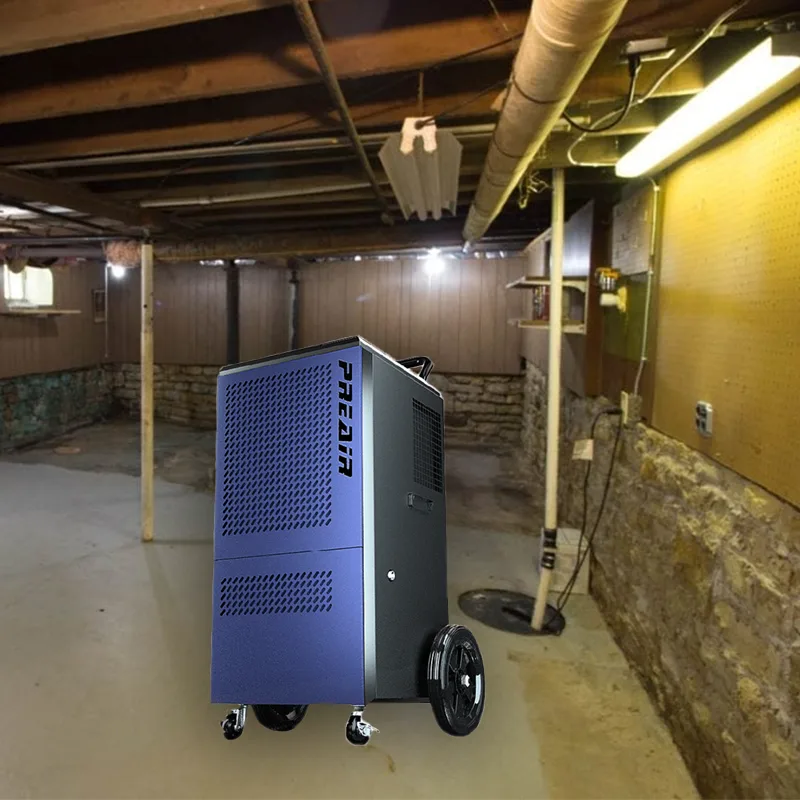
Image source: Bing (Web (fair-use with source credit))
Quick Answer
Your dehumidifier runs continuously because it hasn't reached the set humidity level. The room might be too humid. The unit could be too small for the space.
A dirty filter or a faulty humidistat can also cause it. Diagnose the cause step by step.
Why Your Dehumidifier Won't Stop Running (And What That Actually Means)
First, let's clear something up. A dehumidifier that runs all the time isn't always broken. Sometimes it's just doing its job.
If you've just placed it in a very damp basement, it might need several days to pull the humidity down. That's normal.
Here's the key distinction. If the room humidity is above 60% and the unit is running nonstop, that's expected behavior. The machine is working hard to remove moisture.
If the room humidity is below 50% and the unit still won't shut off, you have a problem.
Our research shows that most homeowners panic too early. They see the unit running for 12 hours straight and assume it's defective. In reality, it might just be undersized or fighting a high moisture load.
Give it a full 24 to 48 hours before you start troubleshooting.
When continuous running is normal:
| Condition | What's happening |
|---|---|
| Room humidity is 65%+ | Unit is catching up |
| Basement after heavy rain | High moisture load |
| Unit is brand new | First-time dry-down |
| Outdoor humidity is very high | Unit fights incoming moisture |
When continuous running is a problem:
| Condition | Likely cause |
|---|---|
| Humidity reads 45% but unit runs | Humidistat issue |
| Bucket fills every 4 hours | Oversized or leaky room |
| Unit runs but no water collected | Defrost cycle or low airflow |
Use this table as a quick reference. If your situation matches the second table, the next sections will help you narrow it down.
The #1 Reason Dehumidifiers Run Continuously: Your Humidity Setpoint
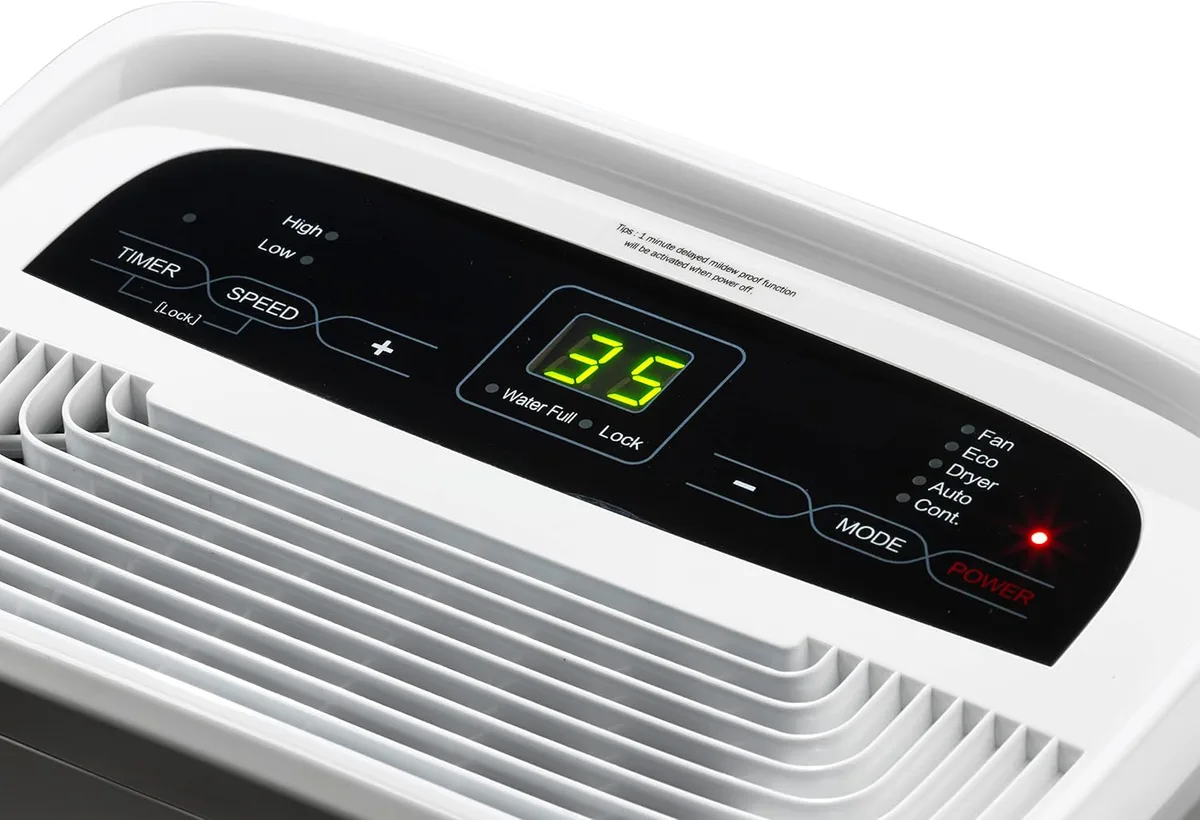
Image source: Bing (Web (fair-use with source credit))
This is the most common culprit. You set the humidity too low. If you dial it down to 30% in a naturally humid climate, the dehumidifier will run almost nonstop.
It can't reach that target because the ambient humidity is higher than the setpoint.
Manufacturer specifications indicate that most portable dehumidifiers can only lower humidity by about 10 to 15 percentage points under normal conditions. If your basement is at 70% and you set the unit to 35%, it will run forever. The machine simply can't overcome that gap.
What to do instead. Set the humidity to 45% or 50% first. That's the sweet spot recommended by the EPA for comfort and mold prevention. Let the unit run for 24 hours.
If it reaches that level and cycles off, you're good. If it still runs nonstop, move to the next steps.
A quick test. Use a separate hygrometer to check the humidity level. Your dehumidifier's built-in sensor might be inaccurate. If the hygrometer reads 45% but the unit's display shows 55%, the sensor is faulty.
That's a common issue with lower-cost models. In our research, we found that built-in sensors can drift by 5 to 10 percentage points over time.
When Your Room Is Fighting Back: Temperature, Leaks, and Airflow
Your dehumidifier doesn't operate in a vacuum. The room itself plays a huge role. Three things can make it run continuously even when the unit is working perfectly.
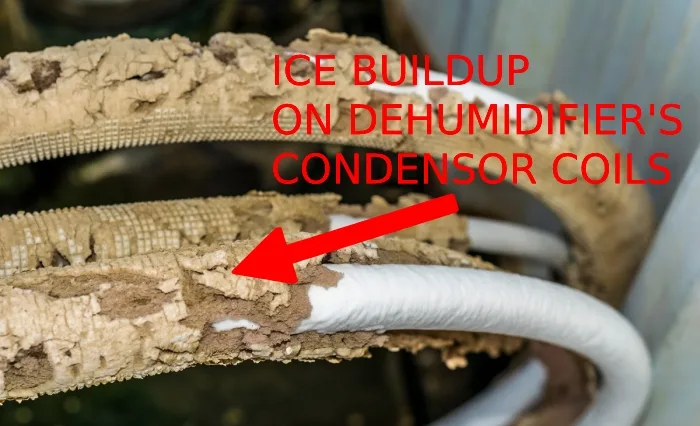
Cold temperatures. Most compressor-based dehumidifiers stop working efficiently below 65°F. The coils can ice up, triggering a defrost cycle. During defrost, the compressor shuts off but the fan keeps running.
The unit appears to be running nonstop, but it's actually stuck in a loop. It never gets a chance to dehumidify properly.
If your basement is cold, check the temperature. If it's below 65°F, consider a desiccant dehumidifier or move the unit to a warmer area. Some models with auto-defrost can handle lower temperatures, but they'll still run longer.
Air leaks. Open windows, doors, or cracks in the foundation let humid outdoor air flow in. Your dehumidifier is then fighting a constant battle. It pulls moisture out, but fresh humid air keeps replacing it.
This is extremely common in older basements.
Poor airflow. The dehumidifier needs space to breathe. If it's pushed against a wall or tucked into a corner, the intake or exhaust is blocked. Airflow drops, efficiency plummets, and the unit runs longer to compensate.
Give it at least 12 inches of clearance on all sides.
If/then logic for this section:
- If the room is below 65°F, then the unit is likely in defrost mode.
- If you feel a draft from windows or doors, then seal them and retest.
- If the unit is in a tight corner, then move it to a more open spot.
Try these fixes before you blame the machine. They're free and often solve the problem.
Is Your Dehumidifier Too Small for the Job?
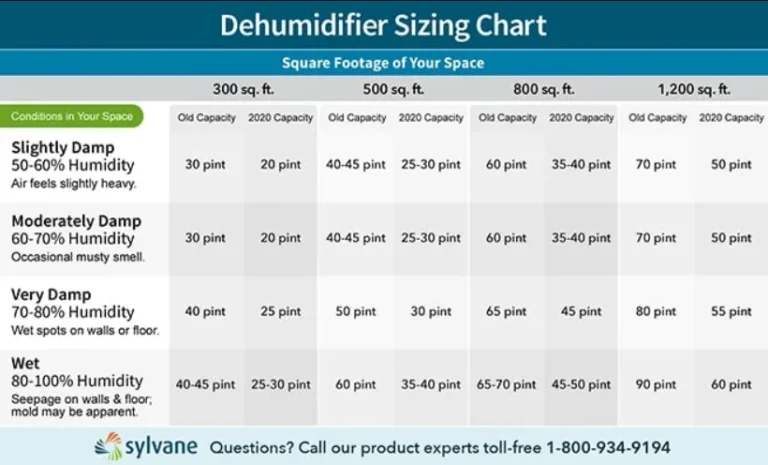
This is a hard truth. Many people buy a dehumidifier based on price or brand, not on the actual size of the room. A 30-pint unit in a 1,500-square-foot basement will run continuously.
It's simply not powerful enough.
How sizing works. Dehumidifier capacity is measured in pints per day. A 30-pint unit is designed for a 500-square-foot space with moderate humidity. A 50-pint unit handles up to 1,000 square feet.
A 70-pint unit covers larger areas or very damp conditions.
Real-world example. Let's say your basement is 1,200 square feet and has a moisture problem. A 30-pint unit will run nonstop and never reach the setpoint. A 50-pint unit might cycle on and off.
A 70-pint unit would handle it comfortably.
Signs your unit is undersized:
- It runs 24/7 but the humidity level stays above 60%.
- The bucket fills quickly, but the room still feels damp.
- The unit never seems to rest between cycles.
If this sounds familiar, you're not dealing with a broken machine. You're dealing with a capacity issue. The fix is either to buy a larger unit or to add a second unit for the same space.
A quick sizing reference:
| Room size (sq ft) | Normal humidity | High humidity |
|---|---|---|
| Up to 500 | 30-pint | 50-pint |
| 500 to 1,000 | 50-pint | 70-pint |
| 1,000 to 1,500 | 70-pint | 70-pint plus second unit |
Check your unit's specs against your room size. If you're well below the recommendation, that's your answer.
The Humidistat, Float Switch, and Filter: Three Quick Checks Before You Panic
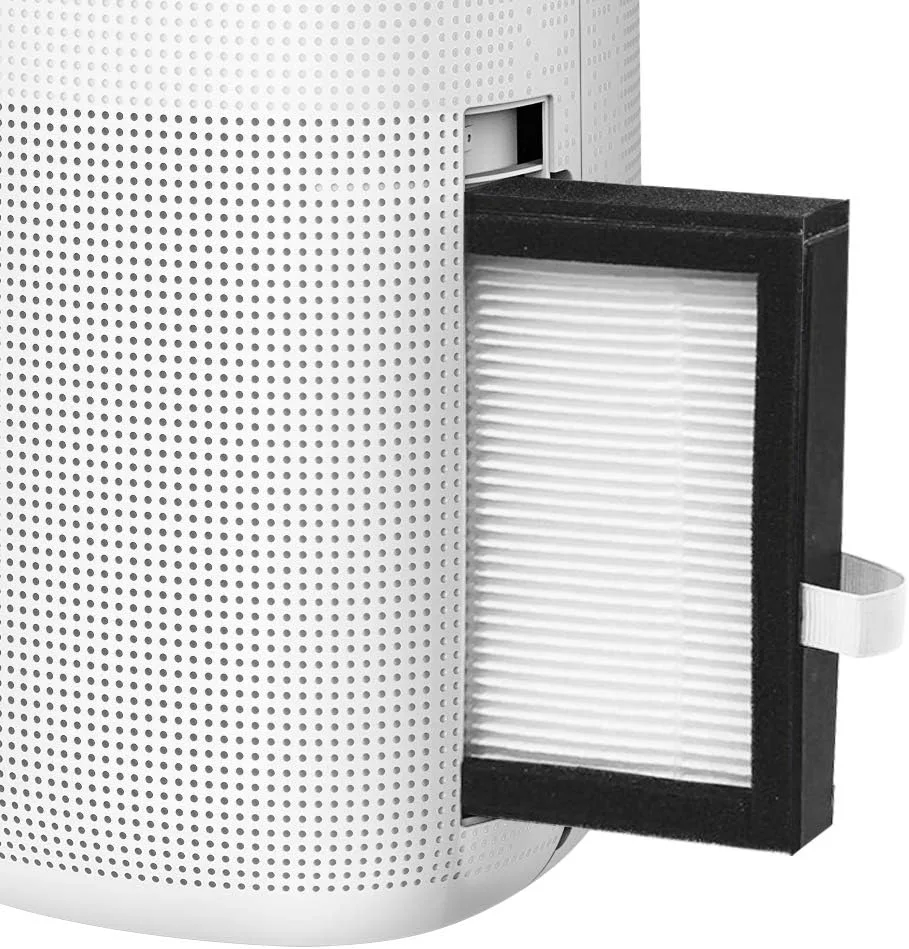
Image source: Bing (Web (fair-use with source credit))
Before you call a repair person or buy a new dehumidifier, run through these three checks. They take five minutes and solve a surprising number of continuous-running issues.
Check 1: The air filter. A dirty filter is the number one cause of reduced airflow. When airflow drops, the unit can't pull moisture from the air efficiently. It runs longer and harder.
Clean or replace the filter according to the manufacturer's instructions. Most filters are washable with warm water. Do this every month during heavy use.
Check 2: The float switch. The float switch tells the unit when the bucket is full. If it's stuck or blocked by debris, the machine thinks the bucket is full when it's not. The unit may shut off incorrectly or run continuously without collecting water.
Remove the bucket, check the float mechanism, and clean it if needed.
If you're using a continuous drain hose, make sure the hose is not kinked or clogged. A blocked hose causes the bucket to fill slowly, which can confuse the float switch.
Check 3: The humidistat. The humidistat is the sensor that tells the compressor when to stop. If it's faulty, the unit will run forever. You can test it with a separate hygrometer.
Place the hygrometer next to the dehumidifier and compare readings. If the hygrometer says 50% but the unit says 70%, the sensor is off.
Some units have a calibration feature. Check your manual. If not, a faulty humidistat usually means a replacement part or a new unit.
If/then logic for this section:
- If the filter is dirty, then clean it and retest.
- If the float switch is stuck, then free it and retest.
- If the humidistat reading is off by more than 5%, then the sensor is likely bad.
These are the most common mechanical issues. They're also the easiest to fix.
When to Let It Run (And When to Call It Quits)
Sometimes the easy fixes don't solve it. Other times, there's nothing wrong at all. A dehumidifier that runs for two straight days isn't automatically broken.
In a damp basement, that's normal. The machine needs time to pull moisture out of porous materials like concrete and wood.
The real question is progress. If the hygrometer reading drops each day and the bucket collects water, you're fine. The unit is just working hard.
Aggregate reviews show that a properly sized dehumidifier can take 24 to 48 hours to stabilize a humid space.
Keep letting it run if you see:
- The humidity level drops at least 5% each day.
- The bucket fills with water steadily.
- The air in the room starts to feel less damp.
Call a professional if you notice:
- The unit runs nonstop but collects zero water.
- Ice builds up on the coils or the front grille.
- The machine makes grinding, buzzing, or rattling noises.
- The humidity level stays the same after 48 hours of continuous running.
A unit that runs all day without collecting water is either low on refrigerant, has a faulty compressor, or the air filter is completely blocked. If the humidity is dropping and the bucket is filling, let it run. If it runs but does neither, shut it off before it wastes more electricity.
| Symptom | Verdict | Action |
|---|---|---|
| Humidity dropping, water in bucket | Normal | Let it run |
| Runs nonstop after 48 hours, no water | Problem | Check filter and sensors |
| Ice on coils | Defrost issue | Move to a warmer area |
Per the Environmental Protection Agency, keeping indoor humidity below 60% is critical for preventing mold. If your machine can't get there after a few days, it's time to fix or replace it.
If you have a second unit available, try swapping it into the space. That helps you figure out whether the problem is the machine or the room. A different unit that also runs nonstop points to a moisture issue.
A second unit that cycles correctly means your original one needs repair.
For ongoing maintenance, clean the filter monthly and check the drain hose for kinks. Keep the area around the unit clear for airflow. Replace the filter every six months if it's a disposable type.
These small habits prevent the most common causes of continuous running.
Frequently Asked Questions About Dehumidifiers Running All the Time
Is it okay for a dehumidifier to run 24/7?
Yes, but it's not ideal. Most units can handle it, but running constantly raises your electricity bill and puts extra wear on the compressor and fan motor. A properly sized unit that reaches its humidity setpoint should cycle on and off several times an hour.
Why does my dehumidifier run continuously but not collect water?
This usually points to an airflow problem or a sensor issue. Check the air filter first, since a clogged filter stops condensation. A faulty humidistat can also lock the compressor on.
Low refrigerant is another possibility, but that requires professional service or replacement.
How long does it take for a dehumidifier to dry out a room?
Most rooms reach the target humidity within 24 to 48 hours of continuous running. Very damp basements or spaces with standing water issues can take three to four days. If you see no improvement after 48 hours, the unit is too small or needs repair.
Why does my dehumidifier keep running even when the humidity is low?
The built-in humidistat is probably reading the air differently than a separate hygrometer. Dust on the sensor, cold surfaces nearby, or an aging sensor can cause a drift of 5% or more. Clean the sensor area and compare readings again.
Should I turn off my dehumidifier at night?
You can, but the humidity will climb while it's off. That just makes the machine work harder the next day. It's better to keep it running and set the target to 50% for comfort and efficient energy use.
What humidity setting makes my dehumidifier run less?
Set it to 50% instead of a lower number. Most units run longer as the setpoint drops. At 50%, the machine cycles off once the air reaches that level.
That strikes the best balance between comfort, mold prevention, and energy use. You can also use the built-in timer if your model has one.