Hisense Dehumidifier Making Noise
Your Hisense dehumidifier is making noise, and you're probably wondering if it's normal, fixable, or a sign that the unit is dying. Let's cut through the guesswork.
Most noises from a Hisense dehumidifier fall into a handful of categories: rattling, humming, clicking, squealing, or gurgling. As of 2026, manufacturer specifications indicate that most Hisense units operate between 45 and 52 dB, roughly the volume of a quiet conversation or light rainfall. If yours is louder than that, or making sounds that don't match those baseline levels, something specific is usually causing it.
The good news is that many of these issues have simple fixes you can handle in under ten minutes without any tools.
Let's walk through this step by step, starting with identifying exactly what you're hearing.
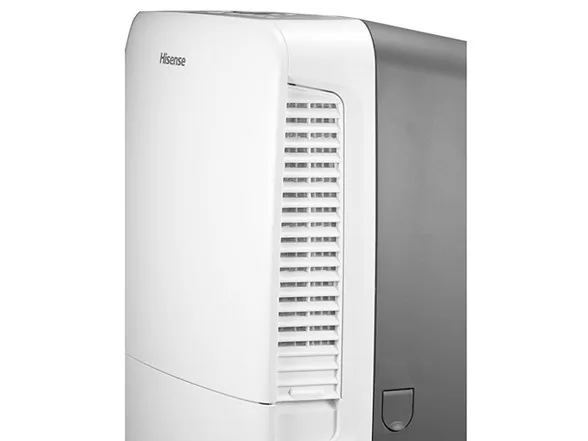
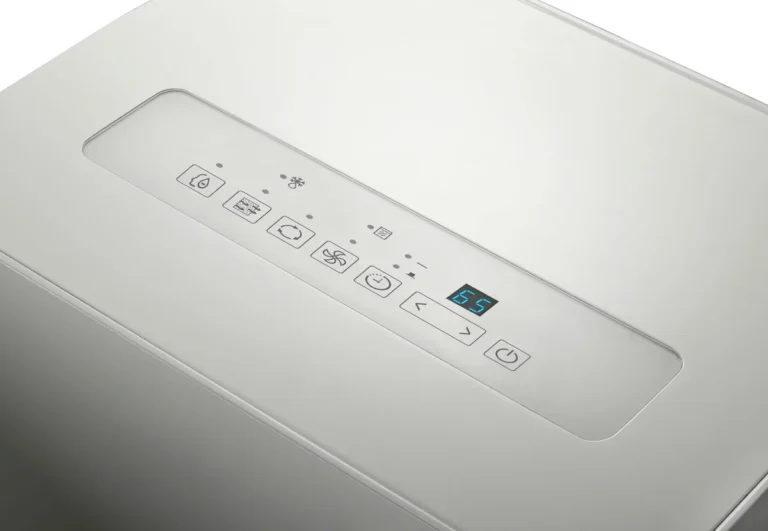
Image source: Bing (Web (fair-use with source credit))
Quick Answer
If your Hisense dehumidifier is making noise, first check the air filter for dirt and debris. A clogged filter forces the fan to work harder and creates a louder, strained sound. Next, make sure the unit is level and the water tank is seated properly.
If the noise persists after those two quick checks, you're likely dealing with a fan blade issue, loose internal components, or a failing compressor. Clean the filter, level the unit, and listen again. Most simple fixes take less than five minutes.
Find the Noise First — What Sound Are You Hearing?
The fastest way to diagnose a noisy dehumidifier is to actually stop and listen. Put your ear near different parts of the unit while it's running and note exactly what you're picking up. Different sounds point to different problems, and identifying the sound correctly will save you from wasting time on the wrong fix.
Here's a quick breakdown of common Hisense dehumidifier noises and what they typically mean:
| Sound | Likely Cause | Difficulty to Fix |
|---|---|---|
| Rattling | Loose screws, debris in fan, or vibrating panels | Easy |
| Humming | Compressor mount issues or loose components | Moderate |
| Clicking | Defrost cycle, relay, or expansion valve | Usually normal |
| Squealing | Fan bearing failure | Moderate |
| Gurgling | Water in drain hose or internal drip tray | Easy |
| Whistling | Air leak from filter or panel gap | Easy |
If you're hearing a rattling sound, check the obvious things first. The water tank might not be seated properly. The front panel could be slightly loose.
Small debris like dust bunnies or pet hair can get pulled into the fan housing and make a tapping or rattling sound as the blade spins.
A humming noise that's louder than normal often points to the compressor. Hisense units use a rotary compressor, which is naturally quieter than older reciprocating types. However, if the compressor mounts are loose, the entire unit will vibrate and hum loudly, especially on hard floors.
Try placing a rubber mat under the unit and see if that dampens the sound.
Clicking is the one noise that's frequently misinterpreted. Hisense dehumidifiers cycle their compressor on and off automatically based on humidity levels. When that happens, you'll hear a relay click, followed by the compressor starting up.
The defrost cycle also produces clicks as the unit adjusts its operation. A few clicks throughout the day is completely normal. Clicking every few seconds, though, isn't.
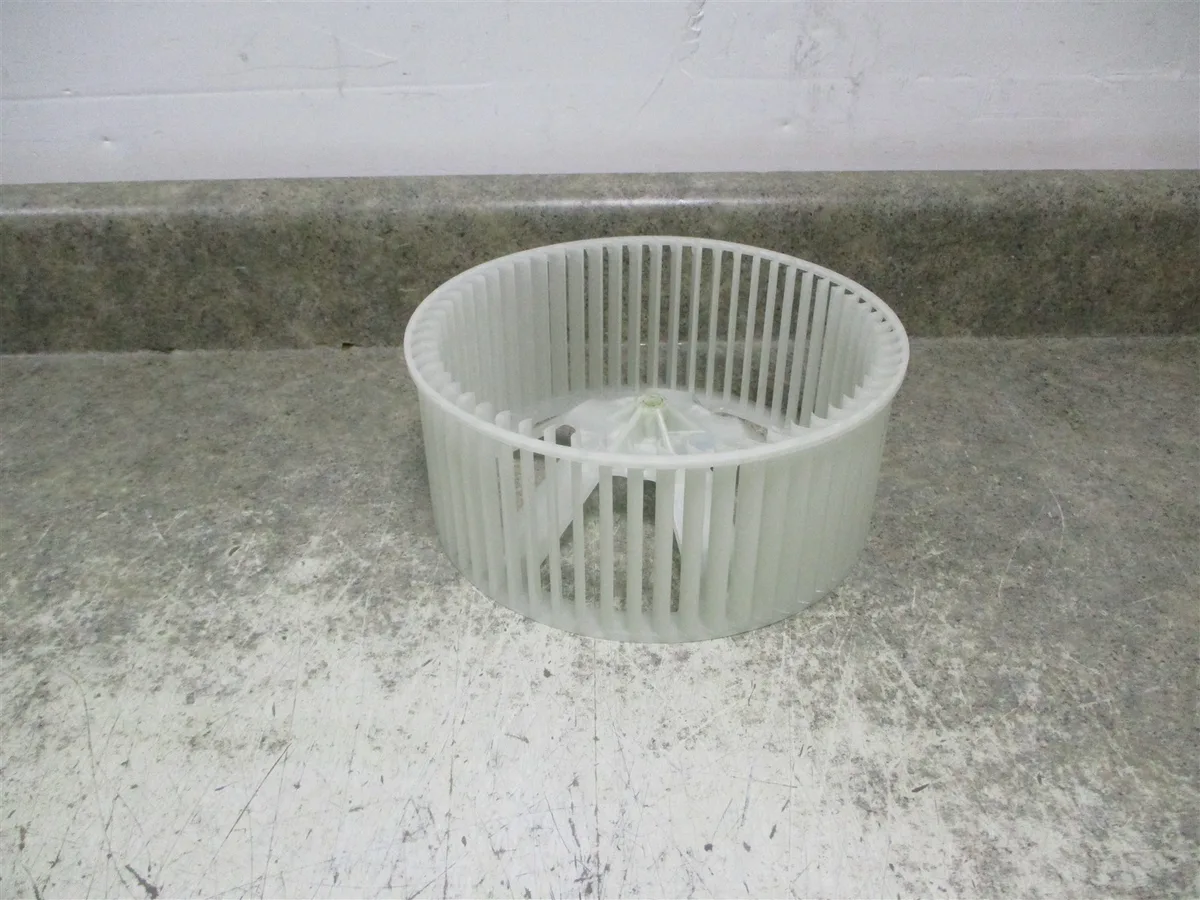
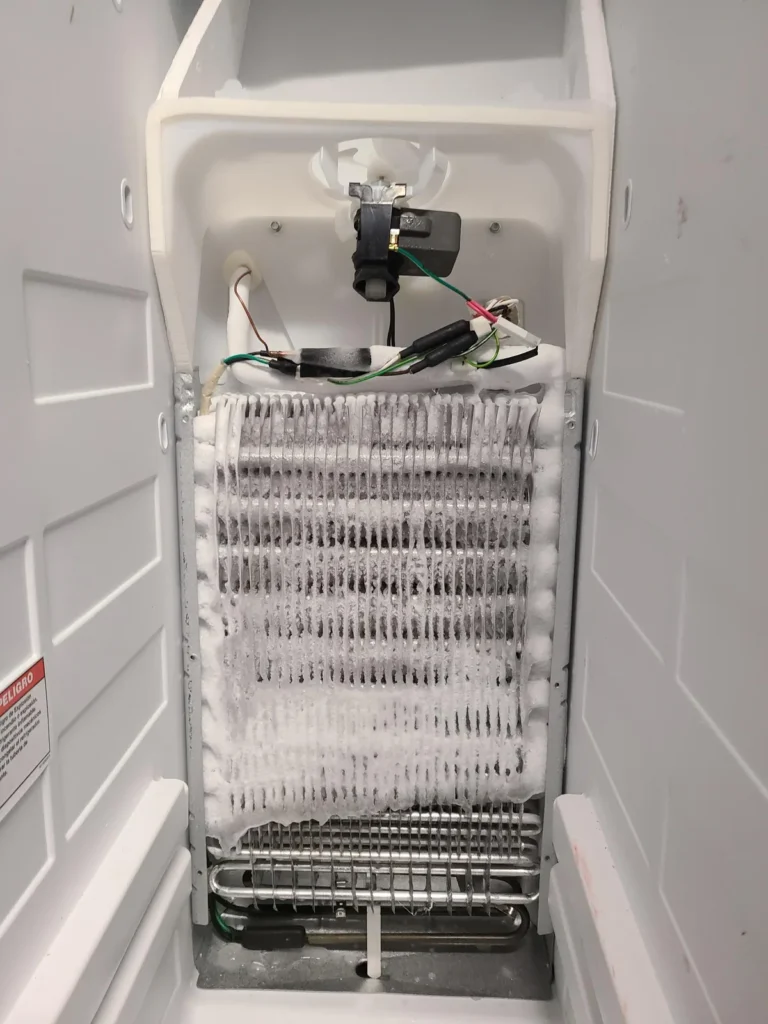
Image source: Bing (Web (fair-use with source credit))
If you hear a squealing or screeching sound, that's your fan bearing. This is the most serious of the common noises because it means the fan motor is wearing out. In our research, this typically happens after two to three years of heavy use, especially if the unit runs constantly in a basement or during humid summer months. The bearing dries out and the metal surfaces grind against each other, producing that high-pitched sound.
Gurgling is probably the least alarming noise you'll hear. It's just condensate moving through the internal drip tray or the drain hose. It's harmless, but it can be annoying.
Check that your drain hose isn't kinked or partially clogged, and make sure the hose runs downhill so water flows freely.
Quick Fixes to Try Before You Open Anything
Before you start taking panels off or ordering replacement parts, try these simple fixes. In our research, a large percentage of noise complaints resolve with one of these three steps.
1. Clean or replace the air filter. This is the number one cause of excess noise on Hisense units. The filter sits behind the front grille and catches dust, pet hair, and other debris.
When it clogs, airflow drops and the fan motor has to work harder to pull air through. That extra strain shows up as a louder, more strained hum or whine. Pull the filter out, rinse it under lukewarm water, let it dry completely, and slide it back in.
If it's torn or falling apart, replace it. Manufacturer guidelines suggest cleaning the filter every two weeks during heavy use.
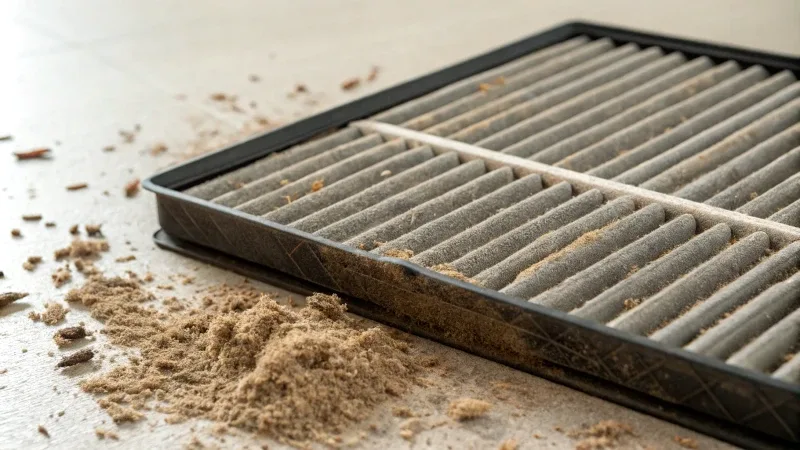
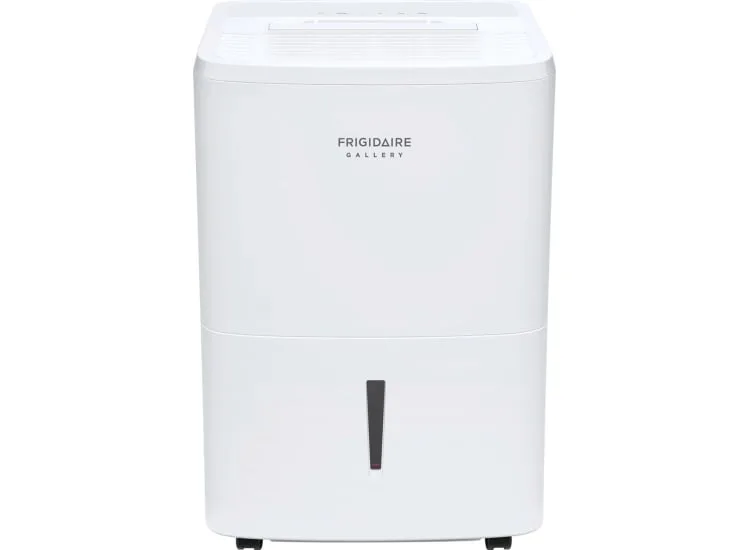
Image source: Bing (Web (fair-use with source credit))
2. Level the unit. Most dehumidifiers have adjustable feet or casters. If the unit is sitting unevenly on the floor, it will rock slightly and produce a persistent rattling or vibration sound.
This is especially common on basement floors that aren't perfectly level. Adjust each foot until the unit feels stable and doesn't wobble when you press down on the corners. A level unit is a quiet unit.
3. Check the water tank. The water bucket on many Hisense models has a float switch and a handle. If the bucket isn't pressed fully into its slot, the whole unit vibrates against it.
This creates a rattling sound that seems to come from everywhere at once. Pull the tank out and reseat it firmly. Also check that there's nothing sitting on top of the unit, because that adds weight and changes the vibration pattern.
If the noise stops after any of these steps, you're done. No tools needed, no parts to buy, no service call to schedule. Just regular maintenance that keeps the unit running quietly.
If none of these fixes work, move on to the deeper diagnosis below. These three checks take about five minutes total, and they eliminate the most common causes before you start taking things apart.
When the Noise Comes from Inside — Deeper Causes
If the quick fixes didn't solve it, something inside the unit needs attention. This is where the diagnosis gets more specific.
Fan blade obstruction or imbalance. The fan blade sits behind the front grille and pulls air across the evaporator coils. If debris gets wrapped around the blade, it throws the balance off, causing a rhythmic ticking or wobbling sound that gets faster as the fan spins faster. Unplug the unit, remove the front cover, and inspect the blade visually.
If you see anything wrapped around it, gently remove it. Also check for cracks or chips in the plastic, since a damaged blade will vibrate at high speed.
Loose internal components. Over time, vibration can loosen screws and bolts throughout the unit. The compressor mounting bolts are especially prone to this. On many Hisense models, you can access these from underneath or the back.
Look for any obvious gaps or movement in the compressor as the unit runs. Tightening a loose bolt here can eliminate a loud buzzing or vibrating noise instantly.
Capacitor failure. The start capacitor gives the compressor and fan motor the initial jolt of electricity they need to begin spinning. When it starts to fail, you might hear a buzzing or clicking sound, and the compressor may struggle to start. This is one of the more serious issues because it can lead to compressor damage if left unchecked.
Replacing a capacitor requires disassembling the unit and handling an electrical component that stores charge, so most people should leave this to a professional.
Refrigerant line rattle. The copper lines that carry refrigerant between the compressor and the coils can vibrate against the cabinet or other components. This produces a metallic rattling sound that's often mistaken for something loose. If you can see the lines, check where they run near the cabinet.
Carefully bend them slightly (with the unit off) to create more clearance, or insert foam padding between the line and the surface it's touching.
Drain pump noise. Some Hisense models have an internal drain pump for setups where the unit sits below the water discharge point. If your model has one, you'll hear a low hum or clicking when the pump activates. This is normal during the pump cycle, but if it becomes loud or grinding, the pump impeller might have debris stuck in it.
Accessing the pump usually requires removing the back panel.
What to expect during diagnosis: Plan on spending fifteen to thirty minutes with the unit unplugged while you inspect these components. Take photos as you disassemble things so you remember where everything goes. If you find a worn part, contact Hisense customer service for the correct replacement part number rather than guessing and ordering the wrong piece.
When to Call It Quits — Repair vs. Replace Decision
At some point, you have to decide whether fixing the noise is worth it or whether it's time to start looking at a new dehumidifier. This decision comes down to the cost of the repair, the age of the unit, and what you originally paid for it.
A fan motor replacement usually costs $25 to $45 for the part, plus your time if you do it yourself. A capacitor runs around $10 to $20. Both are worthwhile if the rest of the unit is in good shape.
However, if the compressor itself has failed, you're looking at a repair that can cost more than a brand-new unit. Compressor replacements are rarely worth the expense on a budget-friendly Hisense model.
Here's a quick decision guide based on common scenarios:
| Situation | Recommendation |
|---|---|
| Fan bearing squeal on a unit under 3 years old | Replace the fan motor (worth it) |
| Compressor hums but doesn't start | Call a technician; potentially capacitor, worst case compressor |
| Noise plus no dehumidifying | Likely compressor failure; consider replacement |
| Multiple issues (noise, water leaks, poor performance) | Replace the unit |
| Unit is 5+ years old with any major issue | Replace; efficiency has degraded anyway |
One more consideration is efficiency. Dehumidifiers lose efficiency as they age. Refrigerant slowly leaks, coils build up residue, and seals degrade. A five-year-old unit that's been running constantly may be pulling 30 to 40 percent less moisture than it did when new, even if it still seems to work.
If you're already dealing with a noise issue on an older unit, the smart financial move is often to shop for a more efficient replacement rather than sink money into fixes for a machine that's past its prime.
If you decide to repair, make sure the warranty doesn't cover it first. Most Hisense dehumidifiers come with a one-year parts and labor warranty and a five-year compressor warranty. If your unit is within the first year, a noise issue should be handled under warranty. Contact Hisense support directly and describe the sound and what you've tried.
They'll help you diagnose or arrange a repair.
What Not to Do — Common Mistakes That Make It Worse
When people try to fix a noisy dehumidifier on their own, they often make things worse by accident. Here's what to avoid.
Don't ignore it. A small rattle might not seem urgent, but the underlying cause can get worse. A debris-wrapped fan blade can eventually crack the blade. A failing capacitor can stress the compressor to the point of failure.
Fix small noises early and you'll avoid expensive damage later.
Don't oil the fan motor bearings. This is one of the most common DIY mistakes. Most modern fan motors, including those in Hisense dehumidifiers, have sealed bearings. There's no oil port, and adding lubricant just attracts dust and makes things worse.
If the bearing is squealing, it needs to be replaced, not lubricated.
Don't poke at the fan while it's running. It's tempting to reach in and see if you can stop a rattling sound. That's a quick way to break a blade or hurt yourself. Unplug the unit first, always.
Don't tilt or shake the unit to "settle" it. Tilting a dehumidifier can cause oil from the compressor to flow into the refrigerant lines. Once that happens, the compressor can run dry and fail completely. Move the unit only when it's upright, and let it sit for a few hours after transport before restarting.
Don't use extension cords. A noisy unit might be straining because it's getting insufficient power through a long extension cord. This causes the compressor to draw more current and can damage it over time. Dehumidifiers should always plug directly into a grounded wall outlet.
Don't bypass the defrost sensor to stop clicking noises. Some people disconnect the defrost sensor because they mistake the click for a malfunction. That disables a safety feature and can cause ice to build up on the coils. If you have a defrost-related click, that's the unit working correctly, not a problem.
Don't run the unit without the air filter. Whether it's lost, torn, or waiting to dry, running without a filter lets debris hit the fan blade and coils directly. This creates noise now and shortens the unit's life significantly.
Long-Term Maintenance to Prevent Future Noise
Once you've fixed the current noise, the best thing you can do is keep it from coming back. A little routine care goes a long way with Hisense dehumidifiers.
Clean the air filter every two weeks during heavy use. Set a phone reminder. A dirty filter strains the fan motor and creates that low, tired hum.
Rinse it, dry it completely, and reinstall. Replace it twice a year if it starts looking frayed.
Check the unit's level every few months. Basement floors shift, and the adjustable feet can creep out of position. A quick glance at the water line in the bucket will tell you if it's leaning.
Rock the unit gently. If it wobbles, adjust the feet until it's solid.
Tighten screws and bolts once a year. The compressor mounts, the fan housing, and the rear panel all work loose over time. Use a screwdriver to snug them up.
Don't overtighten, just enough to stop movement.
Vacuum the exposed coils and the fan area every season. Dust buildup on the coils reduces efficiency and forces longer run times, which wears out the fan bearing faster. Use a soft brush attachment on your vacuum.
Run the unit on low fan speed when you don't need maximum moisture removal. Lower fan speed means less vibration and less wear on the bearing. It also drops the noise level by several decibels.
When Professional Help Is Actually Worth It
Some noises genuinely need a technician. Here's the short list of situations where DIY stops being smart.
If the compressor hums but won't start, that's a capacitor or compressor issue. Capacitors store electrical charge even after you unplug the unit. A misstep here can shock you or damage the board.
Call a pro.
If you hear a loud grinding sound and the unit stops cooling entirely, the sealed refrigerant system likely has a leak. Refrigerant repair requires EPA certification and specialized tools. It's not a DIY job.
If the noise started after a power surge or storm, the control board may be damaged. Board repairs are fiddly and easy to mess up. A technician can test and replace it in under an hour.
For anything else, the decision guide earlier in this article will serve you well. Fix what you can, replace what you can't, and keep the unit running quietly for years.
Frequently Asked Questions
Is it normal for a Hisense dehumidifier to make clicking noises?
Yes, occasional clicking is normal. The compressor relay clicks when the unit turns on or off, and the defrost cycle produces clicks while it adjusts operation. If you hear clicking every few seconds continuously, that's not normal and could indicate a failing start capacitor or relay.
Why does my Hisense dehumidifier sound like it's rattling?
Rattling usually comes from loose parts, debris in the fan area, or a water tank that isn't seated properly. Check the tank first, then inspect for debris around the fan blade. Tightening any loose screws on the panels or compressor mounts can also eliminate rattling sounds.
Can I fix a squealing dehumidifier fan myself?
Yes, if you're comfortable with a screwdriver and basic appliance repair. The fan motor is a sealed unit with a metal shaft and plastic housing. You'll need to order the correct replacement fan motor for your Hisense model, then remove the front cover, unclip the motor, and swap it out.
The whole process takes about twenty to thirty minutes.
Why is my dehumidifier loud on high fan speed but quiet on low?
This is usually a fan balance issue. Either the blade is slightly bent, debris is attached to it, or the bearing is starting to wear. The extra speed amplifies the imbalance.
Inspect the blade visually and clean it. If it's damaged, replacement is the only fix. A temporary workaround is running the unit on a lower fan speed.
Should I call a technician or just replace my Hisense dehumidifier?
It depends on the issue and the unit's age. If the unit is under warranty, call Hisense first. If it's older than five years and the compressor has failed, replacement is the better financial choice.
Fixable issues like a loose fan or dirty filter are worth handling yourself regardless of age.