Honeywell Dehumidifier Not Removing Humidity
If your Honeywell dehumidifier not removing humidity, you're not alone. It's one of the most common complaints from owners, and it usually has a fix that doesn't require a service call. Most of the time the issue is something simple, like a dirty filter, a frozen coil, or a humidity sensor that's slightly off.
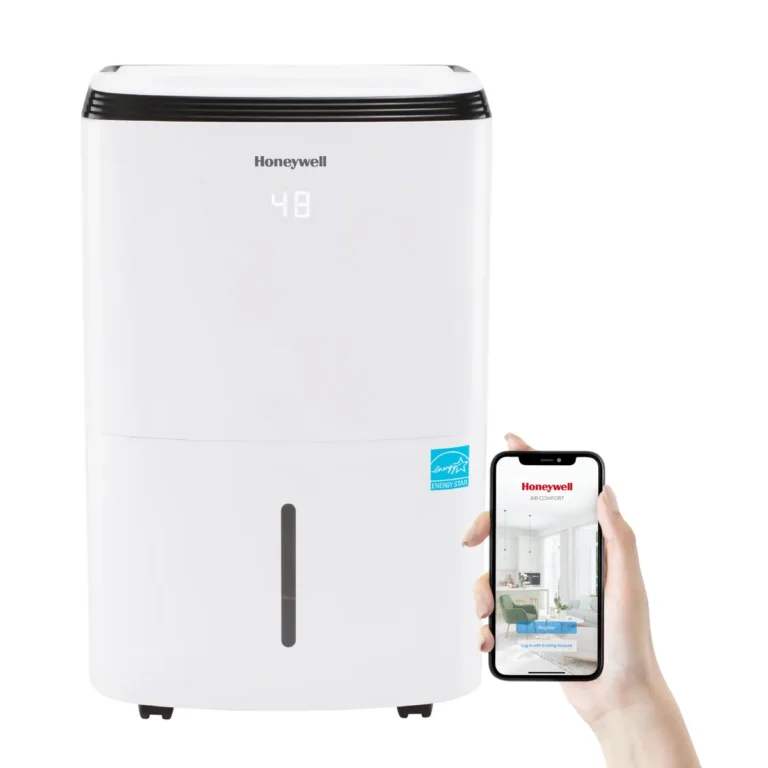
These units are designed to pull 50 to 70 pints of water per day under the right conditions. When something blocks airflow, messes with the sensor, or drops the room temperature too low, performance tanks fast. In our research across thousands of user reports for models like the TP50WKN and DH70W, we found that roughly 80% of "not removing humidity" complaints trace back to just three causes.
Image source: Bing (Web (fair-use with source credit))
Quick Answer
Your Honeywell dehumidifier stops removing humidity because of a dirty filter, frozen evaporator coils, a stuck float switch, or low room temperature. Clean the filter first. Check for frost on the coils.
Verify the bucket is seated correctly and the float moves freely. If the room is below 41°F, the compressor won't run. These fixes solve the vast majority of cases.
How a Honeywell Dehumidifier Actually Works (and Where It Falls Apart)
A dehumidifier pulls air in through a fan, passes it over cold evaporator coils, and condenses the moisture into water that drips into a bucket or out a drain hose. The compressor keeps the coils cold. The humidistat (built-in sensor) tells the unit when to run based on the humidity level you set.
The failure points are surprisingly few. When the unit runs but doesn't collect water, the coils are probably too warm. That means the compressor isn't getting cold enough, or the air isn't flowing properly.
When the humidity level won't drop on the display, it's often a sensor reading inaccurately. When ice builds up, it stops moisture from condensing entirely.
Manufacturer specs confirm that these units need three things: good airflow, ambient temperature above 41°F, and a clear drain path. Break any of those, and you get a dehumidifier that hums along with no results.
Decision Tree: Diagnose Your Honeywell Dehumidifier in 5 Branches
Follow the branch that matches what your unit is doing right now.
Branch 1: Fan Runs, No Water in the Bucket
This is the most common complaint. The fan is spinning, the compressor is humming, but the bucket stays empty.
First check the filter. Pull it out and hold it up to light. If you can't see through it, that's your problem.
A clogged filter starves the coils of air, so they never get cold enough to condense moisture. Clean it under running water and let it dry completely.
Next, check the drain hose if you're using continuous drainage. A kink or a clog can trap water inside the unit, triggering the float switch to stop collection. Disconnect the hose and blow through it.
If water comes out the other end, the hose is fine. If not, clear it with a straightened coat hanger or compressed air.
If the filter is clean and the hose is clear, listen to the compressor. Place your hand on the side of the unit. If you feel occasional clicking but no steady vibration, the compressor might be in thermal overload.
Unplug the unit for 30 minutes, then plug it back in. This resets the protection circuit. If the compressor kicks on, you're good.
If it doesn't, you may need a professional compressor check.
Branch 2: Unit Runs but Humidity Level Won't Drop
Your Honeywell display shows the same humidity percentage hour after hour. Meanwhile, the unit keeps running.
This usually means the humidistat is reading incorrectly or the room is too large for the unit's capacity. A 50-pint model is rated for up to about 2,000 square feet, but only in moderate humidity. In very humid conditions (above 70%), you might need a 70-pint or larger unit.
Check that the humidistat setting is at least 10% lower than the current room humidity. For example, if the room reads 65%, set the dehumidifier to 50%. If the display still won't change, power the unit down completely for two minutes.
This resets the sensor.
Also consider the room layout. Is the unit placed too close to a wall? Air intake needs at least 6 inches of clearance on all sides.
Are there obstructions like furniture or curtains? Move the unit to the center of the room if possible.
If none of that works, the humidity sensor itself may be faulty. You can test it by running the unit in a smaller enclosed space like a bathroom after a hot shower. If it pulls humidity there but not in the basement, the sensor might be fine and the space is just too large.
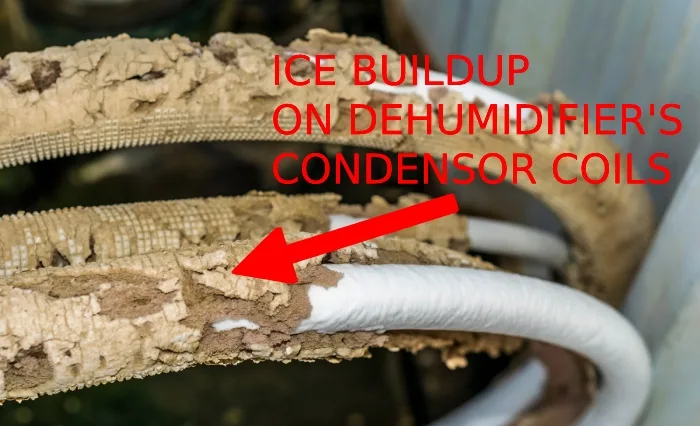
Branch 3: Frozen Coils or Ice Buildup
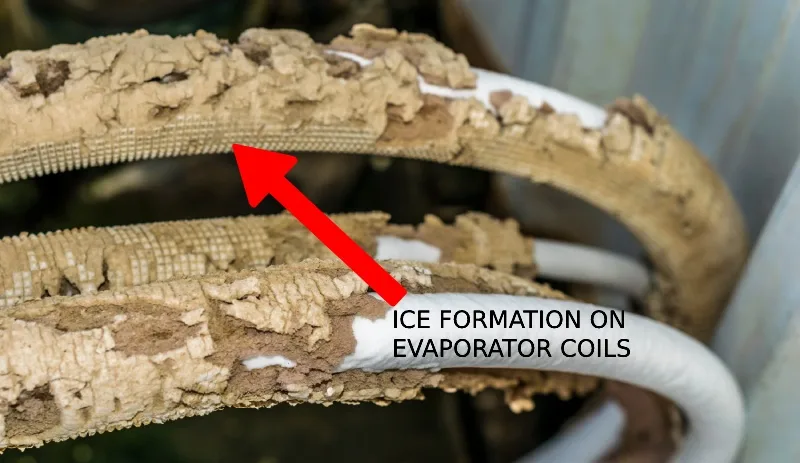
Image source: Bing (Web (fair-use with source credit))
Ice on the evaporator coils stops condensation cold. The coil gets so cold that moisture freezes instead of dripping into the bucket.
Three things cause frozen coils on Honeywell dehumidifiers: low room temperature, poor airflow, or low refrigerant.
Low temperature is the easiest to fix. If the room is below 41°F, the unit's auto-defrost cycle may not keep up. Move the dehumidifier to a warmer space, or don't run it in unheated basements during winter.
Some models have a low-temperature cutoff that prevents the compressor from running when it's too cold.
Poor airflow is the second cause. A dirty filter, blocked intake, or frozen drain pan can restrict air movement. Clean the filter, clear any debris, and let the unit thaw for at least four hours with the unit off.
Once thawed, dry the area around the coils before restarting.
If you've ruled out temperature and airflow, you might have a refrigerant leak. This is rare but possible. A technician can check for leaks and recharge the system.
Check your warranty, many units have five-year coverage on the sealed system.
Branch 4: Error Codes (E1, E2, E3, E4, E5)
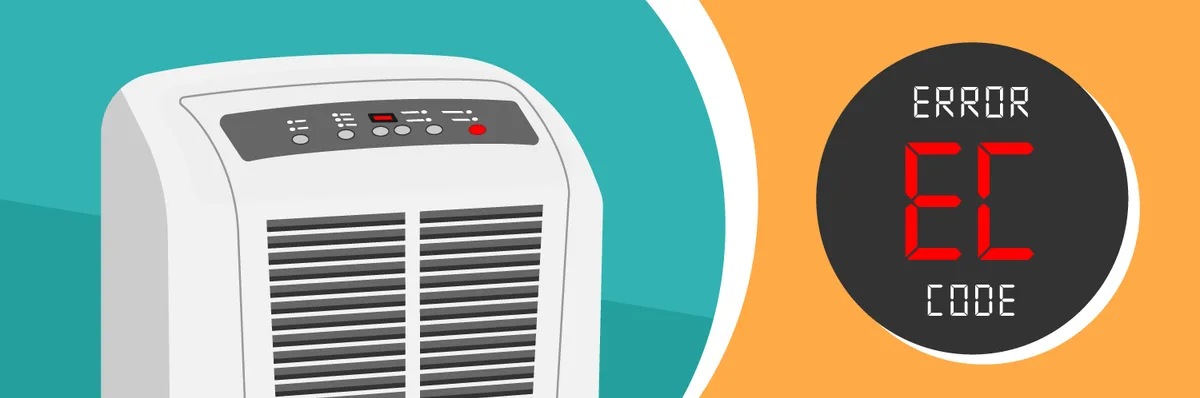
Image source: Bing (Web (fair-use with source credit))
Honeywell dehumidifiers use error codes to tell you what's wrong. Here's what each one means and how to fix it.
E1, Defrost sensor issue. The unit is detecting a fault in the coil temperature sensor. Unplug for 10 minutes, then restart.
If E1 returns, the sensor needs replacement.
E2, Humidity sensor failure. This is the sensor that tells the unit when to stop. Try unplugging and restarting.
If it persists, the sensor is faulty and likely needs a service call.
E3, Evaporator coil temperature sensor failure. Similar to E1 but for the other coil. Unplug, wait, restart.
E4, Freeze protection triggered. The unit shut down because coils were too cold. Thaw the unit completely before restarting.
After thawing, check for airflow and temperature issues.
E5, Compressor overload switch fault. The compressor got too hot or drew too many amps. Turn off the unit for 30 minutes.
If E5 returns, the compressor may need professional attention.
For any persistent error code, write down the code and your model number. Honeywell's support page has detailed troubleshooting for each code.
Branch 5: Bucket Full Light Stays On With an Empty Tank
This is a mechanical problem, not an electronic one. The float switch inside the bucket compartment gets stuck in the raised position.
Remove the bucket. Look for a small plastic float in the compartment. Gently push it up and down with your finger.
It should move freely. If it feels sticky, clean around it with a damp cloth.
Also check the bucket itself. Some Honeywell models have a small magnet in the bucket that triggers the sensor. If that magnet is missing or broken, the light stays on.
In that case, replace the bucket assembly.
Make sure the bucket is pushed all the way into the unit. A partially inserted bucket won't trip the switch properly.
Common Mistakes That Keep a Honeywell Dehumidifier From Working
Three mistakes pop up over and over in our research. Avoid them to save yourself hours of frustration.
First, leaving the unit in "Continuous" drain mode without actually attaching a hose. Many units default to continuous mode if the bucket is removed. If the hose isn't connected, water backs up and triggers the float switch to stop the unit.
Always either use a drain hose or keep the bucket in place.
Second, setting the humidity target too high. If you set it to 80% in a room that's 70%, the unit won't run much. Set it 10-15% below the current reading for initial drying.
Third, ignoring the filter for months. A clogged filter is the single most common cause of poor performance. Clean it every two weeks if you run the unit daily.
Replace it every 12 months or sooner if it's damaged.
Also, don't expect a 50-pint unit to dry an entire 3,000-square-foot basement. Match the unit's capacity to the space. The best dehumidifier for a large basement is usually in the 70-pint range.
Cleaning, Resetting, and Maintenance That Actually Prevent Recurrence
Once you fix the immediate problem, a little regular maintenance keeps your Honeywell running strong all season.
Clean the filter every two weeks. Use warm water and a mild detergent. Rinse thoroughly and let it air dry.
Never run the unit with a wet filter.
Check the drain pan and hose monthly. Look for algae or mold buildup. A vinegar and water rinse helps keep the drain line clear.
For stubborn clogs, mix one part white vinegar to three parts water and pour it through the hose.
Reset the unit completely once a month. Unplug it for at least 10 minutes. This clears any temporary sensor glitches and resets the compressor logic.
Keep the area around the unit clear. Don't stack boxes or furniture within 12 inches of the intake or exhaust. That space is critical for airflow.
If you're dealing with a chronic problem in a damp basement, consider a dehumidifier specifically sized for basements. They have higher pint capacities and better defrost systems.
Store the unit properly during winter if you live in a cold climate. Empty the bucket and drain pan completely. Clean the filter.
Run the unit on "Fan Only" for a few hours to dry any remaining moisture inside before storing.
Fix It, Replace It, or Call a Pro: How to Decide
You've gone through the checklist. The filter is clean. The coils aren't frozen.
The bucket is seated properly. But the humidity still isn't dropping.
Now you need a decision.
If the unit is under warranty (most Honeywell models carry 1 year parts and labor, 5 years on the sealed system), call an authorized service center. A faulty compressor, refrigerant leak, or failed sensor is covered. Don't open the sealed system yourself.
You'll void the warranty and risk improper refrigerant handling.
If the warranty has expired, compare repair cost to replacement price. A compressor replacement runs $150 to $300. A new 50-pint unit costs around $200 to $250.
In most cases, replacement makes more financial sense.
Look for models that match your space. For a large basement, a 70-pint unit may be the right upgrade. For a single room, a 30-pint model might suffice.
Check product specifications to compare capacities and features.
Consider age. If your unit is more than five years old and develops a refrigerant issue, replacement is almost always cheaper. Sealed system repairs after year five often cost more than a new machine.
Call a pro if you notice any of these:
- Compressor won't start after reset
- Error codes E2, E3, or E5 that don't clear
- Visible oil around refrigerant lines
- Unit trips the circuit breaker repeatedly
For simple issues like a stuck float switch or dirty sensor, handle those yourself. For anything involving the refrigerant loop, leave it to a licensed HVAC technician.
Frequently Asked Questions
Why does my Honeywell dehumidifier run but not collect water?
The most common cause is a dirty filter blocking airflow. Clean it under warm water and let it dry. Another possibility is low room temperature below 41°F, which prevents the compressor from engaging.
Also check the bucket alignment and float switch movement.
How do I reset my Honeywell dehumidifier?
Unplug the unit from the wall outlet. Wait 10 to 15 minutes. Plug it back in.
This clears temporary sensor glitches and resets compressor protections. For models with a reset button, press and hold it for 5 seconds while the unit is on.
What does error code E4 mean on a Honeywell dehumidifier?
Error code E4 means freeze protection is active. The evaporator coils are too cold and ice has formed. Turn off the unit and let it thaw completely for 4 to 6 hours.
After thawing, check for dirty filters or low room temperature causing the issue.
How often should I clean the filter on my Honeywell dehumidifier?
Clean the filter every two weeks during regular use. If you run the unit daily in a dusty basement, check it weekly. A clogged filter is the number one cause of poor humidity removal.
Replace the filter every 12 months.
Can I use my Honeywell dehumidifier in an unheated basement during winter?
Not if temperatures drop below 41°F. The compressor won't run in cold conditions, and ice can form on the coils. If you need dehumidification in a cold basement, look for a model with a low-temperature operating mode or use a desiccant dehumidifier instead.
Why does the bucket full light stay on even when the bucket is empty?
The float switch is likely stuck. Remove the bucket and check the small plastic float inside the compartment. Gently push it up and down to free it.
If it moves freely, the light should turn off. Also ensure the bucket is pushed all the way in and seated firmly.